1. Bubuka
Thank you for choosing the LG 34 Inch UltraWide WQHD Curved Monitor. This manual provides essential information for the safe and efficient use of your new monitor. Please read it thoroughly before operating the device and keep it for future reference.
Eusi pakét
- LG 34 Inch UltraWide Curved Monitor
- Stand Monitor (Dasar sareng Beuheung)
- Kabel Daya
- Kabel HDMI
- Kabel DisplayPort
- Kabel USB-C
- Manual Pamaké & Kartu Garansi
2. Fitur konci
- 34-inch WQHD UltraWide Curved Display: Expansive 21:9 screen (3440 x 1440) for enhanced productivity and immersive viewing.
- HDR Display with 99% sRGB: Delivers vibrant, natural colors and distinct image layers, supporting HDR brightness performance.
- Laju Refresh Luhur 120Hz: Ensures fluid scrolling and dynamic content for a comfortable visual experience.
- Waktos Réspon 5ms (GTG): Provides quick pixel response for smooth motion.
- LG Switch for Multitasking & Eye Care: Enables quick split-screen functionality, customizable layouts, and Reader Mode to reduce eye strain.
- Stand adjustable: Supports height, tilt, and swivel adjustments for optimal viewdina sudut.
- Speaker Diwangun-di: Audio anu terintegrasi pikeun genah.
- Sababaraha Pilihan Konektipitas: Includes DisplayPort and HDMI inputs.
3. Setélan
3.1 Ngarakit Stand
Carefully remove the monitor and stand components from the packaging. Follow the instructions below to attach the stand to the monitor.
- Teundeun monitor nyanghareupan handap dina permukaan lemes, beresih pikeun nyegah goresan.
- Pasang beuheung nangtung ka panel pungkur monitor. Pastikeun éta ngaklik aman kana tempatna.
- Attach the stand base to the bottom of the stand neck. Tighten the screw(s) firmly to secure the base.
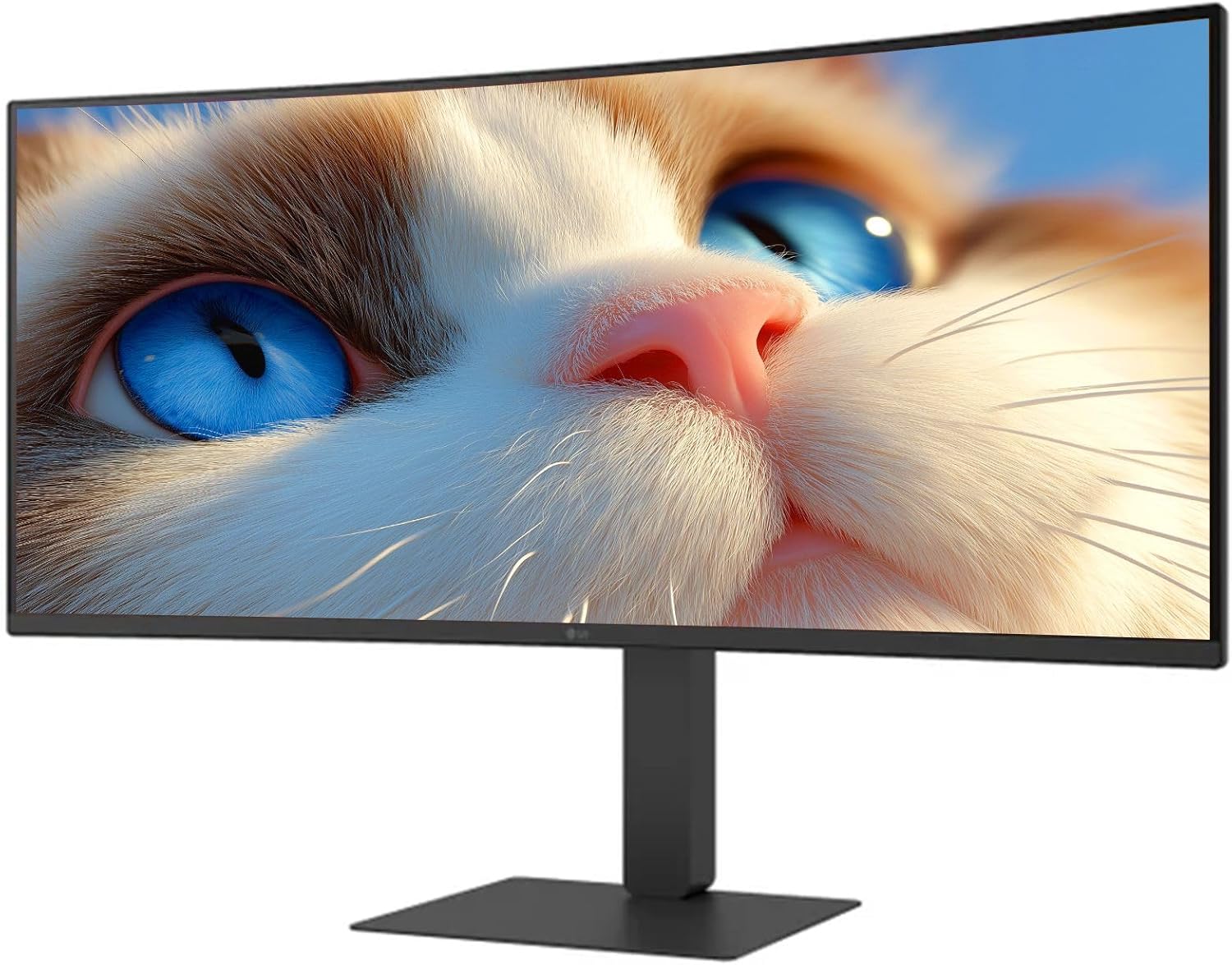
Gambar 1: Hareupeun view of the LG 34 Inch UltraWide Curved Monitor with stand.

Gambar 2: Sisi view of the LG 34 Inch UltraWide Curved Monitor with stand.
3.2 Nyambungkeun Monitor
Sambungkeun monitor ka komputer Anjeun atawa alat sejenna make kabel nu luyu.
- Sambungkeun kabel daya ka input daya monitor terus ka stopkontak.
- For video input, connect either an HDMI cable or a DisplayPort cable from your computer's graphics card to the corresponding port on the monitor.
- If your computer supports USB-C, you can use the provided USB-C cable for video, audio, and data transfer.

Gambar 3: Tukangeun view of the monitor showing available ports for connectivity.
4. Ngoperasikeun Monitor
4.1 Daya Hurung/Pareuman
Press the power button, usually located on the bottom center of the monitor, to turn the monitor on or off. The power indicator light will illuminate when the monitor is on.
4.2 Menu dina layar (OSD).
Menu OSD ngamungkinkeun anjeun pikeun nyaluyukeun rupa-rupa setélan monitor. Anggo tombol joystick (biasana aya di tengah handap) pikeun navigasi menu.
- Modeu Gambar: Select from various preset modes (e.g., Custom, Reader, HDR Effect) or customize settings like brightness, contrast, and sharpness.
- Input: Manually select the input source (HDMI, DisplayPort, USB-C).
- Umum: Access settings for language, OSD transparency, and power-saving options.
4.3 Nyaluyukeun Stand
The monitor stand offers ergonomic adjustments for your comfort:
- Penyesuaian Jangkungna: Gently dorong atawa tarik monitor kaluhur atanapi kahandap ka jangkungna Anjeun hoyongkeun.
- Penyesuaian Dengdekkeun: Hold both sides of the monitor and tilt it forwards or backwards.
- Penyesuaian puteran: Puterkeun monitor ka kenca atawa ka katuhu dina dasarna.
5. Pangropéa
5.1 Ngabersihan Monitor
Pikeun mastikeun umur panjang sareng kinerja optimal monitor anjeun, turutan tungtunan beberesih ieu:
- Salawasna cabut monitor tina stop kontak sateuacan beberesih.
- Make kaen nu lemes, teu aya lint rada dampdilengkepan ku cai atanapi pembersih layar khusus.
- Ulah menyemprot cleaner langsung kana layar.
- Ulah nganggo pembersih abrasif, pelarut, atanapi produk anu dumasar kana amonia.
6. Cara ngungkulan
Upami anjeun mendakan masalah sareng monitor anjeun, tingal solusi umum ieu:
- Henteu aya kakuatan: Pastikeun kabel daya disambungkeun pageuh kana monitor sareng stop kontak. Pariksa naha stop kontakna tiasa dianggo.
- Henteu aya sinyal: Verify that the video cable (HDMI, DisplayPort, or USB-C) is correctly connected to both the monitor and your computer. Ensure the correct input source is selected in the OSD menu.
- Layar kedip-kedip: Check the video cable connection. Try adjusting the refresh rate in your computer's display settings.
- Distorsi Gambar: Reset the monitor to factory settings via the OSD menu. Ensure your computer's display resolution matches the monitor's native resolution (3440 x 1440).
- Henteu aya Sora tina Speaker Bawaan: Check the volume settings on both the monitor and your computer. Ensure the audio output is correctly routed to the monitor.
If the problem persists after trying these steps, please contact LG customer support.
7. Spésifikasi
| Fitur | Spésifikasi |
|---|---|
| merek | LG |
| Nomer modél | 195174134092 |
| Ukuran layar | 34 inci |
| Resolusi maksimum | WQHD (3440 x 1440) |
| Refresh Laju | 120Hz |
| Waktu Tanggapan | 5 ms (GTG) |
| Rasio Aspék | 21:9 |
| Warna Gamut | sRGB 99% |
| Rojongan HDR | HDR10 |
| Viewdina Angle | 178 degrees (R/L), 178 degrees (U/D) |
| Panyambungna tampilan | 1 x HDMI, 1 x DisplayPort |
| Fitur Relief Panon | Low blue light, Flicker-free, Anti-glare, Reader Mode |
| Diwangun-di Speaker | Sumuhun |
| Ukuran produk (kalayan stand) | 8.7 "D x 32.1" W x 19.2" H |
| Beurat Produk (kalayan nangtung) | 16.8 pon |
8. Garansi jeung Rojongan
Your LG 34 Inch UltraWide Curved Monitor comes with a standard manufacturer's warranty. Please refer to the warranty card included in your package for detailed terms and conditions.
Kanggo dukungan téknis, layanan, atanapi patarosan salajengna, mangga buka halaman wéb resmi LG website or contact their customer service hotline. Keep your purchase receipt and product serial number (located on the back of the monitor) handy when contacting support.