
1. Bubuka
Thank you for choosing the GOBOULT Tenet TWS Earbuds. This manual provides essential information for setting up, operating, and maintaining your earbuds to ensure optimal performance and longevity. The Tenet earbuds feature Bluetooth 5.4 connectivity, 13mm dynamic drivers, Quad Mic Environmental Noise Cancellation (ENC), and support for the Amp App for personalized audio.
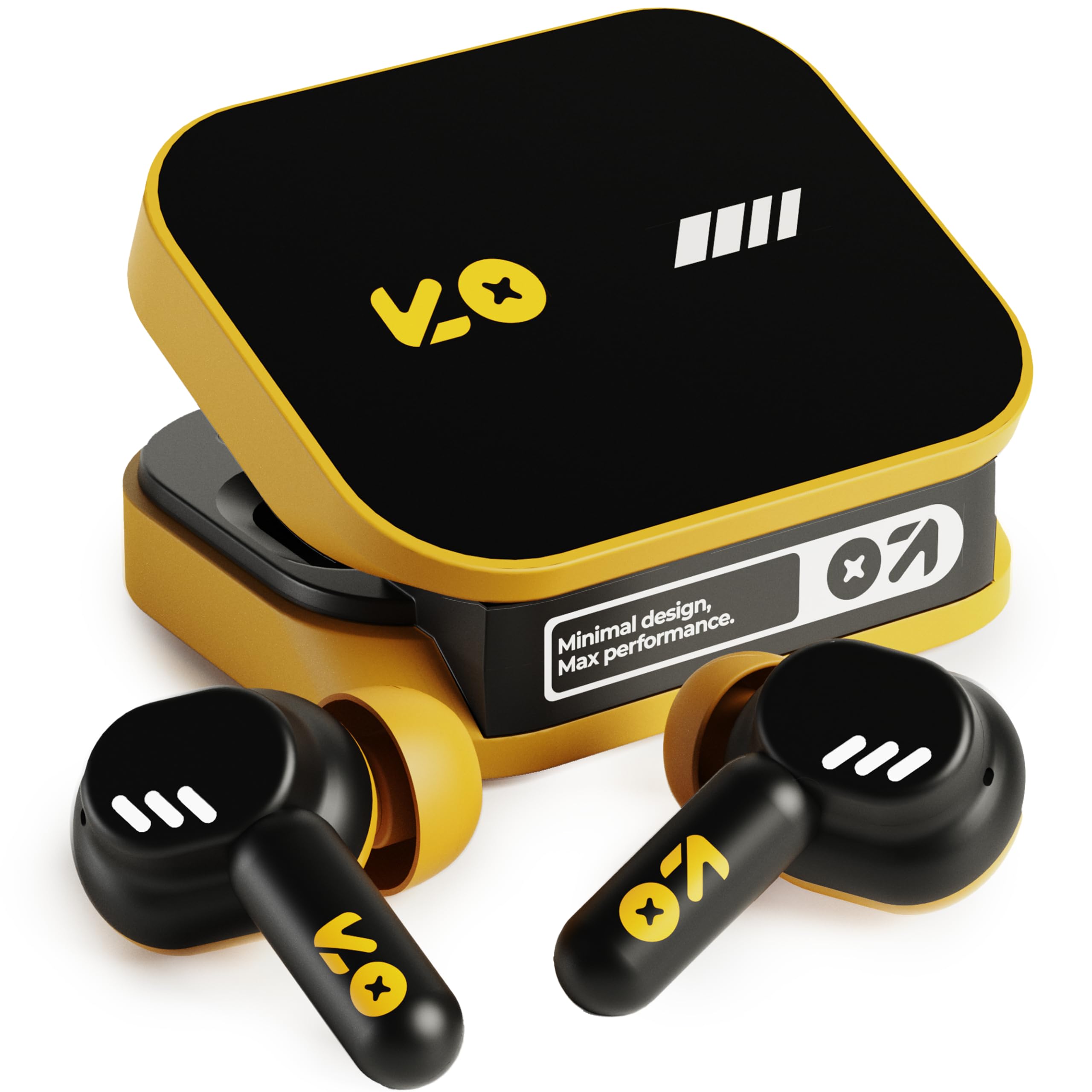
Image: The GOBOULT Tenet TWS Earbuds in Solar Yellow, shown with their charging case.
2. Eusi Paket
Pastikeun yén sadaya item di handap ieu kalebet dina pakét anjeun:
- GOBOULT Tenet TWS Earbuds (Left and Right)
- Ngecas Case
- Kabel Ngecas USB Tipe-C
- Bantalan Ceuli (rupa-rupa ukuran)
- Manual pangguna (dokumén ieu)
- Kartu Garansi
3. Setélan
3.1. Ngecas Earbuds jeung Case
Before first use, fully charge the earbuds and the charging case. The case provides extended battery life for the earbuds.
- Lebetkeun dua earbud kana wadah ngecas, pastikeun duanana dipasang kalayan leres.
- Connect the provided USB Type-C charging cable to the charging port on the case and to a compatible USB power source (e.g., wall adapter, computer USB port).
- The indicator light on the charging case will show the charging status. Refer to the LED indicator guide in the operating section for details.
- A full charge provides up to 75 hours of total playtime with the charging case. A quick 10-minute charge can provide up to 120 minutes of playtime.

Image: The GOBOULT Tenet earbuds in their open charging case, illustrating the USB-C charging port and battery life.
3.2. Nyocogkeun Earbuds
Proper fit is crucial for sound quality and comfort. The earbuds feature a 'Vacuum Lock Earshell' design for a secure fit.
- Select the ear cushions that best fit your ears. Different sizes are provided.
- Lembut selapkeun earbuds kana saluran ceuli anjeun.
- Twist slightly to ensure a snug and comfortable seal. This helps optimize audio performance and noise isolation.

Image: A diagram illustrating the 'Vacuum Lock Earshell' design and how the earbud sits securely in the ear.
4. Parentah Operasi
4.1. Daya Hurung / Pareum
- Daya Hurung: Buka wadah ngecas, sareng earbuds bakal otomatis hurung.
- Pareum listrik: Teundeun earbuds deui kana wadah ngecas sareng tutup tutupna. Aranjeunna bakal otomatis pareum sareng ngawitan ngecas.
4.2. Papasangan Bluetooth
The GOBOULT Tenet earbuds use Bluetooth 5.4 for stable and efficient connection.
- Pastikeun yén earbuds dieusi sareng di jero wadah ngecas.
- Open the charging case. The earbuds will enter pairing mode, indicated by flashing LED lights.
- Dina alat anjeun (smartphone, tablet, laptop), aktipkeun Bluetooth.
- Milarian pikeun available Bluetooth devices and select "GOBOULT Tenet" from the list.
- Sakali disambungkeun, lampu indikator earbud bakal eureun kedip-kedip.
4.3. Dual Device Connectivity
The earbuds support dual device pairing, allowing seamless switching between two connected devices.
- Pair the earbuds with your first device (e.g., smartphone) as described above.
- Cabut sambungan earbud tina setélan Bluetooth alat anu munggaran (ulah pegatkeun sambunganna).
- Pair the earbuds with your second device (e.g., laptop).
- Sambungkeun deui earbud ka alat anu munggaran tina setélan Bluetooth-na. Earbud ayeuna parantos nyambung ka kadua alat.
- To switch between devices, simply pause audio on one device and play on the other.

Image: The GOBOULT Tenet earbuds and charging case positioned between a smartphone and a laptop, demonstrating dual device connectivity.
4.4. Toél Kontrol
The earbuds feature intuitive touch controls for music playback, call management, and voice assistant activation.
| Fungsi | Aksi |
|---|---|
| Play / Reureuh | Ketok tunggal dina boh earbud |
| Lagu salajengna | Ketok dua kali dina earbud Katuhu |
| Lagu saméméhna | Ketok dua kali dina ceuli Kénca |
| Ngajawab / mungkas Telepon | Ketok tunggal dina boh earbud |
| Nolak Telepon | Pencét lila dina boh earbud |
| Aktipkeun Asisten Sora (Siri/Asisten Google) | Ketok tilu kali dina boh earbud |

Image: An illustration detailing the touch controls for music and calls, along with information on intelligent AI assistance and IPX5 water resistance.
4.5. Ngagunakeun Amp App
Personalize your listening experience with the dedicated Amp App.
- Download the "Amp App" from your device's app store.
- Connect your GOBOULT Tenet earbuds to your device via Bluetooth.
- Buka na Amp App. It will automatically detect your earbuds.
- Within the app, you can customize EQ settings (e.g., Rock, Jazz, Natural, Bass), rename your earbuds, and access tailored widgets.

Image: The GOBOULT Amp App interface displayed on a smartphone, showing custom EQ modes and other personalization options for the earbuds.
4.6. Call Management (Quad Mic ENC)
The Quad Mic Environmental Noise Cancellation (ENC) ensures clear calls by reducing background noise.
- Use the touch controls (Section 4.4) to answer, end, or reject calls.
- The four integrated microphones work to isolate your voice from ambient sounds, providing clear communication even in noisy environments.
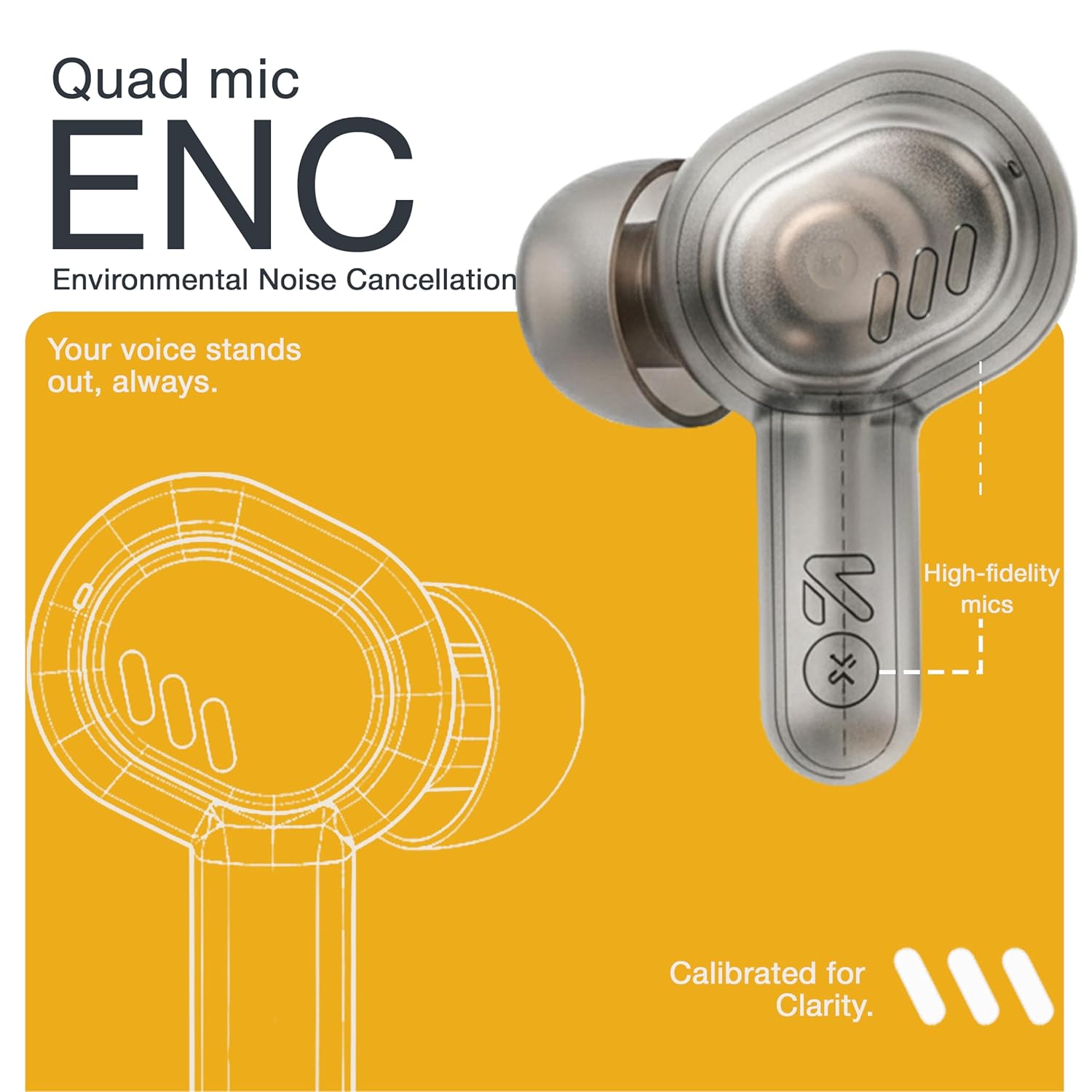
Image: A detailed diagram highlighting the Quad Mic ENC system within the earbud, designed for clear voice transmission.
4.7. Audio Performance (13mm Drivers)
The GOBOULT Tenet earbuds are equipped with 13mm dynamic drivers for a rich audio experience.
- Experience deep bass, clear vocals, and balanced audio across various music genres.
- Saluyukeun sora profile further using the Amp App's equalizer settings.

Gambar: Hiji ngabeledug view diagram earbud, nunjukkeunasing the 13mm dynamic driver responsible for audio output.
4.8. Tahan cai
The earbuds are IPX5 water resistant, making them suitable for workouts and light splashes.
- IPX5 rating means the earbuds can resist a sustained, low-pressure water jet spray.
- Do not submerge the earbuds in water or expose them to heavy rain.
- Bisi ngecas henteu tahan cai.
5. Pangropéa
5.1. beberesih
- Rutin ngabersihkeun earbuds sareng wadah ngecas ku lawon anu lemes, garing, teu aya lint.
- Remove ear cushions and clean them with mild soap and water if necessary, ensuring they are completely dry before reattaching.
- Ulah make cleaners abrasive, alkohol, atawa pangleyur kimiawi.
- Pastikeun ngecas kontak dina duanana earbuds jeung wadahna beresih jeung bébas tina lebu.
5.2. Panyimpenan
- Nalika henteu dianggo, simpen earbuds dina wadah ngecasna pikeun ngajagi sareng tetep dicas.
- Simpen alat dina tempat anu tiis, garing, jauh tina suhu anu ekstrim sareng sinar panonpoé langsung.
5.3. Kaperawatan batré
- Pikeun manjangkeun umur batré, ulah sering-sering ngosongkeun batré earbud sareng wadahna.
- Ngeusi batre alat sacara rutin, sanajan henteu sering dianggo, pikeun nyegah kaluaran anu jero.
6. Cara ngungkulan
| Masalah | Solusi anu mungkin |
|---|---|
| Earbuds teu dipasangkeun |
|
| Teu aya sora ti hiji earbud |
|
| Masalah ngecas |
|
| Volume lemah atawa kualitas sora goréng |
|
| Asisten sora teu ngabales |
|
7. Spésifikasi
| Fitur | Rincian |
|---|---|
| merek | GOBOULT |
| Ngaran modél | Tenet (Airbass) |
| Nomer modél | Earbud Airbass |
| Panempatan Ceuli | Dina Ceuli |
| Kontrol bising | Environmental Noise Cancellation (ENC), Sound Isolation |
| Vérsi Bluetooth | 5.4 |
| Rentang Bluetooth | Nepi ka 10 Méter |
| Ukuran Supir Audio | 13 Milimeter |
| Rentang Frékuénsi | 20 Hz - 20,000 Hz |
| Sensitipitas | 105 dB |
| Battery Average Life (with case) | Nepi ka 75 Jam |
| Ngecas Gancang | 10 menit ngecas pikeun 120 menit playtime |
| Port ngecas | USB Tipe-C |
| Tingkat Résistansi Cai | IPX5 (Earbuds wungkul) |
| Tipe Controller | Touch, Google Assistant, Siri |
| Alat nu cocog | Desktops, Gaming Consoles, Laptops, Smart Watch, Tablets |
| Item Beurat | 54.5 Grams (Case + Earbuds) |
| Negara asal | Cina |
8. Jaminan & Dukungan
8.1. Émbaran jaminan
The GOBOULT Tenet TWS Earbuds come with a 1-Year Manufacturer's Warranty from the date of purchase. This warranty covers manufacturing defects.
- Punten nahan resi pameseran anjeun salaku bukti pameseran pikeun klaim garansi.
- Garansi ieu henteu ngawengku karusakan anu disababkeun ku salah panggunaan, kacilakaan, modifikasi anu henteu sah, atanapi panggunaan normal.
8.2. Rojongan Palanggan
For any queries, technical assistance, or warranty claims, please contact GOBOULT customer support.
- Pabrikan: Exotic Mile Private Limited, B-67 Wazirpur Industrial Area, New Delhi 110052
- Importir: Exotic Mile Pvt. Ltd., B67 Wazirpur Industrial Area, New Delhi 110052
- Refer to the contact information provided on your warranty card or the official GOBOULT websitus pikeun saluran rojongan paling up-to-date.