
1. Bubuka
This manual provides detailed instructions for the Donner DEK-630 61-Key Electronic Keyboard. Please read this manual thoroughly before using the instrument to ensure proper operation and to maximize your musical experience. The DEK-630 is designed for beginners and music enthusiasts, featuring lighted keys, various tones and rhythms, and learning modes to support your musical journey.

Image 1.1: The Donner DEK-630 61-Key Electronic Keyboard Set, including the keyboard, Z-stand, and bench.
2. Naon dina Box
Pastikeun yén sadaya komponén aya dina bungkusan:
- Donner DEK-630 Electric Keyboard
- Z-shaped Stand
- Bangku Piano
- Sésana Musik
- Note Stickers
- Adaptor kakuatan
- Manual Pitunjuk (dokumén ieu)
3. Setélan
3.1 Assembling the Z-shaped Stand
- Unfold the main frame of the Z-stand.
- Attach the horizontal support bars to the vertical frames using the provided screws and knobs. Ensure they are securely tightened.
- Adjust the height of the stand to your preferred playing position using the adjustment knobs.
Video 3.1: Official Donner Music video demonstrating the assembly of the DEK-630 keyboard stand.
3.2 Assembling the Piano Bench
- Unfold the legs of the piano bench.
- Ensure all locking mechanisms are engaged for stability.
3.3 Placing the Keyboard and Music Rest
- Carefully place the DEK-630 keyboard onto the assembled Z-stand. Ensure it is stable and centered.
- Insert the music rest into the designated slots on the top panel of the keyboard.

Image 3.1: The Donner DEK-630 keyboard fully set up with the Z-stand and piano bench.
3.4 Sambungan Daya
- Connect the provided power adapter to the DC 12V input jack (8) on the rear panel of the keyboard.
- Colokkeun adaptor kakuatan kana stop kontak listrik standar.

Image 3.2: Close-up of the DEK-630's rear panel, highlighting the power adapter input and other connectivity options.
4. Parentah Operasi
4.1 Daya Hurung/Pareuman
Pencét éta POWER button located on the control panel to turn the keyboard on or off. The LCD display will illuminate upon power-on.
4.2 LCD Témbongkeun Leuwihview
The LCD display provides visual feedback on the current tone, rhythm, tempo, and learning mode status. Use the navigation buttons to browse through options.

Image 4.1: The DEK-630's LCD display, showing active settings for tones, rhythms, and learning modes.
4.3 Tone Selection (300 Tones)
To select a tone:
- Pencét éta NADA kancing.
- Use the number pad or the +/- buttons to select from 300 available tones. The selected tone number and name will appear on the LCD.
4.4 Rhythm Selection (256 Rhythms)
To select a rhythm:
- Pencét éta Wirahma kancing.
- Use the number pad or the +/- buttons to select from 256 available rhythms.
- Pencét Mimitian / STOP to begin or end the rhythm playback.
4.5 Demo Songs (40 Songs)
The keyboard includes 40 demo songs for listening and practice.
- Pencét éta LAGU DEMO kancing.
- Ngagunakeun éta +/- buttons to cycle through the demo songs.
- Pencét ulin to start the selected demo song.
4.6 Learning Modes
The DEK-630 offers built-in learning modes to assist beginners, including lighted keys, auto-chord, and metronome functions.
- Tombol Lampu: Keys illuminate to guide you during learning exercises.
- Auto-Chord: Automatically plays chords based on single key presses, simplifying accompaniment.
- Métronome: Provides a steady beat to help develop rhythm and timing. Activate by pressing the METONOMI kancing.

Image 4.2: A user's hands playing the DEK-630, demonstrating the lighted key feature for learning.
4.7 Ngarekam jeung Playback
Pikeun ngarekam kinerja anjeun:
- Pencét éta REC button. The REC indicator will light up.
- Puterkeun mélodi anu dipikahoyong.
- Pencét ulin to stop recording and listen to your recorded performance.
4.8 Dual Keyboard / Split Functions
- Dual Keyboard: Allows two different voices to be layered and played simultaneously.
- Fungsi Pamisah: Divides the keyboard into two sections, each with its own tone, allowing two different instruments to be played at once. Refer to the full manual for detailed activation steps.
4.9 Volume Control
Saluyukeun volume master nganggo tombol JILID MASTER knob or buttons on the control panel.
4.10 Pilihan Konektipitas
The DEK-630 offers various ports for expanded functionality:
- Sustain Pedal Jack (1): Connect an optional sustain pedal for expressive playing.
- MIDI Port (2): Connect to computers or other MIDI devices for music production and learning software.
- Port USB (3): For USB MIDI connectivity.
- Audio Input Line (4): Connect external audio sources (e.g., MP3 player) to play along.
- Output (L/R) (5): Nyambung kana éksternal amplifiers or mixing consoles.
- Mic Jack (6): Connect a microphone for vocal accompaniment.
- Soket Headphone (7): Connect headphones for private practice. Headphones need to be purchased separately.
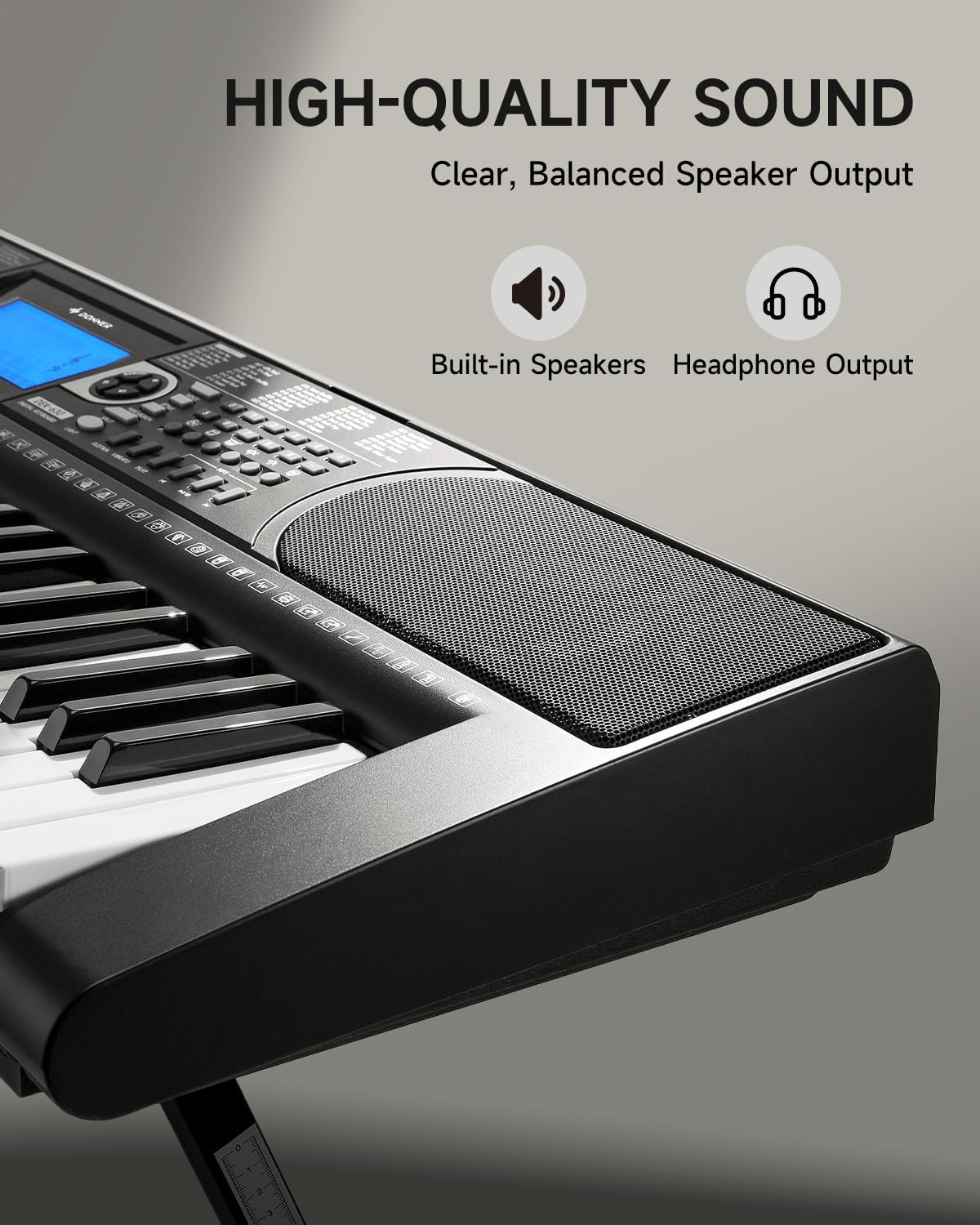
Image 4.3: The DEK-630's built-in speaker and headphone output for versatile sound options.
5. Pangropéa
5.1 beberesih
- Wipe the keyboard and stand with a soft, dry cloth.
- Pikeun kokotor nekad, make rada damp lawon lajeng garing tuntas.
- Ulah nganggo pembersih abrasif, pangleyur, atanapi lilin, sabab ieu tiasa ngaruksak lapisan akhir.
5.2 Panyimpenan
- Simpen kibor di tempat anu tiis sareng garing jauh tina sinar panonpoé langsung sareng suhu anu ekstrim.
- If storing for an extended period, disconnect the power adapter.
6. Cara ngungkulan
| Masalah | Mungkin Cukang lantaranana | Solusi |
|---|---|---|
| Taya sora |
|
|
| Konci teu ngabales |
|
|
| tampilan LCD kosong |
|
|
7. Spésifikasi
- model: DEK-630
- Jumlah konci: 61
- Nada: 300
- Wirahma: 256
- Lagu demo: 40
- Fitur husus: Built-In Speaker, Lighted Keys, Portable, LCD Display, Learning Modes (Auto-Chord, Metronome)
- Konektipitas: USB MIDI, Audio Input, Output (L/R), Mic Jack, Headphone Jack, Sustain Pedal Jack
- kakuatan: DC 12V Power adaptor
- Dimensions (Keyboard without stand): 37.80 x 11.81 x 3.54 inci (96 x 30 x 9 cm)
- Komponén Kaasup: Electric Keyboard, Z-shaped Stand, Piano Bench, Music Rest, Note Stickers
8. Garansi jeung Rojongan
8.1 Émbaran jaminan
The Donner DEK-630 Electronic Keyboard comes with a garansi 2 taun from the date of purchase. This warranty covers manufacturing defects and malfunctions under normal use. Please retain your proof of purchase for warranty claims. The warranty does not cover damage caused by misuse, accidents, unauthorized modifications, or normal wear and tear.
8.2 Rojongan Palanggan
For technical assistance, troubleshooting, or warranty inquiries, please contact Donner customer support. Visit the official Donner websitus pikeun inpo kontak jeung sumber tambahan.
Resmi Donner Websitus: www.donnerdeal.com