
Bubuka
This manual provides instructions for the MOVHEIYL Replacement Remote Control. Please read this manual carefully before use to ensure proper operation and longevity of your remote control.
Kasaluyuan
Compatible Treadmill Models
This replacement remote control is compatible with the following walking pad treadmill models:
- UREVO Spacewalk E1 URTM030
- UREVO Spacewalk E1 URTM025/URTM026 SYWP002
- Upreign N3805
- TOPUTURE TP4 Walking Pad Treadmill
Disetél
Pamasangan batré
The remote control requires button batteries (not included) for operation.

Locate the battery compartment on the back of the remote control. Insert a 3V lithium button battery (e.g., CR2032), ensuring correct polarity. Close the battery compartment securely.
Jauh pasangan
Follow these steps to pair the remote control with your treadmill:
- Lebetkeun batréna kana kadali jauh.
- Press and hold the power button or the '+' sign on the remote. (Note: The specific button may vary depending on your treadmill model; try each one individually if unsure.)
- Turn on the treadmill's power switch.
- A long beep sound from the treadmill indicates a successful connection.
Important: Pairing and unpairing operations must be performed within 10 seconds of the treadmill being powered on.

The remote control connects wirelessly to the treadmill. Ensure the remote is within operational distance, typically up to 8 meters, for effective pairing and control.

Hold the remote control firmly during the pairing process and operation.
This image illustrates the remote control in proximity to a compatible treadmill, ready for use after successful pairing.
Parentah Operasi
Fungsi Tombol
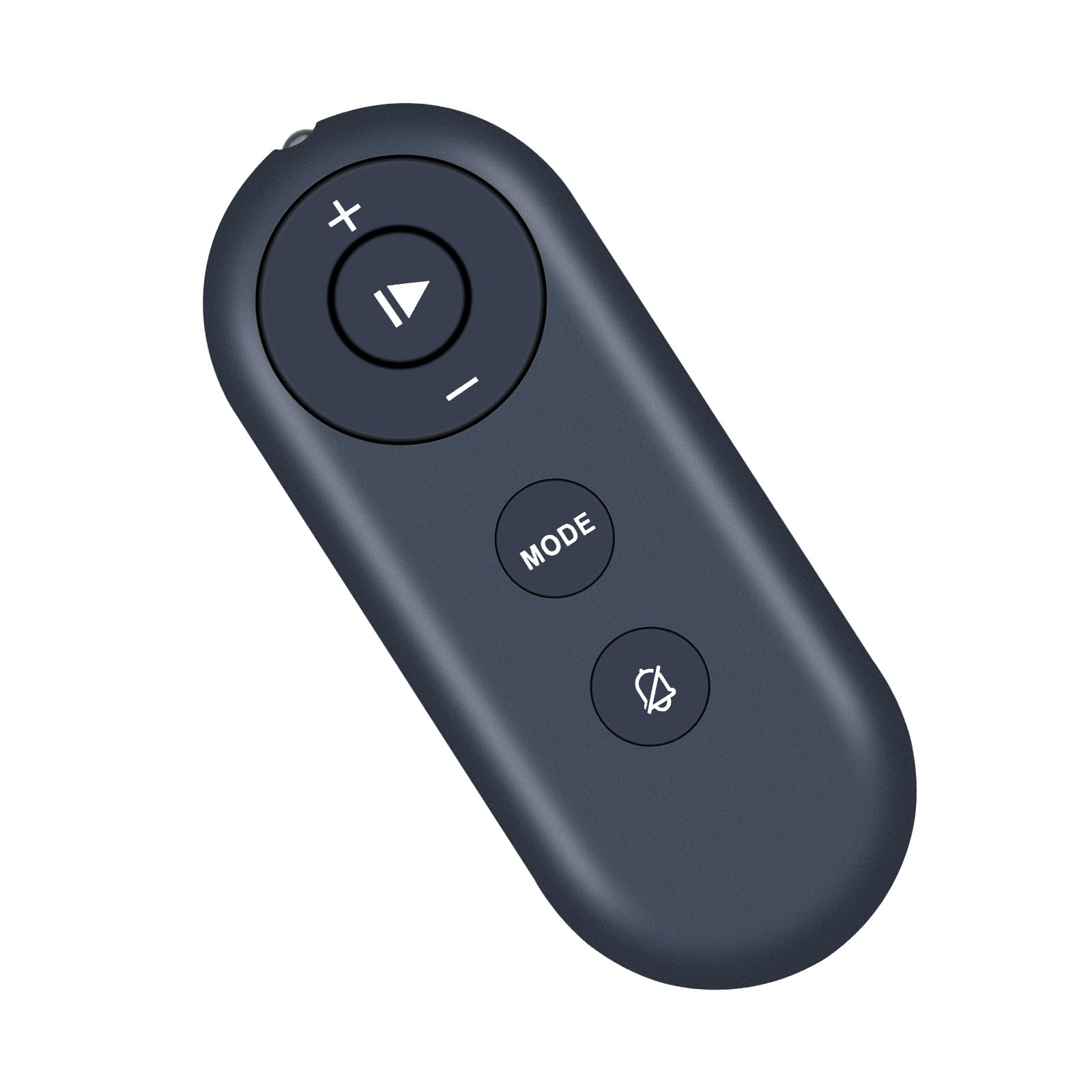
The remote control features several buttons for operating your treadmill:

The remote is constructed from high-quality ABS material with soft silicone buttons for comfortable and durable use. The 'MODE' button allows switching between different treadmill modes.

- Central Button (Play/Pause): Initiates or pauses treadmill operation.
- Tombol '+': Increases treadmill speed.
- '-' Tombol: Decreases treadmill speed.
- Tombol MODE: Cycles through different treadmill modes or programs.
- Bell/Mute Button: May control sound or notification features on the treadmill.
This diagram details the primary functions of each button. The exact functionality of the 'MODE' and bell icon buttons may vary slightly depending on your specific treadmill model.
Pamérésan masalah
Masalah papasangan
If the remote control fails to pair with your treadmill using the standard method, try the following alternative pairing procedures:
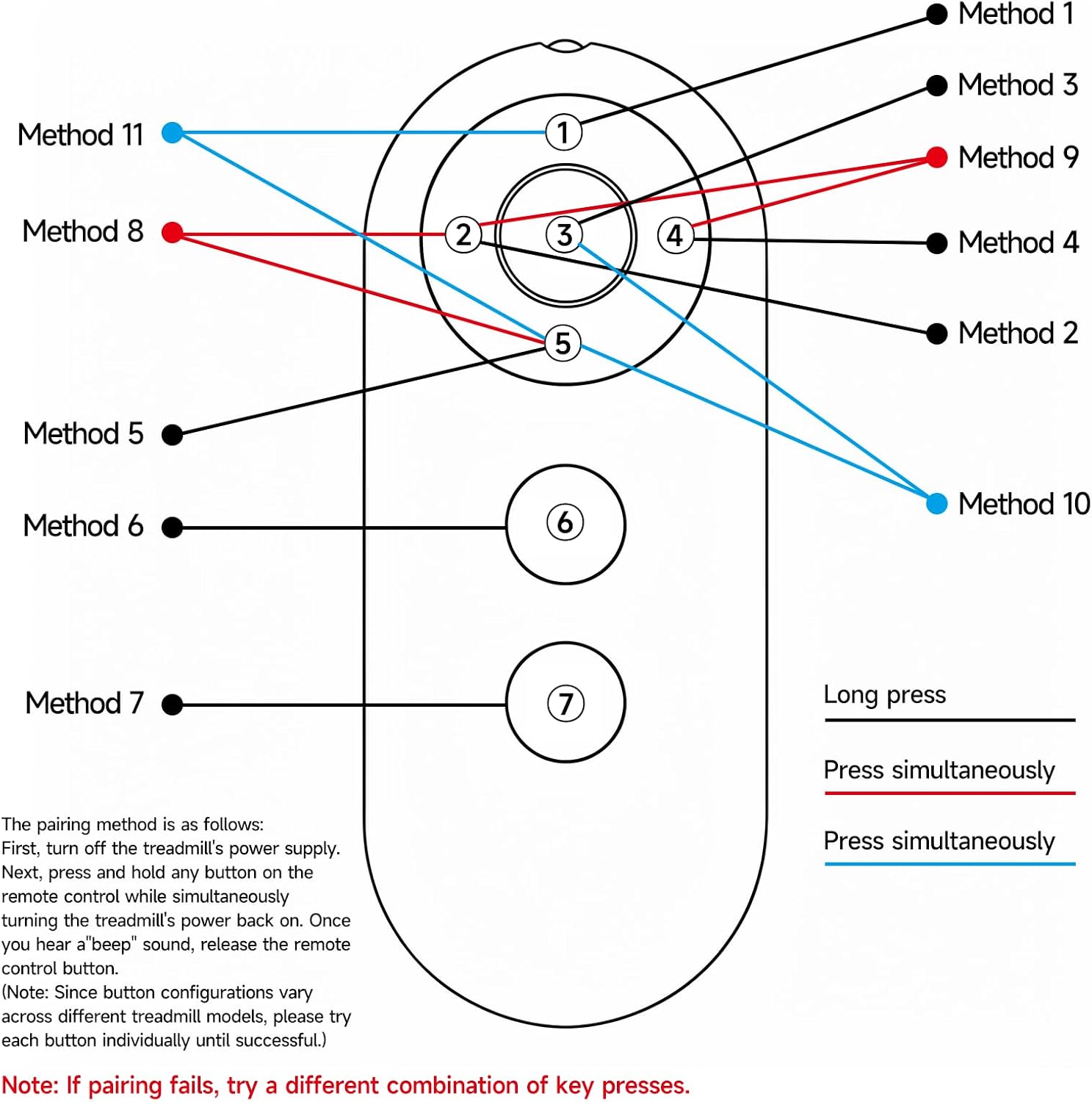
This diagram provides eleven different methods for pairing the remote control. The general procedure involves:
- First, turn off the treadmill's power supply.
- Next, press and hold any button on the remote control while simultaneously turning the treadmill's power back on.
- Once you hear a 'beep' sound, release the remote control button.
Note: Since button configurations vary across different treadmill models, please try each button individually until successful. If pairing fails, try a different combination of key presses as shown in the diagram.
Pangropéa
Perawatan sareng Ngabersihan
The remote control is made of high-quality ABS material, designed to be resistant to falling and free from peculiar odors. To maintain its condition, wipe it with a soft, dry cloth. Avoid using harsh chemicals or abrasive cleaners, as these may damage the surface or internal components.
spésifikasi
Spésifikasi produk
- merek: MOVHEIYL
- Téknologi konektipitas: Infrabeureum
- Jenis Controller: Tombol Control
- Rentang maksimum: 10 méter
- Bahan: Kualitas luhur ABS
- Fitur husus: Ergonomic design, Soft silicon buttons
- Sumber Daya: 3V Lithium Button Battery (e.g., CR2032, not included)
- warna: Hideung
Garansi sareng Rojongan
Émbaran jaminan
This product comes with a 1-year warranty return service from the date of purchase.
Rojongan Palanggan
For any questions regarding your order, product functionality, or troubleshooting, please feel free to contact customer support directly. We aim to respond to inquiries within 12 hours.