
1. Bubuka
Hatur nuhun pikeun meuliasing the Shark EVOPOWER SYSTEM FIT+ LC156JGY1 Cordless Stick Vacuum Cleaner. This lightweight and powerful vacuum is designed to fit your lifestyle, featuring an automatic dust collection dock, iQ sensor technology for optimized suction, and a brushless power fin to prevent hair tangles. This manual provides essential information for safe and effective use of your new appliance.

Image: The Shark EVOPOWER SYSTEM FIT+ LC156JGY1 cordless stick vacuum cleaner with its automatic dust collection dock.
2. Émbaran Kasalametan
Please read all instructions carefully before using your vacuum cleaner. Failure to follow these instructions may result in electric shock, fire, or serious injury.
- Perkakas ieu kanggo panggunaan rumah tangga wungkul.
- Ulah make di luar atawa dina surfaces baseuh.
- Jauhkeun rambut, pakean longgar, ramo, sareng sadaya bagian awak tina bukaan sareng bagian anu obah.
- Ulah nyokot naon bae anu kaduruk atawa ngaroko, kayaning roko, korek api, atawa lebu panas.
- Do not use without dust cup and filters in place.
- Anggo ngan sakumaha anu dijelaskeun dina manual ieu.
- Always turn off the appliance before connecting or disconnecting the motorized nozzle, charging, or performing any maintenance.
- Store the vacuum in a dry indoor area.
3. Eusi Paket
Pastikeun yén sadaya komponén aya dina pakét anjeun:
- Unit vakum utama
- Automatic Dust Collection Dock (with charging function)
- Lithium-ion Battery (1, pre-installed in main unit)
- Manual pangguna (dokumén ieu)
4. Majelis jeung Setup
Follow these steps to assemble your vacuum cleaner and prepare it for first use:
- Ngabongkar komponén: Sacara saksama miceun sadaya bagian tina bungkusan.
- Ngumpulkeun Unit Utama: Connect the wand to the floor nozzle until it clicks into place. Then, connect the handheld vacuum to the top of the wand until it clicks.
- Set up the Automatic Dust Collection Dock: Place the dock on a flat, stable surface near a power outlet.
- Ngeusi batre: Place the assembled vacuum cleaner onto the automatic dust collection dock. Ensure the charging contacts align. The battery will begin charging automatically. A full charge takes approximately 3.5 hours.
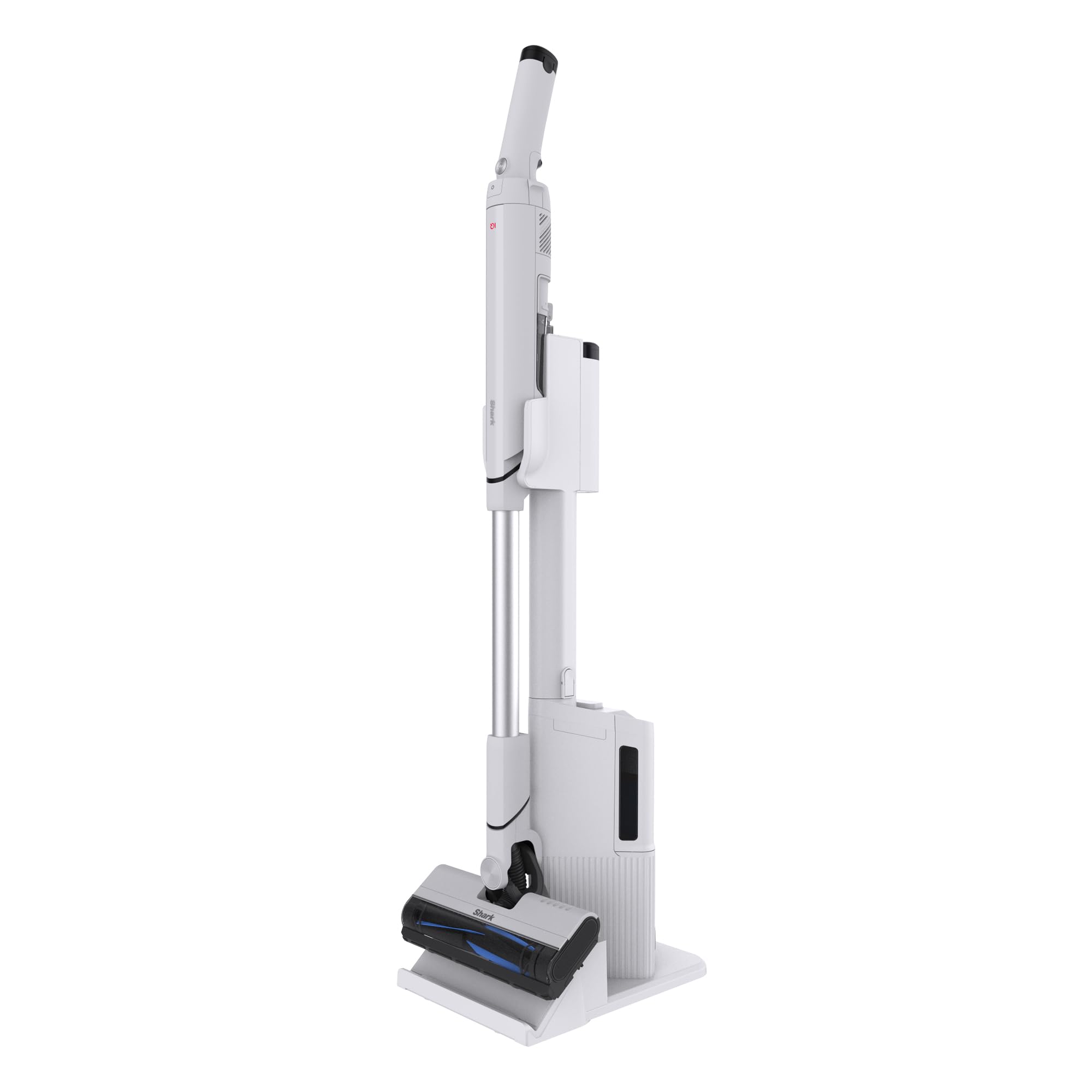
Image: The Shark EVOPOWER SYSTEM FIT+ LC156JGY1 vacuum cleaner in its assembled state.
5. Operasi
5.1. Ngamimitian sareng Ngeureunkeun
- To start the vacuum, press the power button on the handheld unit.
- To stop, press the power button again.
5.2. Modeu beberesih
Your vacuum features two cleaning modes:
- iQ Mode: This is the standard mode. The Shark iQ sensor automatically adjusts suction power based on the amount of debris detected, optimizing cleaning efficiency and battery life.
- Modeu naekeun: For stubborn dirt and deep cleaning, press the Boost button on the handheld unit to activate maximum suction power.

Image: The iQ sensor automatically adjusts suction power based on debris levels.
5.3. Handheld Conversion
To convert to a handheld vacuum for cleaning furniture, stairs, or tight spaces:
- Press the release button on the handheld unit.
- Pull the handheld unit away from the wand.
- Attach any desired accessories (not included with this model, but available separately) to the handheld unit.

Image: Converting the stick vacuum to a handheld unit for versatile cleaning.
5.4. Automatic Dust Collection Dock
When you return the vacuum to its dock, the automatic dust collection feature will activate, transferring debris from the vacuum's dust cup to the dock's larger collection bin. This minimizes contact with dust and reduces the frequency of emptying the vacuum's small dust cup.
- The dock can hold approximately 30 days' worth of debris (based on 1 use per day; actual capacity may vary depending on environment).
- To temporarily stop the automatic dust collection process (e.g., at night), press the dedicated button on the dock.

Image: The automatic dust collection dock for convenient and hygienic debris disposal.

Image: Comparison of traditional dust emptying (dust flying) versus Shark's automatic, dust-free collection.
6. Pangropéa
Pangropéa rutin mastikeun kinerja anu optimal tina vacuum cleaner anjeun.
6.1. Emptying the Dust Collection Dock
- When the dust collection bin on the dock is full, remove it and empty the contents into a trash can.
- The dock's dust box is washable. Rinse with water and allow to air dry completely before reinserting.
6.2. Saringan beberesih
The vacuum's dust cup and filters are washable:
- Remove the dust cup and filters from the handheld unit.
- Rinse the dust cup and filters with cold water.
- Allow all parts to air dry completely for at least 24 hours before reassembling. Do not use a hairdryer or other heating methods.

Image: The HEPA filter ensures clean exhaust, trapping fine dust and allergens.

Image: Washable components including the brush roll, dust cup, and filters for easy maintenance.
6.3. Ngabersihan Sikat Roll
The brushless power fin design minimizes hair tangles. If any debris accumulates:
- Turn off the vacuum and disconnect it from the dock.
- Open the brush roll garage on the floor nozzle.
- Remove any tangled hair or debris from the brush roll.
- The brush roll can be rinsed with water. Ensure it is completely dry before reinserting.

Image: The brushless power fin effectively captures debris without tangling hair.
7. Cara ngungkulan
Upami anjeun mendakan masalah naon waé, tingal pituduh ngungkulan ieu:
| Masalah | Mungkin Cukang lantaranana | Solusi |
|---|---|---|
| Vakum henteu hurung | Batré henteu dieusi atanapi henteu leres diselapkeun. | Ensure battery is fully charged and correctly inserted into the handheld unit. |
| Kaleungitan nyeuseup | Cangkir lebu pinuh, saringan mampet, atanapi sumbatan dina nozzle/tongkat. | Empty dust cup, clean filters, and check for blockages. |
| Pangumpulan lebu otomatis teu jalan | Dock's dust bin full, or vacuum not properly seated on dock. | Empty the dock's dust bin. Ensure the vacuum is correctly placed on the dock. Check if the automatic collection stop button is activated. |
| Sikat gulung teu spinning | Blockage in brush roll or brush roll garage. | Turn off the vacuum, remove any obstructions from the brush roll area. |
8. Spésifikasi
| Fitur | Rincian |
|---|---|
| Nomer modél | LC156JGY1 |
| Warna | Lucent Gray |
| Dimensions (Stick Mode) | 104.1 cm (H) x 26.7 cm (W) x 15.2 cm (D) |
| Weight (Stick Mode) | Kira-kira. 1.8 kg |
| Jenis Batré | Litium-ion |
| Waktu Ngecas | Kira-kira. 3.5 jam |
| Operating Time (Stick Mode) | iQ Mode: Approx. 8-30 minutes Boost Mode: Approx. 8 minutes |
| Operating Time (Handheld Mode) | iQ Mode: Approx. 9-40 minutes Boost Mode: Approx. 9 minutes |
| Dust Collection Dock Capacity | Approx. 30 days of debris (varies by usage) |
| Garansi Produsén | 2 taun |
9. Garansi jeung Rojongan
9.1. Garansi Produsén
This Shark EVOPOWER SYSTEM FIT+ LC156JGY1 vacuum cleaner comes with a 2-taun jaminan produsén urang ti tanggal pameseran. Garansi ieu ngawengku cacad dina bahan sareng padamelan dina panggunaan rumah tangga normal. Mangga simpen bukti pameseran anjeun kanggo klaim garansi.
9.2. Rojongan Palanggan
For product support, troubleshooting assistance beyond this manual, or warranty inquiries, please contact Shark customer service. Refer to the contact information provided on the official Shark websitus atanapi bungkusan produk Anjeun.
You can also visit the official Shark store on Amazon for additional information and accessories: Shark Official Store