
1. Bubuka
Thank you for choosing the FLEXISPOT CylineX Pro Electric Standing Desk Frame. This manual provides essential information for the safe and efficient assembly, operation, and maintenance of your new adjustable height desk. Please read these instructions carefully before use and retain them for future reference.
The CylineX Pro features a robust dual-motor system, a user-friendly piano-style control panel, and a wide height adjustment range to support a healthy and productive workspace.
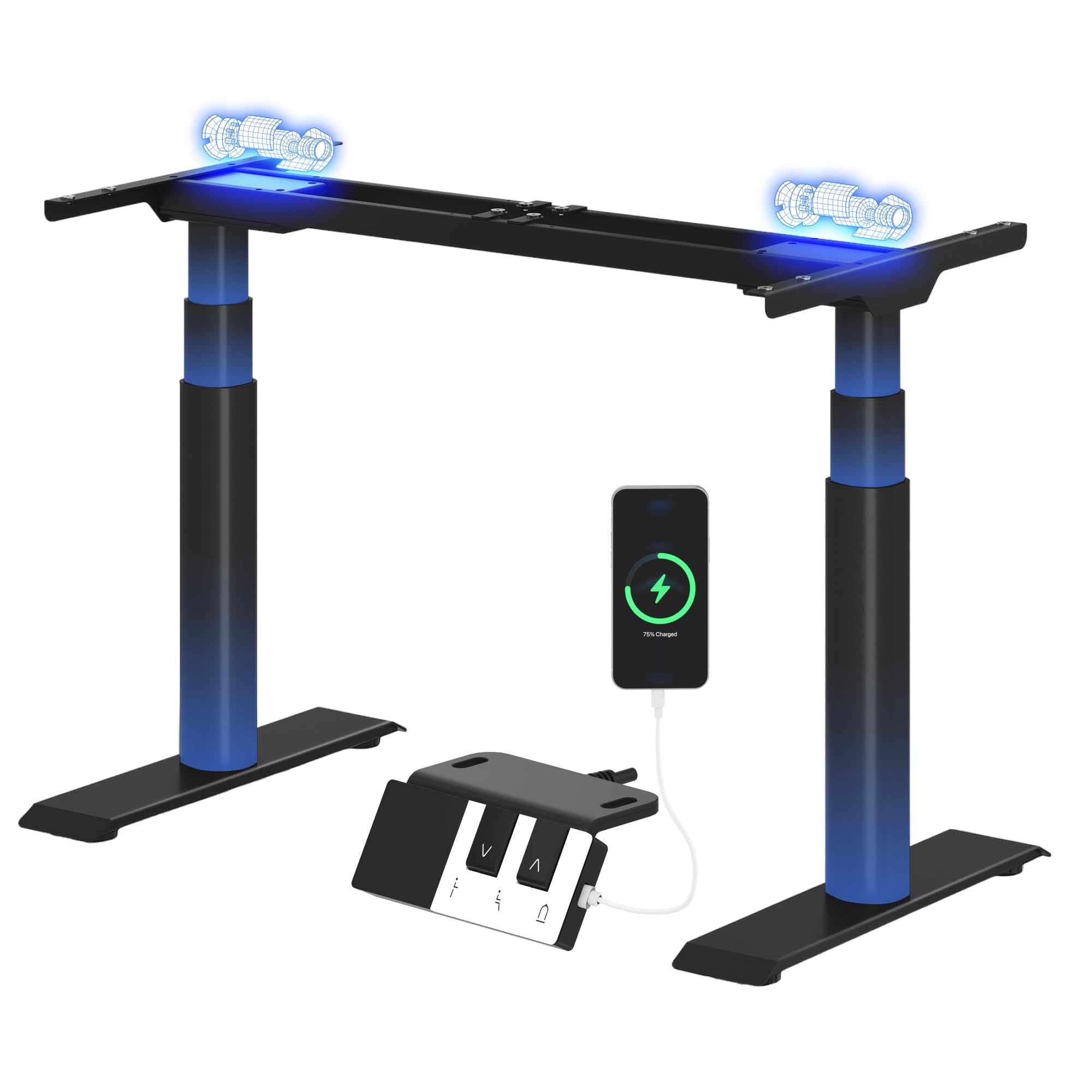
Image: The FLEXISPOT CylineX Pro Electric Standing Desk Frame with a black tabletop in a home office environment.
2. Émbaran Kasalametan
Pikeun mastikeun operasi anu aman sareng nyegah tatu atanapi karusakan, mangga perhatoskeun tindakan pencegahan kaamanan ieu:
- Pastikeun yén sadaya komponén dipasang sacara aman sateuacan dianggo.
- Jauhkeun barudak sareng piaraan tina méja nalika dianggo.
- Ulah neundeun leungeun atawa barang séjén di deukeut bagian anu obah.
- Ulah ngaleuwihan kapasitas beurat anu ditangtukeun dina méja.
- Ulah diuk atawa nangtung dina pigura meja.
- Pegatkeun sambungan kakuatan saméméh beberesih atawa perawatan.
- Paké ngan adaptor kakuatan disadiakeun jeung asesoris.
- If any unusual noise, smell, or malfunction occurs, immediately unplug the desk and contact customer support.
- The anti-collision system is designed to prevent damage, but users should still exercise caution during height adjustments.

Image: The integrated anti-collision system provides safer movement by automatically reversing if an obstacle is detected.
3. Parentah Majelis
The FLEXISPOT CylineX Pro desk frame is designed for straightforward assembly. It typically takes about 20 minutes to assemble. Please ensure you have received all packages, as the desk frame may be shipped in multiple boxes.
3.1 Eusi pakét
Verify that all parts listed in the included user manual are present before beginning assembly. Contact customer support if any parts are missing or damaged.
3.2 Lengkah-demi-Lengkah Majelis
- Ngabongkar komponén: Cabut sadaya bagian tina bungkusna kalayan ati-ati teras simpen dina permukaan anu lemes sareng bersih pikeun nyegah goresan.
- Kumpulkeun palang: Connect the two halves of the crossbar (if applicable) and secure them according to the detailed instructions in your physical manual.
- Attach Lifting Columns: Securely attach the lifting columns (legs) to the assembled crossbar.
- Pasang Kaki: Attach the foot supports to the bottom of each lifting column.
- Sambungkeun kotak kontrol: Mount the control box to the designated area on the frame and connect the motor cables and power cable.
- Pasang Panel Kontrol: Mount the piano-style control panel to the desired location on the desk frame or tabletop.
- Pasang Meja: Carefully place your chosen tabletop onto the assembled frame. Ensure it is centered and aligned, then secure it using the provided screws.
- Manajemén Kabel: Organize and secure all cables using the included cable ties or management accessories.

Image: Components of the desk frame laid out, illustrating the ease of assembly.
4. Parentah Operasi
The CylineX Pro features an intuitive piano-style control panel for easy height adjustment and personalized settings.

Image: The piano-style control panel offers simple and intuitive control with memory functions, sit/stand reminder, child lock, and a USB port.
4.1 Pangaluyuan Jangkungna Dasar
- Pencét éta Ka luhur (^) tombol pikeun ngangkat méja.
- Pencét éta Handap (v) tombol pikeun nurunkeun méja.
- Release the button to stop the desk at the desired height.
4.2 Nyetél mémori prasetél
The control panel allows you to save up to three preferred height settings:
- Atur méja kana jangkungna anu dipikahoyong nganggo tombol Luhur/Turun.
- Pencét éta "M" button (Memory) followed by one of the numbered preset buttons (1, 2, or 3). The display will show "S-" followed by the number to confirm the setting is saved.
- Pikeun nginget jangkungna anu disimpen, cukup pencét tombol preset anu dinomeran anu saluyu.
4.3 Panginget Calik/Nangtung
Activate the sit/stand reminder to prompt you to change positions at regular intervals:
- Pencét éta Timer button (often depicted as a clock icon) to cycle through reminder intervals (e.g., 30, 45, 60 minutes).
- The desk will beep or vibrate when it's time to change position.
4.4 Fungsi Konci Anak
To prevent accidental adjustments, activate the child lock:
- Pencét jeung tahan tombol Konci button (often depicted as a padlock icon) for a few seconds until "LOC" appears on the display.
- To unlock, press and hold the Lock button again until "LOC" disappears.
4.5 Palabuhan Ngecas USB
The control panel includes a USB port for convenient charging of your mobile devices.
5. Pangropéa
Regular maintenance ensures the longevity and optimal performance of your FLEXISPOT CylineX Pro desk frame.
- beberesih: Lap pigura méja ku kaén nu lemes,amp cloth. Avoid abrasive cleaners or solvents that could damage the finish. Ensure no liquid enters the electrical components.
- Manajemén Kabel: Periodically check and tidy up cables to prevent tangling or damage, which could interfere with desk movement.
- Pariksa Fastener: Every few months, check all screws and bolts to ensure they are tight. Re-tighten if necessary.
- Lubrication: The lifting columns are pre-lubricated and generally do not require additional lubrication. If you notice any unusual friction, contact customer support.
6. Cara ngungkulan
Upami anjeun ngalaman masalah sareng méja anjeun, mangga tingali léngkah-léngkah ngungkulan masalah umum ieu:
| Masalah | Mungkin Cukang lantaranana | Solusi |
|---|---|---|
| Méja teu obah / Teu aya daya | Power cable disconnected, power outlet issue, control box malfunction. | Check power connections. Ensure the outlet is working. Try a different outlet. If still no power, contact support. |
| Méja gerakna teu rata atawa eureun | Overload, obstruction, uneven weight distribution, synchronization issue. | Reduce weight on the desk. Check for obstructions. Ensure weight is evenly distributed. Perform a reset (see below). |
| Kode kasalahan ditampilkeun (contona, E01, E02) | Motor fault, sensor issue, overheating. | Refer to your physical manual for specific error code meanings. Often, a reset or power cycle can resolve temporary errors. If persistent, contact support. |
| Anti-collision system triggers too easily/not at all | Setelan sensitivitas, halangan. | Check for obstructions. Consult your physical manual for instructions on adjusting anti-collision sensitivity. |
| Sora atanapi bau anu teu biasa | Internal component issue, motor strain. | Immediately unplug the desk. Do not use. Contact FLEXISPOT customer support. |
6.1 Reset Prosedur
A reset can often resolve minor operational issues. The exact procedure may vary slightly, but a common method is:
- Pencét jeung tahan tombol Handap (v) button until the desk reaches its lowest position and then slightly rises and lowers again.
- Alternatively, some models require holding the "M" tombol jeung Handap (v) button simultaneously, or a specific combination of buttons. Refer to your physical manual for the precise reset sequence for your CylineX Pro model.
7. Spésifikasi
Key technical specifications for the FLEXISPOT CylineX Pro Electric Standing Desk Frame:

Image: Detailed dimensions and performance specifications of the CylineX Pro desk frame.
| Fitur | Spésifikasi |
|---|---|
| Modél | CylineX Pro |
| Jangkungna adjustment Range | 60 cm - 125 cm (23.6" - 49.2") |
| Laju Angkat | 35 mm/s |
| Kapasitas beban statik | Nepi ka 200 kg (440 lbs) |
| Kapasitas Beban Dinamis | Nepi ka 160 kg (352 lbs) |
| Tipe Motor | Sistem Motor Ganda |
| Tingkat Noise | Kirang ti 50 dB |
| Konsumsi Daya Sayaga | Kurang ti 0.5 W |
| Lebar Méja Anu Cocog | 120 cm - 200 cm (47.2" - 78.7") |
| Jerona Méja anu Cocog | 60 cm - 80 cm (23.6" - 31.5") |
| Panél kontrol | Piano-style with Memory Presets, Sit/Stand Reminder, Child Lock, USB Charging Port |
| Fitur Kasalametan | Sistim anti tabrakan |

Image: The desk's robust construction supports a maximum static load of 200 kg and a dynamic load of 160 kg.
8. Garansi jeung Rojongan
FLEXISPOT berkomitmen pikeun nyayogikeun produk anu kualitasna luhur sareng layanan palanggan anu saé pisan.
8.1 Émbaran jaminan
The FLEXISPOT CylineX Pro desk frame comes with a garansi 10 taun. This warranty covers defects in materials and workmanship under normal use. Please retain your proof of purchase for warranty claims. For full warranty terms and conditions, please refer to the official FLEXISPOT websitus atanapi ngahubungan layanan palanggan.
8.2 Rojongan Palanggan
If you have any questions, require assistance with assembly, or encounter any issues not covered in this manual, please do not hesitate to contact FLEXISPOT customer support. Our team is available to help you.
- Dukungan Online: Kunjungi FLEXISPOT resmi websitus pikeun FAQs, artikel rojongan, sarta formulir kontak.
- Rojongan Email: Refer to your purchase documentation for the appropriate email address.
- Rojongan Telepon: Check the FLEXISPOT websitus pikeun nomer kontak régional.