1. Émbaran Kasalametan penting
Please read all instructions carefully before operating your Thomson RR 68 M clock. Keep this manual for future reference.
- Ulah ngalaan jam ka suhu ekstrim, sinar panonpoé langsung, atawa kalembaban luhur.
- Hindarkeun ngaragragkeun jam atanapi kéngingkeun dampak anu kuat.
- Ulah nyobian ngabongkar atawa ngaropéa jam. Ieu bakal ngabatalkeun jaminan.
- Use only the specified battery type. Ensure correct polarity when inserting batteries.
- Cabut batréna upami jam moal dianggo salami waktos anu lami pikeun nyegah bocor.
2. Produk Langkungview
Familiarize yourself with the components of your Thomson RR 68 M clock.
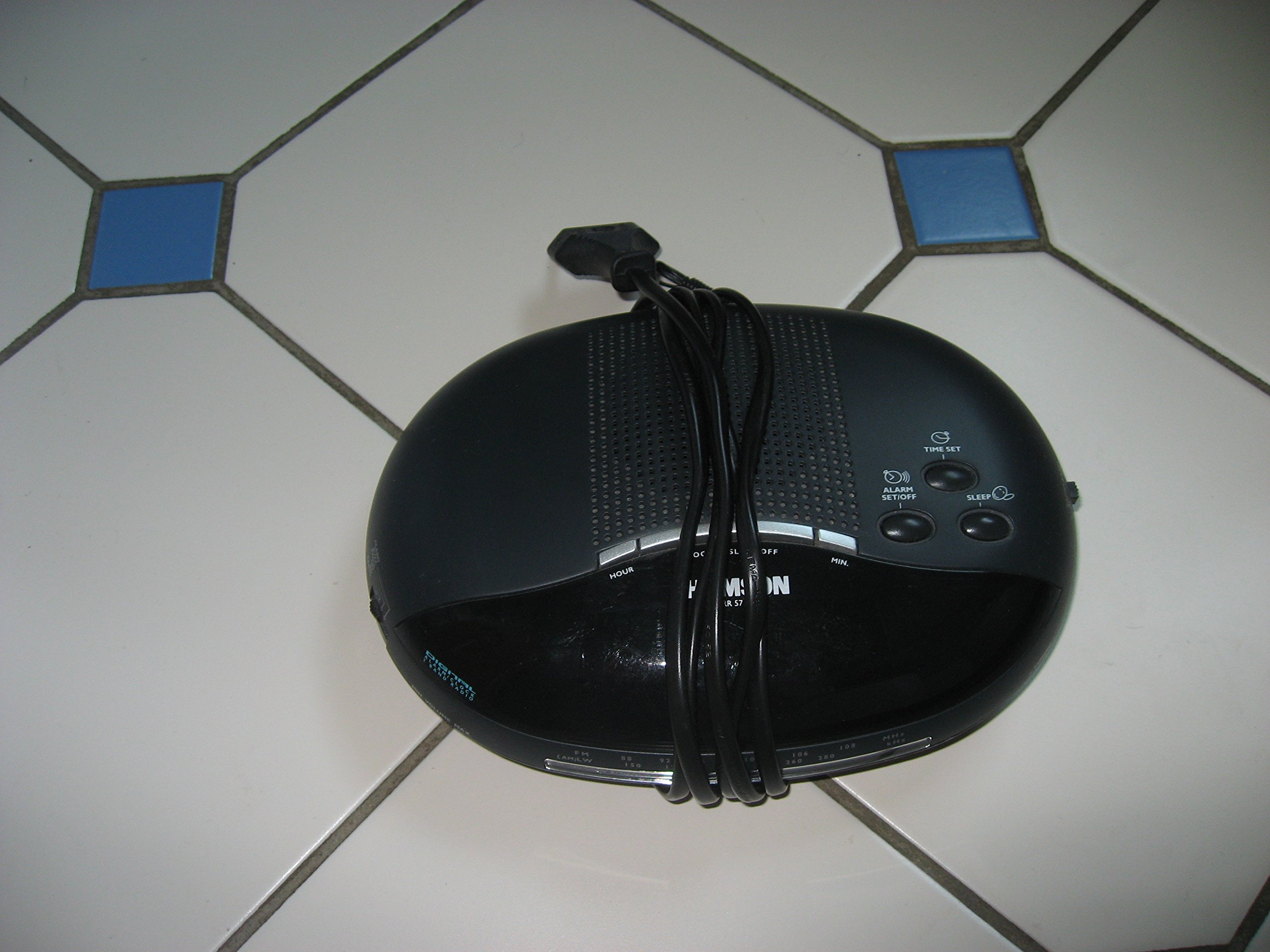
Gambar 1: Hareupeun view of the Thomson RR 68 M clock, showing the digital display and control buttons. This image illustrates the compact design suitable for tabletop placement.
2.1 Eusi pakét
- Thomson RR 68 M Clock Unit
- Manual pangguna (dokumén ieu)
3. Setélan
3.1 Ngahurungkeun Jam
The Thomson RR 68 M clock operates on batteries (not included). Ensure you have the correct type and quantity of batteries before proceeding.
- Panggihan panutup kompartemen batréna di tukang atawa handapeun jam.
- Remove the battery compartment cover by sliding or unlatching it.
- Insert the required batteries, paying close attention to the polarity markings (+ and -) inside the compartment.
- Replace the battery compartment cover securely. The clock display should now illuminate.
4. Parentah Operasi
4.1 Nyetél Waktos
To set the current time on your Thomson RR 68 M clock:
- Locate the 'SET' or 'MODE' button, usually on the back or side of the clock. Press and hold this button for a few seconds until the hour digits begin to flash.
- Use the '+' or 'HOUR' button to adjust the hour. Press repeatedly to advance the hour.
- Press the 'SET' or 'MODE' button again. The minute digits will begin to flash.
- Use the '+' or 'MINUTE' button to adjust the minutes. Press repeatedly to advance the minutes.
- Press the 'SET' or 'MODE' button one last time to confirm the time setting and exit the setting mode. The display will stop flashing.
Note: This model does not feature an alarm function.
5. Pangropéa
5.1 beberesih
Pikeun ngajaga penampilan jam anjeun:
- Lap bagian luar jam ku lawon anu lemes sareng garing.
- Ulah make cleaners abrasive, pangleyur, atawa sprays kimiawi, sabab ieu bisa ngaruksak finish.
5.2 Ngagantian batré
When the display dims or the clock stops functioning, it is time to replace the batteries. Follow the steps in Section 3.1 to replace the old batteries with new ones. Dispose of used batteries responsibly according to local regulations.
6. Cara ngungkulan
If you encounter issues with your Thomson RR 68 M clock, refer to the following common problems and solutions:
6.1 Clock Display is Blank or Dim
- Pariksa batré: Pastikeun batréna dipasang kalayan leres sareng polaritas anu leres. Ganti ku batré anu énggal upami diperyogikeun.
- Kompartemen batré: Verify the battery compartment cover is securely closed.
6.2 Waktos Lepat
- Reset Waktos: Follow the instructions in Section 4.1 to manually set the time.
- Daya Batré: If the time frequently resets or loses accuracy, the batteries may be low and require replacement.
7. Spésifikasi
| Nomer modél | RR 68 M |
| merek | THOMSON |
| Tipe Pamasangan | Tabletop |
| Sumber Daya | Batré (teu kaasup) |
| Fungsi Alarm | No |
8. Émbaran jaminan
Specific warranty details for the Thomson RR 68 M clock are not provided within this user manual. Please refer to the product packaging, the point of purchase, or the official Thomson websitus pikeun istilah jeung kaayaan jaminan komprehensif.
9. Rojongan Palanggan
For further assistance, technical support, or inquiries regarding your Thomson RR 68 M clock, please visit the official Thomson websitus atanapi ngahubungan departemén layanan palanggan maranéhna. Inpormasi kontak biasana sayogi dina produsén websitus atanapi bungkusan produk.


