1. Bubuka
This manual provides essential instructions for the safe and efficient operation, setup, and maintenance of your Ohaus ES50R ES Industrial Bench Scale. The Ohaus ES50R is designed for industrial weighing applications, offering a capacity of 50 kg (110 lb) with a readability of 20 g (0.05 lb). Please read this manual thoroughly before using the scale to ensure proper functionality and to prevent damage.
2. Émbaran Kasalametan
Salawasna perhatikeun pancegahan kaamanan di handap ieu:
- Ulah ngabebankeun timbangan kaleuleuwihi ngaleuwihan kapasitas maksimumna 50 kg (110 lb).
- Ensure the scale is placed on a stable, level surface to achieve accurate readings.
- Operate the scale only with the specified 120 V power supply.
- Hindarkeun ngalaan skala ka suhu ekstrim, kalembaban, atanapi sinar panonpoé langsung.
- Ulah neuleumkeun skala dina cai atawa cairan séjén.
- Jaga timbangan tetep bersih sareng bébas tina lebu sareng kokotor.
- Only qualified personnel should perform repairs or maintenance beyond routine cleaning.
3. Eusi Paket
Pastikeun yén sadaya komponén aya nalika ngabongkar:
- Ohaus ES50R ES Industrial Bench Scale unit
- Power Adapter (for 120 V operation)
- Manual pangguna (dokumén ieu)
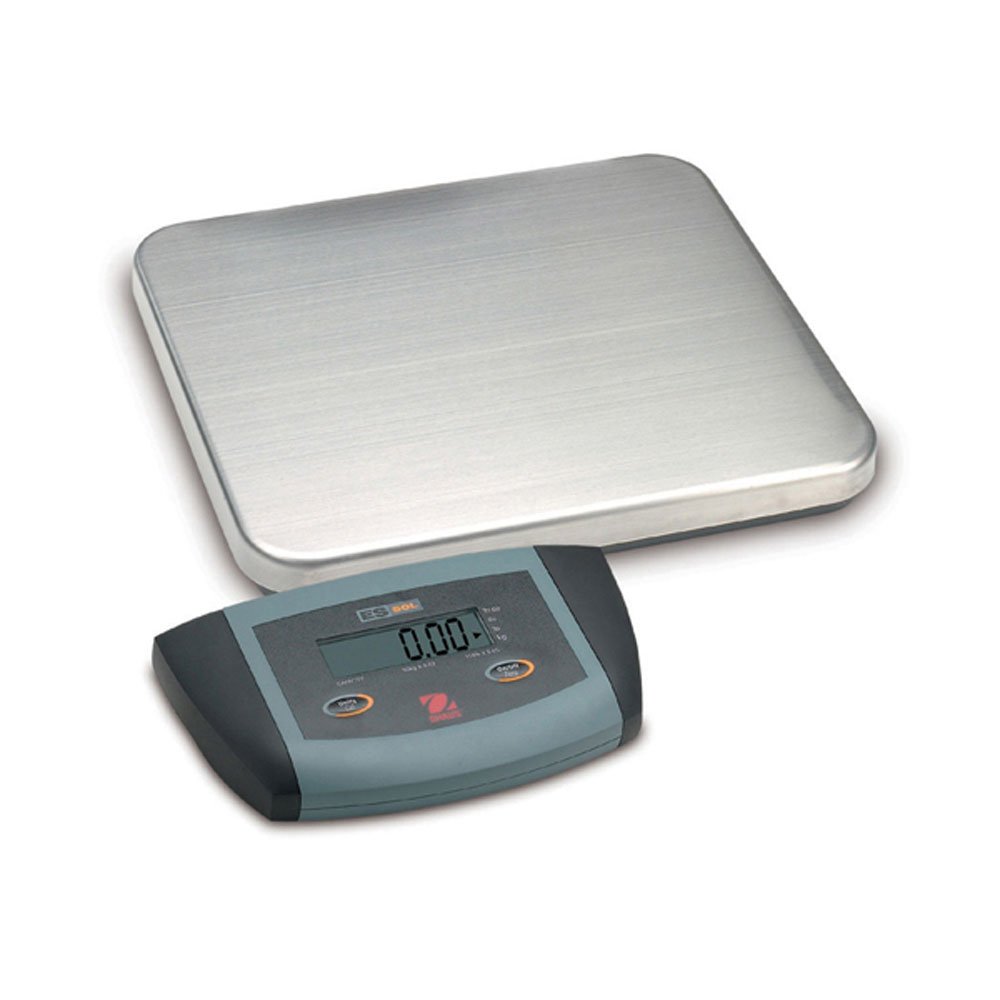
Gambar 1: Ohaus ES50R ES Industrial Bench Scale. This image shows the complete bench scale unit, including the weighing platform and the display unit.
4. Setélan
- Ngabongkar bungkusan: Sacara saksama miceun sadaya komponén tina bungkusan. Simpen bungkusan pikeun transportasi atanapi neundeun ka hareup.
- panempatan: Place the scale on a firm, level, and stable surface, free from vibrations, drafts, and rapid temperature changes. Ensure adequate space around the scale for safe operation.
- Sambungan Daya: Connect the power adapter to the scale's power input port. Plug the adapter into a standard 120 V AC power outlet.
- Daya mimiti Hurung: Pencét éta ON/OFF button to power on the scale. The display will perform a self-test and then show "0.00" or "0.0".
- Leveling: If your scale includes adjustable feet, rotate them until the bubble in the spirit level (if present) is centered.
5. Parentah Operasi
5.1 Timbangan Dasar
- Ensure the scale is powered on and the display shows "0.00" or "0.0".
- Place the item to be weighed gently in the center of the weighing platform.
- Wait for the display to stabilize. The stable weight reading will be shown on the large LCD display.
- Kaluarkeun barang éta tina platform. Layarna kedahna balik deui ka nol.
5.2 Fungsi Tare
The tare function allows you to subtract the weight of a container, so only the net weight of the contents is displayed.
- Simpen wadah kosong dina platform timbangan.
- Pencét éta TAREUT button. The display will reset to "0.00" or "0.0", indicating the container's weight has been tared.
- Tambahkeun bahan anu bade ditimbang kana wadahna. Layar bakal nembongkeun beurat bersih bahan éta.
- To clear the tare, remove the container from the platform and press the TAREUT tombol deui.
5.3 Fitur husus
- Otomatis Pareum: The scale is equipped with an auto shut-off feature to conserve power. If no activity is detected for a set period, the scale will automatically turn off.
- Tampilan ageung: The LCD display provides clear and easy-to-read weight indications.
- Pareum manual: Pikeun mareuman timbangan sacara manual, pencét terus tahan tombol ON/OFF tombol nepi ka tampilan pareum.
6. Pangropéa
6.1 beberesih
To maintain accuracy and prolong the life of your scale:
- Disconnect the scale from the power supply before cleaning.
- Lap permukaan timbangan ku iklanamp lawon sarta detergent hampang.
- Ulah make cleaners abrasive, pangleyur, atawa bahan kimia kasar.
- Ensure no liquid enters the scale's internal components.
- Dry the scale thoroughly after cleaning.
6.2 Kalibrasi
Regular calibration ensures the accuracy of your scale. Refer to the full technical manual or contact Ohaus customer support for detailed calibration procedures. Calibration typically requires certified weights.
7. Cara ngungkulan
| Masalah | Mungkin Cukang lantaranana | Solusi |
|---|---|---|
| Skala teu hurung. | No power supply; faulty power adapter. | Check power connection and outlet. Ensure power adapter is functioning correctly. |
| Bacaan teu akurat. | Scale not level; unstable surface; overload; calibration required. | Ensure scale is level and on a stable surface. Do not exceed capacity. Perform calibration if necessary. |
| Display shows "Err" or error code. | Overload; internal malfunction. | Remove weight from platform. If error persists, power cycle the scale. If still present, contact customer support. |
| Auto shut-off too soon/not at all. | Auto shut-off settings. | Refer to the full technical manual for adjusting auto shut-off settings, if available. |
8. Spésifikasi
| Fitur | Rincian |
|---|---|
| Modél | ES50R |
| merek | Ohaus |
| Kapasitas | 50 kg / 110 lb |
| Kabacaan | 20 g / 0.05 lb |
| Tipe tampilan | LCD (Large Display) |
| Fitur husus | Auto Shut Off, Manual Shutdown |
| Faktor Bentuk | Skala Bangku |
| Sasayogian tanaga | 120 V AC (via adapter) |
| Dimensi produk | 15 x 13 x 5.5 inci |
| Item Beurat | 9.64 pon |
| Produsén | COLE-PARMER |
9. Garansi
The Ohaus ES50R ES Industrial Bench Scale comes with a garansi 1 taun from the date of purchase. This warranty covers defects in materials and workmanship under normal use. It does not cover damage resulting from misuse, accident, unauthorized modification, or operation outside the specified environmental and electrical limits. For warranty claims, please retain your proof of purchase and contact Ohaus customer support.
10. Rojongan Palanggan
For technical assistance, service, or to inquire about replacement parts, please contact Ohaus customer support. Visit the official Ohaus websitus kanggo inpormasi kontak anu pangénggalna sareng sumber daya tambahan.
Catetan: Always provide your product model number (ES50R) and serial number (if applicable) when contacting support.


