Bubuka sareng Langkungview
The Ozeri Ultra 42-inch Oscillating Tower Fan is designed to provide efficient air circulation with noise reduction technology. Its slim tower design complements various room decors while delivering powerful airflow. This manual provides essential information for the safe and effective use of your fan.
fitur konci ngawengku:
- Space-saving, stylish design.
- Engineered for high air velocity with reduced noise output.
- Three pre-programmed airflow patterns for sleep, relaxation, and comfort.
- Three whisper-quiet speed settings with 90-degree oscillation.
- LED screen with room temperature display and light-dimming night mode.
- 12-hour timer programmable in 1-hour increments.
- Includes an enhanced-range remote control with integrated storage.
- Gampang, assembly bébas alat.
Parentah Setup
The Ozeri Ultra 42-inch Tower Fan requires minimal assembly without the need for special tools. Follow these steps to set up your fan:
- Carefully unpack all components: fan unit, base, optional extension column, enhanced-range remote control, manual, and warranty card.
- Assemble the fan base. Ensure the two half-circle pieces of the base snap together properly and are flush with the floor for stability.
- Attach the optional extension column if desired to adjust the fan's height from 32 inches to 42 inches. Secure it using the included large nuts.
- Connect the fan unit to the assembled base and column.
- Plug the fan into a standard 120V AC outlet.

Figure 1: Ozeri Ultra 42-inch Tower Fan with remote control and display details.
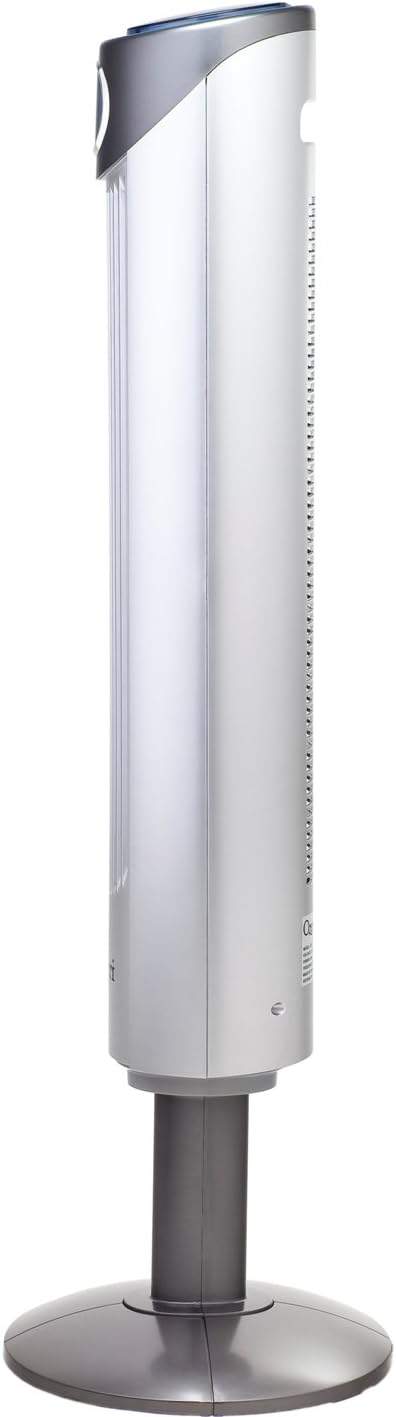
Gambar 2: Sisi profile of the Ozeri Ultra 42-inch Tower Fan, illustrating its slim design.
Parentah Operasi
Your Ozeri Ultra Tower Fan can be operated using the built-in control panel on the top of the unit or the enhanced-range remote control.
Panel Kontrol sareng Fungsi Jauh:
- Hurungkeun/Pareuman: Pencét tombol daya pikeun ngaktipkeun atanapi mareuman kipas.
- Setélan laju: Select from 3 whisper-quiet speed settings (Low, Medium, High) to adjust airflow intensity.
- Osilasi: Activate 90-degree oscillation for optimal air circulation across a wider area. This feature can be turned on or off as needed.
- Airflow Patterns: Choose from 3 pre-programmed airflow patterns:
- Normal: Consistent airflow at the selected speed.
- Alami: Ngasimulasikeun angin alami ku cara ngarobah-robah kecepatan kipas.
- Saré: Gradually reduces fan speed and dims the LED display for undisturbed sleep.
- Timer: Program the fan to automatically turn off after a set period, from 1 to 12 hours, in 1-hour increments.
- Témbong LED: The intelligent LED screen displays the current room temperature and selected settings. Utilize the light-dimming night mode for light-sensitive environments.

Figure 3: Top-side control panel with buttons for power, speed, oscillation, mode, and timer.

Figure 4: LED display showing room temperature, oscillation, mode, and speed indicators.

Figure 5: Remote control conveniently stored within the fan's top compartment.
Pangropéa
Regular cleaning ensures optimal performance and longevity of your Ozeri Ultra Tower Fan.
- Bersihan Luar: Ngusap permukaan luar kalayan lemes, damp lawon. Hindarkeun pembersih abrasive atanapi pangleyur.
- Beberesih interior: To clean accumulated dust from the impeller, the back of the fan can be removed. This typically involves unscrewing 4 Phillips screws and gently prying open two small plastic tabs on the sides. Once open, carefully clean the interior components. Ensure the fan is unplugged before attempting any interior cleaning.
- Panyimpenan: Lamun teu dipaké pikeun période nambahan, nyimpen kipas dina tiis, tempat garing.
Pamérésan masalah
If you encounter any issues with your Ozeri Ultra Tower Fan, please refer to the following general advice:
- Kipas teu hurung: Ensure the power cord is securely plugged into a working 120V AC outlet. Check if the power button has been pressed.
- Ngurangan aliran hawa: Check for any obstructions around the air intake or output vents. Clean the fan's interior if dust accumulation is suspected (refer to Maintenance section).
- Noise anu teu biasa: Ensure the fan is placed on a flat, stable surface. Check for any loose parts or foreign objects within the fan. If the fan makes a creaking sound during oscillation, inspect the base assembly for proper alignment and ensure no cables are being stretched.
- Remote Control Teu Gawé: Check the remote control batteries. Ensure there are no obstructions between the remote and the fan's sensor.
For persistent issues, please contact Ozeri customer support.
spésifikasi
| Fitur | Spésifikasi |
|---|---|
| merek | Ozeri |
| Ngaran modél | Adjustable Oscillating Tower Fan with Noise Reduction Technology |
| Nomer modél | OZF1 |
| Warna | pérak |
| Dimensi produk | 13 "D x 13" W x 43" H |
| Item Beurat | 11.5 pon |
| Sumber Daya | Kabel Listrik |
| Voltage | 120 volt |
| Wattage | 45 watt |
| Tingkat Noise | 45 desibel |
| Kapasitas Aliran Udara | 5000 suku kubik per Menit |
| Jumlah Tingkat Daya | 3 |
| Métode kontrol | Jauh |
| Fitur husus | Ngayun |
| Pamakéan jero rohangan / outdoor | jero rohangan |
Garansi & Rojongan
The Ozeri Ultra 42-inch Oscillating Tower Fan comes with a 1-year warranty. Please retain your warranty card and proof of purchase for any claims.
For technical support, troubleshooting assistance, or warranty inquiries, please refer to the contact information provided in your product manual or visit the official Ozeri websitus.
Kapuasan Dijamin.


