1. Produk Langkungview
The Intermatic FD12HC is a 12-hour spring-loaded wall timer designed to automatically limit the 'ON' time of various electrical loads such as fans, lights, motors, and heaters. This energy-saving timer operates without electricity and is intended to replace any standard wall switch, whether single or multi-gang. It features an easy 'press-on' knob design and 'up front' terminal connections for straightforward installation.
Fitur konci:
- Hemat énergi: Operates mechanically without requiring electricity.
- Aplikasi serbaguna: Suitable for fans, lighting, motors, and heaters.
- Pamasangan Gampang: Designed for simple replacement of standard wall switches with convenient terminal connections and a 'press-on' knob.
- Desain fleksibel: Supplied with a molded ivory time dial plate compatible with both toggle and decorator style switch plates.
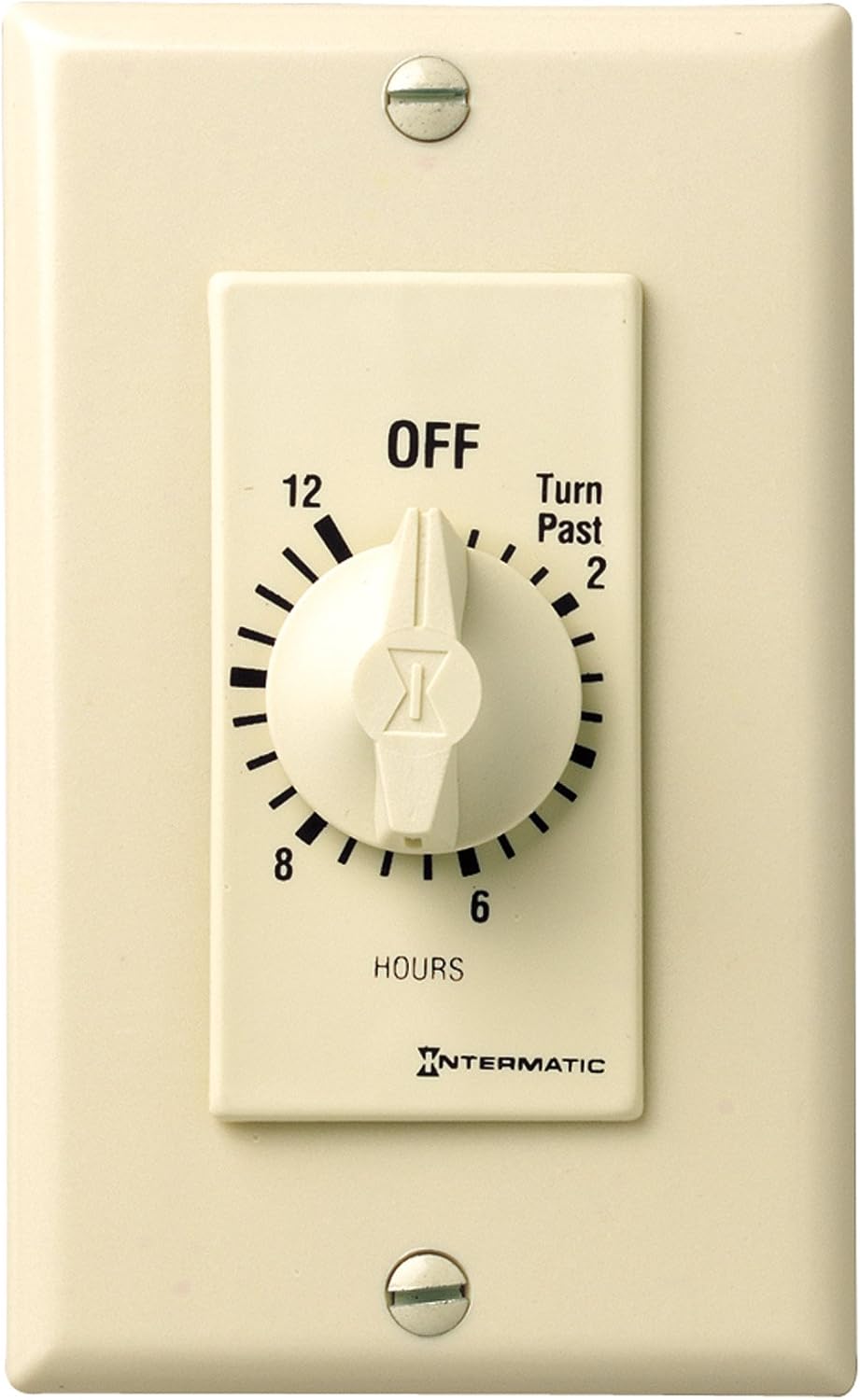
Image 1: Intermatic FD12HC 12-Hour Spring-Loaded Wall Timer in Ivory.
2. Spésifikasi
| Fitur | Rincian |
|---|---|
| Nomer modél | FD12HC |
| Warna | gading |
| merek | Intermatik |
| Bahan | palastik |
| Dimensi produk | 1.25 "D x 1.75" W x 4.13" H |
| Item Beurat | 4.8 ons |
| Jangkauan Timer | 12-Jam |
| Jenis Operasi | Without Hold on Timer |
| Voltage | 125 volt |
| Sertifikasi | CSA, UL |
| Suhu Operasi | 32 nepi ka 104 °F (0 nepi ka 40 °C) |
3. Pamasangan
The Intermatic FD12HC timer is designed for easy installation, replacing a standard wall switch. Always ensure power is turned off at the circuit breaker before beginning any electrical work.
Léngkah-léngkah pamasangan:
- Pareuman Daya: Locate the circuit breaker controlling the switch you intend to replace and turn off the power. Verify that the power is off using a voltage panguji.
- Hapus Switch Old: Carefully remove the existing wall plate and unscrew the old switch from the wall box. Disconnect the wires from the old switch, noting which wire is connected to the 'line' (power source) and 'load' (appliance).
- Sambungkeun kawat: The FD12HC timer features 'up front' terminal connections. Connect the hot (line) wire to the terminal marked 'LINE' and the load wire to the terminal marked 'LOAD'. Ensure all connections are secure using wire nuts if necessary. Connect the ground wire to the timer's ground terminal.
- Mount Timer: Gently push the wired timer into the wall box, being careful not to pinch any wires. Secure the timer to the wall box using the provided screws.
- Attach Faceplate and Knob: The timer comes with a molded ivory time dial plate. Position this plate over the timer and secure it. Then, firmly press the knob onto the timer shaft until it sits snugly.
- Mulangkeun Daya: Saatos pamasangan réngsé sareng sadaya komponén parantos dipasang kalayan aman, pasang deui daya dina pemutus sirkuit.

Gambar 2: Internal view of the Intermatic FD12HC timer, illustrating wiring terminals.

Image 3: Various wiring diagrams for FD Series timers, including SPST and DPST configurations.
Installation Video Resources:
Intermatic In-Wall Timer
Video 1: A detailed guide from Intermatic on installing their in-wall timers, covering wiring and mounting procedures.
Produk Leuwihview Video
Video 2: Hiji leuwihview of the product, demonstrating its features and basic operation.
4. Parentah Operasi
The Intermatic FD12HC timer offers simple, mechanical operation. To activate the timer, rotate the knob clockwise to your desired 'ON' duration, up to 12 hours. The timer will then automatically count down and turn off the connected load once the set time has elapsed. No electricity is required for the timer's operation.
Nyetél Timer:
- Ensure the timer is installed correctly and power is restored.
- Rotate the central knob clockwise to the desired time setting (e.g., 2 hours, 4 hours, 12 hours). The timer will begin its countdown immediately.
- The connected appliance or light will remain on for the set duration and then automatically switch off.
Note: This model does not feature a 'Hold On' function, meaning the timer will always count down once set.
5. Pangropéa
The Intermatic FD12HC timer is designed for durability and requires minimal maintenance.
Perawatan Umum:
- beberesih: Wipe the timer's surface and knob with a soft, damp lawon. Ulah nganggo pembersih atanapi pangleyur anu abrasif, sabab ieu tiasa ngaruksak lapisan akhir.
- Henteu aya bagian anu tiasa dianggo pikeun pangguna: Do not attempt to open or repair the timer. There are no user-serviceable parts inside.
6. Cara ngungkulan
If you encounter issues with your Intermatic FD12HC timer, consider the following:
- Timer Not Activating: Ensure the power is on at the circuit breaker. Verify that the knob is rotated past the 'OFF' position to a specific time setting.
- Load Not Turning Off: Confirm that the timer is correctly wired according to the installation instructions. Check for any loose connections.
- Timer Teu Ngitung Mundur: As a mechanical timer, ensure the knob is not obstructed and can rotate freely.
- Masalah Persisten: If problems persist after checking these points, it is recommended to consult a qualified electrician for further assistance.
7. Garansi jeung Rojongan
Inpormasi Garansi:
The Intermatic FD12HC 12-Hour Spring-Loaded Wall Timer comes with a 1-taun jaminan kawates. This warranty covers defects in materials and workmanship under normal use. In the event of a defect within the warranty period, the unit will be replaced.
Rojongan Palanggan:
For technical assistance, warranty claims, or further information, please contact Intermatic customer support through their official websitus atawa wincik kontak disadiakeun dina bungkusan produk Anjeun.


