Bubuka
This manual provides comprehensive instructions for the safe and efficient operation, maintenance, and troubleshooting of your GBC Inspire Thermal Laminator Machine. Please read this manual thoroughly before using the device to ensure optimal performance and longevity.
Émbaran Kasalametan
Always adhere to the following safety guidelines to prevent injury or damage to the laminator:
- Ulah ngoperasikeun laminator dina leungeun baseuh atawa deukeut cai.
- Pastikeun kabel listrik henteu ruksak atanapi ciwit.
- Keep the laminator away from heat sources and direct sunlight.
- Ulah ngasupkeun barang-barang salian ti kantong laminasi kana mesin.
- Cabut laminator nalika henteu dianggo atanapi sateuacan beberesih.
- This device is designed for home use and features a finger-safe design.
Eusi pakét
Pastikeun yén sadaya barang aya dina bungkusan:
- GBC Inspire Thermal Laminator Machine
- Manual Pitunjuk (dokumén ieu)
- Starter pack of laminating pouches (may vary by region)
Produk Leuwihview
The GBC Inspire Thermal Laminator is a compact and efficient device designed for protecting documents and photos. It features a sleek black design and a convenient landing tray to reduce page curl.

Image: The GBC Inspire Thermal Laminator in operation, laminating a photograph.
Key components include the power switch, ready indicator light, document entry slot, and exit tray.
Disetél
- Unpack the Laminator: Cabut laminator sareng sadaya asesoris tina bungkusna kalayan ati-ati.
- panempatan: Place the laminator on a flat, stable, and heat-resistant surface. Ensure there is enough clear space behind the machine for laminated items to exit freely.
- Sambungkeun Kakuatan: Colokkeun kabel listrik kana stop kontak listrik standar.
- Daya Hurung: Turn on the laminator using the power switch. The ready indicator light will illuminate, typically red or amber, indicating the machine is warming up.
- Waktos pemanasan: Allow approximately 7 minutes for the laminator to reach its optimal operating temperature. The ready indicator light will turn green when the machine is ready for use.

Image: The GBC Inspire Thermal Laminator placed on a clean, flat surface, ready for setup.
Parentah Operasi
- Nyiapkeun Dokumén: Place the document or photo you wish to laminate inside a thermal laminating pouch. Ensure the document is centered and aligned within the pouch, leaving a small margin on all sides.
- Pilih Kandel Kantong: The Inspire laminator supports 3 mil pouches for letter or legal size documents and 5 mil pouches for items up to 4" x 6" photo size. No carrier is required.
- Kantong Lebetkeun: Once the green ready light is illuminated, carefully insert the sealed edge of the laminating pouch into the document entry slot. The laminator will automatically feed the pouch through.
- Lamination Process: The laminator operates at a speed of 10 inches per minute. Allow the machine to fully process the pouch. Do not pull or force the pouch through the laminator.
- Tenang: Once the laminated item exits the machine, place it on a flat surface to cool and set. Avoid handling it excessively until it has cooled to prevent bending or warping.
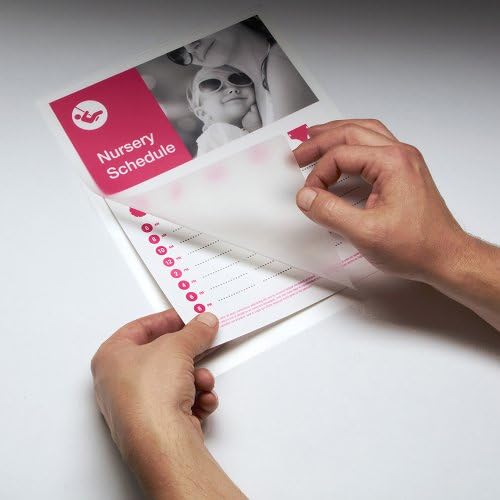
Image: A user carefully placing a document into a laminating pouch before insertion into the machine.

Image: The GBC Inspire Thermal Laminator actively feeding a document through its rollers.
Pangropéa
- beberesih: Pastikeun laminator parantos dicabut tina stop kontak sareng tiiskeun heula sateuacan dibersihkeun. Lap bagian luarna nganggo lawon anu lemes sareng garing. Entong nganggo pembersih atanapi pelarut anu abrasif.
- Roller beberesih: Periodically run a cleaning sheet (available separately) through the laminator to remove any adhesive residue from the rollers.
- Panyimpenan: Store the laminator in a cool, dry place when not in use.
Pamérésan masalah
| Masalah | Mungkin Cukang lantaranana | Solusi |
|---|---|---|
| Laminator teu hurung. | Taya catu daya. | Pariksa sambungan kabel kakuatan jeung stop kontak témbok. |
| Laminator not heating up (no green light). | Insufficient warm-up time. | Allow the full 7 minutes for warm-up. |
| Pouch jams. | Kantong diasupkeun teu leres atanapi kandel teuing. | Ensure pouch is inserted sealed-edge first. Use correct pouch thickness (3 mil or 5 mil). |
| Laminated item is cloudy or has bubbles. | Laminator not hot enough or incorrect pouch. | Wait for the green ready light. Ensure correct pouch type for thermal laminators. |
spésifikasi
- model: 1701855
- Laminating Type: Termal
- Waktos pemanasan: Kurang leuwih 7 menit
- Laminating Speed: 10 inci per menit
- Maximum Document Width: 9 inci
- Pouch Thickness Compatibility: 3 mil (for Letter/Legal size), 5 mil (for up to 4" x 6" photo size)
- ukuran: 4.33 x 14.96 x 4.25 inci
- beurat: 2.61 pon
- warna: Hideung
Garansi sareng Rojongan
The GBC Inspire Thermal Laminator is backed by a limited 90-day warranty. For warranty claims, technical support, or additional product information, please contact GBC customer service through their official websitus atanapi pangecér dimana produkna dibeuli.
Kanggo inpo nu leuwih lengkep, buka di GBC Store on Amazon.


