1. Bubuka
Hatur nuhun pikeun meuliasing the Onkyo C-7030 CD Player. This manual provides essential information for the proper setup, operation, and maintenance of your device. Please read it thoroughly before use to ensure optimal performance and longevity of your CD player.
2. Produk Langkungview
The Onkyo C-7030 is a high-quality CD player designed for music enthusiasts, featuring robust construction and advanced audio technology for excellent sound reproduction. It supports standard audio CDs and offers various connectivity options.
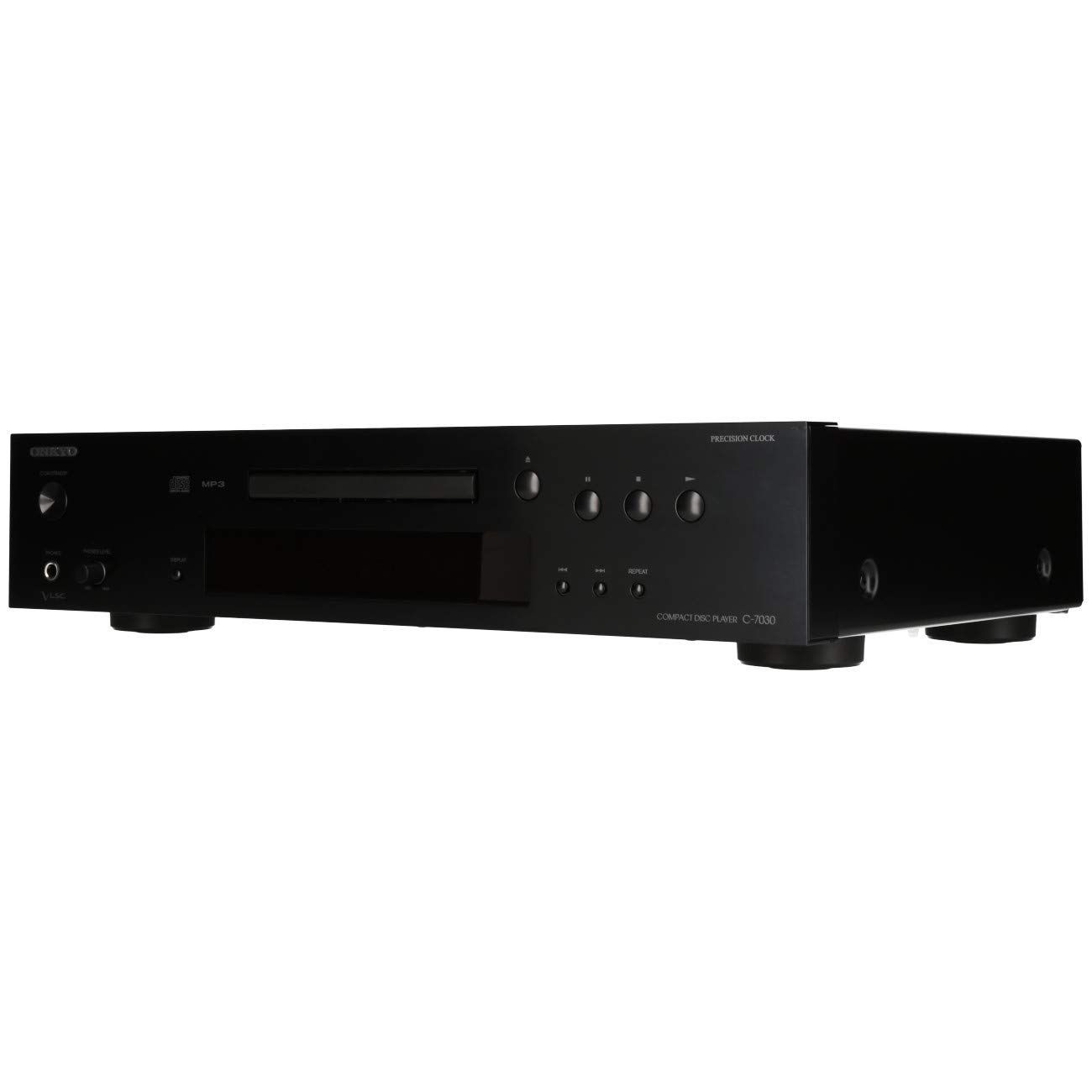
Gambar 1: Hareupeun view of the Onkyo C-7030 CD Player. This image shows the sleek black finish, disc tray, display, and control buttons.

Gambar 2: Angled hareup view of the Onkyo C-7030 CD Player, highlighting the power button, headphone jack, and volume control.

Gambar 3: Tukangeun view of the Onkyo C-7030 CD Player, displaying the analog RCA, coaxial digital, and optical digital audio output ports, along with the remote control input.

Figure 4: The remote control for the Onkyo C-7030 CD Player, featuring various playback and function buttons.
3. Setélan
- Ngabongkar bungkusan: Carefully remove the CD player and all accessories from the packaging. Retain the packaging for future transport or storage.
- panempatan: Place the CD player on a stable, level surface away from direct sunlight, heat sources, and excessive dust or moisture. Ensure adequate ventilation around the unit.
- Sambungan:
- Kaluaran Audio: Connect the CD player to your amplifier or receiver using one of the following methods:
- Analog (RCA): Use RCA cables (red for right, white for left) to connect the AUDIO OUTPUT ANALOG jacks on the CD player to the corresponding input jacks on your amppangagung.
- Koaksial Digital: Use a digital coaxial cable to connect the COAXIAL DIGITAL AUDIO OUTPUT jack on the CD player to a coaxial digital input on your amplifier / panarima.
- Optik Digital: Use an optical digital cable to connect the OPTICAL DIGITAL AUDIO OUTPUT jack on the CD player to an optical digital input on your amplifier / panarima.
- kakuatan: Connect the power cord to the AC inlet on the rear of the CD player, then plug it into a suitable wall outlet.
- Remote Control (Opsional): If using an Onkyo system with RI (Remote Interactive) compatibility, connect the RI cable from the CD player to your amplifier/receiver for integrated control.
- Kaluaran Audio: Connect the CD player to your amplifier or receiver using one of the following methods:
4. Parentah Operasi
- Hurungkeun/Pareuman: Pencét éta sayaga / ON tombol dina panel hareup atawa kadali jauh pikeun ngahurungkeun atawa mareuman unit.
- Ngamuat CD: Pencét éta BUKA/TUTUP button to open the disc tray. Place a CD with the label side up in the tray. Press BUKA/TUTUP deui nutup baki.
- Playback: After loading a CD, the player will automatically begin playback. If not, press the ulin kancing.
- Reureuh: Pencét éta Reureuh button to temporarily stop playback. Press it again to resume.
- Eureun: Pencét éta EUREUN tombol pikeun ngeureunkeun puteran.
- Langkung Lacak: Ngagunakeun éta SKIP (▶▶| / |◀◀) tombol pikeun nganapigasi antara lagu.
- Maju gancang / Mundur: Tahan na SKIP (▶▶| / |◀◀) tombol nalika diputer pikeun maju gancang atanapi mundurkeun dina hiji lagu.
- Ulang Playback: Pencét éta ULANGAN button to cycle through repeat modes (e.g., repeat current track, repeat all tracks).
- Random Playback: Pencét éta Acak tombol pikeun muterkeun lagu dina urutan acak.
- tampilan: Pencét éta TAMPILAN button to change the information shown on the front panel display (e.g., track number, elapsed time, remaining time).
- Dimmer: Ngagunakeun éta DIMMER button to adjust the brightness of the front panel display.
Catetan dina Video: No official product videos specifically for the Onkyo C-7030 CD Player from a 'Seller' creator type were available in the provided data. The videos found were for different brands or models, and thus are not included to maintain relevance and accuracy for this specific instruction manual.
5. Pangropéa
- Ngabersihan Unit: Use a soft, dry cloth to wipe the exterior of the unit. For stubborn stains, dampen the cloth with a mild, non-abrasive cleaner. Avoid using harsh chemicals or abrasive materials.
- Ngabersihan Cakram: Wipe CDs with a soft, lint-free cloth from the center outwards. Do not use solvents or abrasive cleaners.
- Baki Cakram: Keep the disc tray clean and free of dust. Avoid placing heavy objects on the tray or forcing it open/closed.
- Ventilasi: Pastikeun liang ventilasi dina unit henteu katutup pikeun nyegah panas teuing.
6. Cara ngungkulan
| Masalah | Mungkin Cukang lantaranana | Solusi |
|---|---|---|
| Taya kakuatan | Kabel listrik teu nyambung atanapi stop kontak teu aktip. | Pariksa sambungan kabel listrik. Cobi stop kontak anu béda. |
| Taya sora | Incorrect audio cable connection or wrong input selected on amppangagung. | Pariksa sambungan kabel audio. Pilih input anu leres dina amppangagung. Cék ampvolume panguat. |
| Disc not playing/Disc error | Disk kotor, calar, atanapi teu dipasang kalayan leres. | Clean the disc. Try a different disc. Ensure the disc is inserted correctly with the label side up. |
| Kadali jauh teu jalan | Batteries are dead or remote is not aimed at the unit. | Replace batteries (2 AA required). Point the remote directly at the CD player's sensor. |
7. Spésifikasi
- Ukuran produk: 17.13 x 12.05 x 3.98 inci
- Beurat barang: 11.66 pon
- Pabrikan: ONKYO
- Ngaran modél: C-7030
- Téknologi konektipitas: Pambantu
- Jumlah Cakram: 1
- Batré: 2 batré AA diperlukeun (pikeun kadali jauh)
- Titimangsa munggaran sadia: 7 Agustus 2012
8. Garansi jeung Rojongan
For warranty information and technical support, please refer to the warranty card included with your product or visit the official Onkyo websitus. Simpen resi pameseran anjeun salaku bukti pameseran pikeun klaim garansi.


