1. Bubuka
Hatur nuhun pikeun meuliasing the RCA DHT235A 3.5-Inch LED-lit 720p 60Hz TV. This portable television is designed to provide digital television viewing on a compact screen. This manual provides instructions for the proper setup, operation, and maintenance of your device.
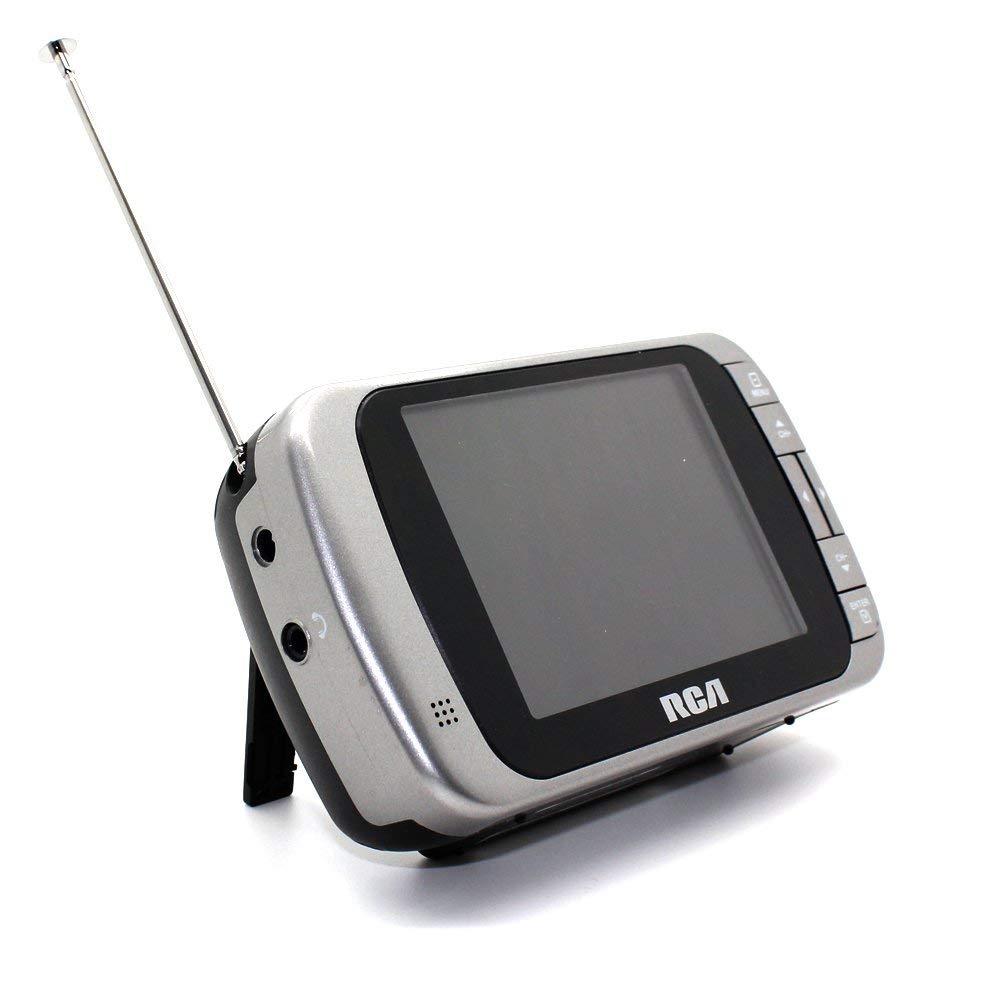
Image 1.1: The RCA DHT235A portable television, featuring its 3.5-inch screen and compact design.
2. Émbaran Kasalametan
- Baca sadaya parentah sateuacan ngoperasikeun alat.
- Ulah ngalaan unit ka hujan atawa Uap pikeun nyegah seuneu atawa shock listrik.
- Ulah meungpeuk bukaan ventilasi. Mastikeun spasi nyukupan sabudeureun unit pikeun aliran hawa ditangtoskeun.
- Use only specified power sources (4 AA batteries or compatible AC adapter).
- Hindarkeun ragrag atanapi tundukkeun unit kana tabrakan anu kuat.
- Entong nyobian ngalayanan produk ieu nyalira. Rujuk sadayana ngalayanan ka tanaga jasa anu mumpuni.
- Buang batré anu leres nurutkeun peraturan lokal.
3. Eusi Paket
Pastikeun yén sadaya item aya dina bungkusan:
- RCA DHT235A Portable TV Unit
- Nangtung
- Pituduh Gancang (tingali manual ieu kanggo parentah lengkep)
- Manual Pamilik (dokumén ieu)
4. Produk Langkungview
The RCA DHT235A features a 3.5-inch LED-lit display, designed for portable digital television reception. Key components include:
- 3.5-Inch LED Backlit LCD Display: Provides clear visual output.
- Speaker Diwangun-di: Pikeun kaluaran audio.
- Jack headphone: Pikeun déngékeun pribadi.
- Embedded Monopole Antenna: For receiving terrestrial ATSC and NTSC signals.
- Kompartemen batré: Pikeun 4 batré AA.
- AC Adapter Input (9-24VDC): For external power.
- Tombol kontrol: For power, channel, volume, and menu navigation.
5. Setélan
5.1 Powering the TV
The TV can be powered by 4 AA batteries or an optional AC adapter.
Ngagunakeun Batré:
- Locate the battery compartment on the back of the TV.
- Buka panutup kompartemen batré.
- Selapkeun 4 batré AA, mastikeun polaritasna bener (+/-).
- Tutup panutup kompartemen batré aman.
Using AC Adapter (Optional):
- Connect a compatible 9-24VDC AC adapter (not included) to the DC input jack on the TV.
- Colokkeun adaptor AC kana stop kontak standar.
5.2 Setup anteneu
Extend the embedded monopole antenna fully for optimal signal reception. For improved reception, especially in areas with weak signals, an external antenna may be connected to the dedicated RCA connector input.
6. Parentah Operasi
6.1 Daya Hurung/Pareuman
Pencét éta POWER tombol pikeun ngahurungkeun atanapi mareuman TV.
6.2 Pindai Saluran Awal
Upon first use or after moving to a new location, perform an auto channel scan to find available digital and analog channels.
- Pencét éta MENU kancing.
- Navigate to the "Channel" or "Setup" menu using the arrow buttons.
- Select "Auto Scan" or "Auto Program" and confirm.
- The TV will scan for available channels. This process may take several minutes.
6.3 Pamilihan Saluran
- Ngagunakeun éta CH+ jeung CH- buttons to cycle through available channels.
- For direct channel input, use the numeric keypad (if available on your model) or the "Direct Channel Changing" option in the menu.
6.4 Volume adjustment
Ngagunakeun éta VOL+ jeung VOL- tombol pikeun ngatur volume audio.
6.5 Navigasi Menu
Pencét éta MENU button to access settings. Use the arrow buttons to navigate and the OK or Asupkeun tombol pikeun mastikeun selections. Pencét MENU again or an KALUAR button to leave the menu.
Available menu options include:
- Setélan Gambar: Nyaluyukeun kacaangan, kontras, warna.
- Setélan sora: Adjust audio mode, balance.
- Setélan saluran: Auto scan, manual scan, channel editing.
- Setélan waktos: Auto time setting, time zone.
- Basa: Select menu language (English, Spanish).
- Captioning Tertutup: Enable/disable digital closed captioning (E1A-708B compliant).
7. Pangropéa
7.1 beberesih
- Before cleaning, ensure the TV is powered off and disconnected from any external power source.
- Use a soft, dry cloth to wipe the screen and exterior surfaces.
- Pikeun tanda pengkuh, enteng dampen lawon jeung cai. Ulah make cleaners abrasive, lilin, atawa pangleyur.
- Hindarkeun nyemprot cairan langsung kana layar atanapi kana bukaan naon waé.
7.2 Panyimpenan
When storing the TV for an extended period, remove the batteries to prevent leakage. Store the unit in a cool, dry place away from direct sunlight and extreme temperatures.
8. Cara ngungkulan
| Masalah | Solusi anu mungkin |
|---|---|
| Taya Daya | Ensure batteries are correctly inserted and not depleted. If using AC adapter, verify it is properly connected and the outlet is functional. |
| No Picture/Weak Signal | Extend the antenna fully. Perform an auto channel scan. Try repositioning the TV or antenna. Consider using an external antenna for better reception. Check signal strength display in the menu. |
| Taya Sora | Increase the volume. Check if headphones are plugged in. Ensure the Mute function is not active. |
| Tombol Teu Ngabales | Turn the TV off and then on again. If the issue persists, remove and reinsert batteries or disconnect/reconnect the AC adapter. |
| Screen Scratches Easily | Handle the screen with care. Use a screen protector if desired (not included). |
| Hirup batré pondok | Use fresh, high-quality alkaline or rechargeable batteries. Consider using the AC adapter for extended viewing. |
| Low Audio Volume | Ensure volume is set to maximum. For better audio, consider connecting external speakers to the headphone jack. |
9. Spésifikasi
- model: DHT235A
- Ukuran tampilan: 3.5 inci (diagonal)
- Jenis tampilan: LED Backlit LCD
- Resolusi: 320 x 240 digital RGB (720p compatible)
- Laju Refresh: 60Hz
- Decoding video: MPEG-2 (MP at ML, MP at HL)
- Decoding Audio: Dolby Digital Audio, Digital multi-lingual
- Tuner: Terrestrial ATSC 8VSB, Terrestrial NTSC CH2 - CH69
- Sumber Daya: 4 AA Batteries or 9-24VDC AC Adapter (optional)
- Kahirupan batré: Approximately 2+ hours of DTV playback on 4 AA batteries
- Kaluaran Audio: Headphone jack, Built-in speaker
- Fitur tambahan: Real-time signal strength display, On-screen program information, Direct channel changing, Channel editing, Time zone setting, Auto channel scan, Digital Closed Captioning (E1A-708B compliant), Menu languages (English, Spanish).
- ukuran: Kira-kira 4.84 x 1.34 x 2.83 inci
- beurat: Kira-kira 5.6 ons
10. Émbaran jaminan
This product is covered by a limited warranty. For detailed warranty terms and conditions, please refer to the warranty card included with your purchase or visit the official RCA websitus. Simpen bukti pameseran anjeun pikeun klaim garansi.
11. Rojongan Palanggan
If you encounter any issues or have questions not covered in this manual, please contact RCA customer support. You can find contact information on the official RCA websitus atawa ngaliwatan dokuméntasi disadiakeun kalawan produk Anjeun.
Dukungan Online: Visit the official RCA websitus pikeun FAQs jeung sumber rojongan.
Rojongan Telepon: Refer to your product packaging or the RCA websitus pikeun nomer kontak ayeuna.