Bubuka
This manual provides essential information for the safe and efficient installation, operation, and maintenance of your Hypertherm 129307 Fan SA, 225CFM. Please read this manual thoroughly before attempting to install or operate the fan. Retain this manual for future reference.
Émbaran Kasalametan
Always observe basic safety precautions to reduce the risk of fire, electric shock, and personal injury. This fan is designed for industrial applications, specifically for plasma cutting equipment. Ensure all electrical connections comply with local codes and standards.
- Pegatkeun sambungan kakuatan saméméh instalasi atawa perawatan.
- Pastikeun grounding anu leres.
- Ulah ngoperasikeun kipas upami kabel atanapi komponénna rusak.
- Jauhkeun leungeun sareng pakean anu leupas tina bagian anu obah.
Setup sareng Instalasi
Proper installation is crucial for the performance and longevity of the Hypertherm 129307 Fan SA. Follow these steps carefully:
- Ngabongkar bungkusan: Carefully remove the fan from its packaging. Inspect for any shipping damage. Report any damage to your supplier immediately.
- Pamasangan:
Secure the fan in its intended location using appropriate fasteners. Ensure the mounting surface is stable and capable of supporting the fan's weight and operational vibrations. Refer to the equipment's specific mounting points for the Hypertherm 129307 fan.
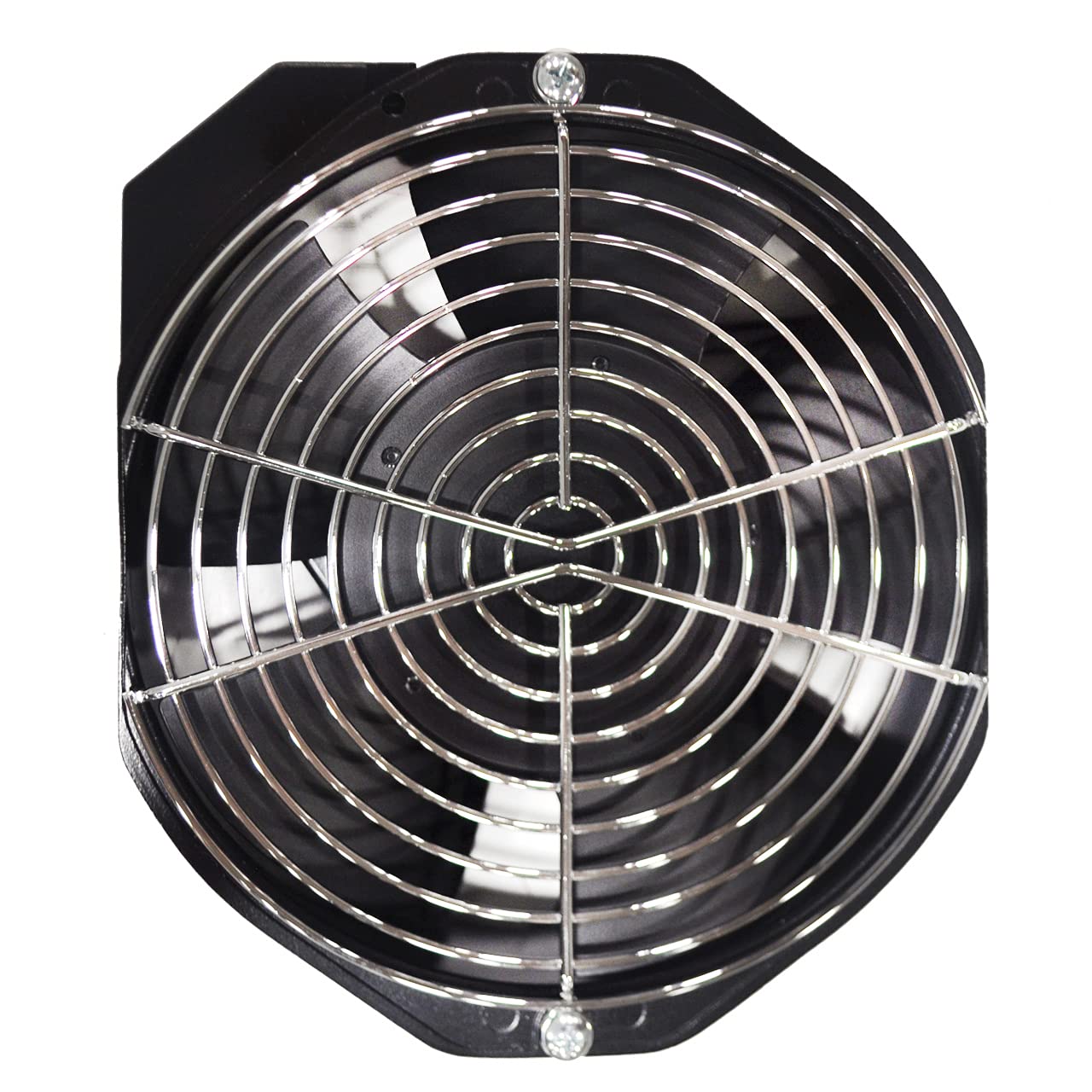
Image: A placeholder image showing a welding mask icon and text "Image Coming Soon". This image represents the general brand identity rather than the specific fan product.
- Sambungan listrik:
Connect the fan to the power supply according to the wiring diagram provided with your equipment. The Hypertherm 129307 Fan SA operates on 12 Volts. Ensure the power source matches the fan's voltage requirements. All wiring should be performed by a qualified electrician and conform to local electrical codes.
- Verify power is disconnected before making connections.
- Ensure correct polarity for DC connections.
- Secure all connections to prevent loosening during operation.
- Pariksa Pra-Operasi: Before applying power, visually inspect all connections and mounting points. Ensure there are no obstructions to the fan blades.
Parentah Operasi
The Hypertherm 129307 Fan SA is designed for continuous operation within its specified parameters. Follow these guidelines for optimal performance:
- Daya Hurung: Once installation is complete and verified, apply power to the system. The fan should start immediately.
- Ngawaskeun: During initial operation, observe the fan for any unusual noises, vibrations, or signs of overheating. The fan's maximum rotational speed is 1800 RPM.
- Tiupan hawa: Verify that the fan is producing the expected airflow (225 CFM) and that air is moving in the correct direction for your application.
- Pareum listrik: To shut down the fan, simply disconnect power to the unit or the system it is integrated into.
Pangropéa
Regular maintenance ensures the longevity and efficient operation of your Hypertherm 129307 Fan SA. Always disconnect power before performing any maintenance.
- beberesih: Periodically inspect the fan blades and housing for dust, debris, or obstructions. Use a soft brush or compressed air to gently clean the blades and internal components. Avoid using harsh chemicals or excessive moisture.
- Pamariksaan:
Regularly check for:
- Hardware dipasangan leupas.
- Damaged or frayed wiring.
- Unusual wear on fan blades or bearings (if accessible).
- Geter kaleuleuwihan atawa noise salila operasi.
- ngagantian: If the fan exhibits significant damage, excessive noise, or fails to operate correctly, it should be replaced with a genuine Hypertherm 129307 replacement part.
Pamérésan masalah
Refer to the following table for common issues and their potential solutions. If the problem persists, contact Hypertherm customer support or a qualified service technician.
| Masalah | Mungkin Cukang lantaranana | Solusi |
|---|---|---|
| Kipas teu ngamimitian. | Taya catu daya. Kabel salah. Kasalahan motor. | Pariksa sambungan kakuatan sarta circuit breaker. Pariksa wiring ngalawan diagram. Replace fan if motor is faulty. |
| Ngurangan aliran hawa. | Blocked intake/exhaust. Bilah kipas kotor. Motor running slow. | Halangan anu jelas. Ngabersihan bilah kipas. Pariksa catu daya voltage. |
| Noise atawa geter kaleuleuwihan. | Pamasangan leupas. Uing dina kipas. Bantalan dipaké. | Kencengkeun perangkat keras pemasangan. Clean fan thoroughly. Ngaganti kipas. |
Spésifikasi teknis
The following are the technical specifications for the Hypertherm 129307 Fan SA, 225CFM:
- Jumlah modél: 129307
- merek: Hypertherm
- Voltage: 12 volt
- Wattage: 225 watt
- Laju Rotasi Maksimum: 1800 rpm
- Tiupan hawa: 225 CFM (Suku Kubik per Menit)
- Ukuran produk: 1 x 1 x 6 inci
- Beurat barang: 1.9 pon
- ASIN: B008BJTR60
- UPC: 662310183752
- Titimangsa munggaran sadia: 14 Juni 2012
Kontak jeung Rojongan
For further assistance, technical support, or replacement parts, please contact Hypertherm directly or your authorized Hypertherm dealer. Refer to the official Hypertherm websitus pikeun inpo kontak panganyarna.
Anjeun tiasa nganjang ka Hypertherm Store on Amazon pikeun langkung seueur produk sareng inpormasi.


