1. Produk Langkungview
The Taylor Precision Products Glass Electronic Scale with Expandable Readout is designed for convenient and accurate weight measurement. Its compact and portable design makes it ideal for small spaces and travel. The scale features a tempered-glass platform and a unique pop-out display for easy storage. It supports weights up to 350 pounds (160 kilograms) with precise 0.2-inch increments.

Gambar 1: Top view of the Taylor Digital Mini Scale with its expandable readout extended, displaying a weight.
2. Setelan sareng Pamasangan Batré
Your Taylor Digital Mini Scale comes with one lithium battery included. To ensure proper operation, follow these steps for initial setup and battery installation/replacement:
- Tangtukeun lokasi kompartemen batré dina underside skala.
- Buka panutup kompartemen batré.
- Insert the included lithium battery (CR2032) into the compartment, ensuring correct polarity (+/-).
- Tutup panutup kompartemen batré aman.
- Place the scale on a hard, flat surface for accurate readings. Avoid carpets or uneven flooring.

Figure 2: Illustration of button cell batteries, highlighting the ingestion hazard warning. The scale uses one such battery.
WARNING: This product contains a button cell or coin battery. Ingestion can cause severe injury or death. Keep batteries out of reach of children. If swallowed, seek immediate medical attention.
3. Parentah Operasi
The Taylor Digital Mini Scale is designed for simple and immediate use. It features an "instant on" function, meaning it activates as soon as you step on it.
3.1 Nyandak Pangukuran
- Pastikeun timbangan aya dina permukaan anu teuas sareng datar.
- Gently step onto the scale. The display will automatically turn on and show your weight.
- Remain still until the weight reading stabilizes. The scale has a 350LB (160KG) capacity with 0.2" increments for precise measurement.
- Step off the scale. The display will hold your weight for a few seconds before automatically turning off to conserve battery life.
3.2 Konversi Unit
To switch between pounds (LB) and kilograms (KG), locate the "UNIT" switch on the underside of the scale, near the battery compartment. Slide the switch to your desired unit of measurement.

Figure 3: The scale's compact design with the expandable readout. This feature allows for easy storage in small spaces.
4. Pangropéa sarta perawatan
Proper care will ensure the longevity and accuracy of your Taylor Digital Mini Scale.
- beberesih: Ngusap skala ku damp lawon sareng deterjen hampang. Entong nganggo pembersih anu abrasif atanapi ngalelepkeun timbangan kana cai.
- Panyimpenan: This scale is designed for travel and small spaces, featuring a pop-out display that folds in for storage. Store it in a dry place away from extreme temperatures.
- Kahirupan batré: The scale features a low battery indicator. When the battery is low, replace it with a new CR2032 lithium battery. The battery typically lasts about one year with regular use.
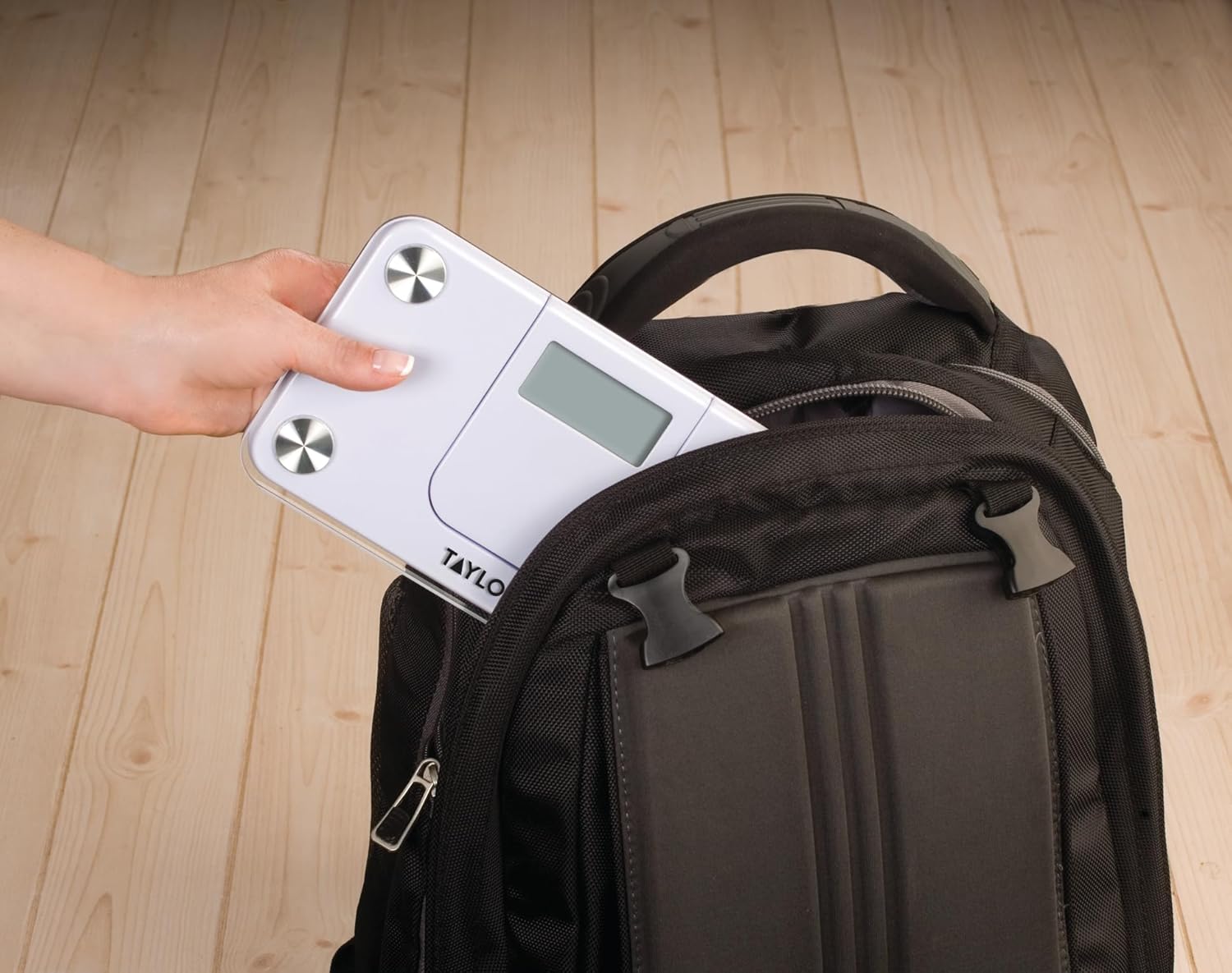
Figure 4: The scale's compact size makes it easy to transport, fitting conveniently into a backpack for travel or gym visits.

Figure 5: The scale's design allows for discreet storage in small spaces, such as a drawer.
5. Cara ngungkulan
Upami anjeun mendakan masalah sareng skala anjeun, tingal masalah sareng solusi umum ieu:
| Masalah | Mungkin Cukang lantaranana / Solusi |
|---|---|
| Layar nunjukkeun "Lo" | Low battery. Replace the CR2032 lithium battery. |
| Layar nunjukkeun "Err" | Overload. The weight capacity of the scale (350LB / 160KG) has been exceeded. Remove weight immediately to prevent damage. |
| Bacaan teu akurat |
|
| Skala teu hurung |
|
6. Spésifikasi
- Jumlah modél: 7086
- Kapasitas: 350 LB (160 KG)
- Tambihan: 0.2"
- Ukuran Platform: 9.05 inci x 5.12 inci
- Readout Size: 2.4 inches x 1 inch (Expandable/Pop-out)
- Jenis tampilan: Telescopic LCD
- Sumber Daya: 1 x Lithium Ion battery (CR2032, included)
- Ukuran produk: 1.13 x 11.07 x 11 inci
- Beurat produk: 1.69 pon
- warna: Bodas
- Pabrikan: Lifetime Brands Nyarita.
7. Garansi jeung Rojongan
Kanggo inpormasi garansi atanapi dukungan téknis, mangga tingali rincian kontak anu disayogikeun sareng bungkus produk anjeun atanapi kunjungi kantor resmi Taylor websitus. Simpen resi pameseran anjeun salaku bukti pameseran pikeun klaim garansi.
Pabrikan: Lifetime Brands Nyarita.
Websitus: www.taylorusa.com


