1. Bubuka
Thank you for choosing the Clatronic KA 3473 Drip Coffee Maker. This manual provides essential information for the safe and efficient operation, maintenance, and troubleshooting of your new appliance. Please read these instructions carefully before first use and keep them for future reference.

Image 1: Clatronic KA 3473 Drip Coffee Maker, white, with a full carafe of coffee.
2. Parentah Kasalametan
Salawasna merhatikeun pancegahan kaamanan dasar ieu nalika nganggo alat listrik:
- Baca sadaya pitunjuk sateuacan ngaoperasikeun alat.
- Ulah noél surfaces panas. Paké handles atanapi knobs.
- Pikeun nangtayungan tina seuneu, kejut listrik, sareng cilaka jalma, ulah neuleumkeun kabel, colokan, atanapi alat dina cai atanapi cairan sanés.
- Pengawasan anu ketat diperyogikeun nalika alat naon waé dianggo ku atanapi caket barudak.
- Cabut colokan tina stop kontak nalika henteu dianggo sareng sateuacan beberesih. Ngidinan pikeun niiskeun sateuacan dipasang atanapi nyabut bagian, sareng sateuacan ngabersihkeun alat.
- Entong ngoperasikeun alat naon waé nganggo kabel atanapi colokan anu ruksak, atanapi saatos alatna teu tiasa dianggo atanapi parantos ruksak dina cara naon waé.
- Pamakéan kantétan aksésori anu henteu disarankeun ku produsén alat tiasa nyababkeun kahuruan, kejutan listrik, atanapi cilaka jalma.
- Ulah make di luar.
- Entong ngantepkeun kabel ngagantung dina ujung méja atanapi konter, atanapi nyabak permukaan anu panas.
- Ulah nempatkeun dina atawa deukeut gas panas atawa burner listrik, atawa dina oven dipanaskeun.
- Sok pasangkeun heula colokan kana alat, teras colokkeun kabel kana stop kontak témbok. Pikeun megatkeun sambungan, balikkeun sagala kadali kana "off", teras cabut colokan tina stop kontak témbok.
- Ulah make alat pikeun lian ti pamakéan dimaksudkeun.
- Carafe dirancang pikeun dianggo ngan ukur pikeun alat ieu. Éta henteu kedah dianggo dina jajaran luhur.
- Ulah neundeun teko panas dina permukaan anu tiis atanapi baseuh.
- Entong nganggo teko retak atanapi teko anu gaduh gagang anu leupas atanapi lemah.
- Ulah ngabersihan wadah ku cleansers, hampang wol baja, atawa bahan abrasive séjén.
3. Produk Langkungview jeung Komponén
Familiarize yourself with the parts and key features of your Clatronic KA 3473 Drip Coffee Maker:
- Udung
- Water Tank with Water Level Indicator
- Filter Holder (removable)
- Anti-drip Valve
- Karafe Kaca kalawan Gagang
- Tetep-haneut Lempeng
- Saklar On/Off kalawan Lampu Indikator
- Cable Storage (at the back)

Gambar 2: Leuwihview of the coffee maker highlighting its capacity (12-14 cups, 1.5 liters) and power (900 Watt).

Gambar 3: Detil view of the water level indicator and the anti-drip mechanism.
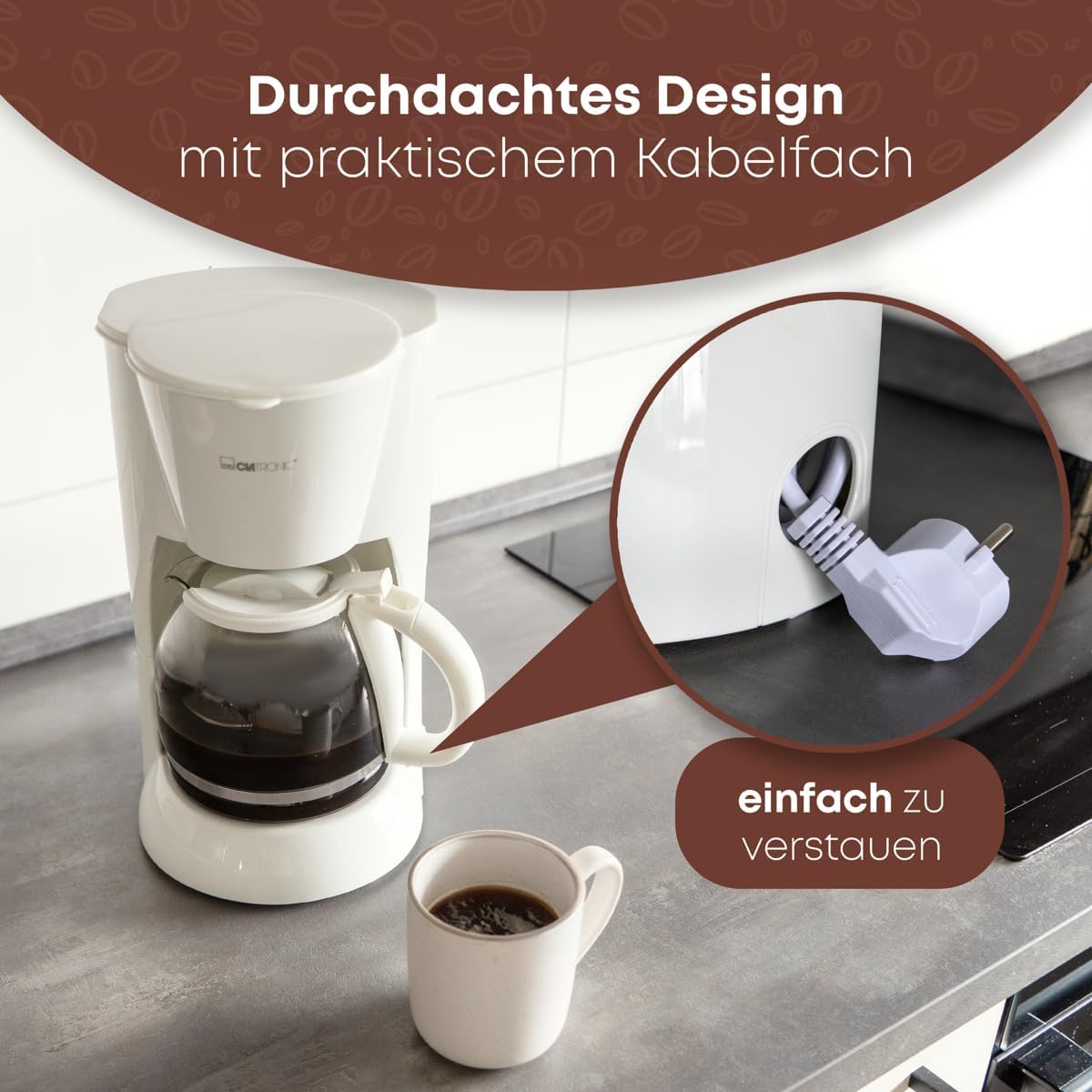
Image 4: The practical cable storage compartment located at the back of the appliance for easy tidying.
4. Setup jeung pamakéan munggaran
Sateuacan nganggo mesin kopi anjeun pikeun anu mimiti, turutan léngkah-léngkah ieu:
- Ngabongkar: Carefully remove the coffee maker and all accessories from the packaging.
- Bersih: Wash the glass carafe, lid, and removable filter holder in warm, soapy water. Rinse thoroughly and dry.
- Siklus Brew Kahiji (Beresih):
- Fill the water tank with clean water up to the "MAX" level (1.5 liters).
- Place the empty filter holder into its position. Do not add coffee grounds.
- Place the glass carafe with its lid on the keep-warm plate.
- Colokkeun alat kana stop kontak anu cocog (230V).
- Press the On/Off switch. The indicator light will illuminate.
- Allow the water to brew through completely.
- Once the brewing cycle is complete, turn off the appliance and discard the water.
- Repeat this process 2-3 times to ensure the appliance is thoroughly cleaned.
- Mesin kopi anjeun ayeuna siap dianggo.
5. Parentah Operasi
Turutan léngkah-léngkah ieu pikeun nyéduh kopi:
- Tangki cai ngeusian: Open the lid and fill the water tank with fresh, cold water. Use the water level indicator on the side of the tank to measure the desired number of cups (up to 1.5 liters or 14 cups). Do not exceed the "MAX" level.
- Tambahkeun bubuk kopi: Place a paper filter (size 1x4 or similar) into the removable filter holder. Add the desired amount of ground coffee. A general guideline is one tablespoon of coffee grounds per cup, but adjust to your personal taste.
- Posisi Kafe: Ensure the glass carafe with its lid is correctly placed on the keep-warm plate. The anti-drip valve will be pushed up by the carafe lid, allowing coffee to flow.
- Mimitian Brewing: Plug the coffee maker into a power outlet and press the On/Off switch. The indicator light will illuminate, signaling that the brewing process has started.
- ngalayanan: Once the brewing cycle is complete, the coffee maker will automatically switch to the keep-warm function. You can remove the carafe to pour coffee. The anti-drip system prevents dripping when the carafe is removed.
- Pareuman otomatis: The keep-warm plate will automatically shut off after a period of time (typically 30-40 minutes) for safety and energy saving.
- Pareuman: After serving, press the On/Off switch to turn off the appliance and unplug it from the wall outlet.
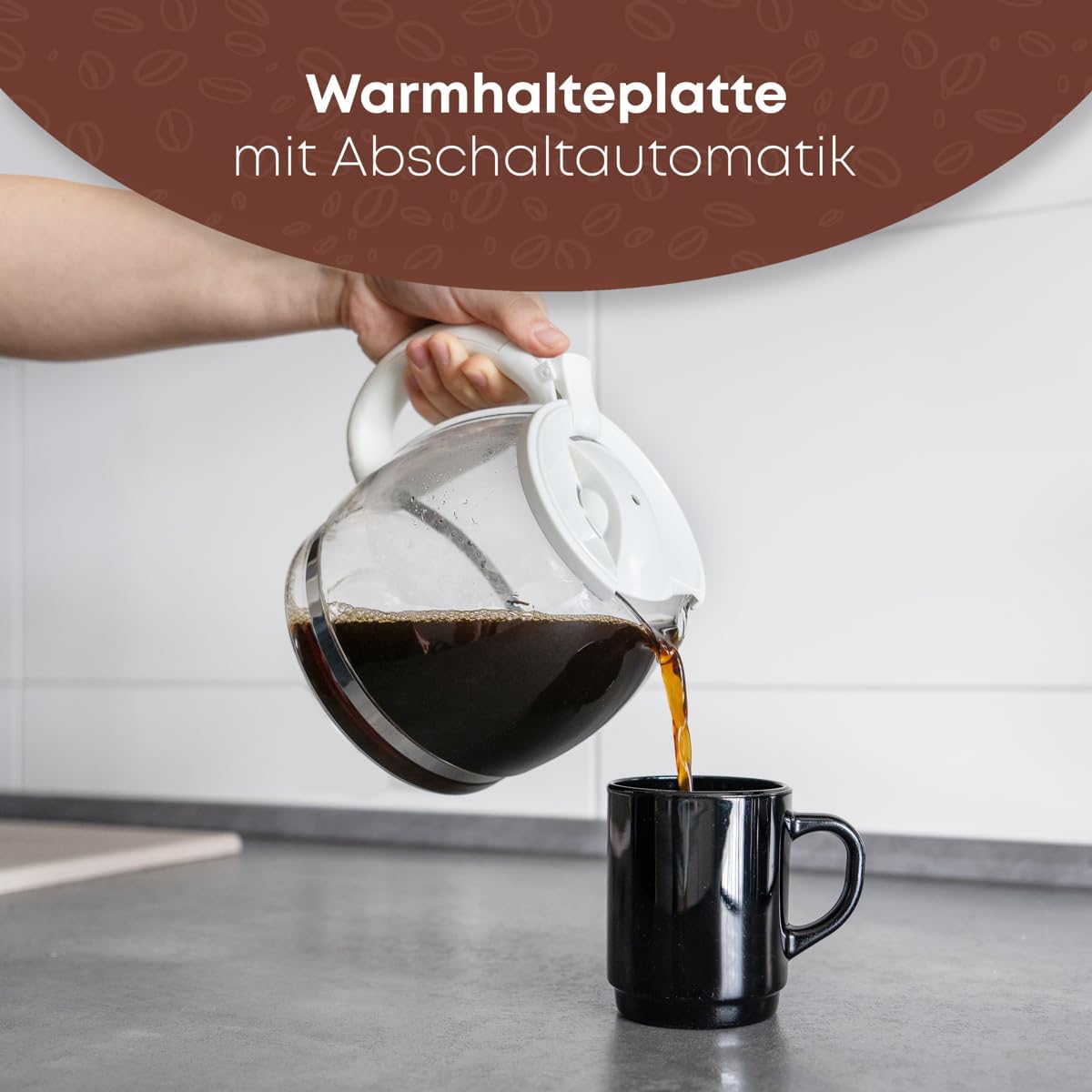
Image 5: Pouring freshly brewed coffee from the glass carafe into a mug.
6. Pangropéa jeung beberesih
Beberesih rutin mastikeun kinerja anu optimal sareng manjangkeun umur mesin kopi anjeun.
- beberesih poean:
- Salawasna cabut colokan mesin kopi teras antepkeun tiis sagemblengna sateuacan dibersihkeun.
- Cabut wadah saringan sareng piceun bubuk kopi sareng saringan kertas.
- Wash the glass carafe, lid, and removable filter holder in warm, soapy water. Rinse thoroughly and dry. These parts are generally dishwasher-safe (top rack), but hand washing is recommended for longevity.
- Ngusap bagian luar mesin kopi ku hipu, damp lawon. Ulah make cleaners abrasive atawa hampang scouring.
- Ulah pernah ngalelepkeun unit utama, kabel, atanapi colokan kana cai atanapi cairan naon waé.
- Turun: Mineral deposits from water can build up over time and affect performance. Descale your coffee maker every 2-4 weeks, depending on water hardness and frequency of use.
- Prepare a descaling solution: Mix white vinegar and water in equal parts, or use a commercial descaling agent according to its instructions.
- Pour the solution into the water tank up to the "MAX" level.
- Place the empty carafe on the keep-warm plate.
- Turn on the coffee maker and let half of the solution brew through.
- Turn off the appliance and let it stand for 15-20 minutes to allow the solution to work.
- Hurungkeun deui maker kopi jeung ngantep solusi sésana brew ngaliwatan.
- Discard the solution and rinse the carafe.
- Run 2-3 cycles with clean water only to flush out any residual descaling solution.

Image 6: The removable filter holder, designed for easy cleaning under running water.
7. Cara ngungkulan
Upami anjeun mendakan masalah sareng mesin kopi anjeun, tingali masalah sareng solusi umum ieu:
| Masalah | Mungkin Cukang lantaranana | Solusi |
|---|---|---|
| Kopi teu diseduh. | Alat teu dipasang; Saklar on/off teu dipencet; Teu aya cai dina tangki. | Ensure plug is securely in outlet; Press On/Off switch; Fill water tank. |
| Kopi karasa lemah. | Not enough coffee grounds; Coffee grounds too coarse; Water tank overfilled. | Add more coffee grounds; Use finer ground coffee; Ensure water level matches desired cups. |
| Kopi ngalembur tina saringan. | Too many coffee grounds; Filter holder clogged; Carafe not properly placed. | Reduce coffee grounds; Clean filter holder and anti-drip valve; Ensure carafe is centered on keep-warm plate. |
| Alat nyieun sora anu teu biasa. | Numpukna mineral (perlu dibersihkeun). | Ngalaksanakeun siklus descaling sakumaha ditétélakeun dina Bagian 6. |
| Kopi teu cukup panas. | Keep-warm plate not functioning; Appliance needs descaling. | Ensure appliance is on; Descale the coffee maker. |
Lamun masalah persists sanggeus nyobian solusi ieu, mangga ngahubungan rojongan customer.
8. Spésifikasi
| Fitur | Rincian |
|---|---|
| merek | Clatronic |
| Modél | KA 3473 |
| Warna | Bodas |
| Jenis Kopi Maker | Tetes Kopi Maker |
| Kapasitas | 1.5 Liters (approx. 12-14 cups) |
| Voltage | 230V |
| Kakuatan | 900 Watt |
| Ukuran produk (L x W x H) | 20 x 23 x 30 cm |
| Item Beurat | 1.8 kg |
| Fitur husus | Anti-drip function, Water level indicator, Removable filter holder, Illuminated On/Off switch, Keep-warm plate with automatic shut-off, Cable storage. |
9. Garansi jeung Rojongan
For warranty information or technical support, please refer to the warranty card included with your purchase or contact Clatronic customer service directly. Contact details can typically be found on the manufacturer's websitus atanapi dina bungkusan produk.
Please have your model number (KA 3473) and purchase date ready when contacting support.


