1. Émbaran Kasalametan penting
Please read all instructions carefully before operating your Tristar CS Canister Vacuum System. Retain this manual for future reference.
- Salawasna cabut colokan panyedot debu tina stop kontak listrik sateuacan beberesih atanapi servis.
- Ulah make di luar atawa dina surfaces baseuh.
- Ulah ngantep dipaké salaku cocooan. Perhatian caket diperyogikeun nalika dianggo ku atanapi caket barudak.
- Anggo ngan sakumaha anu dijelaskeun dina manual ieu. Paké ngan kantétan dianjurkeun produsén urang.
- Ulah make jeung ari ruksak atawa colokan. Upami alatna henteu jalan sakumaha sakuduna, parantos diturunkeun, ruksak, ditinggalkeun di luar, atanapi diturunkeun kana cai, balikkeun deui ka pusat jasa.
- Ulah narik atawa mawa ku ari, make ari salaku cecekelan, nutup panto dina ari, atawa narik ari sabudeureun ujung seukeut atawa juru. Ulah ngajalankeun alat ngaliwatan kabel. Tetep ari jauh ti surfaces dipanaskeun.
- Ulah cabut colokan ku cara narik kana kabel. Pikeun cabut colokan, keupeul colokan, teu ari.
- Ulah nanganan colokan atawa vacuum cleaner ku leungeun baseuh.
- Ulah nempatkeun obyék nanaon kana bukaan. Entong nganggo sareng bukaan anu diblokir; tetep bébas tina lebu, serat, rambut, sareng naon waé anu tiasa ngirangan aliran hawa.
- Jauhkeun buuk, pakean longgar, ramo, sareng sadaya bagian awak tina bukaan sareng bagian anu obah.
- Ulah nyokot naon bae anu kaduruk atawa ngaroko, kayaning roko, korek api, atawa lebu panas.
- Ulah nyokot cair kaduruk atawa combustible, kayaning béngsin, atawa dipaké di wewengkon mana maranéhna bisa jadi aya.
- Paké perawatan tambahan nalika meresihan dina tangga.
- Ulah make tanpa kantong lebu jeung/atawa saringan di tempat.
2. Eusi Paket
Your Tristar CS Canister Vacuum System comes complete with the following components:
- Tristar CS Canister Main Unit
- Selang fléksibel
- Extension Wands (typically 2)
- Power Nozzle (for carpets and rugs)
- Sikat lebu
- Alat celah
- Alat Upholstery
- Filter HEPA (dipasang atanapi misah)

Gambar 2.1: The Tristar CS Canister Vacuum System main unit, shown from a side angle with the power cord wrapped around its base.

Gambar 2.2: The underside of the Tristar power nozzle, showing the rotating brush roll and wheels. This attachment is used for deep cleaning carpets.
3. Setup jeung Majelis
- Ngabongkar komponén: Cabut sadaya komponén tina bungkusna kalayan ati-ati. Pastikeun sadaya barang anu didaptarkeun dina Bagian 2 aya.
- Pasang selang: Lebetkeun selang fléksibel kana saluran masuk sedot dina unit tabung utama dugi ka ngaklik pageuh kana tempatna.
- Sambungkeun Tongkat: Connect the extension wands together by twisting them until they lock. Then, attach the wands to the end of the flexible hose.
- Pasang Alat Pembersih: Select the appropriate cleaning tool (e.g., power nozzle, dusting brush) and attach it to the end of the extension wands. For direct attachment, some tools can connect directly to the hose handle.
- Sambungan Daya: Extend the power cord fully and plug it into a suitable electrical outlet (120V, 60Hz).
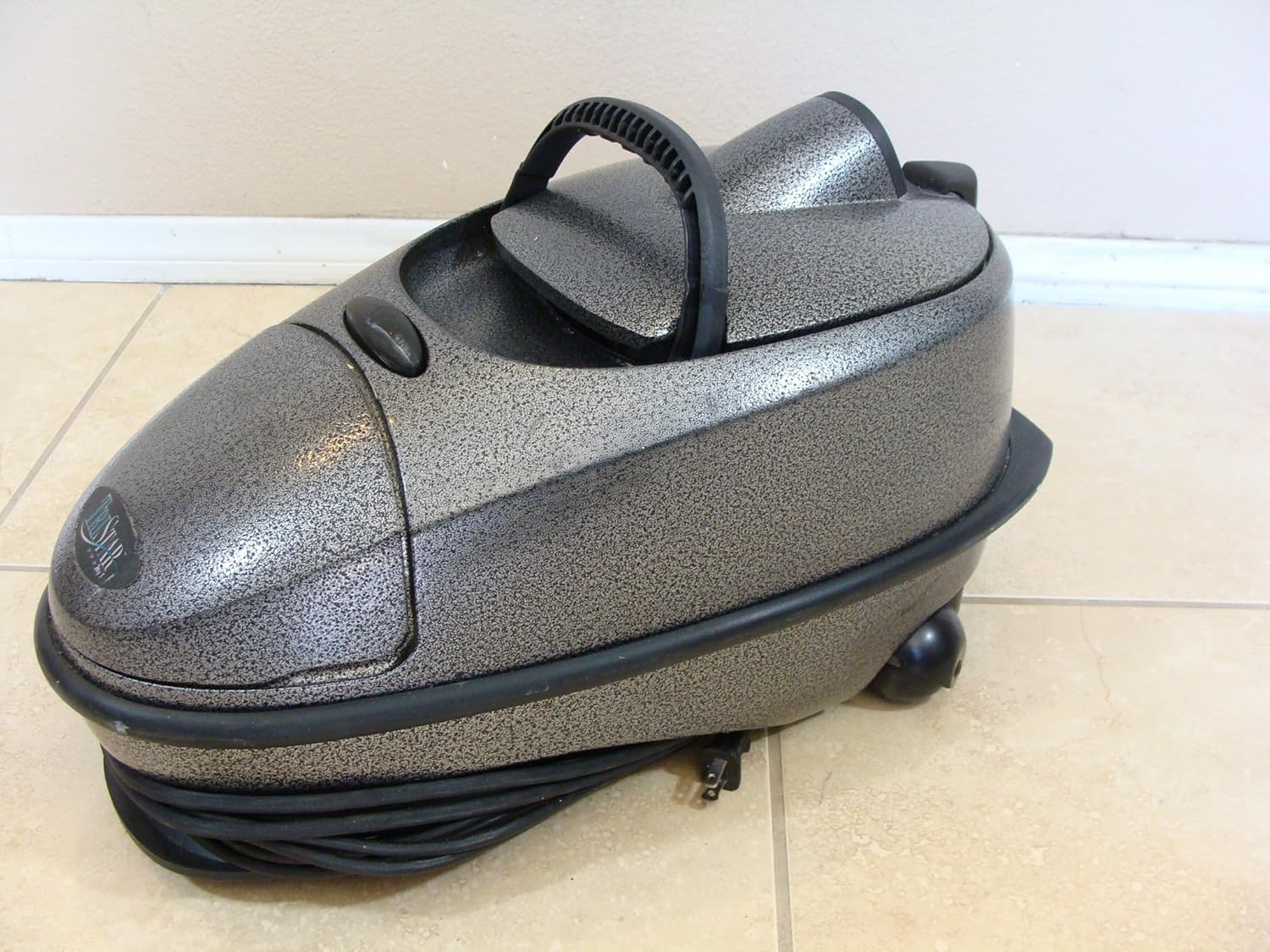
Gambar 3.1: The Tristar CS Canister Vacuum System with its hose and various attachments, ready for assembly and use.
4. Parentah Operasi
- Hurungkeun/Pareuman: Locate the power switch on the main canister unit. Press it to turn the vacuum cleaner ON. Press again to turn it OFF.
- Using the Power Nozzle: For carpets and rugs, attach the power nozzle. The rotating brush helps agitate and lift dirt from carpet fibers. Guide the nozzle slowly over the surface for effective cleaning.
- Using Other Attachments:
- Dusting Sikat: Ideal for delicate surfaces, furniture, blinds, and shelves.
- Alat celah: Perfect for tight spaces, corners, edges, and between cushions.
- Alat Upholstery: Dirancang pikeun meresihan sofa, korsi, sareng permukaan lawon anu sanés.
- Hard Floors and Bare Floors: For hard surfaces, you may use the power nozzle with the brush roll turned off (if applicable) or a dedicated hard floor tool (if included). The dusting brush can also be used for light debris.
- Manajemén ari: After use, unplug the vacuum and wrap the power cord neatly around the designated cord storage area on the canister unit.
5. Pangropéa
Regular maintenance ensures optimal performance and extends the life of your Tristar CS Canister Vacuum System.
5.1. Emptying the Dust Canister/Bag
- Cabut colokan: Always unplug the vacuum cleaner before performing any maintenance.
- Access Canister: Follow the instructions specific to your model to open the canister housing. This usually involves releasing kait atawa klip.
- Remove and Empty: Carefully remove the dust bag or empty the dust canister into a waste bin. If using a bag, replace it with a new one when full.
- Pasang deui: Securely close the canister housing, ensuring all latches are engaged.
5.2. Pangropéa Filter
Your Tristar CS Canister Vacuum System is equipped with a HEPA filter, which requires periodic cleaning or replacement.
- Cabut colokan: Pastikeun vakum geus unplugged.
- Locate Filter: Refer to your specific model's diagram to locate the HEPA filter. It is typically found near the motor or exhaust.
- Bersih / Ganti: Gently remove the filter. If it is a washable filter, rinse it under cool running water until the water runs clear. Allow it to air dry completely (24-48 hours) before reinserting. If it is a non-washable filter, replace it with a new Tristar HEPA filter.
- Pasang deui: Insert the clean or new filter back into its housing, ensuring a snug fit.
5.3. Cleaning the Power Nozzle Brush Roll
Hair and debris can accumulate on the brush roll, reducing its effectiveness.
- Cabut colokan: Disconnect the power nozzle from the vacuum and ensure the main unit is unplugged.
- Access Brush Roll: Turn the power nozzle over. You may need to remove a cover plate or release latches to access the brush roll.
- Leupaskeun lebu: Use scissors or a seam ripper to carefully cut and remove any tangled hair, string, or debris from the brush roll. Be careful not to damage the bristles.
- Pasang deui: Reinstall the brush roll and cover plate, ensuring all parts are securely fastened.
Gambar 5.1: The underside of the power nozzle, illustrating the area where the brush roll needs to be cleaned of tangled hair and debris.
6. Cara ngungkulan
Review masalah sareng solusi umum di handap ieu sateuacan ngahubungi dukungan palanggan.
| Masalah | Mungkin Cukang lantaranana | Solusi |
|---|---|---|
| Vakum henteu hurung. | Henteu aya kakuatan pikeun unit. | Pariksa naha kabel listrik dicolokkeun sacara aman kana stop kontak anu tiasa dianggo. Pariksa circuit breaker. |
| Kaleungitan nyeuseup. | Dust bag/canister is full; filter is clogged; hose/attachments are blocked. | Empty or replace the dust bag/canister. Clean or replace the HEPA filter. Check hose and attachments for blockages and remove them. |
| Sora teu biasa. | Blockage in the hose or power nozzle; foreign object in the fan/motor area. | Turn off and unplug the vacuum. Check for and remove any blockages. If noise persists, contact customer support. |
| Power nozzle brush roll not spinning. | Brush roll is jammed with debris; belt is broken or dislodged. | Unplug the vacuum and clean the brush roll of tangled hair and debris (refer to Section 5.3). If the belt is broken, it will need replacement by a qualified technician. |
7. Spésifikasi
| Fitur | Rincian |
|---|---|
| merek | Tristar |
| Nomer modél | A101S |
| Sumber Daya | Kabel Listrik |
| Jenis Filter | Saringan HEPA |
| Faktor Bentuk | Kaleng |
| Dianjurkeun Mangpaat | Carpet, Hard Floor, Rug, Bare Floor |
| Fitur husus | Cartridge filter, Canister form factor, Corded electric power source |
| Dupi Tanpa kabel? | No |
| Portabel | Sumuhun |
| Pamakéan jero rohangan / outdoor | jero rohangan |

Gambar 7.1: Example of a Tristar model label, showing model number and electrical specifications. Note: Model number shown in image may vary from product JSON.
8. Garansi jeung Rojongan
For warranty information or technical support regarding your Tristar CS Canister Vacuum System, please refer to the warranty card included with your purchase or visit the official Tristar website. You may also contact Tristar customer service directly for assistance with parts, service, or general inquiries.


