1. Bubuka
This manual provides comprehensive instructions for the Sony Cyber-shot DSC-W810 Digital Camera. It covers essential information for setting up, operating, maintaining, and troubleshooting your camera to ensure optimal performance and longevity. Please read this manual thoroughly before using your camera.
2. Produk Langkungview
Familiarize yourself with the components and controls of your Sony Cyber-shot DSC-W810 camera.
2.1 Komponén kaméra
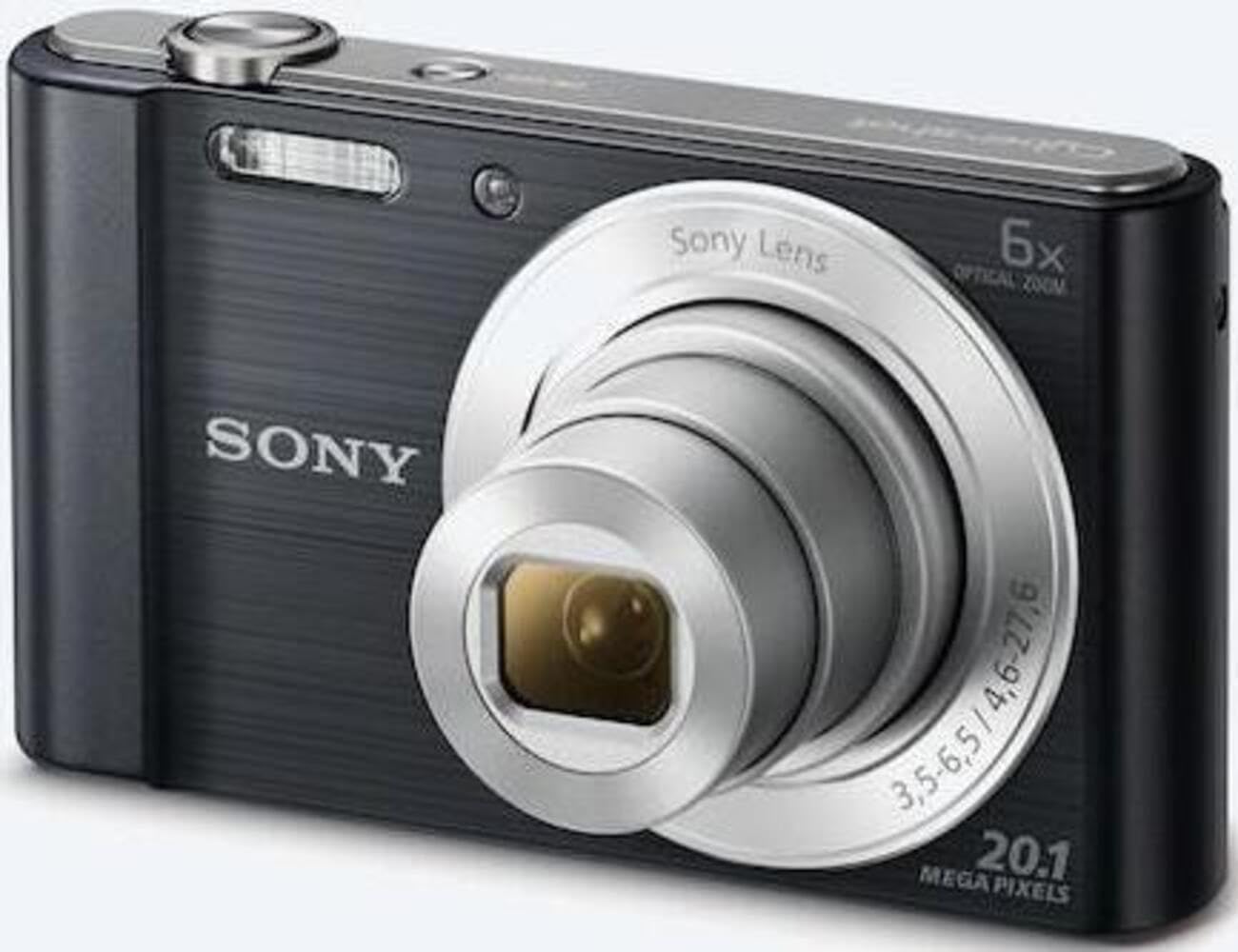
Gambar 1: Hareupeun view of the camera with the lens retracted. This shows the lens, flash, and shutter button.
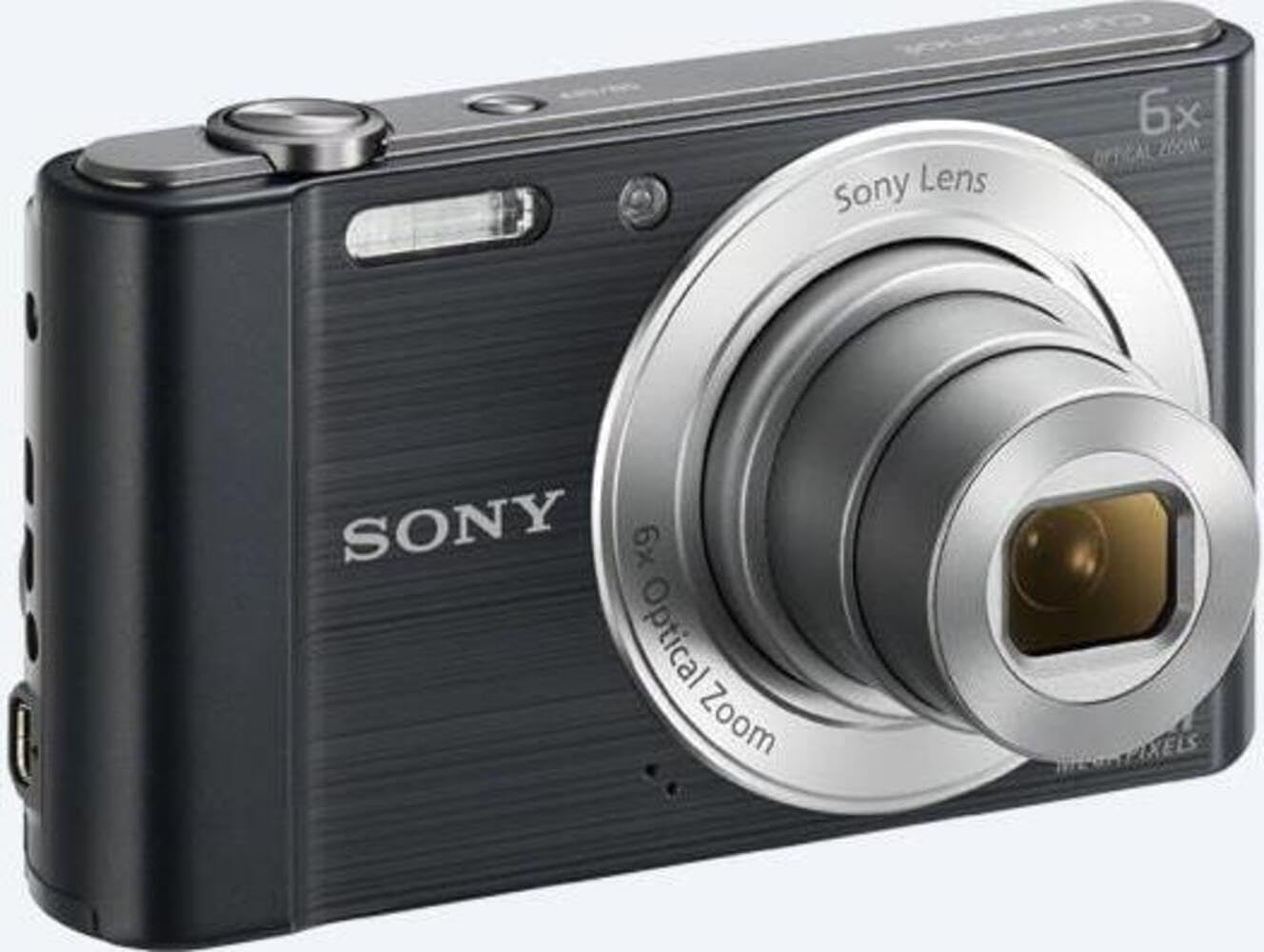
Gambar 2: Hareupeun view of the camera with the lens extended, ready for shooting. This illustrates the camera's compact design when in use.

Gambar 3: Tukangeun view of the camera, highlighting the 2.7-inch LCD screen, navigation buttons, movie record button, and menu button.

Gambar 4: Top view of the camera, showing the power button, shutter button, and zoom lever.
2.2 Control Buttons and Functions
- Tombol jepret: Pencét satengahna pikeun fokus, pinuh pikeun moto gambar.
- Lever zum (W/T): Adjusts optical and digital zoom. "W" for wide-angle, "T" for telephoto.
- Tombol Daya: Ngahurungkeun atanapi mareuman kaméra.
- Tombol Pilem: Mimitian sareng ngeureunkeun ngarékam pidéo.
- Tombol Puteran: Lebet kana modeu puter deui ka view poto sareng video.
- Tombol Menu: Aksés setélan sareng pilihan kaméra.
- Tombol arah: Navigate menus and select options. Also used for flash settings, self-timer, and display options.
- Flash: Lampu kilat diwangun-di pikeun kondisi cahaya remen.
- Layar LCD: Layar 2.7 inci pikeun ngabingkai poto, viewdina gambar, sareng nganapigasi ménu.
3. Setélan
Turutan léngkah-léngkah ieu pikeun nyiapkeun kaméra anjeun pikeun panggunaan anu munggaran.
3.1 Nyelapkeun Batré
- Buka panutup batré/kartu mémori anu aya di handapeun kaméra.
- Insert the battery with the correct orientation, ensuring the terminals align. Push until it clicks into place.
- Tutup panutupna aman.
Note: The camera does not include batteries. Please use compatible Sony NP-BN or NP-BN1 batteries.
3.2 Nyelapkeun Kartu Mémori
The camera supports SDXC or SDHC memory cards.
- Buka panutup batré/kartu mémori.
- Selapkeun kartu memori kana slotna kalayan orientasi anu leres dugi ka ngaklik.
- Tutup panutupna aman.
Note: A memory card is not included with the camera. Purchase a compatible SDXC or SDHC card separately.
3.3 Nyala sareng Setélan Mimiti
- Pencét tombol Daya pikeun ngaktipkeun kaméra.
- The initial setup screen will appear. Follow the on-screen prompts to set the language, date, and time.
- Pastikeun tanggal sareng waktosna akurat supados organisasi potona leres.
4. Ngoperasikeun kaméra
Learn how to capture photos and videos with your DSC-W810.
4.1 Nyokot Poto
- Hurungkeun kaméra.
- Pigura shot anjeun ngagunakeun layar LCD.
- Anggo tuas zum (W/T) pikeun nyaluyukeun zum optik 6x.
- Press the Shutter button halfway down to focus. The focus frame will turn green when focus is achieved.
- Press the Shutter button fully to take the picture.
4.2 Using Flash Modes
The camera features a built-in flash with various modes. Press the right directional button (flash icon) to cycle through modes:
- Flash Otomatis: Kaméra sacara otomatis nangtukeun upami lampu kilat diperyogikeun.
- Fill-flash: Flash seuneu pikeun unggal shot.
- Singkronkeun lalaunan: Flash fires, and shutter speed is slowed to capture background light.
- No Flash: Flash ditumpurkeun.
Tip: For low-light environments, the "Party Mode" (accessible via the menu) can optimize settings for clearer images without harsh flash.
4.3 Ngarékam Pidéo
- Hurungkeun kaméra.
- Press the dedicated Movie button to start recording.
- Press the Movie button again to stop recording.
Note: Videos are recorded in 720p resolution in MP4 format.
4.4 Modeu Playback
- Pencét tombol Playback pikeun asup ka modeu playback.
- Use the left/right directional buttons to browse through your photos and videos.
- Press the center button to play videos.
- Press the Playback button again to return to shooting mode.
5. Pangropéa
Perawatan anu leres mastikeun umur panjang sareng kinerja kaméra anjeun.
5.1 Ngabersihan Kaméra
- Awak kaméra: Ngusap ku lawon lemes, garing. Pikeun kokotor bandel, make kaen hampang dampdieusi cai.
- Lensa: Paké sikat lénsa pikeun miceun lebu, teras usap gently kalawan lawon beberesih lénsa. Hindarkeun noel permukaan lensa ku ramo anjeun.
- Layar LCD: Anggo lawon lemes sareng garing anu khusus dirancang kanggo layar LCD.
Caution: Do not use organic solvents such as alcohol or thinner to clean the camera.
5.2 Perawatan Batré
- Ngeusi batre sapinuhnya sateuacan dianggo heula.
- Cabut batré upami kaméra moal dianggo kanggo waktos anu panjang.
- Simpen batré di tempat anu tiis sareng garing.
5.3 Panyimpenan
When not in use, store the camera in a dry, well-ventilated area, away from direct sunlight, high temperatures, and humidity. Use a camera case for protection during transport.
6. Cara ngungkulan
Tingal bagian ieu pikeun solusi masalah umum.
| Masalah | Solusi |
|---|---|
| Kaméra teu hurung. |
|
| Gambar blur. |
|
| Flash is too bright or too dim. |
|
| Kasalahan kartu mémori. |
|
7. Spésifikasi
Key technical specifications for the Sony Cyber-shot DSC-W810 Digital Camera.
| Fitur | Rincian |
|---|---|
| Ngaran modél | DSCW810B.CE3 |
| Resolusi Masih Éféktif | 20.1 MP |
| Téhnologi Sénsor Poto | CCD |
| Zoom optik | 6x |
| Zum Digital | 48x |
| Panjang Fokus Maksimum | 27.6 mm |
| Panjang Fokus Minimum | 4.6 mm |
| Stabilisasi Gambar | Digital, Optik |
| Ukuran layar | 2.7 Inci LCD |
| Resolusi Video | 720 p |
| Dirojong File Formulir | JPEG, RAW (Still), MP4 (Video) |
| Tipe Mémori Flash | SDXC or SDHC |
| Konektipitas | USB, HDMI |
| Item Beurat | 111 gram |
| Warna | Hideung |
8. Garansi jeung Rojongan
8.1 Émbaran jaminan
This product comes with a 90-day Limited Hardware Warranty. For full details, please refer to the official warranty document:
View 90-day Limited Hardware Warranty
Note: This is an international version of the camera and may have warranty limitations in certain regions.
8.2 Rojongan Palanggan
Kanggo bantosan salajengna, dukungan téknis, atanapi patarosan layanan, mangga buka dukungan resmi Sony websitus atanapi ngahubungan layanan palanggan maranéhna.


