Bubuka
This user manual provides comprehensive instructions for the RCA RTS7010BR6 37-inch Home Theater Sound Bar with Bluetooth. Please read this manual thoroughly before operating the device to ensure proper use, optimal performance, and safety. Keep this manual for future reference.
Émbaran Kasalametan
Salawasna turutan pancegahan kaamanan dasar nalika nganggo produk ieu pikeun ngirangan résiko seuneu, kejutan listrik, sareng tatu.
- Ulah ngalaan alat ieu ka hujan atawa beueus.
- Ulah meungpeuk sagala bukaan ventilasi.
- Pastikeun kabel listrik henteu diciwit atanapi dijalankeun.
- Ngan anggo kantétan/aksésori anu ditunjuk ku produsén.
- Cabut colokan alat ieu nalika badai kilat atanapi nalika henteu dianggo kanggo waktos anu lami.
- Rujuk sadayana jasa ka tanaga jasa anu mumpuni.
Eusi pakét
Pastikeun yén sadaya item anu didaptarkeun di handap kalebet kana pakét anjeun. Lamun aya item nu leungit atawa ruksak, mangga ngahubungan rojongan customer.
- RCA RTS7010BR6 37-inch Home Theater Sound Bar
- Kadali jauh
- Adaptor kakuatan
- Manual pamaké

Image: The RCA RTS7010BR6 sound bar, its remote control, and power adapter, representing the complete system components.
Produk Leuwihview
The RCA RTS7010BR6 is a 37-inch home theater sound bar designed to enhance your audio experience. It features 30 watts of total power output through four built-in speakers, providing stereo sound. The sound bar supports various connectivity options, including Bluetooth for wireless streaming, and physical inputs such as Aux, Coaxial Digital, and Optical.

Gambar: Hareupeun view of the RCA RTS7010BR6 sound bar, showcasing éta ramping, low-profile rarancang.

Gambar: Tukangeun view of the RCA RTS7010BR6 sound bar, highlighting the DC IN, AUX IN, LINE IN, OPTICAL IN, and COAXIAL IN ports.
Disetél
1. Panempatan
Place the sound bar on a stable, flat surface in front of your television or mounted on a wall below it. Ensure there are no obstructions in front of the sound bar for optimal audio projection.
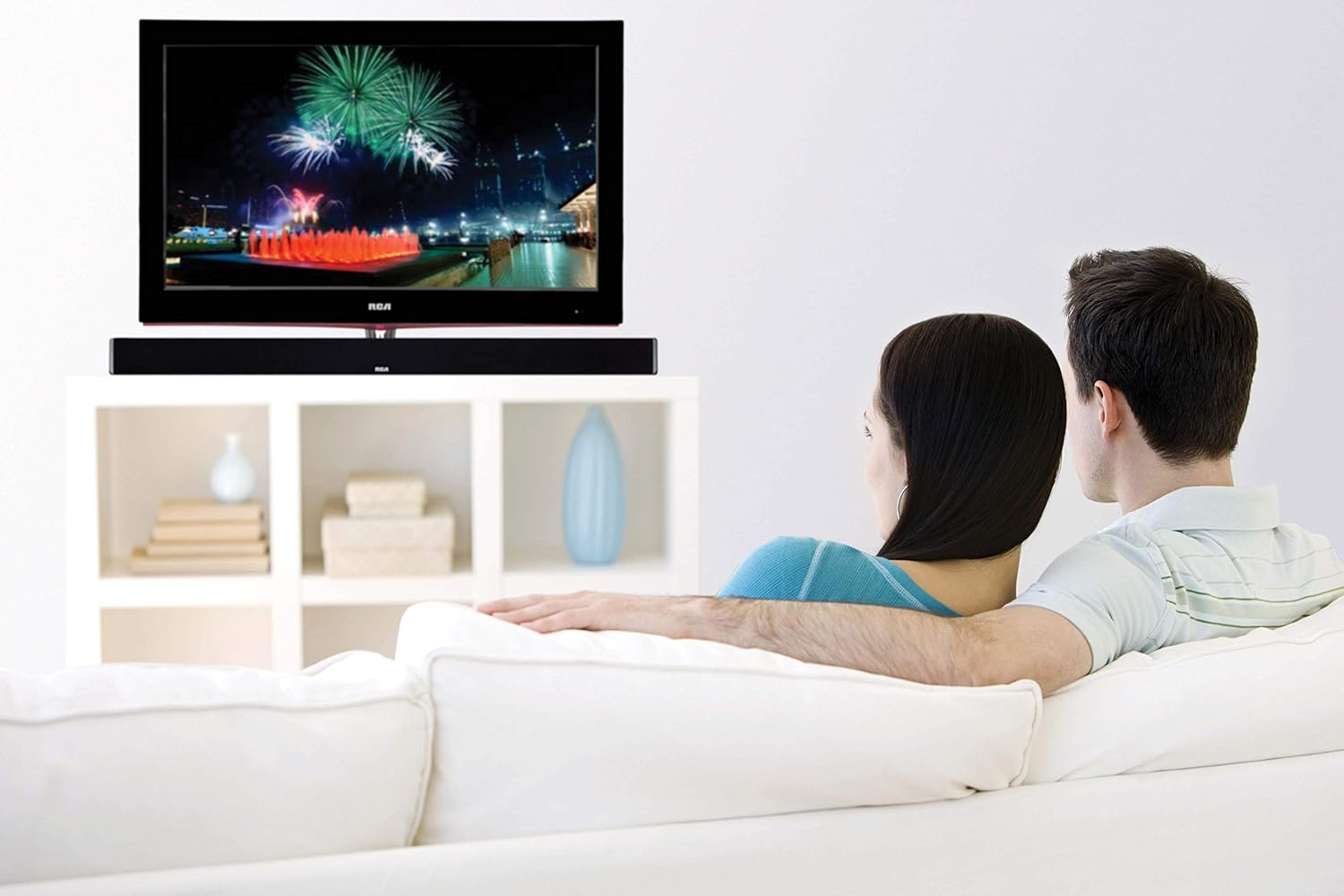
Image: The RCA sound bar positioned beneath a television, demonstrating a typical home theater setup.
2. Nyambungkeun ka Daya
- Sambungkeun adaptor kakuatan ka port DC IN dina tonggong bar sora.
- Colokkeun tungtung nu sejen adaptor kakuatan kana stop kontak témbok.
3. Sambungan Audio
Choose one of the following methods to connect your audio source to the sound bar:
- Audio Digital optik: Connect an optical cable (not included) from your TV's Optical Out port to the OPTICAL IN port on the sound bar. This provides high-quality digital audio.
- Audio Digital Koaksial: Connect a coaxial cable (not included) from your TV's Coaxial Out port to the COAXIAL IN port on the sound bar. This also provides digital audio.
- Auxiliary (AUX) Input: Use an RCA stereo audio cable (not included) to connect your audio source (e.g., TV, DVD player) to the AUX IN ports (red for right, white for left) on the sound bar.
- Line-in Input: Use a 3.5mm audio cable (not included) to connect devices like MP3 players or smartphones to the LINE IN port on the sound bar.
- Bluetooth: Pikeun sambungan nirkabel, tingal bagian "Pasangan Bluetooth" dina Parentah Operasi.
Parentah Operasi
Daya Hurung/Pareuman
- Pencét éta POWER tombol dina kadali jauh atawa dina bar sora pikeun ngahurungkeun atawa mareuman unit.
Pilihan Input
- Pencét éta INPUT button on the remote control or on the sound bar repeatedly to cycle through available input sources (Optical, Coaxial, AUX, Line-in, Bluetooth).
- The indicator light on the sound bar will change to reflect the selected input.
Volume Control
- Pencét VOL+ pikeun ningkatkeun volume sareng VOL- to decrease volume on the remote control or sound bar.
- Pencét éta BISA tombol dina kadali jauh pikeun ngajempékeun atanapi nganonaktipkeun sora.
Papasangan Bluetooth
- Turn on the sound bar and select the Bluetooth input. The Bluetooth indicator light will flash, indicating it is in pairing mode.
- Aktipkeun Bluetooth dina alat sélulér Anjeun (smartphone, tablet, jsb).
- Milarian pikeun "RCA Sound Bar" in your device's Bluetooth settings and select it to pair.
- Once successfully paired, the Bluetooth indicator light on the sound bar will stop flashing and remain solid.
- You can now stream audio wirelessly from your device to the sound bar.
Adjusting Treble and Bass
- Ngagunakeun éta TREBLE+ / TREBLE- buttons on the remote control to adjust the high-frequency sound levels.
- Ngagunakeun éta BASS+ / BASS- buttons on the remote control to adjust the low-frequency sound levels.
Pangropéa
- beberesih: Anggo lawon anu lemes sareng garing pikeun ngabersihkeun bagian luar sound bar. Entong nganggo pembersih cair atanapi semprotan aerosol.
- Panyimpenan: Upami nyimpen bar sora kanggo waktos anu panjang, cabut colokan tina stop kontak listrik teras simpen di tempat anu tiis sareng garing.
Pamérésan masalah
| Masalah | Mungkin Cukang lantaranana | Solusi |
|---|---|---|
| Taya kakuatan | ari kakuatan teu disambungkeun; Stopkontak teu aktip. | Pastikeun kabel listrik disambungkeun aman. Nguji stop kontak jeung alat sejen. |
| Taya sora | Incorrect input selected; Volume too low; Mute function active; Incorrect audio cable connection. | Select the correct input source. Increase volume. Deactivate mute. Check audio cable connections. |
| Nyapasangkeun Bluetooth gagal | Sound bar not in pairing mode; Device too far; Interference. | Ensure sound bar is in Bluetooth input and indicator is flashing. Move device closer. Avoid other wireless devices. |
| Kadali jauh teu jalan | Batteries depleted; Obstruction between remote and sound bar. | Replace remote control batteries. Remove any obstructions. Ensure remote is pointed at the sound bar's sensor. |
spésifikasi
| Fitur | Rincian |
|---|---|
| Ngaran modél | RTS7010BR6 |
| merek | RCA |
| Tipe Speaker | Soundbar |
| Ukuran Speaker | 37 inci |
| Speaker Maksimum Kaluaran Power | 30 Watt |
| Konfigurasi Saluran Sakuliling Sora | 2.0 |
| Téhnologi konektipitas | Auxiliary, Bluetooth, Coaxial, Optical |
| Téknologi Komunikasi Nirkabel | Bluetooth |
| Alat nu cocog | Smartphone, Tablet, Pamuter MP3 |
| Métode kontrol | Jauh |
| Sumber Daya | Adaptor-Powered |
| Dimensi produk | 7 "D x 41.5" W x 6" H |
| Item Beurat | 4.74 pon |
| Bahan | Logam, Plastik, Kai |
| Warna | Hideung |
| UPC | 062118470106 |
Garansi sareng Rojongan
This RCA RTS7010BR6 Sound Bar includes a 1-Year limited manufacturer warranty. For warranty claims or technical support, please refer to the contact information provided with your product packaging or visit the official RCA support websitus.