1. Bubuka
This manual provides essential instructions for the installation, operation, maintenance, and troubleshooting of your Antec TruePower Classic TP-750C 750W 80 PLUS GOLD Certified Power Supply. Please read this manual thoroughly before installation and retain it for future reference. This power supply is designed to provide stable and efficient power to your personal computer system.
2. Émbaran Kasalametan
- Pastikeun catu daya dipegatkeun tina stop kontak listrik AC sateuacan dipasang atanapi nanganan.
- Ulah muka catu daya casing. Tinggi voltagkomponén di jerona nimbulkeun résiko sengatan listrik.
- Pasang catu daya di daérah anu berventilasi saé pikeun nyegah panas teuing.
- Paké ngan kabel disadiakeun kalawan catu daya.
- Hindarkeun ngalaan catu daya kana lembab atanapi suhu anu ekstrim.
- This product is intended for use in personal computer systems only.
3. Eusi Paket
Pastikeun yén sadaya item aya dina bungkusan sateuacan neraskeun pamasangan.
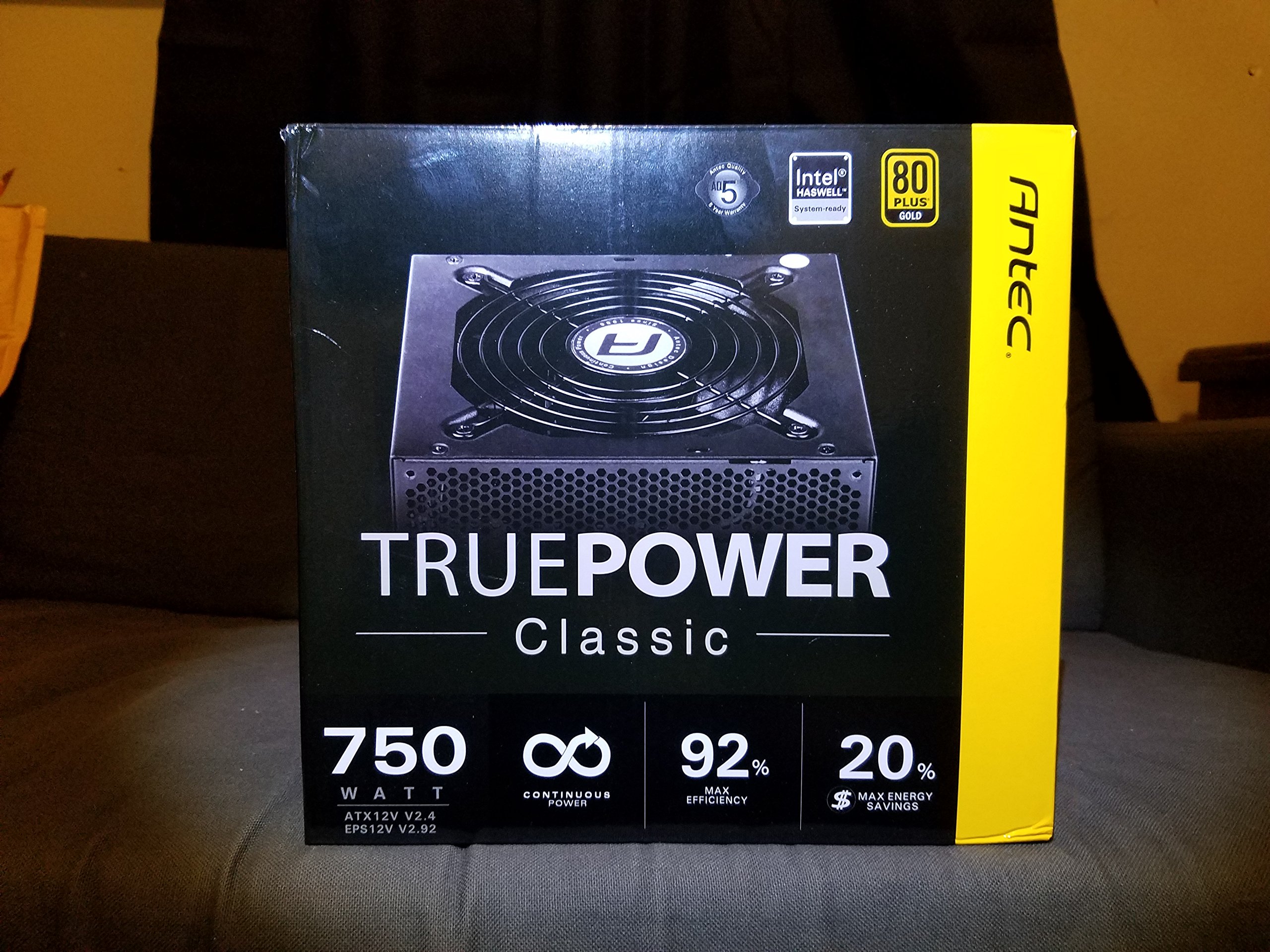
Image 1: Contents of the Antec TruePower Classic TP-750C package. The image displays the power supply unit, various power cables (including a main AC power cable), and user documentation neatly packed within a cardboard box.
- Antec TruePower Classic TP-750C Power Supply Unit
- Modular Cable Set (PCI-E, SATA, Molex, etc.)
- Kabel Daya AC
- Pamasangan screws
- Manual Pamaké / Dokuméntasi
4. Setup jeung Instalasi
Follow these steps to properly install your power supply into your computer chassis.
- Nyiapkeun chassis: Ensure your computer chassis is powered off and disconnected from all power sources. Open the side panel of your computer case.
- Pasang Power Supply: Carefully slide the Antec TP-750C power supply into the designated power supply bay in your chassis. Align the screw holes on the power supply with those on the chassis. Secure the power supply using the provided mounting screws.
- Sambungkeun Daya Motherboard: Connect the 24-pin ATX main power connector from the power supply to the corresponding port on your motherboard. Ensure it clicks into place.
- Sambungkeun Daya CPU: Connect the 4+4-pin (or 8-pin) EPS12V CPU power connector to the CPU power socket on your motherboard.
- Connect Graphics Card Power (PCI-E): If your graphics card requires external power, connect the appropriate 6+2-pin PCI-E power cables from the power supply to your graphics card.
- Connect Peripheral Power (SATA/Molex): Connect SATA power cables to your storage drives (SSDs, HDDs) and optical drives. Use Molex connectors for other peripherals as needed.
- Manajemén Kabel: Route cables neatly to improve airflow and aesthetics within your chassis.
- Cék ahir: Double-check all connections to ensure they are secure. Close the chassis side panel.
- Nyambungkeun Daya AC: Sambungkeun kabel daya AC kana catu daya teras kana stop kontak témbok atanapi pelindung lonjakan arus.
5. Parentah Operasi
The Antec TP-750C power supply operates automatically once correctly installed and connected to an AC power source. It provides stable DC power to all connected components.
- Daya Hurung: After connecting the AC power cord, flip the power switch on the back of the power supply to the "ON" (I) position.
- Sistem boot: Press the power button on your computer chassis to start your system.
- Pareum listrik: Shut down your computer through the operating system. For complete power disconnection, flip the power switch on the power supply to the "OFF" (O) position and unplug the AC power cord.
6. Pangropéa
Pangropéa anu leres mastikeun umur panjang sareng kinerja optimal catu daya anjeun.
- beberesih lebu: Periodically clean dust from the power supply's fan and ventilation grilles using compressed air. Ensure the power supply is disconnected from AC power before cleaning.
- Ventilasi: Ensure adequate airflow around the power supply. Do not block the intake or exhaust vents.
- Integritas kabel: Regularly check power cables for any signs of damage or fraying. Replace damaged cables immediately.
- Lingkungan Operasi: Operasikeun catu daya dina kisaran suhu sareng kalembaban anu disarankeun.
7. Cara ngungkulan
If you encounter issues with your power supply, refer to the following common problems and solutions.
| Masalah | Mungkin Cukang lantaranana | Solusi |
|---|---|---|
| Sistem henteu hurung. | AC power cord not connected, power switch off, loose internal connections, faulty components. |
|
| Sistem hurung tapi langsung pareum. | Overload, overheating, short circuit, faulty component. |
|
| Unusual noise from the power supply. | Fan obstruction, faulty fan bearing, coil whine. |
|
If troubleshooting steps do not resolve the issue, contact Antec customer support for further assistance.
8. Spésifikasi
| Ngaran modél | TruePower Classic TP-750C |
| merek | Antec |
| Wattage | 750 Watt |
| 80 PLUS sertifikasi | emas |
| Faktor Bentuk | ATX |
| Tipe Panyambung | ATX |
| Input Minimum Voltage | 100 volt |
| Alat nu cocog | Komputer Pribadi |
| Item Beurat | 6.24 pon (2.83 kg) |
| Ukuran Paket | 9.7 x 9 x 5.5 inci (24.6 x 22.9 x 14 cm) |
| ASIN | B00JOFALL0 |
| UPC | 132018316306 |
9. Garansi jeung Rojongan
The Antec TruePower Classic TP-750C Power Supply comes with a 3-Taun Garansi Produsén. Garansi ieu nyertakeun cacad dina bahan sareng pagawean dina panggunaan normal.
For technical support, warranty claims, or further inquiries, please visit the official Antec websitus atanapi ngahubungan departemén layanan palanggan maranéhna. Simpen bukti pameseran anjeun pikeun validasi jaminan.
Please note: Opening the power supply casing bakal batal jaminan.


