Bubuka
The Defiant Mini-Button Dusk-To-Dawn Light Controller is designed to automate your outdoor lighting system. This photo control unit senses ambient light levels, automatically turning connected lights ON at dusk and OFF at dawn. It is compatible with a wide range of lighting systems, including Incandescent, CFL, LED, Sodium Vapor, and Metal Halide outdoor lighting.
Émbaran Kasalametan
- Always disconnect power at the fuse box or circuit breaker before installing or servicing this device to prevent electrical shock.
- Pamasangan kedah dilakukeun ku tukang listrik anu mumpuni upami anjeun henteu wawuh sareng kabel listrik.
- Pastikeun sadaya sambungan kabel aman sareng insulated leres.
- This device is rated for outdoor use. Ensure all connections are weatherproof.
- Do not exceed the maximum electrical ratings specified for this product.
Eusi pakét
- One (1) Defiant Mini-Button Dusk-To-Dawn Light Controller
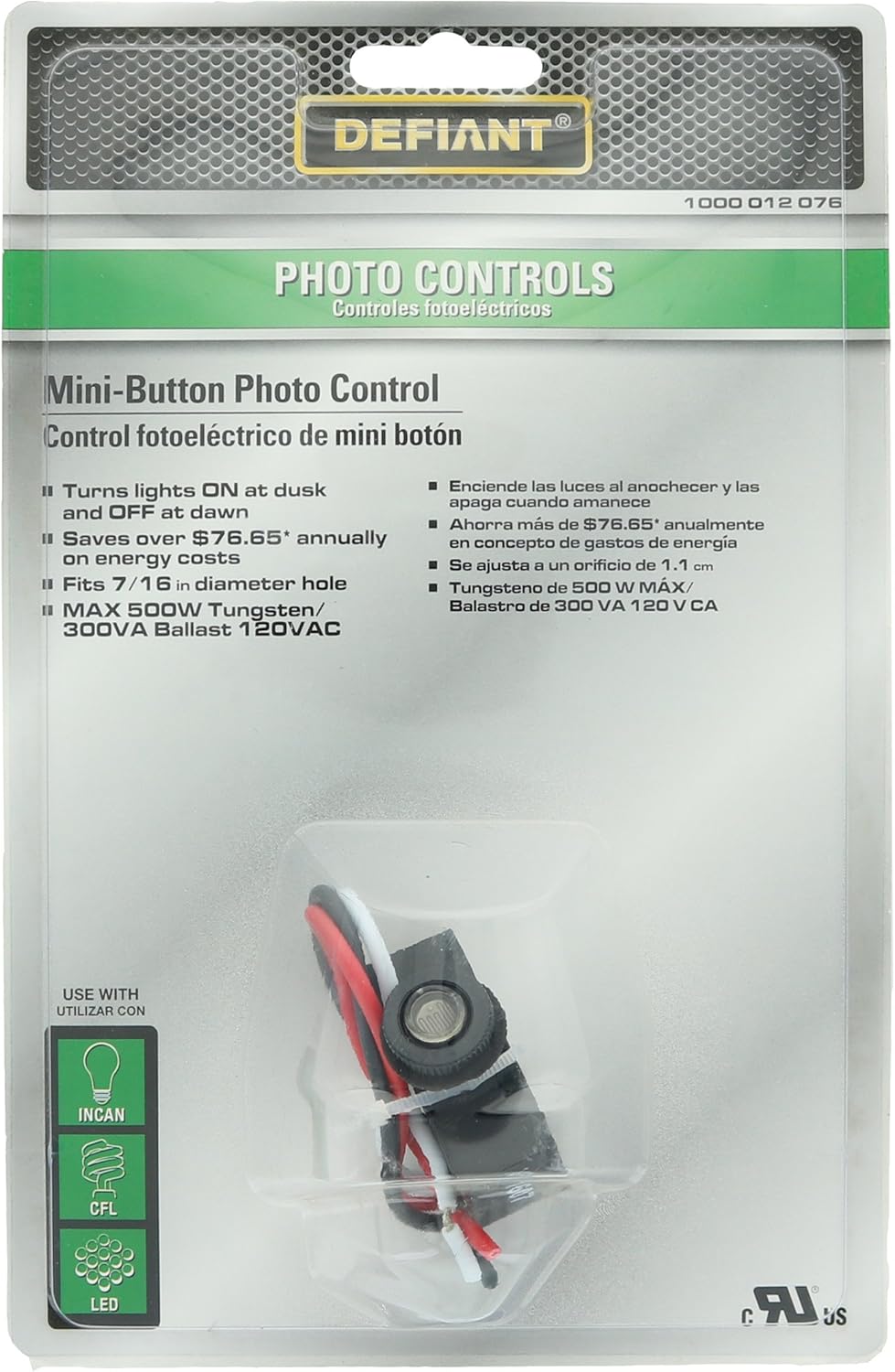
Image: The Defiant Mini-Button Photo Control unit, showing its compact size and pre-attached wiring for installation.
spésifikasi
| Nomer modél | 1000 012 076 |
| Peunteun Listrik | 120VAC, 50/60 Hz |
| Maximum Load (Tungsten) | 500W |
| Maximum Load (Ballast) | 300VA |
| Diaméterna liang ningkatna | 7/16 inci |
| Compatible Light Types | Incandescent, CFL, LED, Sodium Vapor, Metal Halide |
| Dimensi produk | 3.81 x 1.27 x 3.81 cm; 28.35 g |
| Lingkungan Pamakéan | Luar |
Parentah instalasi
Follow these steps carefully to install your Defiant Mini-Button Photo Control:
- Pegatkeun Daya: Before beginning any wiring, ensure the power supply to the circuit is disconnected at the fuse box or circuit breaker.
- Sambungan Kawat:
- Nyambungkeun kawat hideung from the photo control to the black power line wire (hot line).
- Nyambungkeun kawat beureum from the photo control to the black wire of the light fixture.
- Nyambung all white wires (from the light fixture, the photo control, and the white power line wire) together as the neutral connection.
- Pasang Kontrol: The body of the control must be securely located in a 7/16 inch diameter hole within the fixture enclosure. Insert the nipple through the hole and tighten the nut sufficiently to create a weatherproof seal. Ensure the sensor lens is exposed to ambient light and not obstructed.
- Mulangkeun Daya: Once all connections are secure and the control is mounted, turn on the power supply at the fuse box or circuit breaker. The control may have an initial delay of up to 2 minutes before activating.

Image: This diagram illustrates the correct wiring connections for the Defiant Mini-Button Photo Control. The black wire from the control connects to the incoming black (hot) power line. The red wire from the control connects to the black wire of the light fixture. All white wires (from the control, fixture, and incoming power line) are connected together as the neutral connection.
Parentah Operasi
The Defiant Mini-Button Photo Control operates automatically once installed and powered. It requires no manual intervention for daily operation.
- Aktip otomatis: The photo control will automatically turn your connected lights ON when ambient light levels drop to a certain threshold (dusk).
- Nonaktipkeun otomatis: The photo control will automatically turn your connected lights OFF when ambient light levels rise above a certain threshold (dawn).
- Tunda awal: Upon initial power-up or after a power interruption, the control may have a delay of up to 2 minutes before it begins normal operation. This is a normal function to prevent false triggering.
Pangropéa
To ensure optimal performance and longevity of your photo control, follow these simple maintenance guidelines:
- Tetep Sénsor Bersih: Periodically inspect the photo sensor lens and gently clean it with a soft, damp cloth to remove any accumulated dirt, dust, or debris. A dirty sensor can impair its ability to detect light accurately.
- Ngahindarkeun halangan: Ensure that no objects, such as leaves, branches, or new installations, are blocking the sensor's view of ambient light.
- Ulah cet: Never paint over the photo sensor lens, as this will prevent it from functioning correctly.
Pamérésan masalah
If you experience issues with your Defiant Mini-Button Photo Control, refer to the following common problems and solutions:
| Masalah | Mungkin Cukang lantaranana | Solusi |
|---|---|---|
| Lights stay ON during the day. | Sensor is obstructed or covered. Sensor is exposed to artificial light at night. Sénsor lepat. | Clear any obstructions from the sensor lens. Relocate the sensor or shield it from artificial light sources (e.g., streetlights, other fixtures). If problem persists, replace the unit. |
| Lights do not turn ON at night. | Henteu aya kakuatan pikeun unit. Kabel salah. Sensor is exposed to too much ambient light. Bohlam atawa lampu nu rusak. Sénsor lepat. | Check circuit breaker/fuse. Ensure power is restored. Verify wiring connections according to the installation instructions. Ensure sensor is not receiving light from other sources. Test the light bulb and fixture with a known working power source. If problem persists, replace the unit. |
| Lights flicker or cycle ON/OFF rapidly. | catu daya teu stabil. Sensor interference. Bohlam salah. | Taroskeun ka tukang listrik pikeun pariksa catu daya. Ensure sensor is not near reflective surfaces or intermittent light sources. Ganti bohlam lampu. |
Garansi sareng Rojongan
This Defiant product is manufactured with quality and durability in mind. While specific warranty terms are not detailed here, Defiant products typically come with a limited warranty against defects in materials and workmanship.
For assistance, technical support, or warranty inquiries, please contact Home Depot customer service:
- Telepon: 1-866-308-3976
- Websitus: HOMEDEPOT.COM
Disebarkeun Ku: Imah Depot
Negara asal: Cina
UPC: 0081077003415


