1. Langkungview
Thank you for choosing the Baseus NGW05-03 True Wireless Earbuds. This manual provides essential information on how to set up, operate, and maintain your new earbuds to ensure optimal performance and longevity.
Fitur konci:
- True Wireless Stereo (TWS) functionality
- Bluetooth 5.0 for stable and efficient connection
- Wadah ngecas anu ringkes sareng portabel
- Long battery life with charging case (up to 30 hours)
- Tipe-C ngecas panganteur
- Wide compatibility with wireless devices

Figure 1.1: Baseus NGW05-03 True Wireless Earbuds in their open charging case, showcasing the earbuds and the charging indicators.

Figure 1.2: A pair of Baseus NGW05-03 True Wireless Earbuds, highlighting their sleek design.
2. Setélan
2.1 Ngecas Earbuds sareng Case
Before first use, fully charge the earbuds and the charging case. The charging case has a battery capacity of 400mAh, and each earbud has a 30mAh battery.
- Ngecas kabel: Connect the provided USB Type-C cable to the charging port on the case and a power source. The charging time for the case is approximately 1.5 hours.
- Ngecas nirkabel: Place the charging case on a compatible wireless charging pad. Wireless charging takes approximately 2 hours.
The earbuds will charge automatically when placed inside the charging case, provided the case has power.
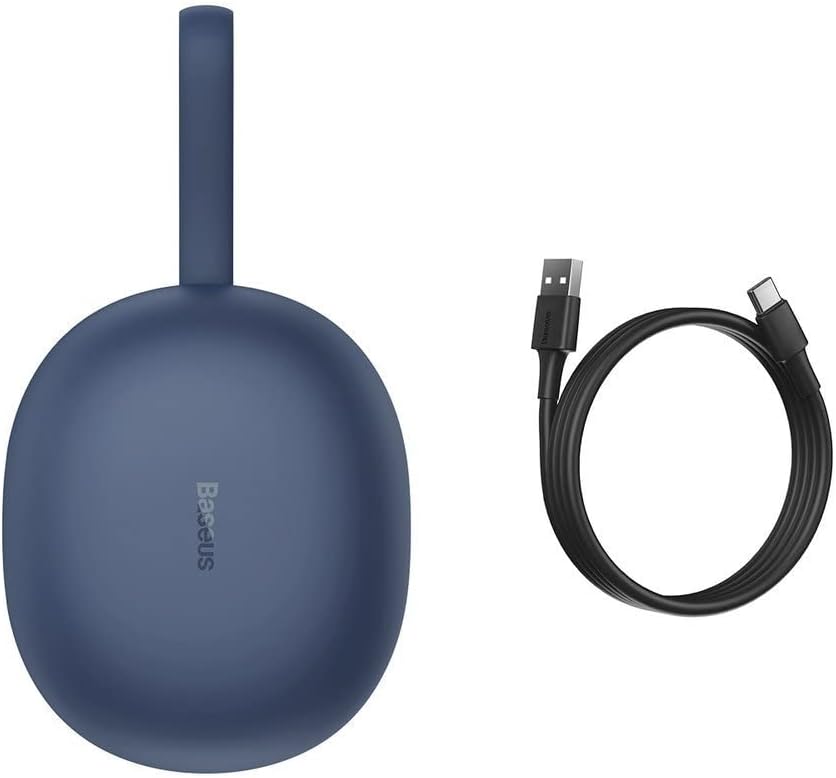
Figure 2.1: The Baseus NGW05-03 charging case alongside its USB Type-C charging cable.
2.2 Nyapasangkeun sareng Alat
- Pastikeun yén earbuds dieusi sareng disimpen dina wadah ngecas.
- Buka wadah ngecas. Earbuds bakal otomatis asup kana mode papasangan.
- Dina alat Anjeun (smartphone, tablet, jsb), aktipkeun Bluetooth.
- Milarian pikeun alat Bluetooth sadia.
- Select "Baseus Encok W05" from the list of found devices.
- Sakali disambungkeun, anjeun bakal ngadangu sora konfirmasi, sarta earbuds bakal siap dipaké.
The earbuds are compatible with all wireless devices that support Bluetooth connectivity.
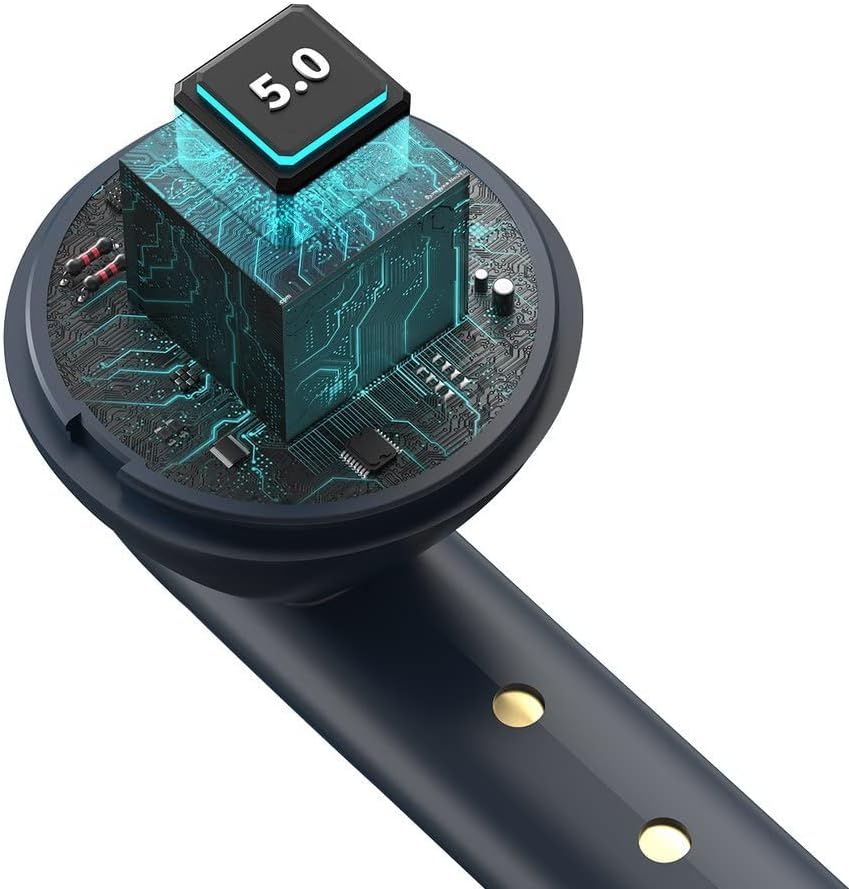
Gambar 2.2: Hiji internal view of the earbud, highlighting the integrated Bluetooth 5.0 chip for advanced connectivity.
3. Ngoperasikeun Earbuds
3.1 Maké Earbuds
Gently insert the earbuds into your ears, ensuring a comfortable and secure fit. The ergonomic design helps them stay in place during various activities.

Figure 3.1: A user demonstrating the proper way to wear one of the Baseus NGW05-03 earbuds while holding the charging case.
3.2 Kadali Dasar
Specific touch or button controls for music playback, call management, and voice assistant activation are typically located on the earbuds. Please refer to the quick start guide included in your product packaging for detailed instructions on these functions, as they may vary.
3.3 Puterkeun Musik
Once connected, you can play music from your device. The earbuds provide up to 4 hours of continuous music playback on a single charge (at 70% volume). With the charging case, total playback time extends to 25-30 hours.

Figure 3.2: A user enjoying audio with the Baseus NGW05-03 earbuds while interacting with their smartphone.
3.4 Manajemén Telepon
When a call comes in, you can typically answer or end calls using the touch controls on the earbuds. Consult your quick start guide for precise instructions on call handling.
4. Pangropéa
4.1 beberesih
- Rutin ngabersihkeun earbuds sareng wadah ngecas ku lawon anu lemes, garing, teu aya lint.
- Ulah make cleaners abrasive, alkohol, atawa pangleyur kimiawi.
- Keep the charging contacts on both the earbuds and the case clean to ensure proper charging.
4.2 Panyimpenan
- Simpen earbuds dina wadah ngecas nalika henteu dianggo pikeun ngajagi sareng tetep dicas.
- Avoid exposing the earbuds and case to extreme temperatures, humidity, or dust.
- The product is not water resistant; avoid contact with liquids.

Figure 4.1: An exploded diagram showing the internal components of a Baseus NGW05-03 earbud, illustrating its intricate design.
5. Cara ngungkulan
Masalah umum sareng Solusi:
- Earbuds teu dipasangkeun: Ensure both earbuds are charged. Place them back in the case, close the lid, then open it again to re-enter pairing mode. Forget the device on your phone's Bluetooth settings and try pairing again.
- Ngan hiji earbud jalan: Ensure both earbuds are charged. Try resetting the earbuds (refer to the quick start guide for specific reset instructions).
- Teu aya sora: Pariksa tingkat volume dina alat sareng earbud anjeun. Pastikeun earbud disambungkeun kalayan leres kana alat anjeun.
- Masalah ngecas: Clean the charging contacts on both the earbuds and the case. Try a different charging cable or power adapter.
If you encounter persistent issues, please refer to the warranty and support section for further assistance.
6. Spésifikasi
| Fitur | Spésifikasi |
|---|---|
| merek | Baseus |
| Ngaran modél | NGW05-03 (W05) |
| Téhnologi konektipitas | Nirkabel (Bluetooth 5.0) |
| Panempatan Ceuli | Dina Ceuli |
| Bahan | ABS + polikarbonat |
| Warna | Biru |
| Ngecas Kapasitas Batré Case | 400mAh / 1.48Wh |
| Kapasitas Batré Earbud | 30mAh / 0.111Wh (each) |
| Music Playback Time (Earbuds) | Kira-kira. 4 jam (dina volume 70%) |
| Total Waktu Playback (kalawan Case) | Kira-kira. 25-30 jam |
| Waktu sayaga | Kira-kira. 300 jam |
| Charging Time (Wired) | Kira-kira. 1.5 jam |
| Waktos Ngecas nirkabel | Kira-kira. 2 jam |
| Pangecas Interface | USB Tipe-C |
| Rentang Tanggapan Frékuénsi | 20Hz - 20kHz |
| Item Beurat | 50 gram |
| Dimensi produk | 10 x 2 x 3 cm |
| Tingkat Résistansi Cai | Teu tahan cai |
| Alat nu cocog | All wireless devices |
7. Garansi jeung Rojongan
Baseus products are designed with quality and reliability in mind. For information regarding warranty coverage, technical support, or service, please refer to the warranty card included with your product or visit the official Baseus websitus. Simpen resi pameseran anjeun salaku bukti pameseran pikeun klaim garansi.

Figure 7.1: A user holding the compact Baseus NGW05-03 charging case, demonstrating its portability.


