Bubuka
This manual provides essential information for the operation and maintenance of your Visual Land Prestige ELITE 7Q-KC tablet. Please read this manual thoroughly before using your device to ensure proper functionality and longevity.
The Prestige ELITE 7Q-KC is a 7-inch Quad Core Android tablet designed for portable use, offering smooth performance for streaming, web browsing, and various applications. It features a 7-inch screen with 5-point capacitive multi-touch and 8GB of internal storage.
Disetél
1. Ngabongkar sareng Inspeksi Awal
Sacara saksama miceun sadaya komponén tina bungkusan. Pastikeun yén sadaya barang anu didaptarkeun di handap aya sareng henteu ruksak:
- Prestige ELITE 7Q-KC Tablet
- Kasus Keyboard
- Adaptor kakuatan
- Kabel USB
- Manual pangguna (dokumén ieu)
2. Ngecas Tablet
Before first use, fully charge the tablet. Connect the power adapter to the tablet's charging port and plug it into a power outlet. The charging indicator will illuminate. A full charge typically takes approximately 3-4 hours.
3. Attaching the Keyboard Case
Align the tablet with the designated slot in the keyboard case. Gently press the tablet into place until it is securely seated. The keyboard connects via a USB port on the tablet.
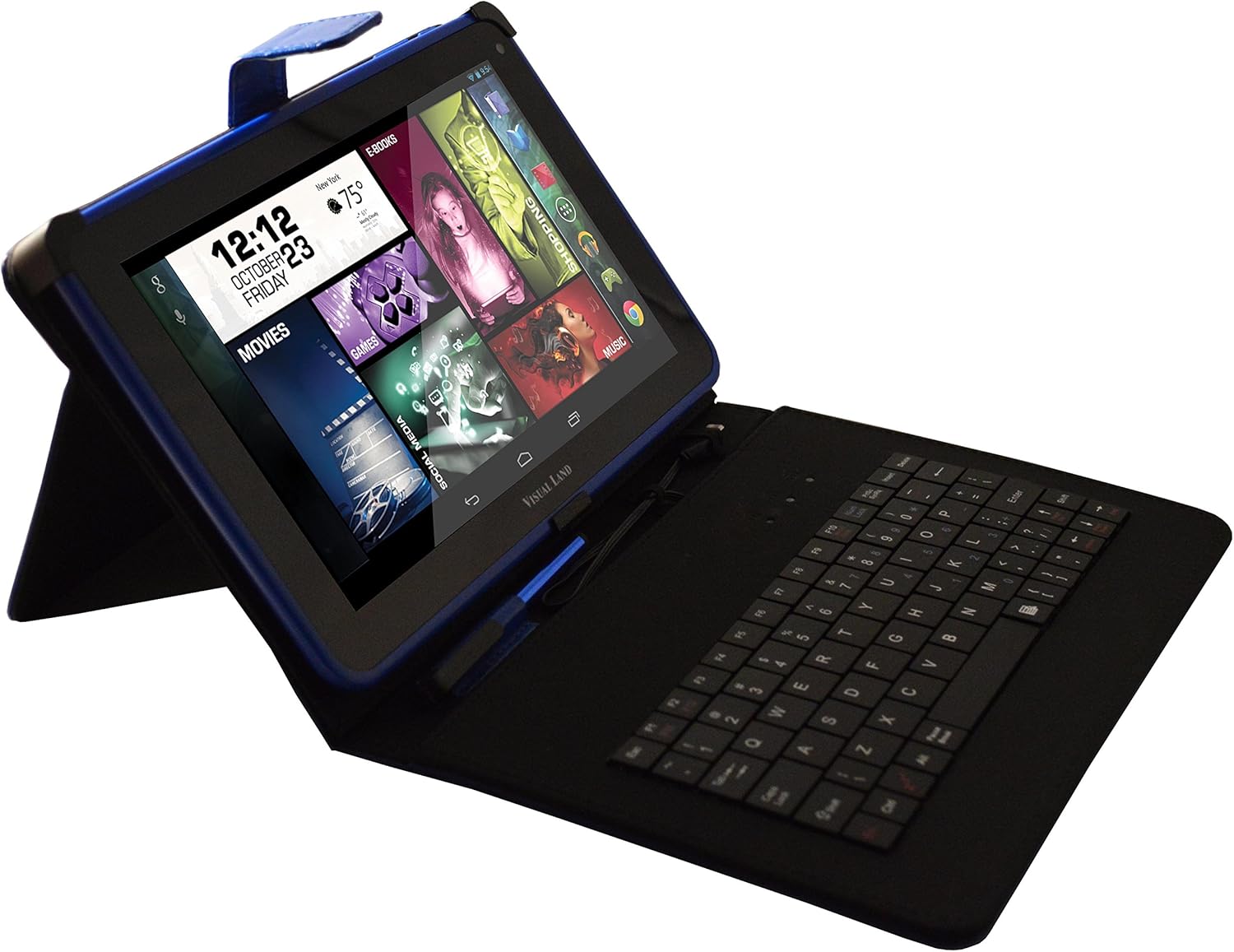
Image: Prestige ELITE 7Q-KC tablet inserted into its matching blue keyboard case, viewed from an angle, showing the tablet screen and the physical keyboard.
4. Powering On jeung Konfigurasi Awal
Press and hold the power button located on the side of the tablet until the screen illuminates. Follow the on-screen prompts to complete the initial setup, including language selection, Wi-Fi connection, and Google account setup.
Parentah Operasi
1. Napigasi Dasar
The tablet operates on Android 4.4 KitKat. Use touch gestures for navigation:
- Ketok: Pilih hiji item atawa buka aplikasi.
- Gesek: Gulung ngaliwatan layar atawa daptar.
- Ciwit-pikeun-zum: Ngagedekeun atanapi ngaleutikan gambar atanapi web kaca.
- Pencét panjang: Aksés ménu kontekstual atanapi pindahkeun ikon.
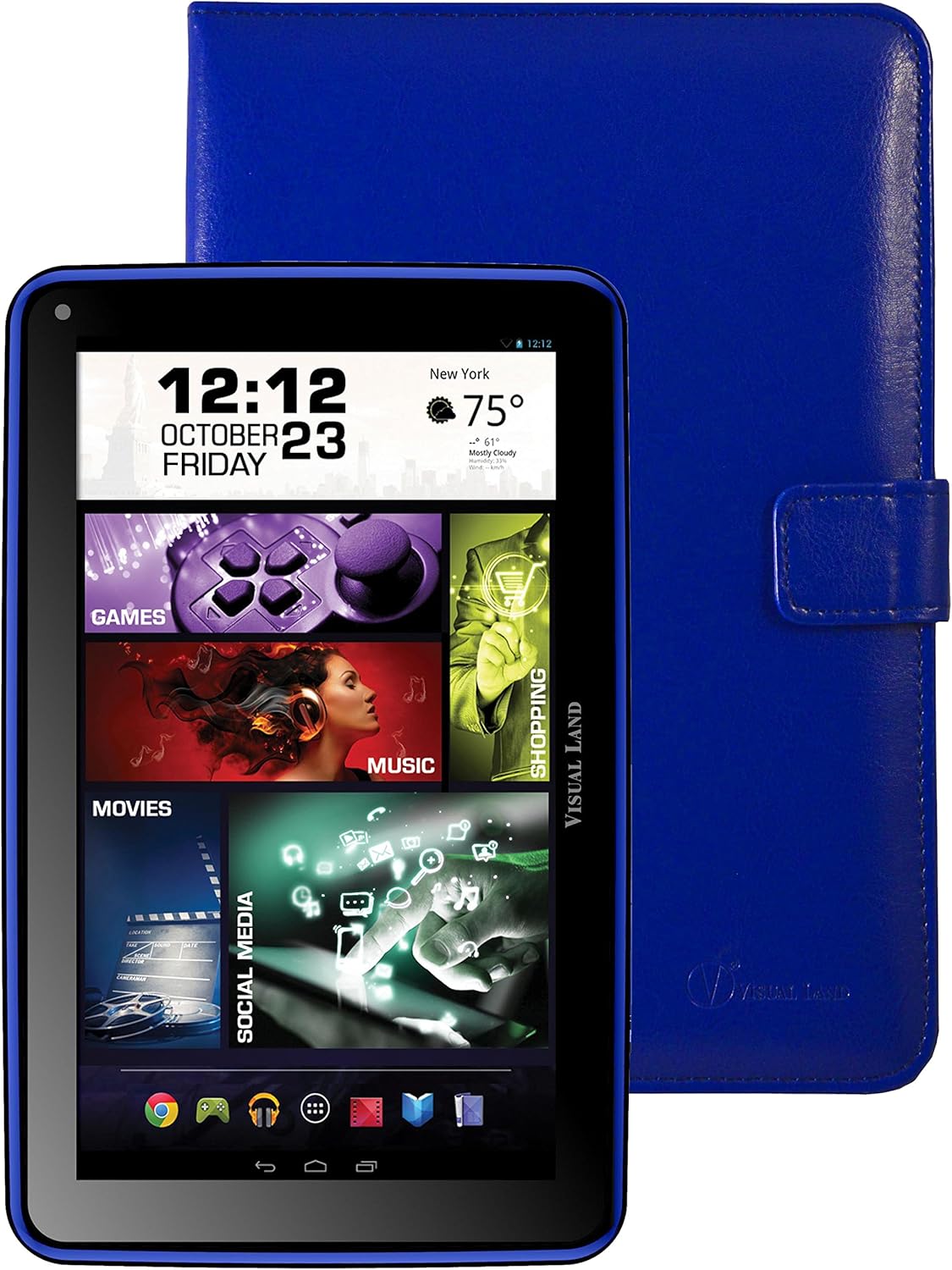
Gambar: Hareupeun view of the Prestige ELITE 7Q-KC tablet displaying the Android home screen with various app icons and widgets, including a clock, weather, and media shortcuts.
2. Nyambungkeun ka Wi-Fi
- Pindah ka Setélan.
- Pilih Wifi.
- Togél Wi-Fi On.
- Pilih jaringan anu dipikahoyong tina daptar teras lebetkeun kecap akses upami diperyogikeun.
3. Using the Keyboard Case
Once connected, the keyboard case functions as a standard external keyboard. Ensure the tablet is properly seated and the USB connection is firm. The keyboard allows for faster typing and navigation within applications.
4. Accessing Google Play Store
The tablet comes with Google Play pre-installed. Tap the Play Store icon to browse and download applications, games, movies, music, and books. A Google account is required for full access.
Pangropéa
1. Ngabersihan Tablet
Anggo lawon anu lemes sareng henteu lint pikeun ngabersihan layar sareng awak tablet. Pikeun smudges nekad, rada dampBilas lawon ku cai atanapi pembersih layar anu khusus dirancang pikeun éléktronik. Hindarkeun nganggo bahan kimia anu keras atanapi bahan anu abrasif.
2. Kaperawatan batré
- Ulah ngalaan tablet ka suhu ekstrim.
- Entong ngantepkeun batréna sering dicas pinuh.
- Charge the tablet regularly to maintain battery health.
3. Apdet parangkat lunak
Pariksa apdet sistem sacara périodik pikeun mastikeun kinerja sareng kaamanan anu optimal. Buka Setélan > Ngeunaan tablet > Apdet sistem.
Pamérésan masalah
| Masalah | Mungkin Cukang lantaranana | Solusi |
|---|---|---|
| Tablet teu hurung. | Batré lemah; sistem ngadat. | Cas tablet sahenteuna 30 menit. Upami masih teu ngaréspon, pencét sareng tahan tombol daya salami 10-15 detik pikeun maksa ngamimitian deui. |
| Masalah sambungan Wi-Fi. | sandi salah; kaluar tina rentang; masalah router. | Pariksa sandi Wi-Fi. Pindah ngadeukeutan ka router. Balikan deui router sareng tablet. |
| Layar rampa teu ngaréspon. | Gangguan parangkat lunak samentawis; gangguan pelindung layar. | Restart the tablet. Ensure the screen is clean. If using a screen protector, ensure it is properly applied or temporarily remove it to test. |
| Keyboard teu jalan. | Loose connection; tablet not recognizing. | Ensure the tablet is securely connected to the keyboard case via the USB port. Restart the tablet. |
Upami masalah masih aya, mangga tingal bagian dukungan atanapi hubungi layanan palanggan.
spésifikasi
| Fitur | Rincian |
|---|---|
| Nomer modél | ME-7Q-KC-8GB-BLU |
| Sistem operasi | Android 4.4 KitKat |
| Prosesor | 1.2 GHz Quad Core (Allwinner chipset) |
| Ram | 1 GB DDR3 |
| Panyimpenan internal | 8 GB |
| Ukuran layar | 7 inci |
| Resolusi layar | 1024x600 Piksel |
| Konéktipitas Wireless | 802.11bgn Wi-Fi |
| palabuhan USB | 1 (USB 2.0) |
| Kahirupan batré | Kira-kira 8 Jam (panggunaan rata-rata) |
| Ukuran (L x W x H) | 7.5 x 0.4 x 4.7 inci |
| Item Beurat | 10.6 ons |
| Warna | Biru |

Gambar: Tukangeun view of the Prestige ELITE 7Q-KC tablet, showing the blue textured back panel and port labels for USB, MicroSD, DC, and Mic, along with the "Prestige ELITE 7Q" branding.
Garansi sareng Rojongan
For warranty information and technical support, please refer to the documentation included with your purchase or visit the official Visual Land websitus. Simpen bukti pameseran anjeun pikeun klaim garansi.
Visual Land Official Store: Visual Land Store on Amazon


