Bubuka
The Intermatic TN111K is a premium indoor 24-hour plug-in mechanical timer designed for automating the ON/OFF cycles of lamps and appliances. This timer provides a simple and reliable solution for managing your electrical devices, offering convenience and potential energy savings. It features a user-friendly design with easy programming and a manual override function.
Fitur produk
- Versatile control for LED, CFL lighting, and various indoor appliances.
- Up to 2 customizable ON/OFF settings per day with 15-minute intervals.
- Intuitive manual override for immediate control without altering programmed settings.
- Single 2-prong plug and receptacle design for straightforward use.
- Easy programming with ON/OFF trippers that slot into the dial.
Émbaran Kasalametan
Read all instructions before use. Failure to follow these instructions may result in electric shock, fire, or serious injury.
- Pikeun pamakéan indoor wungkul.
- Do not exceed electrical ratings: 15A, 125VAC, 60Hz, 1750W (Resistive), 1/3 HP (Motor).
- Ensure the appliance or lamp connected to the timer does not exceed these ratings.
- Entong nganggo kabel ekstensi atanapi adaptor.
- Jauhkeun tina cai sareng Uap.
- Do not disassemble or modify the timer.
- Cabut pangatur waktu ti stop kontak témbok saméméh beberesih.
Disetél
Follow these steps to set up your Intermatic TN111K timer:
- Setel Waktos Ayeuna: Rotate the dial clockwise until the current time aligns with the "TIME OF DAY" arrow. The dial is marked with AM and PM hours.
- Insert ON/OFF Trippers: The timer comes with green (ON) and red (OFF) trippers. Insert the green trippers into the dial slots at the desired ON times and the red trippers at the desired OFF times. Push trippers firmly against the dial surface. Each tripper represents a 15-minute interval.
- Colokkeun kana Outlet Tembok: Insert the timer's 2-prong plug into a standard 125VAC wall outlet.
- Sambungkeun Alat: Colokkeun lamp or appliance you wish to control into the timer's receptacle.
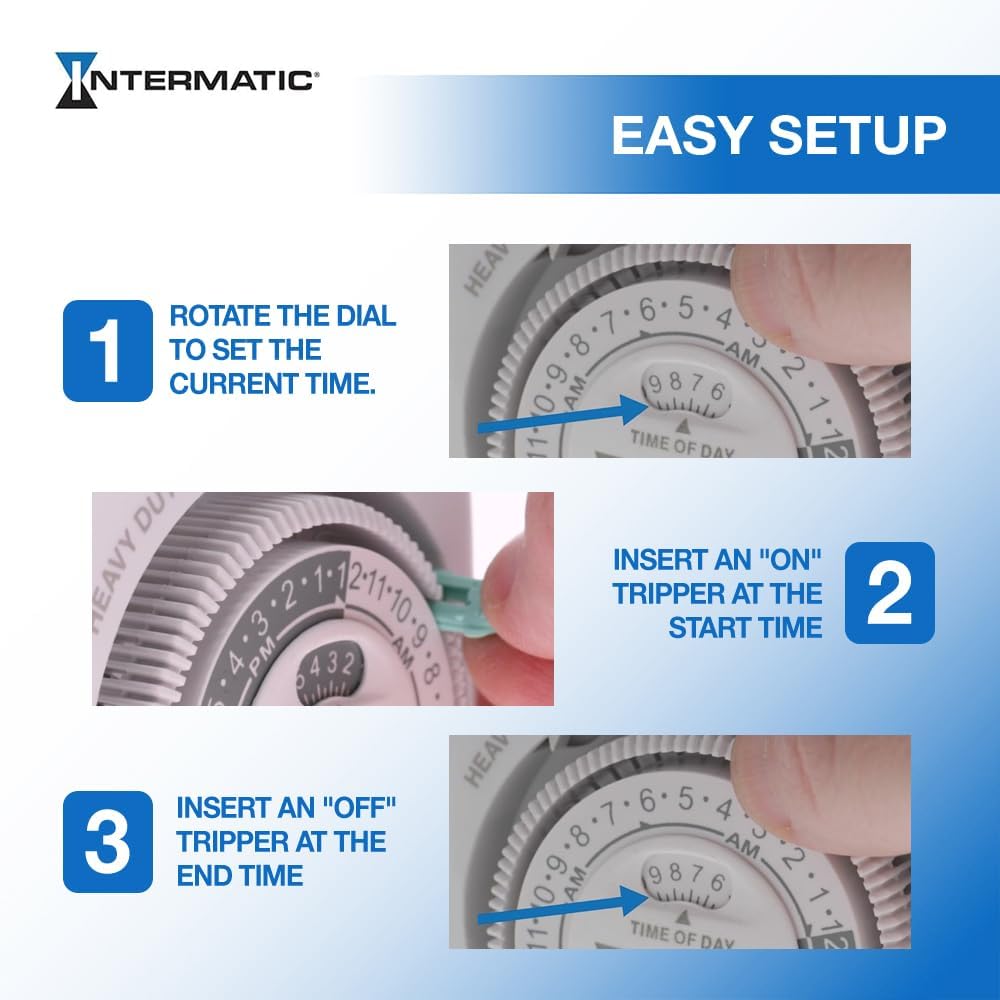
Image: Easy Setup Guide for the Intermatic TN111K Timer. This image illustrates three steps: 1. Rotate the dial to set the current time. 2. Insert an "ON" tripper at the start time. 3. Insert an "OFF" tripper at the end time.
Video: Official Intermatic video demonstrating the features and basic setup of the TN111K Mechanical Indoor Plug-In Timer. This video provides a visual guide to automating your lights and appliances.
Parentah Operasi
Once set up, the timer's dial will continuously rotate, activating the connected device according to the inserted ON and OFF trippers.
Operasi otomatis
The timer will automatically turn the connected device ON when the dial reaches a green tripper and OFF when it reaches a red tripper. The dial completes a full rotation every 24 hours.
Manual Override
To manually turn the connected device ON or OFF without affecting the programmed schedule, use the manual override switch located at the top of the timer. This allows for temporary control.
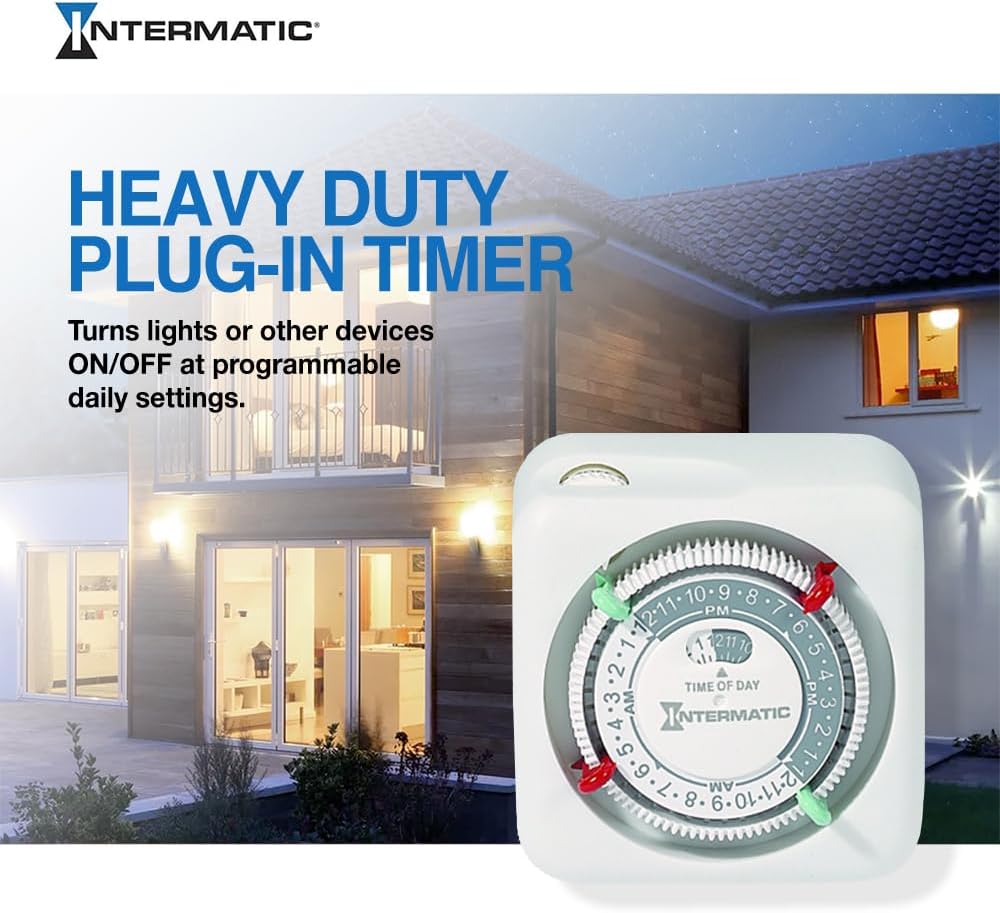
Gambar: A close-up view of the Intermatic TN111K timer's dial, showing the red and green trippers inserted to set specific ON and OFF times throughout the 24-hour cycle.
Video: A ulang pamakéview demonstrating the functionality of the Intermatic TN111K timer, highlighting its ease of use for automating lights and appliances. This video shows how to set the trippers and plug in devices.
Pangropéa
- Keep the timer clean and free from dust. Use a soft, dry cloth for cleaning.
- Do not use liquid cleaners or aerosol cleaners, as they may damage the internal components.
- Inspect the timer and its cord periodically for any signs of damage, such as cracks, frayed wires, or loose connections. Discontinue use immediately if damage is found and replace the unit.
Pamérésan masalah
| Masalah | Solusi |
|---|---|
| Device does not turn ON/OFF at programmed times. |
|
| Timer is not operating (dial not rotating). |
|
Spésifikasi produk
- merek: Intermatik
- model: TN111K
- Peunteun Listrik: 15A, 125VAC, 60Hz, 1750W (Resistive), 1/3 HP (Motor)
- Bahan: palastik
- Ukuran produk: 2 "D x 4" W x 4" H
- Beurat barang: 8 ons
- Jumlah Setélan: Up to 2 ON/OFF events per day (with included trippers)
- Interval: 15-menit
- Jenis colokan: Single 2-prong
- Sertifikasi: Certified CSA
Garansi sareng Rojongan
For warranty information or technical support regarding your Intermatic TN111K timer, please contact Intermatic customer service. Refer to the official Intermatic websitus atanapi kemasan produk kanggo inpormasi kontak sareng syarat garansi anu pangénggalna.


