Bubuka
Thank you for choosing the Coby Portable CD Player CD191. This device is designed to provide a versatile and enjoyable audio experience, combining classic CD playback with modern features like FM radio and MP3 compatibility. Its compact and shockproof design makes it ideal for both home use and on-the-go listening. Please read this manual thoroughly to understand the proper operation and maintenance of your new CD player.

A hareup view of the Coby Portable CD Player, showcasing its compact design, LCD display, control buttons, and the included wired earbuds and Micro USB charging cable.
Émbaran Kasalametan
Pikeun mastikeun operasi anu aman sareng nyegah karusakan, punten perhatikeun pancegahan ieu:
- Ulah ngalaan unit ka hujan, Uap, atawa suhu ekstrim.
- Avoid dropping or subjecting the unit to strong impacts, as this may damage internal components.
- Ulah ngabongkar unit. Rujuk sadayana jasa ka tanaga anu mumpuni.
- Use only the specified battery type (2 AA batteries) and ensure correct polarity.
- Ulah ngadangukeun volume anu kaleuleuwihi teuing salami waktos anu lami pikeun nyegah karusakan pangrungu.
- Keep the CD compartment clean and free of dust or debris.
Eusi pakét
Pastikeun yén sadaya item aya dina bungkusan:
- Coby Portable CD Player CD191
- Earbuds stéroid
- Kabel Micro USB

The high-fidelity wired stereo earbuds that come with the CD player, providing a personal listening experience.
Produk Leuwihview
Komponén jeung kontrol
Familiarize yourself with the main components and controls of your CD player:
- Layar LCD: Shows track number, time, mode, and battery status.
- Kompartemen CD: Where the CD is inserted.
- Tombol Puter/Reureuh: Ngamimitian atanapi ngareureuhkeun playback.
- Tombol Eureun: Ngeureunkeun playback.
- Tombol Luncat/Pilarian (◀◀ / ▶▶): Skips tracks or fast-forwards/rewinds.
- Tombol Mode: Switches between CD, FM, and MP3 modes.
- Tombol Program: Dianggo pikeun ngaprogram urutan lagu.
- Volume +/- Tombol: Saluyukeun tingkat kaluaran audio.
- Jack Headphone (3.5mm): Pikeun nyambungkeun headphone atawa alat audio éksternal.
- Port USB Mikro: Pikeun catu daya éksternal.
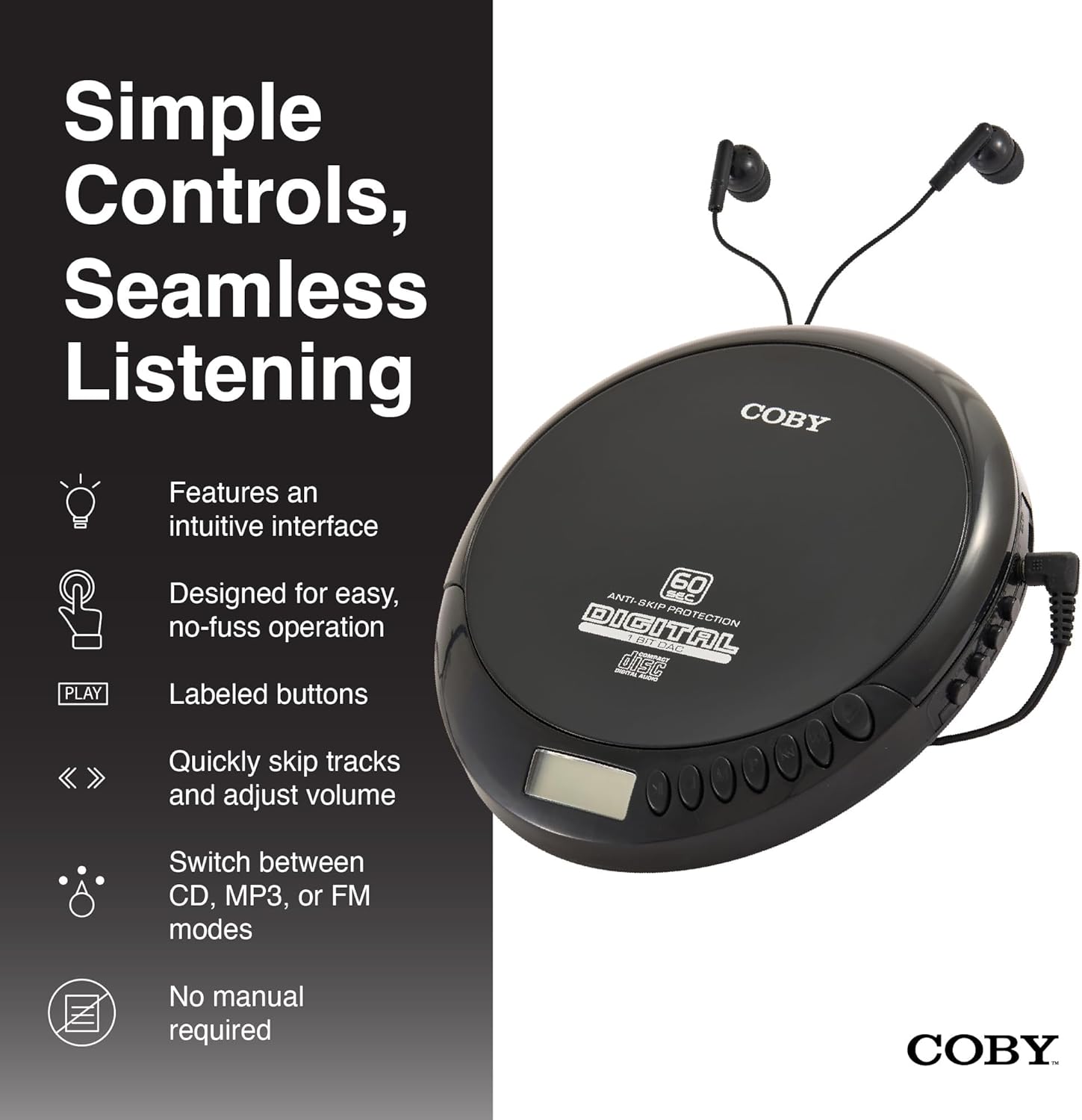
An illustration of the Coby CD Player highlighting its simple controls and intuitive interface.

A lengkep view of the player's LCD screen, which displays the current track number, elapsed time, and battery status.

A close-up of the player's intuitive control buttons, including Play/Pause, Stop, Skip/Search, Mode, and Program functions, designed for easy operation.
Disetél
Powering Alat
The Coby CD Player can be powered by 2 AA batteries (not included) or via the included Micro USB cable.
- Pamasangan batré: Open the battery compartment cover on the back of the unit. Insert 2 AA batteries, ensuring correct polarity (+/-). Close the cover securely.
- USB Power: Connect the Micro USB cable to the Micro USB port on the CD player and the other end to a USB power source (e.g., USB wall adapter, computer USB port).

An image showing a user enjoying music with the Coby CD player, highlighting its versatility with both battery and USB power options.

The included Micro USB cable, used for powering the CD player when not using batteries.
Nyambungkeun headphone
Insert the 3.5mm plug of your headphones into the headphone jack on the side of the CD player.
Nyelapkeun CD
- Press the OPEN button to open the CD compartment lid.
- Carefully place the CD onto the center spindle with the label side facing up.
- Gently pencét CD ka handap nepi ka clicks kana tempatna.
- Tutup tutup kompartemen CD pageuh nepi ka kait.
Parentah Operasi
Puteran CD
- Insert a CD (CD, CD-R, CD-RW, or CD-MP3).
- Pencét éta MUTER / Reureuh button to begin playback. The LCD display will show the track number and elapsed time.
- Pikeun ngareureuhkeun playback, pencét MUTER / Reureuh deui. Pencét sakali deui pikeun neruskeun.
- Pikeun ngeureunkeun putereun deui, pencét éta EUREUN kancing.
The player features 60-second anti-skip protection to ensure continuous audio during movement.
Lagu Napigasi
- Pencét ▶▶ pikeun skip ka lagu salajengna.
- Pencét ◀◀ to return to the beginning of the current track. Press it twice quickly to go to the previous track.
- Pencét jeung tahan ▶▶ to fast-forward through the current track.
- Pencét jeung tahan ◀◀ to rewind through the current track.
Volume Control
Ngagunakeun éta JILID + jeung VOLUME - buttons to adjust the listening volume to a comfortable level.
Operasi Radio FM
- Pencét éta MODÉ button until 'FM' appears on the LCD display.
- The player will automatically scan and tune to available FM stations.
- Ngagunakeun éta ◀◀ jeung ▶▶ buttons to manually tune to specific frequencies or to scan for the next/previous strong station.

This image illustrates the built-in FM radio feature of the Coby CD player, allowing users to tune into their favorite radio stations.
Puterkeun MP3
The Coby CD Player supports MP3 files burned onto CD-R or CD-RW discs. When an MP3 CD is inserted, the player will automatically detect the format and begin playback.
Connecting to External Audio Systems
You can connect your Coby CD Player to external speakers or a car audio system using a 3.5mm AUX cable (not included).
- Connect one end of the 3.5mm AUX cable to the headphone jack on the CD player.
- Connect the other end to the AUX input of your external speaker or car audio system.
- Ensure the external device is set to its AUX input mode.

The CD player connected to an external speaker, demonstrating its ability to deliver enhanced sound with features like Super Bass and Crystal Clear Sound when connected to compatible audio systems.

The portable CD player integrated into a car's audio system via an AUX connection, allowing for on-the-go music playback through car speakers.
Pangropéa
Ngabersihkeun Unit
- Ngusap bagian luar unit nganggo kaén anu lembut sareng garing. Ulah make cleaners abrasive atawa pangleyur.
- To clean the CD lens, use a specialized CD lens cleaning disc (not included).
Kamanusaan sarta Studi Batré
- Cabut batré upami unit moal dianggo kanggo waktos anu panjang pikeun nyegah bocor.
- Simpen unit dina tempat anu tiis sareng garing jauh tina sinar panonpoé langsung sareng suhu anu ekstrim.
Pamérésan masalah
| Masalah | Mungkin Cukang lantaranana | Solusi |
|---|---|---|
| Unit teu hurung. | Batteries are dead or incorrectly inserted. USB cable not connected properly. | Replace batteries with new ones, ensuring correct polarity. Check USB cable connection. |
| Disc skipping or distorted sound. | Disc is dirty, scratched, or damaged. Unit is subjected to excessive vibration. | Clean the disc with a soft, lint-free cloth. Try a different disc. Ensure the anti-skip protection is active. Avoid strong impacts. |
| Taya sora tina headphone. | Headphones not fully plugged in. Volume is too low. Headphones are faulty. | Ensure headphones are fully inserted into the jack. Increase the volume. Try a different pair of headphones. |
| Radio FM statik atawa panarimaan goréng. | Sinyal lemah. gangguan. | Adjust the position of the unit. Try moving to a different location. |
| MP3 CD not recognized. | Disc format not supported or disc is corrupted. | Pastikeun MP3 files are properly encoded and the disc is finalized. Try a different MP3 CD. |
spésifikasi
| Fitur | Rincian |
|---|---|
| Dimensi produk | 5.5 x 1 x 5 inci |
| Item Beurat | 7 ons |
| Nomer modél | CD-191-BLK |
| Sumber Daya | 2 AA batteries (not included), Micro USB |
| Téhnologi konektipitas | Alat bantu, USB |
| Fitur husus | Portable, FM Radio, MP3 Compatible |
| Perlindungan Anti Skip | 60 detik |
| Format Disc cocog | CD, CD-R, CD-RW, CD-MP3 |
Video Produk Resmi
Hiji pintonan video produk resmicasing the features and benefits of the Coby Portable CD Player with Stereo Earbuds.
Garansi sareng Rojongan
For warranty information and customer support, please refer to the documentation included with your purchase or visit the official Coby website. Contact details for support are typically found on the manufacturer's product page or in the warranty card.
Coby Official Websitus: Visit the Coby Store on Amazon


