1. Bubuka
The Laney L5-STUDIO is a single-ended Class 'A' tube amplifier head designed for both home and studio use. It features Laney's unique T-USB technology, allowing direct interface with any Digital Audio Workstation (DAW) across various platforms. The amplifier can operate silently using its high-quality internal dummy load, making it suitable for use at any time without disturbing others. It delivers a range of clean, crisp, dynamic, and open guitar tones, responding effectively to playing dynamics.

Gambar: internal view showing the glowing vacuum tubes, indicative of the amplifier's tube-driven design.
2. Émbaran Kasalametan
- Sasayogian tanaga: Pastikeun amplifier is connected to a power supply with the correct voltage as indicated on the unit. Use only the provided power cable or an approved replacement.
- Ventilasi: Ulah ngahalangan liang ventilasi. Pastikeun aliran hawa anu cekap di sakitarna amplifier pikeun nyegah overheating.
- Uap: Ulah ngalaan amplifier to rain, moisture, or excessive humidity. Avoid placing liquid containers on or near the unit.
- Palayanan: Refer all servicing to qualified service personnel. Do not attempt to service the unit yourself, especially due to high internal voltages.
- Sambungan Speaker: Sok sambungkeun teh amplifier to an appropriate speaker cabinet before powering on, unless using the internal dummy load for silent operation or headphones. Failure to do so can damage the amppangagung.
- Panas: The amplifier's tubes generate heat during operation. Avoid touching hot surfaces and allow sufficient cooling time after use.
3. Fitur
The Laney L5-STUDIO amplifier head incorporates several key features for versatile performance:
- Twin channel design for diverse tonal options.
- Passive Bass, Middle, and Treble EQ controls for comprehensive tone shaping.
- Bright switch and global Tone control for additional sonic adjustments.
- Hand-selected ECC83 and EL84 tubes for authentic tube tone.
- Totally silent operation capability via an internal dummy load.
- Real tube tone direct into your DAW using unique T-USB technology.
- On-board studio quality reverb.
- Switchable FX loop for integrating external effects pedals.
- FS2-mini footswitch supplied for remote control of channels and reverb.
- Lionheart embroidered slip cover included for protection.
4. Setélan
4.1 Ngabongkar sareng Nempatkeun
Ati-ati ngaleupaskeun amplifier from its packaging. Place the unit on a stable, level surface, ensuring adequate space for ventilation around the sides and rear.
4.2 Sambungan Daya

Image: Standard IEC power cable used to connect the amplifier to a mains power outlet.
Connect the supplied power cable to the IEC inlet on the rear panel of the amplifier and then to a suitable mains power outlet. Ensure the power switch on the rear panel is in the 'OFF' position before connecting.
4.3 Speaker Cabinet Connection
The L5-STUDIO is an amplifier head and requires an external speaker cabinet for audible output (unless using headphones or the internal dummy load). Connect a speaker cable from the appropriate speaker output on the rear panel to your speaker cabinet. Ensure the impedance of your cabinet matches the selected output on the amplifier (e.g., 8 Ohm output to an 8 Ohm cabinet).
4.4 Guitar Connection

Image: Standard 1/4-inch instrument cable for connecting a guitar.
Connect your guitar to the 'INPUT' jack on the front panel using a high-quality instrument cable.
4.5 Sambungan Saklar Suku
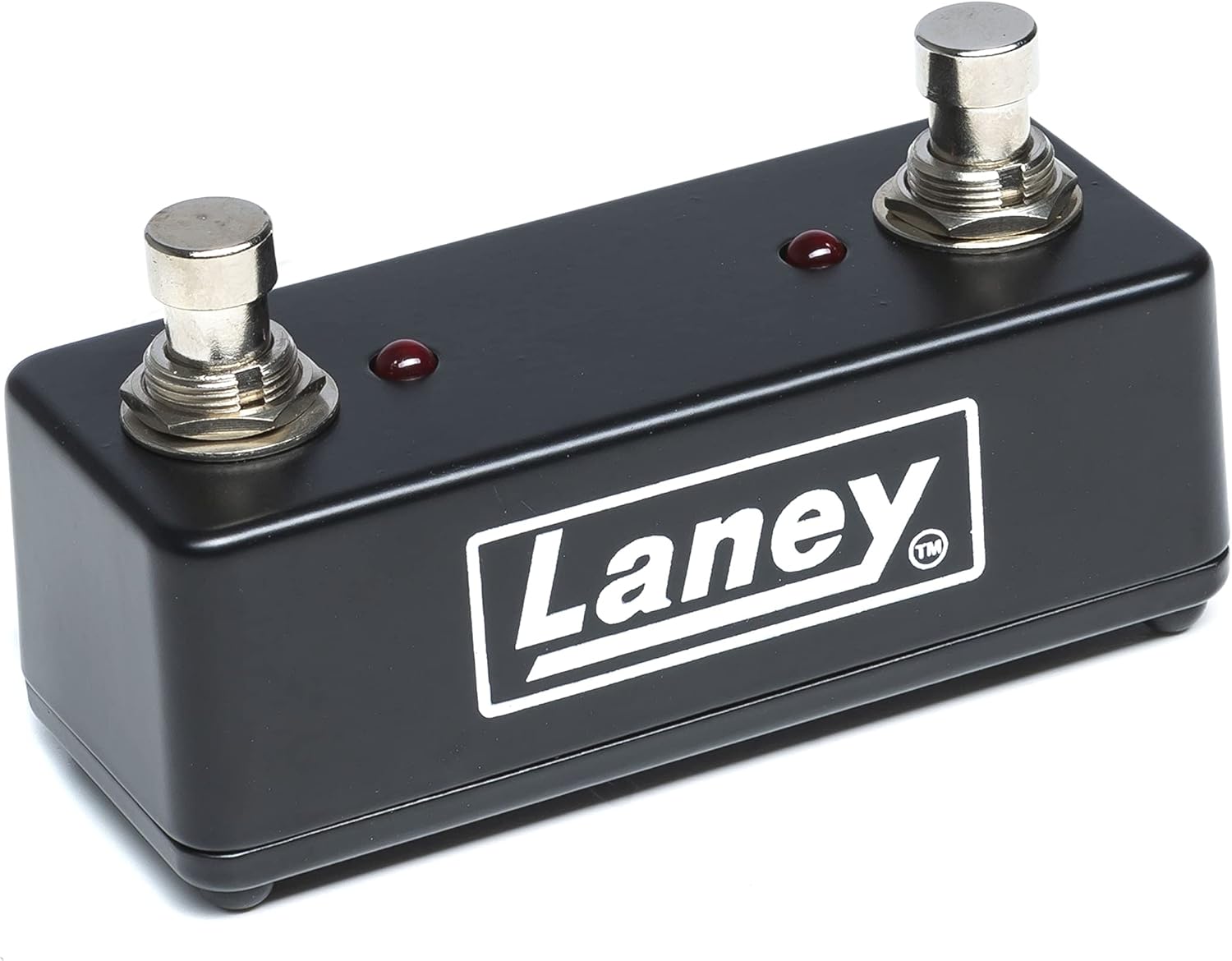
Image: The supplied FS2-mini footswitch for remote control.
Connect the supplied FS2-mini footswitch to the 'FS2' input on the rear panel. This allows remote switching between channels and activating/deactivating the reverb effect.
4.6 USB Connection (for DAW)
For direct recording or re-amping with a DAW, connect a USB cable from the 'USB' port on the rear panel to your computer. The L5-STUDIO's T-USB technology provides a direct interface for recording tube tone.
5. Parentah Operasi
5.1 Kontrol Panel Hareup Leuwihview

Image: Front panel of the L5-STUDIO, showing input jacks, control knobs, and switches.
- INPUT (HI/LO): Connect your guitar here. 'HI' is for standard output guitars, 'LO' for higher output or for a cleaner sound.
- VOLUME BERSIH: Controls the output level of the clean channel.
- Saklar KAHANGAR: Adds high-end sparkle to the clean channel.
- DRIVE: Controls the amount of gain/overdrive on the drive channel.
- VOLUME DRIVE: Controls the output level of the drive channel.
- BASS, TENGAH, TREBLE: Passive EQ controls to shape the low, mid, and high frequencies.
- REVERB: Controls the amount of the built-in digital reverb effect.
- NADA: Global tone control that adjusts the overall high-frequency response of the amppangagung.
- RUN Switch: Saklar kakuatan pikeun amppangagung.
5.2 Sambungan Panel Rear sarta kadali

Image: Rear panel of the L5-STUDIO, detailing power input, speaker outputs, FX loop, USB, and D.I. connections.
- POWER Inlet: IEC power input.
- Sekering: Main fuse holder. Replace only with the specified type and rating.
- 0.5W / 5W Switch: Selects the output wattage tina amplifier. Use 0.5W for lower volume practice or recording, and 5W for louder applications.
- REVERB (FS2) / DRIVE (FS2) Inputs: Connect the FS2-mini footswitch here for remote control.
- FX LOOP (KIRIM/BALIKKEUN): Connect external effects pedals here. 'SEND' goes to the input of your effect, 'RETURN' comes from the output of your effect.
- USB: Connect to a computer for direct recording or re-amping.
- DI OUT (XLR): Balanced XLR output for connecting directly to a mixing console or audio interface. Includes GND LIFT and +30dB switches.
- TELEPON: Output headphone pikeun latihan jempé.
- OUTPUT SPEAKER: Connect to external speaker cabinets. Ensure correct impedance matching.
5.3 Operasi Jempe
The L5-STUDIO features an internal dummy load, allowing the amplifier to be used without a speaker cabinet for silent practice via headphones or direct recording via USB/DI out. This feature ensures the amplifier's tubes are safely loaded even without a physical speaker connected.
6. Pangropéa
- beberesih: Ngabersihan ampbagian luar liifier ku lawon anu lemes sareng garing. Entong nganggo pembersih atanapi pangleyur anu abrasif.
- ngagantian tube: Vacuum tubes have a finite lifespan. If you notice a decrease in performance, excessive noise, or inconsistent tone, the tubes may need replacement. This should be performed by a qualified technician.
- Panyimpenan: Lamun teu dipaké pikeun période nambahan, nyimpen éta amplifier in a dry, temperature-controlled environment. Use the provided slip cover to protect it from dust.
- Ngagantian sekering: Lamun éta amplifier fails to power on, check the main fuse on the rear panel. Always replace with a fuse of the exact same type and rating.
7. Cara ngungkulan
- Henteu aya kakuatan: Check the power cable connection, the power outlet, and the main fuse on the rear panel. Ensure the 'RUN' switch is engaged.
- Henteu aya sora:
- Ensure the speaker cabinet is correctly connected and the speaker cable is functional.
- Check guitar cable and guitar volume.
- Verify all volume controls on the amplifier are turned up.
- If using headphones, ensure they are properly plugged in and the speaker output is not muted (if applicable).
- Excessive Hum/Noise:
- Check for faulty cables (guitar, speaker, FX loop).
- Ensure proper grounding. Try a different power outlet.
- Pindahkeun ampjauhkeun lampu tina alat éléktronik séjén anu tiasa nyababkeun gangguan.
- Tubes may be microphonic or nearing end-of-life.
- Weak or Inconsistent Tone: This can often indicate aging or failing vacuum tubes. Consult a qualified technician for tube testing and replacement.
8. Spésifikasi
| Modél | L5-STUDIO |
| Kaluaran Wattage | 5 Watt (tiasa dirobah janten 0.5 Watt) |
| tabung | ECC83 & EL84 (Hand selected) |
| Saluran | Twin Channel (Clean & Drive) |
| EQ | Passive Bass, Middle, Treble |
| Reverb | On-board Studio Quality Digital Reverb |
| FX Loop | Bisa dialihkeun |
| Konektipitas | USB (T-USB Technology), DI Out (XLR), Headphones, FS2 Footswitch |
| Alat nu cocog | Gitar |
| Sumber Daya | Kabel Listrik |
| Item Beurat | 22.05 Pon (10 kg) |
| Dimensi produk | 7.2 x 16 x 7.4 inci (18.3 x 40.6 x 18.8 cm) |
| Warna | Biru |
9. Garansi jeung Rojongan
Warranty information for the Laney L5-STUDIO amplifier head is typically provided with the product at the time of purchase. Please refer to the documentation included in your product packaging for specific warranty terms and conditions.
For technical support, service inquiries, or further assistance, please visit the official Laney Amplifikasi website or contact your authorized Laney dealer.