Produk Leuwihview
The Stack-On Personal Safe PS-1514 provides secure storage for valuables, firearms, and important documents. It features a robust steel construction, an electronic lock for quick access, and a backup key for emergencies. The safe is designed for home or office use and includes pre-drilled holes for secure mounting. This safe is a California-approved Firearm Safety Device, meeting the requirements of Penal Code section 23655 and related regulations.
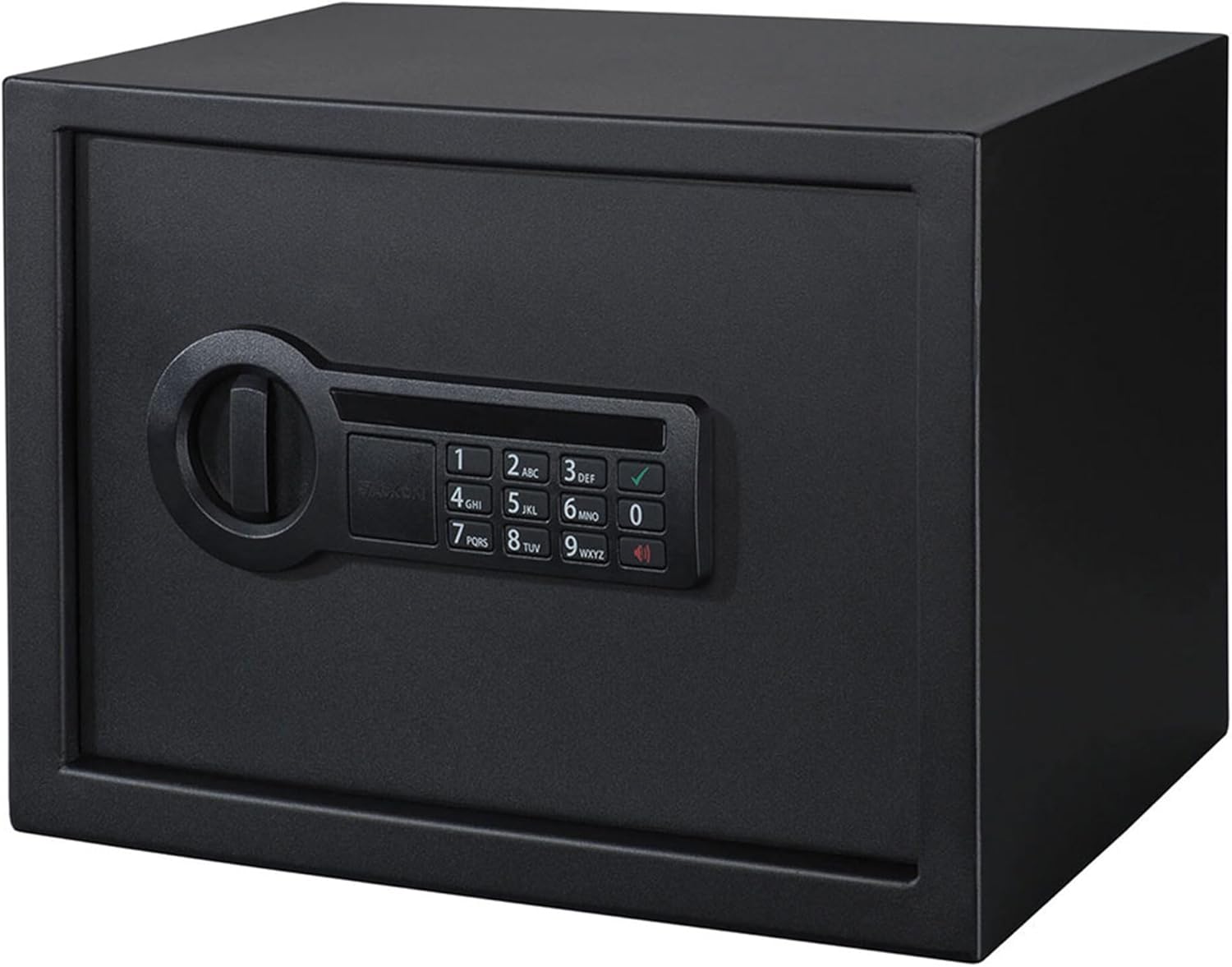
Image: The Stack-On Personal Safe PS-1514 in a closed position, showcasing its electronic keypad and solid black exterior.

Image: The Stack-On Personal Safe PS-1514 with its door open, revealing the interior space and the two live-action locking bolts.
Parentah Setup
Ngabongkar bungkusan
Carefully remove the safe from its packaging. Inspect for any damage. Retain all packaging materials until you are satisfied with the product.
Pamasangan batré
The electronic lock requires 4 AA batteries (included). Locate the battery compartment on the inside of the safe door. Open the compartment, insert the batteries according to the polarity indicators (+/-), and close the cover securely.

Gambar: Interior view of the safe showing a foam-padded shelf and various items, with the electronic lock's internal components visible on the door.
Catetan penting:
- Pastikeun batréna leres diselapkeun.
- Paké ngan anyar, batré alkalin kualitas luhur.
- Ulah campur batré heubeul jeung anyar atawa tipe batré béda.
Nyetél Kombinasi Pribadi Anjeun
With the safe door open:
- Press the red reset button located on the inside of the safe door, near the hinge. The safe will beep, and the yellow light on the keypad will illuminate.
- Enter your desired 3-8 digit combination on the keypad.
- Press the "A" or "B" button (or checkmark/star button, depending on model) to confirm. The safe will beep twice, and the yellow light will turn off, indicating the new combination is set.
- Test the new combination several times with the door open before closing it.
Mounting the Safe
For enhanced security, it is recommended to mount the safe to a solid surface. The safe features pre-drilled holes in the bottom and back. Fastening hardware is included.
- Choose a secure location (e.g., floor, wall, shelf).
- Mark the drilling points through the pre-drilled holes in the safe.
- Drill pilot holes into the chosen surface.
- Align the safe and secure it using the provided hardware.

Image: The safe securely placed on a wooden shelf, demonstrating a typical mounting scenario within a closet or cabinet.
Parentah Operasi
Opening the Safe with Electronic Lock
- Lebetkeun kombinasi 3-8 angka pribadi anjeun.
- Press the "A" or "B" button (or checkmark/star button).
- If the combination is correct, the green light will illuminate, and you will hear a click. Turn the handle clockwise within 5 seconds to open the door.
Using the Backup Key
In case of battery failure or forgotten combination, the backup key can be used.
- Remove the cover plate from the center of the electronic keypad.
- Insert the backup key into the keyhole and turn it clockwise.
- While holding the key turned, rotate the handle clockwise to open the safe.
- Once open, replace the batteries if needed and reset the combination.
Turning Keypad Beeps On/Off
The keypad has an audible feedback feature. To toggle the beeps:
- Press the megaphone button on the keypad to turn the beeps on or off.
Interior Light Operation
The safe is equipped with an interior LED light for visibility.
- The light typically activates automatically when the door is opened and sufficient ambient light is not detected, or it may have a manual switch depending on the specific model.

Image: The safe's interior illuminated by the built-in LED light, showcasing stored items like a handgun, ammunition, and keys.
Pangropéa
Ngagantian batré
Replace the 4 AA batteries annually or immediately if the keypad lights dim or the safe fails to open. Although the safe includes a backup key, regular battery replacement is crucial to avoid being locked out. The battery compartment is located inside the door.
Awas:
- The electronic lock can drain batteries quickly.
- There is no low battery warning. Replace batteries proactively.
beberesih
Ngusap bagian luar tina brankas ku lemes, damp lawon. Hindarkeun cleaners abrasive atawa pangleyur nu bisa ngaruksak finish atawa komponén éléktronik.
Mariksa Pamasangan
Periodically check the mounting bolts to ensure they remain tight and secure, especially if the safe is frequently accessed or moved.
Pamérésan masalah
| Masalah | Mungkin Cukang lantaranana | Solusi |
|---|---|---|
| Brankas teu tiasa dibuka ku kombinasi. |
|
|
| Keypad is unresponsive or lights are dim. |
|
|
| Backup key does not open the safe. |
|
|
spésifikasi
| Fitur | Rincian |
|---|---|
| merek | Tumpukan-Dina |
| Nomer modél | PS-1514 |
| Dimensi produk | 7.7 "D x 13.5" W x 9.5" H |
| Tipe Konci | Electronic with Backup Key |
| Bahan | Alloy Steel |
| Warna | Hideung |
| Item Beurat | 20 pon |
| Tipe Pamasangan | Dipasang di Lantai, Dipasang di Tembok (kalebet perangkat keras) |
| Batré Diperlukeun | 4 AA (kaasup) |
| Fitur husus | Interior Light, Foam-Padded Shelf, Pry-Resistant Door |
| UPC | 085529018149, 085529151402 |

Image: Diagram illustrating the external dimensions of the Stack-On Personal Safe: 13.5 inches width, 9.5 inches height, and 7.7 inches depth.
Garansi sareng Rojongan
For warranty information, technical support, or to order replacement parts (such as backup keys), please contact Stack-On customer service directly. Refer to the contact information provided with your product packaging or visit the official Stack-On websitus.
Disarankeun pikeun ngadaptarkeun produk anjeun nalika ngagaleuh pikeun ngagampangkeun kabutuhan dukungan anu bakal datang.


