1. Bubuka
This manual provides essential information for setting up, operating, and maintaining your Acer R240HY bidx 23.8-inch Full HD IPS monitor. Please read this manual thoroughly before using your new monitor to ensure proper functionality and safety.
2. Émbaran Kasalametan
- Always place the monitor on a stable, flat surface.
- Entong meungpeung lawang angin.
- Use only the power adapter and cables provided by Acer.
- Keep the monitor away from water, moisture, and extreme temperatures.
- Cabut monitor tina stop kontak sateuacan beberesih.
- Rujuk sadayana jasa ka tanaga jasa anu mumpuni.
3. Eusi Paket
Pastikeun yén sadaya item aya dina pakét anjeun:
- Acer R240HY bidx 23.8-inch Monitor
- Stand Monitor (Dasar sareng Beuheung)
- Adaptor Daya sareng Kabel Daya
- Kabel HDMI
- Kabel DVI
- VGA Kabel
- Manual pangguna (dokumén ieu)
4. Setélan
4.1 Ngarakit Stand Monitor
- Taliti cabut monitor jeung nangtung komponén tina bungkusan.
- Pasangkeun beuheung penyangga kana panel monitor ku cara ngajajarkeun tabna teras pencét dugi ka ngaklik kana tempatna.
- Pasangkeun dasar penyangga kana beuheung penyangga. Amankeun nganggo sekrup anu aya di handapeun dasar.
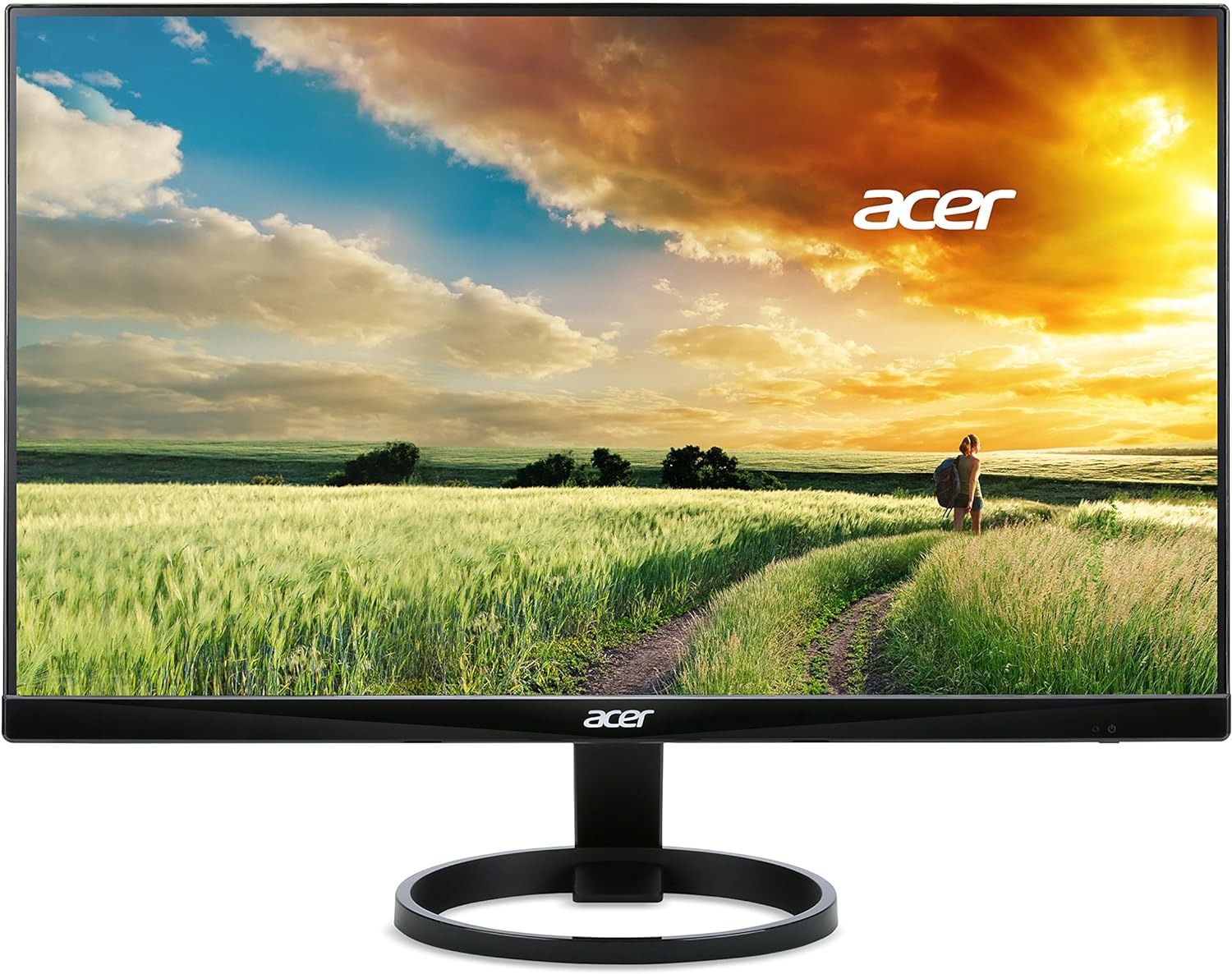
Gambar 1: Hareupeun view of the Acer R240HY bidx monitor, showcasing its zero-frame design and circular stand base.

Gambar 2: Hiji angled view of the monitor highlights its slim profile and the elegant circular stand.
4.2 Nyambungkeun Monitor
- Ensure your computer and monitor are powered off.
- Connect one end of the appropriate video cable (HDMI, DVI, or VGA) to the corresponding port on your computer's graphics card.
- Connect the other end of the video cable to the matching input port on the back of your Acer R240HY bidx monitor.
- Sambungkeun adaptor daya ka input daya monitor, teras colokkeun kabel listrik kana stop kontak témbok.

Gambar 3: The back of the monitor is shown, detailing the available input ports: HDMI, DVI, and VGA, along with the power input.
4.3 Mimiti Power-On
- Daya dina komputer Anjeun.
- Press the power button on the monitor (located on the bottom right bezel) to turn it on.
- The monitor should automatically detect the active input signal. If not, use the OSD menu to manually select the input source.
Klip 1: Official product video demonstrating the features and connectivity options of the Acer R240HY bidx 23.8-inch monitor, including its IPS display, HDMI, DVI, and VGA ports.
5. Ngoperasikeun Monitor
5.1 Menu dina layar (OSD).
The OSD menu allows you to adjust various monitor settings. The control buttons are located on the bottom right bezel of the monitor.
- Tombol Daya: Ngahurungkeun atanapi mareuman monitor.
- Tombol Menu: Accesses the main OSD menu.
- Tombol Napigasi: Dianggo pikeun nganapigasi pilihan menu sareng nyaluyukeun nilai.
- Butang Pilih Masukan: Quickly switches between available input sources (HDMI, DVI, VGA).
5.2 Nyaluyukeun Setélan Témbongkeun
Dina menu OSD, anjeun tiasa ngarobih setélan sapertos:
- Caang/Kontras: Atur tingkat luminansi sareng kontras sacara umum.
- Setélan warna: Setel suhu warna, gamma, sareng jenuh.
- Sumber Input: Manually select the video input (HDMI, DVI, VGA).
- Setélan Gambar: Saluyukeun ketajaman, rasio aspek, sareng sipat gambar anu sanésna.
- Setélan OSD: Customize OSD language, timeout, and transparency.
6. Fitur konci
- 23.8 inci Full HD IPS Display: Enjoy vibrant colors and consistent image quality from wide viewing angles with 1920 x 1080 resolution.
- Desain pigura nol: Maximizes screen visibility from edge to edge, ideal for multi-monitor setups.
- Waktos Tanggapan Gancang: A 4ms response time ensures smooth transitions and reduced ghosting for fast-paced content.
- lebar Viewdina Angle: 178 ° horizontal sarta vertikal viewing angles provide clear visuals from almost any perspective.
- Sababaraha Pilihan Konektipitas: Includes 1 x HDMI, 1 x DVI (with HDCP 1.4), and 1 x VGA inputs for broad compatibility.
- Cahaya Biru Rendah: Ngurangan émisi cahaya biru pikeun ngirangan tegangan panon nalika dianggo dina jangka waktu anu lila.
7. Pangropéa
7.1 Ngabersihan Monitor
To clean your monitor:
- Salawasna cabut monitor tina stop kontak sateuacan beberesih.
- Make kaen nu lemes, teu aya lint rada dampDieusian ku cai atanapi pembersih layar anu hampang sareng henteu abrasive.
- Ulah menyemprot cleaner langsung kana layar.
- Hindarkeun ngagunakeun bahan kimia kasar, pembersih abrasive, atanapi pangleyur.
7.2 Perawatan Umum
- Hindarkeun nempatkeun barang beurat dina monitor atanapi kabelna.
- Do not expose the monitor to direct sunlight or heat sources.
- Pastikeun ventilasi nyukupan sabudeureun monitor.
8. Cara ngungkulan
8.1 No Picture Visible
- Pastikeun monitor hurung sareng lampu indikator daya aktip.
- Check that the video cable is securely connected to both the monitor and the computer.
- Verify that the correct input source is selected via the OSD menu.
- If the screen is too dark, adjust brightness and contrast settings in the OSD menu or reset them to default.
- Uji monitor nganggo komputer atanapi sumber vidéo sanés upami mungkin.
8.2 Masalah Kualitas Gambar
- Adjust brightness, contrast, and color settings in the OSD menu.
- Pastikeun résolusi tampilan dina komputer anjeun cocog sareng résolusi asli monitor (1920 x 1080).
- Check for any physical damage to the video cable or ports.
8.3 Monitor Not Responding to Controls
- Unplug the monitor's power cord, wait for 30 seconds, then plug it back in and try again.
- Ensure no buttons are stuck or obstructed.
9. Spésifikasi
| Fitur | Spésifikasi |
|---|---|
| Ukuran tampilan layar nangtung | 23.8 inci |
| Resolusi layar | 1920x1080 (HD lengkep) |
| Resolusi layar Max | 1920 x 1080 piksel |
| merek | Acer |
| Runtuyan | R240HY bidx |
| Nomer modél barang | R240HY bidx |
| Item Beurat | 6.4 pon |
| Dimensi produk | 21.3 x 7.3 x 16 inci |
| Warna | Hideung |
| Produsén | Acer |
| Ukuran layar | 23.8 inci |
| Resolusi | FHD 1080p |
| Rasio Aspék | 16:9 |
| Pedaran Permukaan layar | Matte |
10. Garansi jeung Rojongan
Your Acer R240HY bidx monitor comes with a standard manufacturer's warranty. For specific warranty terms and conditions, please refer to the warranty card included in your product packaging or visit the official Acer support websitus.
For technical support, troubleshooting assistance, or to inquire about service, please contact Acer Customer Service through their official channels. Have your monitor's model number and serial number ready when contacting support.


