RHINO BAPO-10 Portioning Scale User Manual
Model: BAPO-10 | Brand: RHINO
Bubuka
Thank you for choosing the RHINO BAPO-10 Portioning Scale. This digital scale is designed for precise weighing in various applications, particularly in kitchens and food preparation. With a capacity of 10 kg and a precision of 1 gram, it offers versatile functions including piece counting, portion calculation, and TARE. Its durable stainless steel platform and rechargeable battery ensure reliable and long-lasting performance.

Image: The RHINO BAPO-10 Portioning Scale, showcasing its stainless steel platform and digital display.
Fitur konci
- Kapasitas & Presisi Tinggi: Weighs up to 10 kg with 1 gram accuracy.
- Sababaraha Unit: Measures in kilograms (kg), pounds (lb), and ounces (oz).
- Multifungsi: Includes Piece Counting, Portion Calculation, and TARE functions.
- Batré anu tiasa dicas deui: Offers up to 300 hours of continuous use with automatic energy-saving backlight.
- Jelas tampilan: Liquid crystal display (LCD) with integrated illumination for 100% visibility.
- Konstruksi awét: High-impact resistant ABS plastic casing and food-grade stainless steel weighing plate.
- Desain stabil: Features leveling feet with rubber surfaces for maximum grip and anti-rodent wheels.
Disetél
1. Ngabongkar bungkusan
Carefully remove the scale and all accessories from the packaging. Retain the packaging for future storage or transport.
2. Panempatan
Place the scale on a firm, flat, and stable surface. Ensure the surface is free from vibrations or drafts that could affect accuracy.

Image: Close-up of the adjustable leveling feet on the RHINO BAPO-10 scale, designed for stability on uneven surfaces.
Use the adjustable leveling feet at the bottom of the scale to ensure it is perfectly level. The built-in bubble level (if present, refer to your specific model) can assist in achieving optimal leveling.
3. Ngecas Awal
Before first use, fully charge the scale's rechargeable battery. Connect the provided power adapter to the scale's charging port and plug it into a suitable power outlet. The battery indicator on the display will show charging status. A full charge can provide up to 300 hours of operation.
Parentah Operasi
1. Daya Hurung / Pareum
- Pikeun ngaktipkeun timbangan, pencét ON / OFF / NOL kancing.
- Pikeun mareuman timbangan, pencét terus tahan ON / OFF / NOL tombol nepi ka tampilan pareum.
2. Timbangan Dasar
- Ensure the scale is on a level surface and powered on.
- Wait for the display to show "0.000" and the "STABLE" indicator to appear.
- Tempatkeun barang anu bade ditimbang di tengah platform stainless steel.
- Baca beurat dipintonkeun dina layar LCD.

Image: The RHINO BAPO-10 scale demonstrating its 1-gram precision, suitable for detailed measurements.
3. Unit Conversion (kg, lb, oz)
To switch between weighing units (kilograms, pounds, ounces), press the MODÉ button. The display will cycle through the available units.
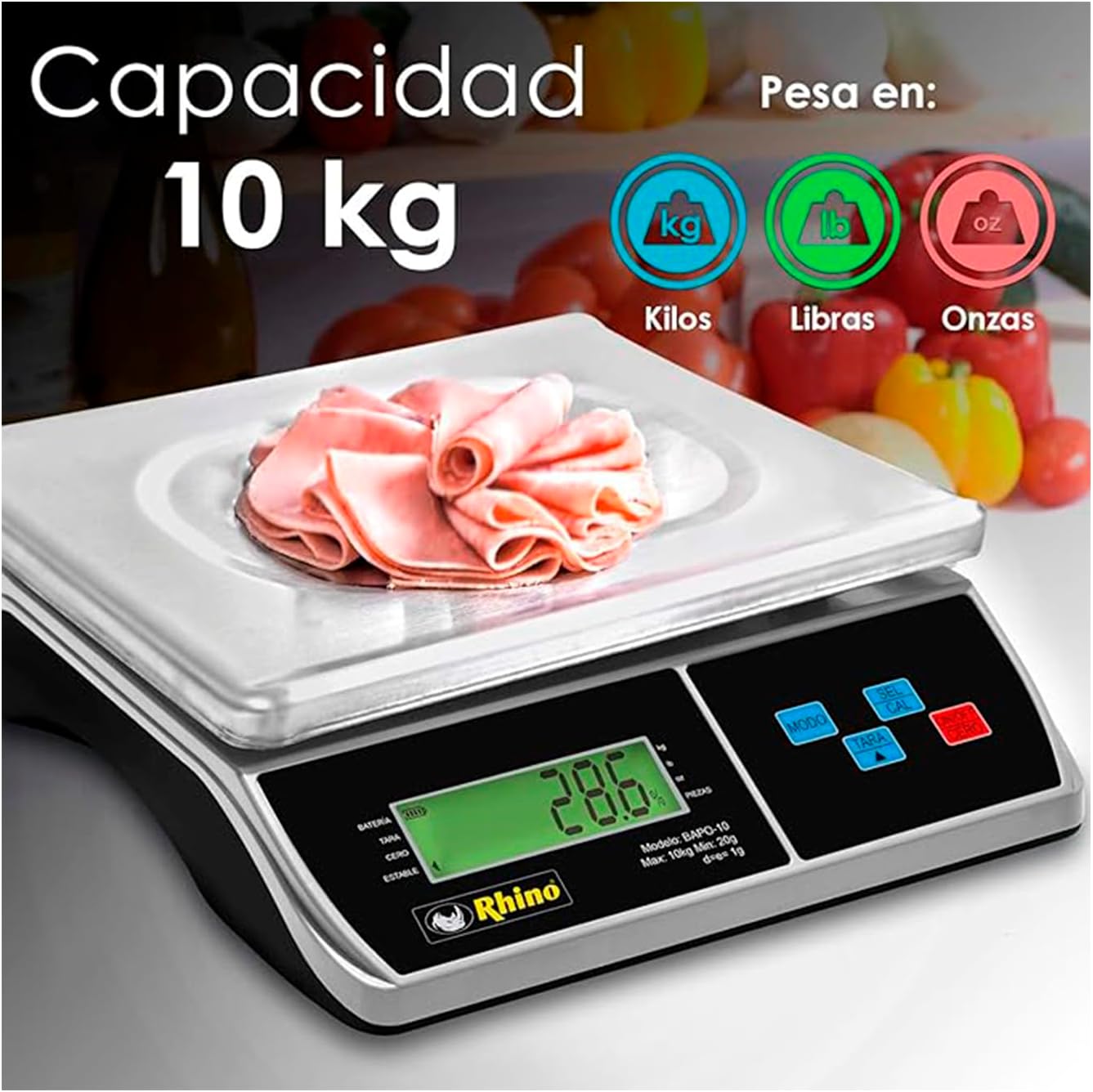
Image: The RHINO BAPO-10 scale highlighting its 10 kg capacity and the ability to weigh in kilograms, pounds, and ounces.
4. TARE Function
The TARE function allows you to subtract the weight of a container, so you only measure the weight of its contents.
- Simpen wadah kosong dina platform timbangan.
- Pencét éta TAREUT kancing. Pintonan bakal ngareset ka "0.000".
- Add the items to be weighed into the container. The display will show only the net weight of the items.
5. Piece Counting Function
This function allows you to count a large number of identical items by weight.
- Place a known quantity of items (e.g., 10, 20, 50, or 100 pieces) on the platform.
- Pencét éta SEL/CAL button to enter counting mode.
- Ngagunakeun éta MODÉ tombol pikeun milih sample quantity (e.g., 10 PCS, 20 PCS).
- Pencét SEL/CAL again to confirm. The scale will now display the number of pieces.
- You can now add more items, and the scale will count them.

Image: The RHINO BAPO-10 scale illustrating its piece counting function, useful for inventory or portion control.
6. Portion Calculation Function
This function calculates the percentage of a product placed on the scale relative to a predefined total weight (100%).
- First, define the 100% total weight by placing the full amount of product on the scale and pressing the POR kancing.
- Remove the full amount.
- Place a portion of the product on the scale. The display will show the weight as a percentage of the predefined total.

Image: The RHINO BAPO-10 scale demonstrating its portion calculation feature, ideal for precise recipe adherence.
Pangropéa
1. beberesih
The stainless steel platform and ABS plastic casing are easy to clean. Use a soft, damp cloth with mild soap to wipe down the surfaces. Do not use abrasive cleaners or immerse the scale in water. Ensure the scale is dry before storage or next use.
2. Kaperawatan batré
- Isi ulang batréna nalika indikator batré lemah némbongan dina layar.
- Hindarkeun sering-sering ngosongkeun batré pikeun manjangkeun umurna.
- If storing the scale for an extended period, charge the battery periodically (e.g., every 3 months) to prevent deep discharge.
3. Panyimpenan
Store the scale in a cool, dry place, away from direct sunlight, extreme temperatures, and high humidity. Protect it from dust and physical impact.
Pamérésan masalah
| Masalah | Mungkin Cukang lantaranana | Solusi |
|---|---|---|
| Skala teu hurung. | Masalah batré lemah atanapi adaptor kakuatan. | Charge the battery. Check power adapter connection and outlet. |
| Bacaan teu akurat. | Scale not level, unstable surface, or overload. | Ensure scale is level using adjustable feet. Place on a stable surface. Do not exceed 10 kg capacity. |
| Display shows "OL" or "E". | Kasalahan overload. | Remove excess weight immediately. The scale's maximum capacity is 10 kg. |
| Tampilanna taram atawa kedip-kedip. | batré lemah. | Ngecas batré. |
| TARE function not working. | Item already on scale before TARE, or scale not stable. | Ensure display shows "0.000" and "STABLE" before pressing TARE. |
spésifikasi
| Fitur | Rincian |
|---|---|
| Nomer modél | BAPO-10 |
| Kapasitas | 10 Kilograms (10 kg) |
| Precision | 1 gram (1 g) |
| Unit Timbangan | kg, lb, oz |
| Tipe tampilan | LCD with integrated illumination |
| Kahirupan batré | Nepi ka 300 jam (bisa dicas deui) |
| Bahan | Stainless Steel (platform), ABS Plastic (casing) |
| Warna | pérak |
| Ukuran (L x W x H) | 39 x 13 x 34 cm (kira-kira 15.35 x 5.12 x 13.39 inci) |
| Beurat produk | 3.19 kg (kira-kira 7.03 lbs) |
| Dianjurkeun Paké | Food and recipes |

Image: Diagram illustrating the dimensions of the RHINO BAPO-10 scale, showing a length of 34 cm, a width of 30 cm, and a height of 9.5 cm.
Garansi sareng Rojongan
For warranty information and customer support, please refer to the documentation included with your purchase or visit the official RHINO websitus. Simpen bukti pameseran anjeun pikeun klaim garansi.
For further assistance, you may contact RHINO customer service through their official channels. Details are typically available on the product packaging or the brand's official websitus.


