1. Bubuka
This manual provides detailed instructions for the installation, operation, and maintenance of the Urmet Atlantico 1132/53 Adjustable Call Volume Kit. Please read this manual thoroughly before attempting to install or operate the device to ensure safe and correct usage. Keep this manual for future reference.
2. Émbaran Kasalametan
- Salawasna pegatkeun listrik sateuacan ngalaksanakeun pamasangan atanapi pangropéa naon waé.
- Installation should be performed by qualified personnel in accordance with local electrical codes and regulations.
- Ulah ngalaan alat ka beueus, suhu ekstrim, atawa sinar panonpoé langsung.
- Use only original Urmet replacement parts and accessories.
- Avoid placing the unit near sources of strong electromagnetic interference.
3. Eusi Paket
Pastikeun yén sadaya komponén aya sareng henteu ruksak nalika muka bungkusan:
- Urmet Atlantico 1132/53 Intercom Unit
- Ningkatna Kurung
- Pemasangan Screws sareng Colokan Tembok
- Connection Cables (if included in kit)
- Manual pangguna (dokumén ieu)
Lamun aya item nu leungit atawa ruksak, mangga ngahubungan supplier Anjeun langsung.
4. Produk Langkungview
The Urmet Atlantico 1132/53 is an adjustable call volume kit designed for intercom systems. It allows users to customize the loudness of the incoming call signal.
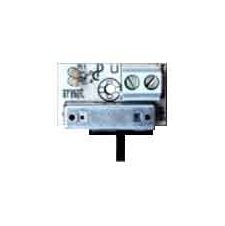
Gambar 1: Hareupeun view of the Urmet Atlantico 1132/53 Intercom Unit. This image displays the main body of the intercom unit, typically showing the speaker, microphone, and call button area.
Komponén konci biasana ngawengku:
- Tombol Telepon: Initiates communication with the outdoor unit.
- Speaker: For listening to the outdoor unit and incoming calls.
- Mikropon: For speaking to the outdoor unit.
- Kontrol volume: A rotary knob or switch to adjust the call volume.
5. Instalasi jeung Setup
Follow these general steps for installation. Refer to the specific wiring diagram provided with your complete intercom system for detailed connections.
- Nyiapkeun Area Instalasi: Choose a suitable indoor location, typically near the entrance, ensuring it is free from moisture and extreme temperatures.
- Pasang Bracket: Pasangkeun braket pemasangan kana témbok nganggo sekrup sareng colokan témbok anu disayogikeun. Pastikeun éta rata sareng dipasang pageuh.
- Sambungan Wiring: Connect the intercom unit to the main intercom system wiring. Pay close attention to the polarity and terminal designations (e.g., power, audio in, audio out, call signal). Ensure all connections are secure.
- Attach the Unit: Carefully attach the Urmet Atlantico 1132/53 unit to the mounted bracket. Ensure it clicks into place or is securely fastened.
- Hurungkeun sareng Uji: Restore power to the intercom system. Test the call function and audio clarity.
6. Operasi
The Urmet Atlantico 1132/53 is designed for straightforward operation:
- Narima Telepon: When someone presses the call button on the outdoor unit, your Atlantico 1132/53 unit will emit a call tone.
- Ngajawab Telepon: Press the designated call answer button (if present on your specific model or system) to establish communication.
- Nyaluyukeun Volume Telepon: Locate the volume control knob or switch on the unit. Rotate the knob clockwise to increase the call volume and counter-clockwise to decrease it. Adjust to a comfortable listening level.
- Nyarios: Speak clearly into the microphone area of the unit.
- Nutup Telepon: Replace the handset (if applicable) or press the call end button.
7. Pangropéa
To ensure optimal performance and longevity of your Urmet Atlantico 1132/53 unit, follow these maintenance guidelines:
- beberesih: Use a soft, dry cloth to clean the exterior of the unit. Do not use abrasive cleaners, solvents, or harsh chemicals, as these can damage the surface.
- Pamariksaan: Periodically check the unit for any visible damage or loose connections.
- Lingkungan: Ensure the unit remains in a dry, well-ventilated area, away from direct heat sources or excessive dust.
8. Cara ngungkulan
If you encounter issues with your Urmet Atlantico 1132/53, refer to the following common problems and solutions:
- No Call Tone:
- Check if the system has power.
- Pastikeun sadaya sambungan kabel aman sareng leres.
- Verify the call volume is not set to minimum.
- Low or Distorted Audio:
- Adjust the call volume control.
- Pariksa sambungan kabel leupas atawa corroded.
- Pastikeun mikropon sareng spiker teu ngahalangan.
- Unit teu ngabales:
- Cycle the power to the entire intercom system (turn off, wait 30 seconds, turn on).
- Inspect for any visible damage to the unit or wiring.
If the problem persists after attempting these solutions, contact a qualified technician or Urmet customer support.
9. Spésifikasi
| merek | Urmet |
| Nomer modél | 1132/53 |
| ASIN | B017XZKAWW |
| Tanggal Sadia munggaran | 1 Oktober 2015 |
10. Garansi jeung Rojongan
For information regarding warranty coverage, technical support, or service, please refer to the warranty card included with your product or visit the official Urmet websitus. Simpen bukti pameseran anjeun pikeun klaim garansi.
Urmet Official Websitus: www.urmet.com


