Bubuka
The ThermoPro TP06S Digital Grill Meat Thermometer is designed to help you achieve perfectly cooked meals every time. This professional-grade thermometer features preset temperatures for various meat types and doneness levels, a versatile timer, and a clear, colored backlight display. Its durable stainless steel probe ensures accurate and fast temperature readings, making it ideal for grilling, smoking, baking, and deep frying.

Figure 1: ThermoPro TP06S Digital Grill Meat Thermometer with probe.
Disetél
1. Unpacking sarta komponén
Sacara saksama miceun sadaya komponén tina bungkusan. Pastikeun anjeun gaduh item di handap ieu:
- 1 x ThermoPro TP06S Digital Meat Thermometer Unit
- 1 x Food Grade Stainless Steel Temperature Probe with Cable
- 2 x Batré AAA (kaasup)
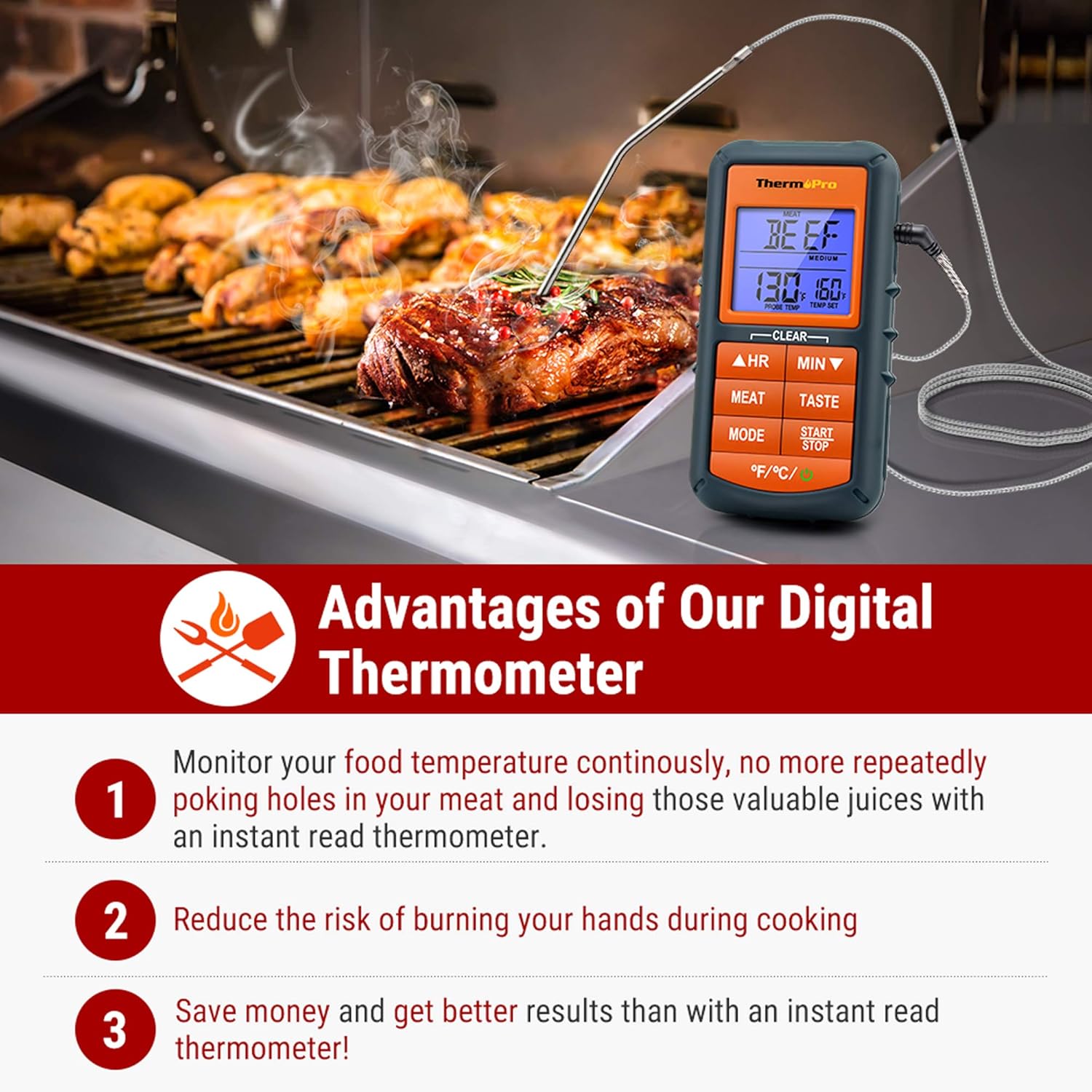
Figure 2: The ThermoPro TP06S thermometer in use on a grill, highlighting its benefits.
2. Pamasangan batré
The ThermoPro TP06S requires 2 AAA batteries for operation. To install the batteries:
- Tangtukeun lokasi kompartemen batré dina tonggong unit thermometer.
- Geser muka kompartemen batréna.
- Insert the 2 AAA batteries, ensuring the correct polarity (+ and -) as indicated inside the compartment.
- Tutup panutup kompartemen batré aman.
3. Sambungan usik
Connect the stainless steel temperature probe to the jack located on the side of the main thermometer unit. Ensure the connection is firm.

Gambar 3: Detil view of the food-grade stainless steel probe, emphasizing its accuracy and heat resistance.
Parentah Operasi
1. Daya Hurung / Pareum
Pencét éta POWER button (located at the bottom right) to turn the unit ON or OFF.
2. Pilihan Suhu
Pencét éta °F/°C button (located at the bottom left) to switch between Fahrenheit and Celsius temperature readings.
3. Preset Meat Settings
The thermometer comes with preset temperatures for 9 types of meat recommended by USDA. Press the DAGING button to cycle through the different meat types:
- Ground Beef (Gbeef)
- Ground Poultry (Gpoult)
- Sapi
- Daging sapi ngora
- Chicken (Chcke)
- Babi
- Poultry (Poult)
- domba
- Lauk
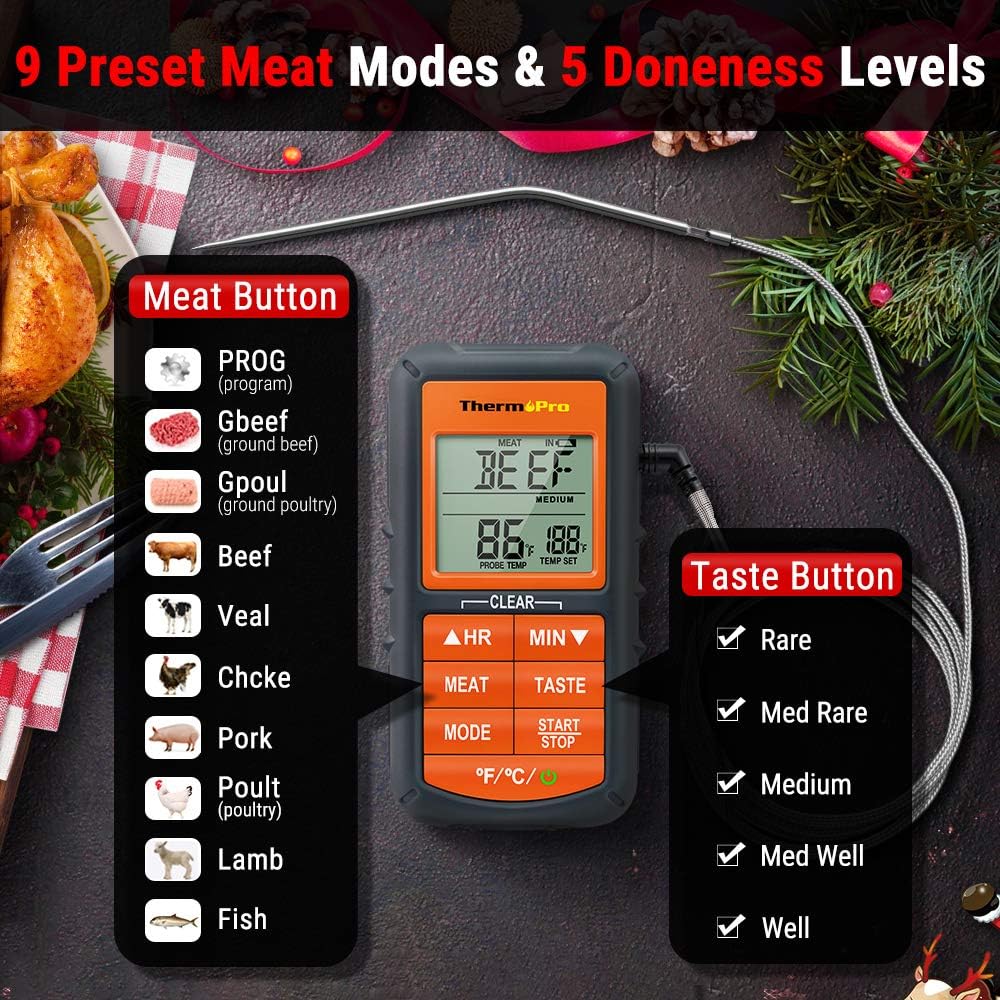
Figure 4: Display showing the 9 preset meat modes and 5 doneness levels available on the TP06S.
4. Doneness Level Selection
After selecting a meat type, press the RASA button to choose your desired doneness level (e.g., Rare, Medium Rare, Medium, Medium Well, Well Done). The target temperature will adjust accordingly.
5. Custom Temperature Setting (PROG Mode)
To set a custom target temperature:
- Pencét éta MODÉ button until "PROG" appears on the display.
- Ngagunakeun éta HR (Jam) jeung MIN (Minute) buttons to adjust the target temperature up or down.
- Pencét Mimitian / STOP to confirm your custom setting.
6. Fungsi Timer
The TP06S includes a count-up and countdown timer. To use the timer:
- Pencét éta MODÉ button to switch to Timer mode.
- Ngagunakeun éta HR jeung MIN buttons to set the desired countdown time (up to 23 hours, 59 minutes).
- Pencét Mimitian / STOP to begin or pause the timer.
- To reset the timer, press and hold both HR jeung MIN tombol sakaligus.
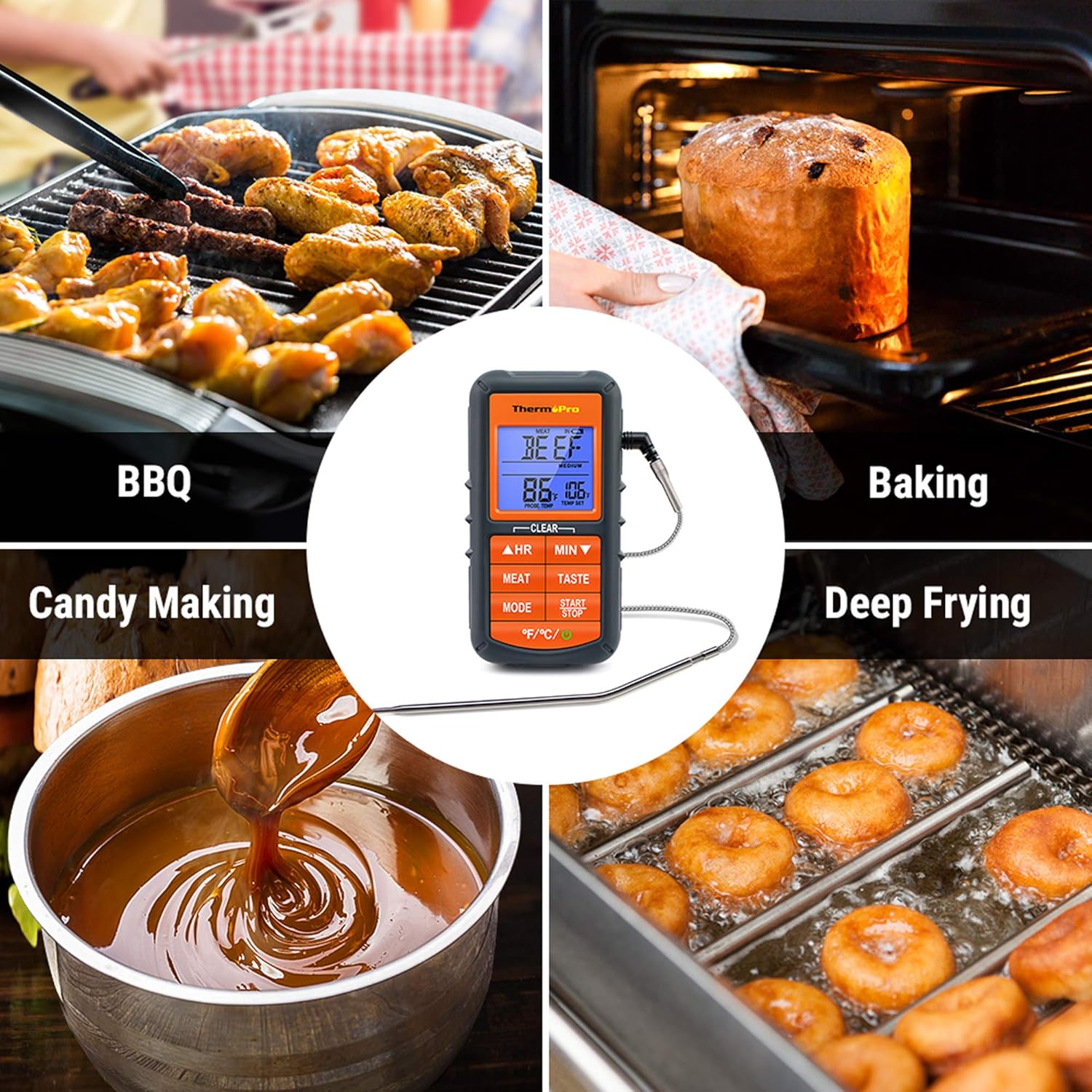
Figure 5: The TP06S unit showing both the current temperature and the countdown timer on its display.
7. Smart Backlight and Alarm
The display backlight changes color to indicate temperature progression:
- Biru: Temperature increases by 10°F.
- Héjo: Temperature is within 15°F of the set target temperature.
- Beureum: Current temperature reaches the set target temperature, and an alarm sounds.

Figure 6: Visual representation of the smart backlit LCD, indicating temperature status with different colors.
Pangropéa
1. beberesih
The stainless steel probe can be cleaned with warm soapy water. Wipe the main thermometer unit with a damp lawon. Entong immerse the main unit in water or place it in a dishwasher, as this can damage the electronic components.
2. Panyimpenan
Store the thermometer and probe in a dry place at room temperature when not in use. Ensure the probe tip protector is in place to prevent damage.
Pamérésan masalah
1. Bacaan Suhu Anu Teu Akurat
- Ensure the probe is fully inserted into the thickest part of the meat, avoiding bones or gristle.
- Check that the probe cable is securely connected to the main unit.
- Verify that the probe cable is not damaged or frayed. A damaged probe may need replacement.
- Test the probe in boiling water (212°F / 100°C at sea level) or ice water (32°F / 0°C) to check its accuracy.
2. Display Not Working / No Power
- Pariksa naha batréna dipasang leres kalayan polaritasna anu leres.
- Ganti batréna ku batré AAA seger.
- Pastikeun tombol daya dipencet pageuh.
3. Alarm Teu disada
- Confirm that a target temperature has been set.
- Check if the unit's volume is not set to mute (if applicable, though this model typically has a fixed alarm sound).
spésifikasi
| merek: | ThermoPro |
| Ngaran modél: | Digital Grill Meat Thermometer with Probe for Smoker Grilling Food |
| Jumlah modél: | TP06S |
| Sumber Daya: | Didukung ku batré (2 x batré AAA kalebet) |
| Rentang Suhu: | Nepi ka 482°F (250°C) |
| Bahan usik: | Dahareun Kelas Stainless Steel |
| Probe Wire Rating: | Rated for 716°F (380°C) |
| Jenis tampilan: | LCD with Smart Backlight |
| Fitur husus: | Alarm, Preset Temperatures, Timer |
| Sertifikasi: | NSF Certified |

Figure 7: Certifications for the ThermoPro TP06S, including NSF, CE, and RoHS compliance.
Garansi sareng Rojongan
For warranty information, technical support, or to purchase replacement parts, please visit the official ThermoPro website or contact their customer service. You can also refer to the detailed user guides available online:


