Bluestone Automatic Wrist Blood Pressure Monitor User Manual
Modél: 80-5103
1. Bubuka
Thank you for choosing the Bluestone Automatic Wrist Blood Pressure Monitor. This device is designed to provide quick and accurate measurements of your systolic and diastolic blood pressure, as well as your pulse rate. Regular monitoring can help you track your heart health over time. Please read this manual thoroughly before using the device to ensure correct operation and accurate results.
2. Émbaran Kasalametan
- Alat ieu dimaksudkeun kanggo dianggo di bumi déwasa hungkul. Konsultasikeun ka dokter anjeun pikeun interpretasi pangukuran tekanan darah.
- Ulah dianggo alat ieu ka orok, barudak, atanapi jalmi anu teu tiasa ngébréhkeun idinna.
- Ulah ngukur dina kandaraan anu keur gerak atawa nalika keur ngalakukeun aktivitas fisik.
- Do not self-diagnose or self-medicate based on the measurement results. Always consult a healthcare professional.
- Jauhkeun alat tina médan éléktromagnétik anu kuat.
- Do not disassemble or attempt to repair the device. Contact customer support if issues arise.
3. Produk Langkungview
The Bluestone Automatic Wrist Blood Pressure Monitor is a compact and portable device designed for ease of use. It features a large LCD screen for clear readings and a memory function to store past measurements.
3.1 Komponén
- Wrist Blood Pressure Monitor with integrated cuff
- Panyimpenan Case
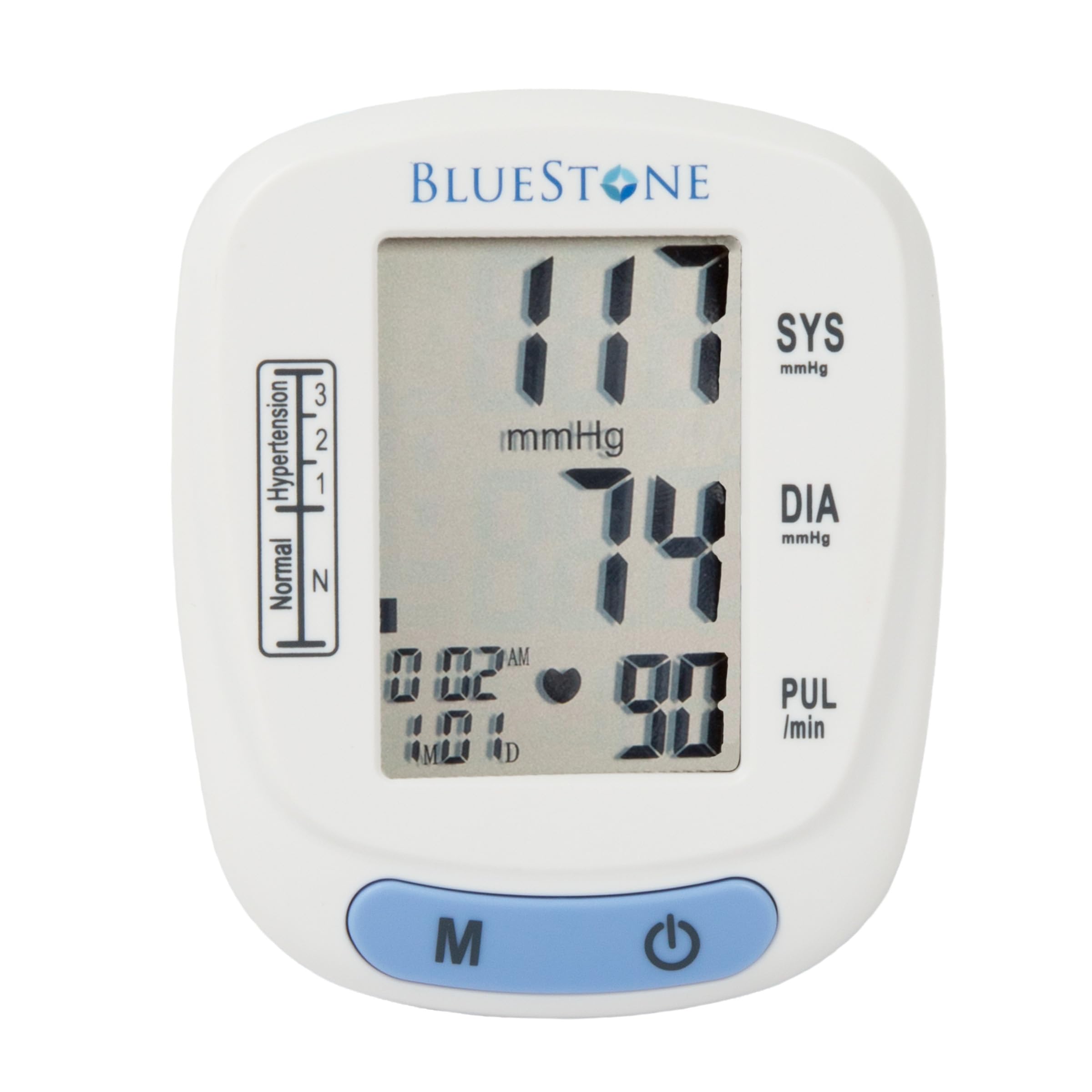
Image 3.1: Bluestone Automatic Wrist Blood Pressure Monitor on a user's wrist.
3.2 Fitur Alat

Image 3.2: Labeled diagram highlighting the monitor's display elements and buttons.
- Layar LCD ageung: Displays systolic, diastolic, pulse, date, and time.
- Blood Pressure Level Bar: Indicates blood pressure classification (Normal, Hypertension levels 1, 2, 3).
- Memory Button (M): Accesses stored readings.
- Tombol Hurung/Pareum: Powers the device on and off, and initiates measurements.
- Adjustable Cuff: Designed to fit wrists up to 10 inches in circumference.
4. Setélan
4.1 Pamasangan batré
- Buka panutup kompartemen batré anu aya di tukang monitor.
- Insert two AAA batteries (not included), ensuring correct polarity (+/-).
- Tutup panutup kompartemen batré aman.
4.2 Penempatan Manset
- Remove any tight clothing from your wrist.
- Simpen monitor dina pigeulang kénca anjeun kalayan layar nyanghareup ka luhur. Manset kedah diposisikan sakitar 1-2 cm di luhur sendi pigeulang anjeun.
- Fasten the cuff snugly around your wrist. Ensure it is not too tight or too loose.
- Rest your arm on a table or flat surface so that the monitor is at the same level as your heart. Keep your palm open and relaxed.
5. Parentah Operasi
5.1 Nyandak Pangukuran
- Ensure the cuff is correctly placed on your wrist and your arm is positioned at heart level.
- Press the On/Off button to power on the device. The display will show all symbols briefly, then '00'.
- Mansetna bakal otomatis ngembang, sareng pangukuran bakal dimimitian. Tetep cicing sareng jempe salami pangukuran.
- Once the measurement is complete, the systolic pressure, diastolic pressure, and pulse rate will be displayed on the screen. The device will automatically store this reading.
- Press the On/Off button again to turn off the device, or it will automatically shut off after approximately one minute of inactivity.
5.2 Napsirkeun Hasil
The monitor displays your systolic (SYS) and diastolic (DIA) blood pressure in mmHg, and your pulse (PUL) in beats per minute. The blood pressure level bar on the left side of the display indicates your reading's classification according to World Health Organization (WHO) guidelines:
- Normal: Optimal blood pressure.
- Hypertension (Levels 1, 2, 3): Indicates elevated blood pressure. Consult a healthcare professional for advice.

Image 5.1: Monitor displaying a sample reading and highlighting key features.
6. Fungsi Mémori
The monitor can store up to 120 measurements with date and time stamps, allowing you to track your blood pressure trends.
6.1 Storing Readings
Each successful measurement is automatically stored in the device's memory.
6.2 Recalling Readings
- With the device off, press the 'M' (Memory) button.
- Bacaan panganyarna bakal ditampilkeun heula.
- Press the 'M' button repeatedly to scroll through previous measurements.
- To exit memory mode, press the On/Off button or wait for the device to automatically shut off.
7. Pangropéa
7.1 beberesih
- Lap monitor sareng mansetna ku lawon anu lemes sareng garing.
- Ulah nganggo pembersih anu abrasif atanapi ngalelepkeun alat kana cai.
7.2 Panyimpenan
- Store the monitor in its included protective case when not in use.
- Simpen alat dina tempat anu tiis, garing, jauh tina sinar panonpoé langsung sareng suhu anu ekstrim.
- Upami alat henteu dianggo kanggo waktos anu panjang, cabut batréna pikeun nyegah bocor.

Image 7.1: Monitor stored in its protective case.
8. Cara ngungkulan
| Masalah | Mungkin Cukang lantaranana | Solusi |
|---|---|---|
| Henteu aya tampilan nalika diaktipkeun | Batré pareum atawa salah dipasang. | Ganti batré ku batré AAA anyar, mastikeun polaritasna bener. |
| Pesen kasalahan (contona, 'Err') | Movement during measurement, improper cuff placement, or device malfunction. | Remain still and silent. Re-apply cuff correctly. If error persists, contact support. |
| Bacaan teu konsisten | Improper posture, talking during measurement, or recent physical activity. | Ensure proper technique (see Section 5.1). Take measurements at the same time each day. |
9. Spésifikasi

Image 9.1: Dimensions of the Bluestone Blood Pressure Monitor.
| Fitur | Rincian |
|---|---|
| Nomer modél | 80-5103 |
| Dimensi produk | 3" P x 2.5" L x 2.5" T |
| Item Beurat | 8.3 ons |
| Cuff kuriling | Fits up to 10" wrists |
| Sumber Daya | 2 x Batré AAA (teu kalebet) |
| Tipe tampilan | LCD Digital |
| Kamampuh mémori | Up to 120 readings with date/time stamp |
10. Garansi jeung Rojongan
Bluestone products are manufactured with quality and care. For warranty information or technical support, please refer to the contact details provided with your purchase documentation or visit the official Bluestone websitus. Punten tahan bukti pameseran anjeun pikeun klaim garansi.


