1. Bubuka
Hatur nuhun pikeun meuliasing the iTOMA CKS3501BT Radio Alarm Clock. This manual provides detailed instructions for setting up and operating your device. Please read it thoroughly before use to ensure proper functionality and to maximize your user experience.
Eusi pakét:
- iTOMA CKS3501BT Radio Alarm Clock
- Adaptor kakuatan
- Antenna Kawat FM
- Manual pangguna (dokumén ieu)
2. Produk Langkungview
Familiarize yourself with the controls and display of your iTOMA CKS3501BT Radio Alarm Clock.
Kontrol Panel Top:
- VOL- / VOL+: Adjust volume.
- SET: Enter setup mode for time, date, and alarms.
- WAKTU ZON: Adjust time zone.
- AL 1 / AL 2: Set Alarm 1 / Alarm 2.
- SNOOZE / DIMMER: Snooze active alarm; adjust display brightness.
- TUNE - / TUNE +: Tune FM radio frequency; navigate menu options.
- ENGÉLING: Save and recall FM radio presets.
- SUMBER: Select audio source (FM, Bluetooth, AUX).
- POWER: Turn unit on/off.
Tampilan Hareup:
- 1.4-inch blue LED display for time, date, and status indicators.
- Indicators for Alarm 1, Alarm 2, FM frequency, Bluetooth status.

Gambar 2.1: Hareupeun view of the iTOMA CKS3501BT Radio Alarm Clock, showing the large blue LED display and top panel controls.
3. Setélan
3.1 Mimiti Power-Up
- Sambungkeun adaptor kakuatan ka jack DC IN dina tonggong unit.
- Colokkeun adaptor kakuatan kana stop kontak témbok standar. Pintonan bakal hurung.
- The unit includes a pre-installed backup battery to maintain time and alarm settings during power outages.
3.2 Nyetél Waktos sareng Kaping
- Ensure the unit is powered Pareum (pencét POWER button if display is on).
- Pencét jeung tahan tombol SET tombol nepi ka taun flashes dina tampilan.
- Ngagunakeun éta TUNE - / TUNE + tombol pikeun nyaluyukeun taun. Pencét SET pikeun mastikeun.
- Repeat the process for Month, Day, Hour, and Minute.
- Saatos netepkeun menit, pencét SET pikeun mastikeun sareng kaluar ti modeu setelan waktos.
3.3 Waktos Panghematan Siang Otomatis (DST)
The unit is equipped with an Auto DST feature. To enable or disable:
- Ensure the unit is powered Pareum.
- Pencét jeung tahan tombol WAKTU ZON button. The display will show "DST ON" or "DST OFF".
- Ngagunakeun éta TUNE - / TUNE + buttons to toggle between "DST ON" and "DST OFF".
- Ngaleupaskeun WAKTU ZON tombol pikeun mastikeun pilihan Anjeun.
4. Parentah Operasi
4.1 Alarm Settings (Dual Alarm)
The CKS3501BT features two independent alarms (AL1 and AL2) that can be set to wake you with a buzzer or FM radio.
- Ensure the unit is powered Pareum.
- Pencét jeung tahan boh AL 1 or AL 2 tombol nepi ka jam alarm hurung.
- Paké TUNE - / TUNE + pikeun nyaluyukeun jam. Pencét tombol anu saluyu AL tombol pikeun mastikeun.
- Ngulang keur menit.
- Next, select the alarm source: Use TUNE - / TUNE + to choose between "Buzzer" or "FM Radio". Press the AL tombol pikeun mastikeun.
- If FM Radio is selected, use TUNE - / TUNE + to set the desired wake-up volume. Press the AL tombol pikeun mastikeun.
- Finally, select the alarm schedule: Use TUNE - / TUNE + to choose "Every Day", "Weekdays", or "Weekends". Press the AL tombol pikeun mastikeun sareng kaluar ti modeu setelan alarm.
Pikeun ngaktipkeun/nonaktipkeun alarm, pencét tombol anu saluyu AL 1 or AL 2 button briefly when the unit is powered Pareum. The alarm indicator (1 or 2) will appear/disappear on the display.
4.2 Fungsi Tunda
Sawaktos alarm disada, pencét tombol SNOOZE / DIMMER tombol pikeun ngajempékeun samentawis salami 9 menit. Alarm bakal disada deui saatos periode snooze.
4.3 Timer Saré
The sleep timer allows you to fall asleep to FM radio or Bluetooth audio, which will automatically turn off after a set duration (10 to 90 minutes).
- While the unit is playing FM radio or Bluetooth audio, press the SARE button (often integrated with SNOOZE or another button, refer to device markings if different).
- Pencét sababaraha kali SARE button to cycle through sleep timer options (e.g., 90, 80, 70... 10 minutes, OFF).
- Unit bakal otomatis pareum saatos waktos anu dipilih.
4.4 Operasi Radio FM

Figure 4.1: The iTOMA CKS3501BT can receive FM radio signals, indicated by the radio icon and waves.
- Ensure the FM wire antenna is properly connected to the antenna jack on the back of the unit for optimal reception.
- Pencét éta POWER tombol pikeun ngahurungkeun unit.
- Pencét éta SUMBER button repeatedly until "FM" appears on the display.
- Tuning Manual: Pencét TUNE - / TUNE + briefly to adjust the frequency step by step.
- Scan Otomatis: Pencét jeung tahan TUNE - / TUNE + pikeun sababaraha detik pikeun otomatis nyeken stasiun sadia salajengna.
4.5 Saving and Recalling FM Presets
The unit can store up to 10 FM radio stations as presets.
- Ngepaskeun ka stasiun FM nu dipikahoyong.
- Pencét jeung tahan tombol ENGÉLING tombol nepi ka "P01" (atawa angka prasetél sadia salajengna) flashes dina tampilan.
- Paké TUNE - / TUNE + pikeun milih nomer prasetél nu dipikahoyong (P01-P10).
- Pencét ENGÉLING again to confirm and save the station.
- Pikeun ngelingan stasiun prasetél, pencét sakeudeung ENGÉLING button repeatedly to cycle through the saved stations.
4.6 Operasi Bluetooth
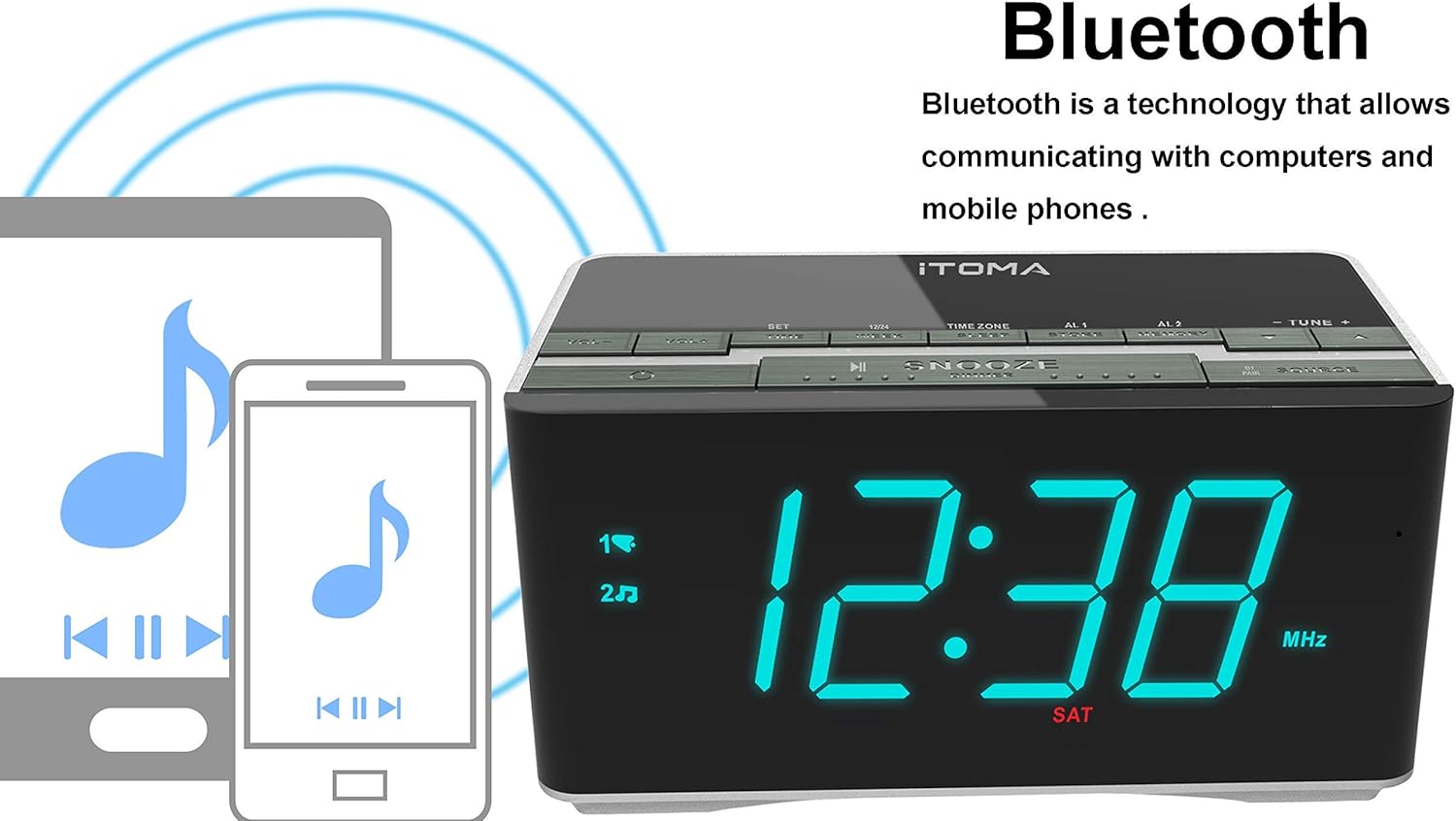
Figure 4.2: The iTOMA CKS3501BT supports Bluetooth connectivity for wireless audio streaming from compatible devices.
- Pencét éta POWER tombol pikeun ngahurungkeun unit.
- Pencét éta SUMBER button repeatedly until "BT" appears on the display and the Bluetooth indicator flashes, indicating pairing mode.
- Dina alat nu diaktipkeun Bluetooth (contona, smartphone, tablet), aktipkeun Bluetooth sareng milarian alat nu sadia.
- Select "iTOMA CKS3501BT" from the list. Once paired, the Bluetooth indicator on the alarm clock will stop flashing and remain solid.
- You can now play audio from your device through the alarm clock's speakers. Use the VOL - / VOL + buttons on the alarm clock or your device to adjust the volume.
4.7 Input Bantu (AUX)
Connect external audio devices (e.g., MP3 players) using a 3.5mm audio cable (not included).
- Connect one end of a 3.5mm audio cable to the AUX IN jack on the back of the unit.
- Sambungkeun tungtung nu sejen ka jack headphone atawa kaluaran audio tina alat éksternal Anjeun.
- Pencét éta POWER tombol pikeun ngahurungkeun unit.
- Pencét éta SUMBER Pencét tombol "AUX" sababaraha kali nepi ka muncul dina layar.
- Puterkeun audio tina alat éksternal anjeun. Atur volume nganggo VOL - / VOL + buttons on the alarm clock or your external device.
4.8 Palabuhan Ngecas USB

Figure 4.3: The iTOMA CKS3501BT features a USB port for charging mobile devices.
The USB port on the back of the unit is for charging mobile devices only. It does not support data transfer or playing music from USB drives.
- Connect your mobile device's USB charging cable to the USB port on the alarm clock.
- Sambungkeun tungtung kabel anu sanés ka alat sélulér anjeun.
- Alat anjeun bakal mimiti ngecas.
4.9 Kacaangan Tampilan (Dimmer)

Figure 4.4: The iTOMA CKS3501BT offers an auto-dimmer function and manual brightness control for its display.
The display has an auto-dimmer feature that adjusts brightness based on ambient light. You can also manually adjust it.
- Pencét éta SNOOZE / DIMMER button repeatedly to cycle through different brightness levels (e.g., High, Medium, Low, Auto).
- Select "Auto" for automatic brightness adjustment.
5. Pangropéa
5.1 beberesih
- Pegatkeun sambungan adaptor kakuatan saméméh beberesih.
- Anggo kaén anu lembut sareng garing pikeun ngusap bagian luar unit.
- Do not use liquid cleaners, abrasive cleaners, or sprays, as they may damage the finish.
5.2 Batré Nyadangkeun
The unit contains a pre-installed lithium-metal backup battery. This battery is designed to retain time and alarm settings during brief power interruptions. It is not user-replaceable and does not power the unit for normal operation.
6. Cara ngungkulan
| Masalah | Mungkin Cukang lantaranana | Solusi |
|---|---|---|
| Unit teu hurung. | Adaptor listrik teu nyambung atanapi lepat. | Pastikeun adaptor kakuatan dicolokkeun sacara aman kana unit sareng outlet témbok anu tiasa dianggo. |
| No sound from FM radio. | Weak signal; volume too low; incorrect source. | Adjust FM antenna position. Increase volume. Ensure "FM" source is selected. |
| Alat Bluetooth teu tiasa dipasangkeun. | Unit not in pairing mode; device too far; Bluetooth already connected. | Ensure "BT" is flashing on the display. Move device closer. Disconnect from other Bluetooth devices. |
| Alarm teu disada. | Alarm not activated; volume too low; incorrect time. | Verify alarm indicator (1 or 2) is on. Check alarm volume setting. Confirm alarm time is correct. |
| Ngecas USB teu jalan. | Kabelna rusak; alatna teu cocog; unitna teu dicas. | Try a different USB cable. Ensure the alarm clock is powered on. |
7. Spésifikasi
- model: CKS3501BT
- tampilan: 1.4-inch Blue LED
- Sumber Daya: AC 100-240V, 50/60Hz (via power adapter)
- Batré Cadangan: 1 x Lithium-metal (pre-installed)
- Pita Radio: FM
- Vérsi Bluetooth: (Not specified, assuming standard)
- USB Ngaluarkeun Kaluaran: (Not specified, typically 5V/1A)
- Input bantu: 3.5mm jack stereo
- ukuran: 14.5 x 8 x 7.52 cm (5.71 x 3.15 x 2.93 inci)
- beurat: 390.09 g (0.86 lbs)
- Bahan: palastik

Figure 7.1: Dimensions of the iTOMA CKS3501BT Radio Alarm Clock.
8. Garansi jeung Rojongan
For warranty information or technical support, please refer to the warranty card included with your product or visit the official iTOMA websitus. Simpen resi pameseran anjeun salaku bukti pameseran.
iTOMA Official Websitus: www.itoma.com


