1. Bubuka
This manual provides comprehensive instructions for the installation, operation, and maintenance of the HP Aruba 2930F 24G 4SFP+ Switch (Model JL253A). Please read this manual thoroughly before using the device to ensure proper setup and optimal performance. Retain this manual for future reference.
2. Produk Langkungview
The HP Aruba 2930F 24G 4SFP+ Switch is a high-performance network switch designed for enterprise edge deployments. It features 24 Gigabit Ethernet ports and 4 SFP+ ports for high-speed uplinks, providing reliable and secure connectivity.

Gambar 2.1: Hareupeun view of the HP Aruba 2930F 24G 4SFP+ Switch, showing 24 RJ45 Gigabit Ethernet ports, 4 SFP+ uplink ports, and LED indicators.

Gambar 2.2: Angled view of the HP Aruba 2930F 24G 4SFP+ Switch, highlighting its compact design suitable for rack mounting.
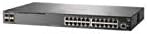
Gambar 2.3: Sisi view of the HP Aruba 2930F 24G 4SFP+ Switch, showing ventilation slots for heat dissipation.
3. Setélan
3.1 Ngabongkar bungkusan sareng Verifikasi Eusi
Bungkus saklarna kalawan ati-ati teras pariksa yén sadaya komponénna aya. Pakétna kedah ngawengku:
- HP Aruba 2930F 24G 4SFP+ Switch (Model JL253A)
- Kabel kakuatan
- Rét-mount kit
- Kabel konsol
Upami aya barang anu leungit atanapi ruksak, langsung ngahubungi vendor anjeun.
3.2 Instalasi fisik
- Pamasangan rak: Use the provided rack-mount kit to secure the switch in a standard 19-inch equipment rack. Ensure adequate ventilation around the switch.
- Sambungan Daya: Connect the power cable to the switch's power input and then to a grounded AC power outlet.
- Konéksi Jaringan Mimiti: Connect a computer to the switch's console port using the console cable for initial configuration, or connect to any RJ45 port for network access if DHCP is available.
Ensure all cables are securely connected and routed to prevent accidental disconnections.
4. Parentah Operasi
4.1 Ngahurungkeun sareng Boot Awal
Once the power cable is connected, the switch will automatically power on. Observe the LED indicators on the front panel. The Power LED should illuminate, indicating the device is receiving power. Other LEDs will indicate port status and activity.
4.2 Port Connectivity
- RJ45 Ports (10/100/1000BASE-T): Connect standard Ethernet cables (Cat5e or higher) to these ports for connecting network devices such as computers, servers, and other switches. These ports support auto-negotiation for speed and duplex settings.
- SFP+ Ports (10 Gigabit Ethernet): Use compatible SFP+ transceivers and fiber optic cables for high-speed uplinks to core switches or servers.
- PoE+ (Power over Ethernet Plus): If your model supports PoE+, these ports can provide power to compatible devices like IP phones, wireless access points, and security cameras, eliminating the need for separate power supplies.
4.3 Indikator LED
Panel hareup LEDs nyadiakeun status visual saklar jeung palabuhan na:
- LED kakuatan: Nunjukkeun status daya (Hurung/Pareum).
- Kasalahan LED: Indicates system errors or malfunctions.
- LED Tautan/Kagiatan Port: Indicate link status (solid green for link) and network activity (flashing green). Different colors or patterns may indicate different speeds (e.g., amber for 100Mbps, green for 1Gbps). Refer to the device's specific LED guide for detailed interpretation.
5. Pangropéa
5.1 beberesih
Bersihkeun bagian luar saklar sacara rutin nganggo lawon anu lemes sareng garing. Entong nganggo pembersih cair atanapi aerosol. Pastikeun liang ventilasi bébas tina lebu sareng halangan pikeun ngajaga aliran hawa anu leres.
5.2 Apdet firmware
Periodically check the Hewlett Packard (Aruba) support websitus pikeun apdet firmware. Ngajaga firmware tetep mutahir mastikeun kinerja, kaamanan, sareng aksés kana fitur-fitur anyar anu optimal. Turutan pitunjuk anu disayogikeun sareng pakét apdet firmware kalayan saksama.
6. Cara ngungkulan
This section addresses common issues you might encounter with your HP Aruba 2930F switch.
- Henteu aya kakuatan:
- Verify the power cable is securely connected to both the switch and a working power outlet.
- Pariksa stop kontak listrik ku alat sejen pikeun mastikeun eta fungsi.
- Teu aya Tautan dina Port:
- Pastikeun kabel Ethernet disambungkeun kalayan leres di dua tungtungna.
- Coba kabel Ethernet béda.
- Test the connected device with another port or switch to isolate the issue.
- Pastikeun alat nu disambungkeun dihurungkeun tur fungsina leres.
- Slow Network Connection:
- Check for excessive network traffic or bottlenecks.
- Ensure cables are Cat5e or higher for Gigabit speeds.
- Verify duplex settings on connected devices match the switch's auto-negotiated settings.
- Consider updating the switch firmware.
For more advanced troubleshooting or persistent issues, consult the official Hewlett Packard (Aruba) support documentation or contact technical support.
7. Spésifikasi
| Fitur | Nilai |
|---|---|
| merek | HEWLETT PACKARD |
| Nomer modél | JL253A |
| Item Beurat | 2.4 Kilogram (5.28 pon) |
| Ukuran produk (L x W x H) | 17.42 x 7.88 x 1.73 inci |
| Voltage | 200 volt |
| Tipe panganteur | RJ45, SFP+, PoE+ |
| Laju Mindahkeun Data | 100 Megabits Per Second (per port, supports Gigabit on RJ45 and 10 Gigabit on SFP+) |
| Ram | 1024 MB |
| Jumlah Palabuhan | 24 Gigabit Ethernet, 4 SFP+ (Total 28 logical ports) |
| Komponén Kaasup | Kabel daya, kit rak, kabel konsol |
| Warna | Hideung |
| Alat nu cocog | Desktop (general network devices) |
Note: Data Transfer Rate of "100 Megabits Per Second" may refer to a baseline or specific port type; the switch supports Gigabit Ethernet on RJ45 ports and 10 Gigabit Ethernet on SFP+ ports.
8. Garansi jeung Rojongan
This HP Aruba 2930F 24G 4SFP+ Switch is manufactured by HEWLETT PACKARD. For warranty information, please refer to the warranty card included with your product or visit the official Hewlett Packard Enterprise (Aruba) website. Technical support and additional resources can be found on their support portal.
Pikeun pitulung, mangga buka: Dukungan Jaringan Aruba


