Bubuka
This manual provides detailed instructions for the setup, operation, and maintenance of your Shure UA844+SWB/LC Five-way Active Antenna Splitter and Power Distribution System. This system is designed to enhance the performance of QLX-D, ULX, ULX-D, SLX, and BLX (BLX4R only) wireless receivers by providing efficient antenna signal splitting and power distribution. Please read this manual thoroughly before using the product to ensure optimal performance and safety.
Émbaran Kasalametan
- Pastikeun alat disambungkeun ka sumber daya anu cocog sareng voltase anu ditangtukeuntage jeung sarat ayeuna.
- Ulah ngantepkeun unit ieu ka cai atanapi kalembaban anu kaleuleuwihi.
- Ulah meungpeuk bukaan ventilasi pikeun nyegah overheating.
- Ngan anggo asesoris sareng kantétan anu ditangtukeun ku produsén.
- Rujuk sadayana jasa ka tanaga jasa anu mumpuni.
Eusi pakét
- Shure UA844+SWB/LC Five-way Active Antenna Splitter and Power Distribution System
- Front-mounting antenna hardware
- hardware rak-masang
- Power supply (15V, 2.5A max)
- Note: Antenna cables and locking power cables are excluded.
Produk Leuwihview
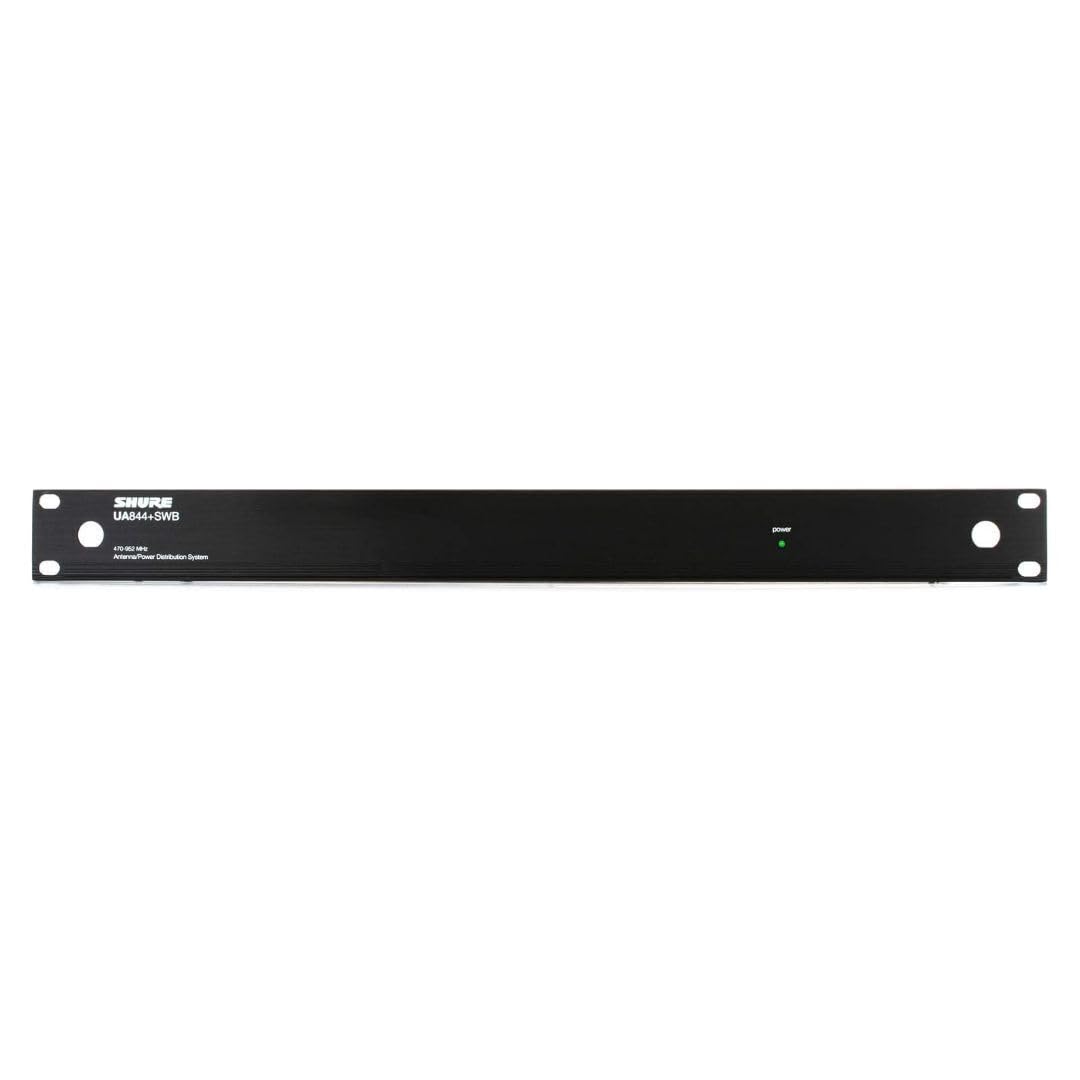
The Shure UA844+SWB/LC is a central unit for managing antenna signals and power for multiple wireless receivers. It features inputs for external antennas and multiple outputs to connect to your wireless receiver units.

Disetél
1. Nyambungkeun Anteneu
Connect your external antennas to the BNC connectors on the Shure UA844+SWB/LC unit. Ensure connections are secure to maintain signal integrity. The system supports active antennas for boosted signal reception.
2. Nyambungkeun Power Supply
Connect the provided power supply to the UA844+SWB/LC unit and then to a suitable power source. The unit also provides 4 DC power feeds for your receivers (15V, 2.5A max), eliminating the need for individual power bricks for each receiver.
3. Connecting Receivers
Connect your QLX-D, ULX, ULX-D, SLX, or BLX4R receivers to the antenna outputs and DC power feeds on the UA844+SWB/LC. Use appropriate coaxial cables for antenna connections and locking power cables if available for secure power delivery.
4. Network Setup for QLX-D Systems
For QLX-D systems, network your receivers together using Cat 5e or Cat 6 Ethernet cables connected from the back of each receiver to a network switch. This enables features like Network Scan for coordinated frequency management. Ensure your network uses a DHCP-enabled router for automatic IP address assignment. Manual IP address setup is also possible. Receivers must be on the same subnet.
Ngoperasikeun
1. Finding an Open Channel (QLX-D)
On your QLX-D receiver, press the 'menu' button to access the scan function. Press 'enter' to initiate a scan for available frequencies. The group and channel will appear on the display once the scan is complete.
2. Syncing Transmitters (QLX-D)
Install batteries into your transmitter and turn it on. Press the 'sync' button on the receiver and align the transmitter's IR window about 6 inches away from the receiver's IR port. 'Good' will display on the receiver when sync is complete, and the blue RF LED will illuminate.
3. Checking Levels (QLX-D)
During a sound check, monitor the audio meter and LED on the receiver. The meter should display at least three bars, and the LED should be green. Adjust the gain using the arrow buttons on the front of the receiver if necessary to achieve optimal audio levels without clipping.
4. Using Network Scan (QLX-D)
Once receivers are networked, select a group or custom group on the receiver to initiate the Network Scan. Press the 'menu' button until 'Network Scan' appears and is flashing, then press 'enter'. The front panel LEDs of all receivers will blink when frequencies have been assigned. If full deployment does not occur due to insufficient open frequencies, select another group and re-scan. Consult the Shure online Wireless Frequency Finder tool if you are unsure which group is best to use.
Pangropéa
- Jaga unit tetep bersih sareng bébas tina lebu. Anggo lawon anu garing sareng lemes pikeun ngabersihkeun.
- Regularly check all cable connections for wear and tear.
- Simpen unit dina tempat anu tiis sareng garing nalika henteu dianggo.
Pamérésan masalah
- Henteu aya sinyal: Check all antenna connections and ensure receivers are powered on and synced. Verify that the antennas are positioned correctly and unobstructed.
- Sinyal Intermiten: Re-scan for open frequencies, especially in environments with high RF interference. Ensure all components are securely connected.
- Masalah kakuatan: Confirm the power supply is correctly connected and functioning. Check all DC power feeds to receivers.
- Network Scan Not Appearing: Ensure all QLX-D receivers are properly networked together and recognized by the system.
spésifikasi
| Fitur | Rincian |
|---|---|
| Item Beurat | 8.51 pon |
| Dimensi produk | 23.2 x 16.4 x 4 inci |
| Nomer Modél Item | UA844 + SWB / LC |
| Warna | Hideung |
| Jenis anteneu | Radio |
| Jumlah Saluran | 5 |
| UPC | 042406461535 |
| Produsén | Shure |
Garansi sareng Rojongan
For warranty information, technical support, or further assistance, please visit the official Shure websitus atanapi ngahubungan layanan palanggan maranéhna. Simpen resi pameseran anjeun pikeun klaim jaminan.
Official Shure Websitus: Visit the Shure Store