1. Bubuka
The AmpliFi HD (High-Density) WiFi Router is designed to provide robust and seamless wireless internet coverage throughout your home. This device features an intuitive touchscreen display, 4 Gigabit Ethernet ports, and 1 WAN port, serving as the core of an expandable mesh Wi-Fi system. It delivers high throughput for streaming, gaming, and other demanding network activities.
Manual ieu nyayogikeun inpormasi penting pikeun nyetél, ngoperasikeun, sareng ngajaga alat anjeun AmpliFi HD Router, ensuring optimal performance and connectivity.
2. Eusi Paket
Pariksa yén pakét anjeun ngandung barang-barang ieu:
- AmpliFi HD Router (Model AFI-R)
- Kabel Ethernet
- Adaptor kakuatan
3. Parentah Setup
Turutan léngkah-léngkah ieu pikeun nyetél anjeun AmpliFi HD Router:
- Prepare Your Existing Network: If you are replacing an existing router, it is recommended to put your current modem/router combo into bridge mode if applicable.
- Sambungkeun router:
- Connect one end of the included Ethernet cable to the WAN port on the AmpliFi HD Router.
- Sambungkeun tungtung séjén kabel Ethernet ka modem Anjeun.
- Plug the power adapter into the router's power port and then into a power outlet.
- Unduh AmpliFi App: Unduh AmpliFi app from the iOS App Store or Google Play Store on your smartphone or tablet.
- Launch the App and Follow On-Screen Instructions: Buka na AmpliFi app. It will guide you through the process of detecting your new router, configuring your Wi-Fi network name (SSID), and setting a password.
- Kasaluyuan Jaringan: The AmpliFi HD Router is compatible with major Internet Service Providers (ISPs) including AT&T, Comcast, Time Warner, Spectrum, and Verizon FiOS.
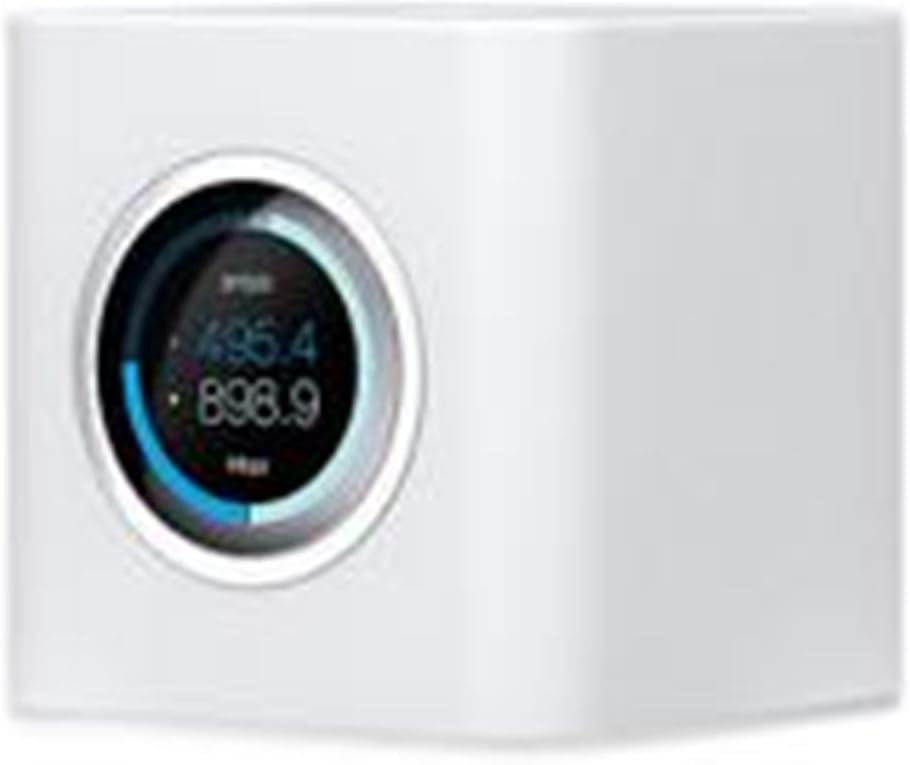
Gambar 3.1: Hareupeun view tina AmpliFi HD WiFi Router, highlighting its touchscreen display.

Gambar 3.2: The AmpliFi HD WiFi Router integrated into a home setting, demonstrating its compact design.
4. Operasi
4.1. App Control and Management
The AmpliFi app provides comprehensive control over your network:
- Network Status Monitoring: View real-time network performance and connected devices.
- Prioritas Alat: Assign priority to specific devices for optimal performance during critical tasks like gaming or streaming.
- Kadali kolot: Create family profiles, set internet schedules, or pause internet access for specific devices.
- Aksés Tamu: Easily create and manage a separate guest Wi-Fi network without sharing your main network password.
- Aksés Jauh: Monitor and manage your network from anywhere using your smartphone.
4.2. Pintonan layar rampa
The router's touchscreen display provides quick access to essential information without needing the app:
- Waktos sareng Tanggal: Némbongkeun waktos ayeuna.
- Bandwidth Usage: Shows real-time upload and download speeds.
- Status jaringan: Nyadiakeun leuwihview of your internet connection status.
- Inpormasi Pelabuhan: Details about active Ethernet ports.
- Modeu Bobo: The display can be configured to enter sleep mode automatically during specific hours.
4.3. Mesh Technology and Expansion
The AmpliFi HD Router utilizes mesh technology, allowing you to expand your Wi-Fi network coverage by adding additional AmpliFi MeshPoints or Routers. This creates a single, unified Wi-Fi network that provides seamless connectivity as you move throughout your home, eliminating dead spots.
5. Pangropéa
5.1. Apdet firmware
The AmpliFi HD Router supports automatic firmware updates. When a new update is available, a notification will appear on the router's touchscreen display and within the AmpliFi app. It is recommended to install updates promptly to ensure optimal performance, security, and access to new features. Updates can typically be initiated with a single tap on the touchscreen or through the app.
5.2. Kaperawatan Umum
- Tetep router dina wewengkon well-ventilated pikeun nyegah overheating.
- Bersihkeun alat nganggo lawon anu lemes sareng garing. Hindarkeun nganggo pembersih cair.
- Pastikeun sadaya kabel disambungkeun aman.
6. Cara ngungkulan
Upami anjeun mendakan masalah sareng anjeun AmpliFi HD Router, consider the following troubleshooting steps:
- Henteu aya sambungan internét:
- Check that your modem is working correctly and has an active internet connection.
- Ensure the Ethernet cable from your modem is securely connected to the WAN port of the AmpliFi router.
- Restart both your modem and the AmpliFi router by unplugging them from power for 30 seconds and then plugging them back in.
- Sinyal Wi-Fi lemah:
- Pindahkeun router ka lokasi sentral di bumi anjeun, jauh tina halangan sareng sumber gangguan (contona, gelombang mikro, telepon tanpa kabel).
- Consider adding AmpliFi MeshPoints or additional Routers to expand your mesh network coverage.
- Device Cannot Connect to Wi-Fi:
- Pariksa deui yén anjeun ngasupkeun kecap akses Wi-Fi anu leres.
- Pariksa AmpliFi app to ensure the device is not paused or blocked by parental controls.
- Pareuman terus hurungkeun deui alat anu nyobian nyambung.
- Masalah Aplikasi:
- Pastikeun Anjeun AmpliFi app is updated to the latest version.
- Use the diagnostic tools available within the AmpliFi app to identify network issues.
For more detailed troubleshooting or advanced configurations, please refer to the official user manual PDF: AmpliFi HD Router User Manual (PDF).
7. Spésifikasi
| Ngaran modél | AFI-R |
| Tipe Wireless | 802.11ac |
| Frékuénsi Band Kelas | Dual-Band |
| palabuhan Ethernet | 4 Gigabit Ethernet, 1 WAN Port |
| palabuhan USB | 1 USB 2.0 Port (functionality may vary) |
| Ukuran (L x W x H) | 3.85 x 3.92 x 3.91 inci |
| Item Beurat | 14.4 ons |
| Warna | Bodas |
| Produsén | Jaringan Ubiquiti |
8. Garansi jeung Rojongan
For information regarding product warranty, technical support, or additional resources, please visit the official AmpliFi websitus atawa tingal kartu jaminan kaasup kalayan produk Anjeun.
You can also access the full user manual in PDF format here: AmpliFi HD Router User Manual (PDF).


