Bubuka
The Ozeri Rev Digital Bathroom Scale is engineered to provide precise weight measurements with an innovative electro-mechanical dial and integrated digital display. This manual provides essential information for the proper setup, operation, and maintenance of your scale, ensuring optimal performance and longevity.
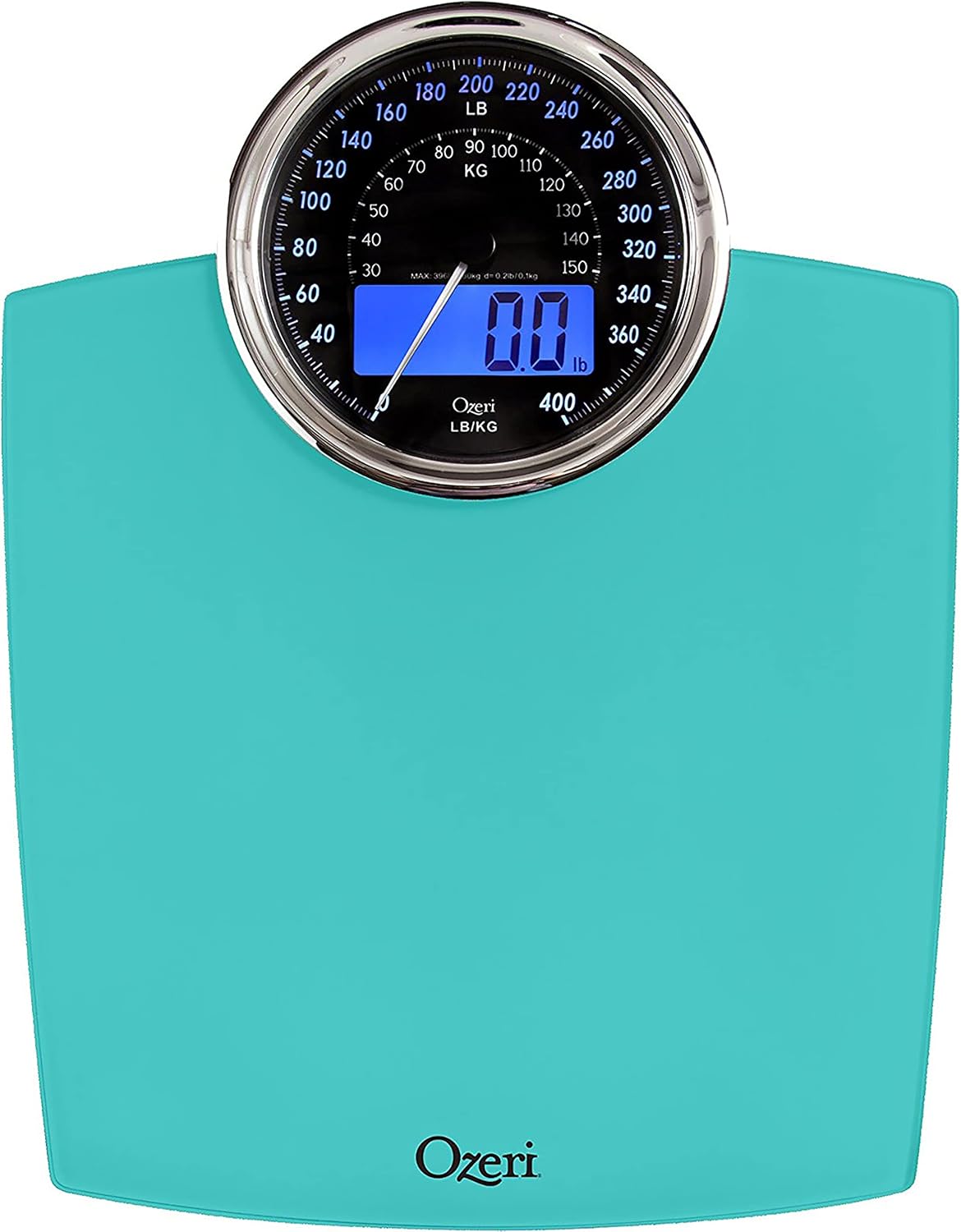
Gambar: Top view of the Ozeri Rev Digital Bathroom Scale in Teal Blue, showcasing its large electro-mechanical dial and digital display.
Émbaran Kasalametan
Please read and understand all safety instructions before using the scale. Failure to do so may result in injury or damage to the device.
- Always place the scale on a hard, flat, and stable surface. Using it on carpet or uneven flooring may affect accuracy.
- Do not use the scale in excessively wet or humid environments, such as directly after showering, as this may cause slipping or damage to electronic components.
- The scale's surface is made of tempered glass. Avoid dropping heavy objects on it or subjecting it to sudden impacts, which could cause the glass to shatter.
- Do not attempt to disassemble or repair the scale yourself. Refer to the 'Warranty and Support' section for service inquiries.
- Jauhkeun skala kaluar jangkauan sahiji barudak leutik.
- This scale is intended for personal household use only and is not suitable for commercial or medical purposes requiring certified precision.
Disetél
1. Unpacking jeung Panempatan Awal
Carefully remove the scale from its packaging. Place the scale on a firm, flat, and level surface. Avoid soft surfaces like carpets or rugs, as these can interfere with accurate readings.
2. Pamasangan batré
Your Ozeri Rev scale requires 3 AAA batteries (included). Locate the battery compartment on the underside of the scale. Open the compartment cover, insert the batteries according to the polarity indicators (+/-), and close the cover securely.

Image: Underside of the Ozeri Rev Digital Bathroom Scale, highlighting the battery compartment and the unit selection switch.
3. Pilihan Unit (Pon/Kilogram)
On the underside of the scale, locate the unit switch. This switch allows you to toggle between pounds (lbs) and kilograms (kg). Select your preferred unit of measurement before first use.
Parentah Operasi
1. Nyandak Pangukuran
The Ozeri Rev scale features 'Step-On' technology, eliminating the need to tap the scale to activate it. Simply step onto the center of the scale with bare, dry feet. Stand still and distribute your weight evenly.
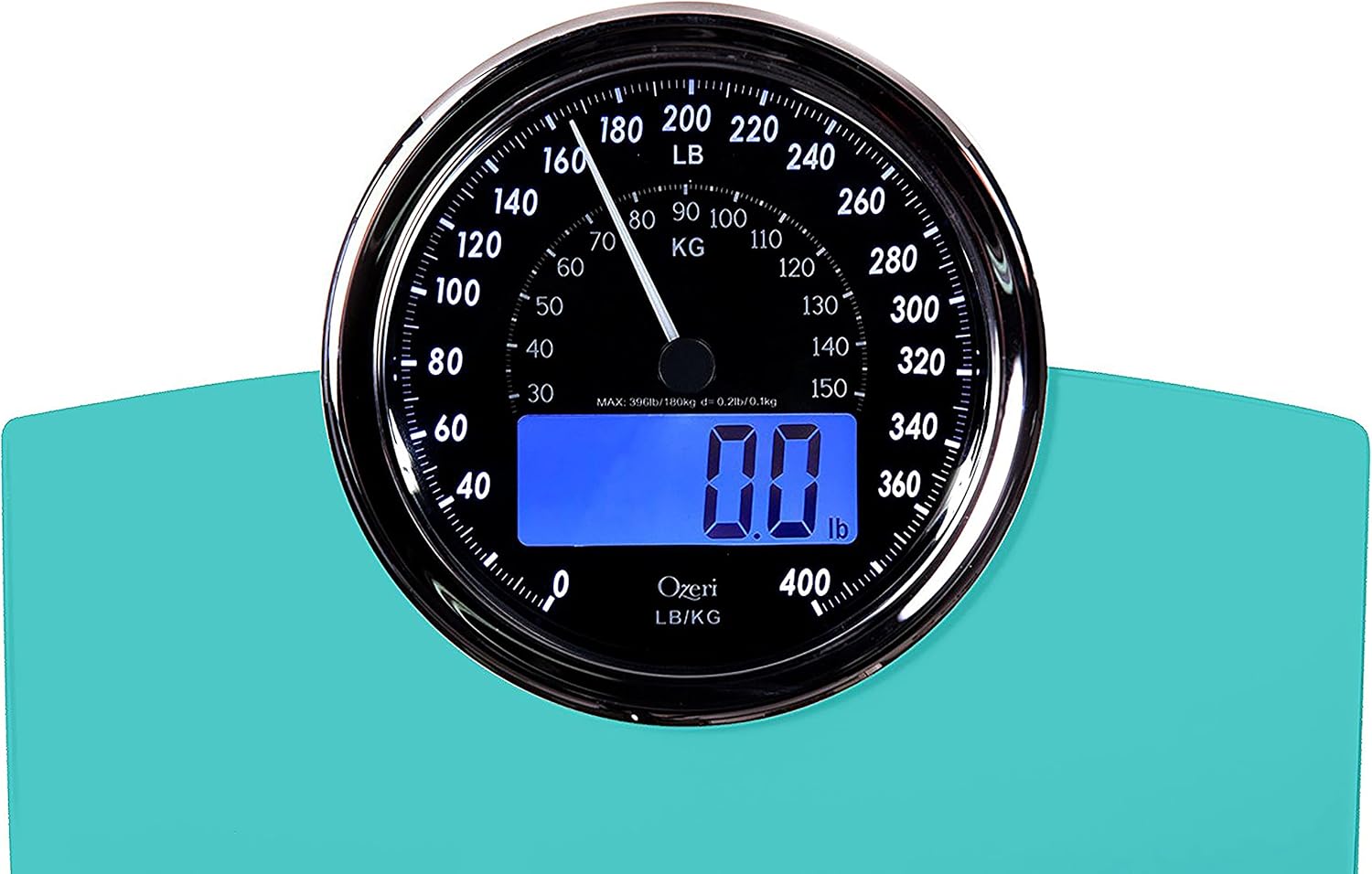
Gambar: Deukeut view of the Ozeri Rev scale's electro-mechanical dial and illuminated digital display, showing a weight reading.
2. Maca Tampilan
Your weight will be displayed simultaneously on both the large electro-mechanical dial and the integrated digital blue-backlit LCD. The dial provides an analog representation, while the LCD offers a precise digital reading in 0.1 lbs or 0.05 kg increments. The display will illuminate for easy reading in all light conditions.
3. Auto-Calibration and Auto-Off
The scale is auto-calibrated for immediate use. After a measurement is taken, the scale will automatically turn off after a few seconds to conserve battery life.
4. Daily Alarm Feature
The Ozeri Rev scale includes a built-in alarm feature designed to remind you to measure your weight at the same time each day. Refer to the full user manual (PDF link provided on product page) for detailed instructions on setting and managing this alarm.
Pangropéa
beberesih
To clean your Ozeri Rev scale, wipe the glass surface with a soft, damp cloth. For stubborn marks, a mild glass cleaner can be used. Avoid abrasive cleaners or harsh chemicals, as these may damage the finish or electronic components. Ensure the scale is completely dry before storage or next use.
Panyimpenan
Store the scale in a cool, dry place. Avoid storing it vertically or in areas with extreme temperature fluctuations.
Pamérésan masalah
- No Display / Low Battery Indicator: If the display does not light up or shows a 'Lo' indicator, replace the 3 AAA batteries.
- Bacaan teu akurat: Ensure the scale is placed on a hard, flat, and level surface. Uneven flooring or carpet can cause discrepancies. Step onto the scale gently and stand still. If issues persist, try removing the batteries for 10 seconds and reinserting them to reset the scale.
- 'Err' Message: This typically indicates an overload. The scale has a maximum weight capacity of 400 lbs (180 kg). Step off the scale immediately if this message appears.
- Display Flashing: This may indicate an unstable reading. Ensure you are standing still and balanced on the scale.
For further assistance, please contact Ozeri customer support.
spésifikasi
| merek | Ozeri |
| Nomer modél | ZB19-T |
| Warna | Biru Teal |
| Dimensi produk | 13.5 x 14 x 1 inci |
| Item Beurat | 4.38 pon |
| Batesan Beurat | 400 Pon (180 kg) |
| Tipe tampilan | LCD with Electro-Mechanical Dial |
| Fitur husus | Auto Shut Off, Large Display, Daily Alarm |
| Batré Diperlukeun | 3 batré AAA (kaasup) |
Garansi sareng Rojongan
Ozeri products are manufactured to high-quality standards. For warranty information or technical support, please contact Ozeri customer service directly.
Telepon: 1-877-299-1296
Surélék: support@ozeri.com
Please have your model number (ZB19-T) and purchase information ready when contacting support.


