1. Bubuka
This manual provides detailed instructions for the installation, operation, maintenance, and troubleshooting of the Hikvision DS-9632NI-I8 32-Channel 4K Network Video Recorder (NVR). Please read this manual thoroughly before using the product to ensure proper and safe operation. Keep this manual for future reference.
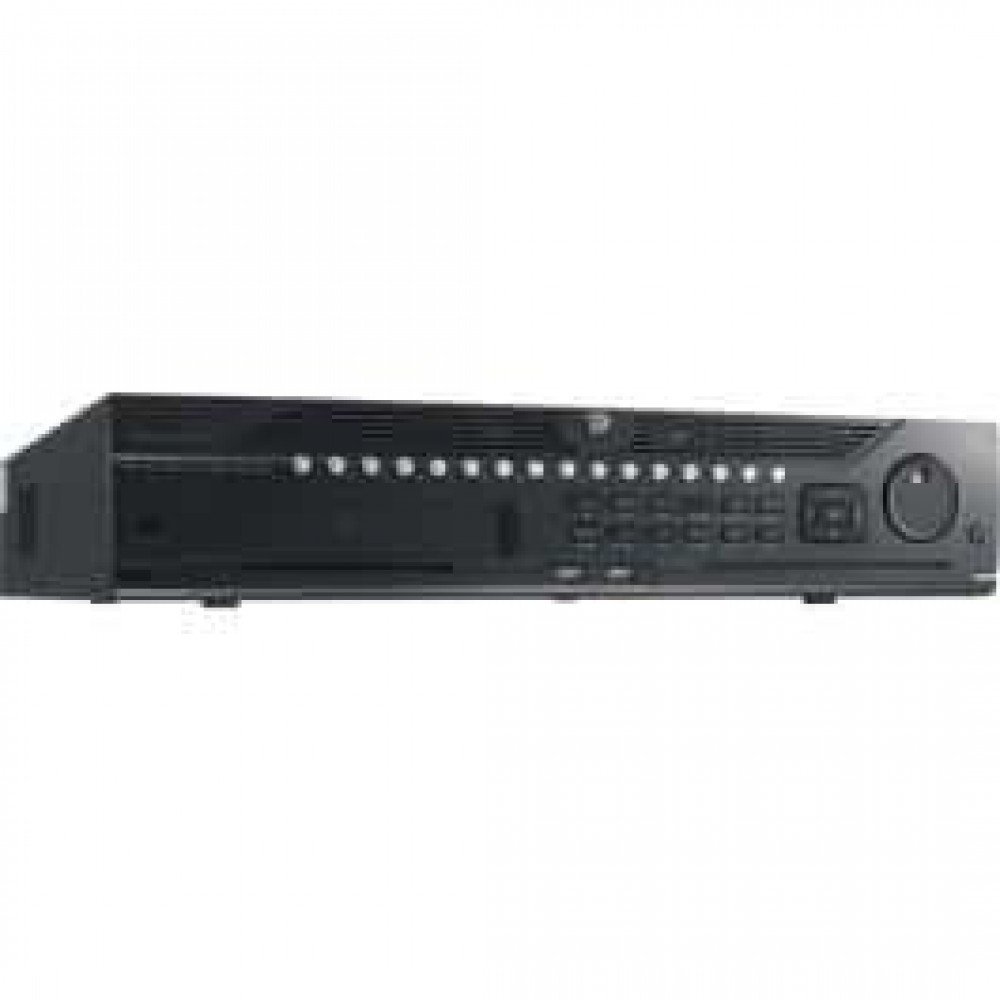
Gambar 1: Hareupeun view of the Hikvision DS-9632NI-I8 NVR, showing its robust chassis and various interface ports.
2. Émbaran Kasalametan
Always follow basic safety precautions to reduce the risk of fire, electric shock, and injury to persons. This includes, but is not limited to:
- Use only the power adapter specified by the manufacturer.
- Pastikeun ventilasi ditangtoskeun pikeun nyegah overheating.
- Ulah nepi ka NVR kakeunaan cai atawa kalembaban.
- Avoid placing the NVR near heat sources or in direct sunlight.
- Rujuk sadayana jasa ka tanaga jasa anu mumpuni.
3. Eusi Paket
Verify that all items are present and in good condition. If any item is missing or damaged, contact your dealer immediately.
- Hikvision DS-9632NI-I8 NVR Unit
- Adaptor/Kabel Daya
- Mouse USB
- Screws for HDD Installation
- Gancang Mimitian Guide
- CD-ROM (containing software and full manual)
4. Setélan
4.1 Pamasangan parangkat keras
- Prepare Hard Disk Drives (HDDs): The DS-9632NI-I8 supports up to 8 SATA HDDs. Install HDDs into the NVR chassis using the provided screws. Ensure each HDD is securely mounted.
- Sambungkeun Periferal:
- Sambungkeun monitor ka port kaluaran HDMI atawa VGA.
- Connect the included USB mouse to a USB port.
- Sambungkeun NVR ka jaringan anjeun nganggo kabel Ethernet.
- Daya Hurung: Connect the power adapter to the NVR and then to a power outlet. Press the power button on the front panel.
4.2 Konfigurasi Awal
Upon first boot, the NVR will guide you through an initial setup wizard.
- Setel Sandi Administrator: Create a strong password for the 'admin' user.
- Setélan jaringan: Configure network parameters (DHCP or Static IP). Ensure the NVR is accessible on your local network.
- Tanggal sareng Waktos: Setel tanggal, waktos, sareng zona waktos anu leres.
- Inisialisasi HDD: The NVR will prompt you to initialize the installed HDDs. This process will format the drives for recording.
- Add IP Cameras: Use the wizard to search for and add compatible Hikvision IP cameras to the NVR.
5. Parentah Operasi
5.1 Hirup View
Saatos log in, NVR bakal ningalikeun langsung view interface, showing feeds from connected cameras. You can switch between different camera views sareng tata letak.
- Kaméra Tunggal View: Double-click a camera window to view eta dina layar pinuh.
- Layout Selection: Use the layout icons at the bottom of the screen to choose different grid arrangements (e.g., 4-channel, 9-channel).
5.2 Manajemén rékaman
The NVR supports continuous, scheduled, and event-triggered recording.
- Configure Recording Schedule: Arahkeun ka Configuration > Storage > Schedule Settings to define recording times for each camera.
- Ngarekam Manual: Click the record icon on the live view antarmuka pikeun ngamimitian/ngeureunkeun ngarékam manual.
5.3 Playback
Pikeun ulangview dirékam footage:
- Pindah ka Playback ménu.
- Pilih kaméra sareng rentang tanggal/waktos anu dipikahoyong.
- Anggo timeline pikeun nganapigasi ngarékam.
- Playback controls (play, pause, fast forward, rewind) are available.
5.4 Aksés Jauh
NVR tiasa diaksés jarak jauh ngalangkungan web browser or Hik-Connect mobile app.
- Web Browser: Enter the NVR's IP address into a web browser.
- Sambungkeun Hik: Download the Hik-Connect app, register an account, and add your NVR by scanning its QR code or entering its serial number.
6. Pangropéa
6.1 Apdet firmware
Regularly check for and install firmware updates to ensure optimal performance and security. Firmware can be downloaded from the official Hikvision websitus.
- Arahkeun ka Configuration > System > Maintenance > Upgrade.
- Follow the on-screen instructions to perform the upgrade. Do not power off the NVR during the update process.
6.2 Manajemén hard drive
Monitor the health of your HDDs and manage storage space.
- Status HDD: Check HDD status in Configuration > Storage > HDD Management.
- Modeu nimpa: Configure the NVR to overwrite old recordings when storage is full (default behavior).
6.3 beberesih
Keep the NVR clean to prevent dust buildup, which can affect performance and lifespan.
- Power off and unplug the NVR before cleaning.
- Anggo lawon anu lemes sareng garing pikeun ngusap bagian luarna.
- Use compressed air to clear dust from ventilation openings.
7. Cara ngungkulan
| Masalah | Mungkin Cukang lantaranana | Solusi |
|---|---|---|
| Taya kaluaran video dina monitor. | Sambungan kabelna kendor, sumber input dina monitor salah, NVR teu hurung. | Pariksa sambungan kabel HDMI/VGA. Pastikeun monitor disetel ka input anu leres. Pariksa daya NVR. |
| Teu tiasa ngaksés NVR jarak jauh. | Network configuration issues, firewall blocking, incorrect port forwarding. | Verify NVR network settings. Check router firewall and port forwarding rules. Ensure Hik-Connect is properly configured. |
| Kaméra henteu ngarékam. | HDD not initialized, recording schedule not set, HDD full. | Initialize HDDs. Configure recording schedule. Check HDD status and capacity. |
| Poho sandi administrator. | Sandi leungit. | Refer to the full manual or Hikvision support for password reset procedures. This often involves a security code or a physical reset button. |
8. Spésifikasi
| Fitur | Rincian |
|---|---|
| Modél | DS-9632NI-I8 |
| Input Video | 32-Channel IP Video Input |
| Kaluaran Video | HDMI (dugi ka 4K), VGA |
| Format Dékoding | H.265 + / H.265 / H.264 + / H.264 |
| Input / Kaluaran Audio | 1-ch, RCA (2.0 Vp-p, 1 kΩ) / 2-ch, RCA (Linear, 1 kΩ) |
| SATA | 8 SATA interfaces for 8 HDDs |
| Kapasitas | Up to 10 TB for each HDD (example, actual capacity may vary) |
| Panganteur Jaringan | 2 RJ-45 10M/100M/1000M self-adaptive Ethernet interfaces |
| Panganteur USB | Front panel: 2 × USB 2.0; Rear panel: 1 × USB 3.0 |
| Ukuran (W × D × H) | 23 x 22 x 8 inci (kira-kira) |
| Sasayogian tanaga | 100 ka 240 VAC, 50 ka 60 Hz |
9. Garansi jeung Rojongan
9.1 Garansi kawates
Hikvision products are covered by a limited warranty. The specific terms and duration of the warranty may vary by region and product type. Please refer to the official Hikvision websitus atanapi dokuméntasi pameseran anjeun kanggo inpormasi jaminan anu lengkep.
- Simpen bukti pameseran anjeun pikeun klaim garansi.
- Unauthorized repairs or modifications may void the warranty.
9.2 Rojongan Téknis
For technical assistance, product inquiries, or service requests, please contact Hikvision support through the following channels:
- Resmi Websitus: Nganjang www.hikvision.com pikeun sumber dukungan, FAQ, sareng inpormasi kontak.
- Palayanan palanggan: Refer to the contact details provided on the Hikvision websitus pikeun wewengkon husus Anjeun.
- Dealer Otorisasi: Your authorized Hikvision dealer can also provide support and service.


