1. Bubuka
This manual provides instructions for the proper setup, operation, and maintenance of your Amazon Basics Controller Battery Pack Charger for Xbox One S Console. Please read this manual thoroughly before use to ensure optimal performance and safety.
2. Produk Langkungview
The Amazon Basics Controller Battery Pack Charger is designed to provide a convenient and efficient charging solution for your Xbox One S wireless controllers. It includes a charging dock that connects directly to your console and two rechargeable battery packs.
2.1 Eusi pakét
- 1 x Amazon Basics Controller Battery Pack Charger
- 2 x Pek Batré anu tiasa dicas deui
- 1 x Manual Pamaké (dokumén ieu)
2.2 Fitur Produk
- Integrated design for Xbox One S console.
- Dual charging slots for two battery packs.
- LED indicators for charging status.
- Pass-through USB port for continued console functionality.

Image: The Amazon Basics Controller Battery Pack Charger with its two included rechargeable battery packs.
3. Parentah Setup
- Connect the Charger to the Console: Locate an available USB port on your Xbox One S console. Insert the charger's integrated USB connector into the console's USB port. The charger is designed to fit snugly on the side of the console.

Image: The charging dock securely attached to the side of an Xbox One S console, utilizing a USB port.
- Install Battery Packs into Controllers: Open the battery compartment on your Xbox One S wireless controller. Insert an Amazon Basics rechargeable battery pack, ensuring the contacts align correctly. Close the battery compartment cover.
Note: The battery packs are designed for a snug fit. Ensure proper alignment and gentle pressure when installing or removing to avoid damage.

Image: Two Amazon Basics rechargeable battery packs, ready for insertion into a controller or charger.
4. Parentah Operasi
4.1 Charging Battery Packs
- Ensure the charger is properly connected to your Xbox One S console.
- Insert the rechargeable battery packs into the charging slots on the top of the charger. Ensure they are seated correctly.

Image: A rechargeable battery pack being placed into one of the charging slots on the dock.
- The LED indicators on the front of the charger will illuminate to show the charging status:
- LED Beureum: Batré keur ngecas.
- LED Héjo: Batré dicas pinuh.

Image: The charging dock attached to the console, displaying its LED indicators for charging status.
- Once fully charged, remove the battery packs from the charger.
4.2 Using the Pass-Through USB Port
The charger features a pass-through USB port on its front, allowing you to connect other USB devices to your console without losing a port. This port functions as a standard USB 3.0 port.
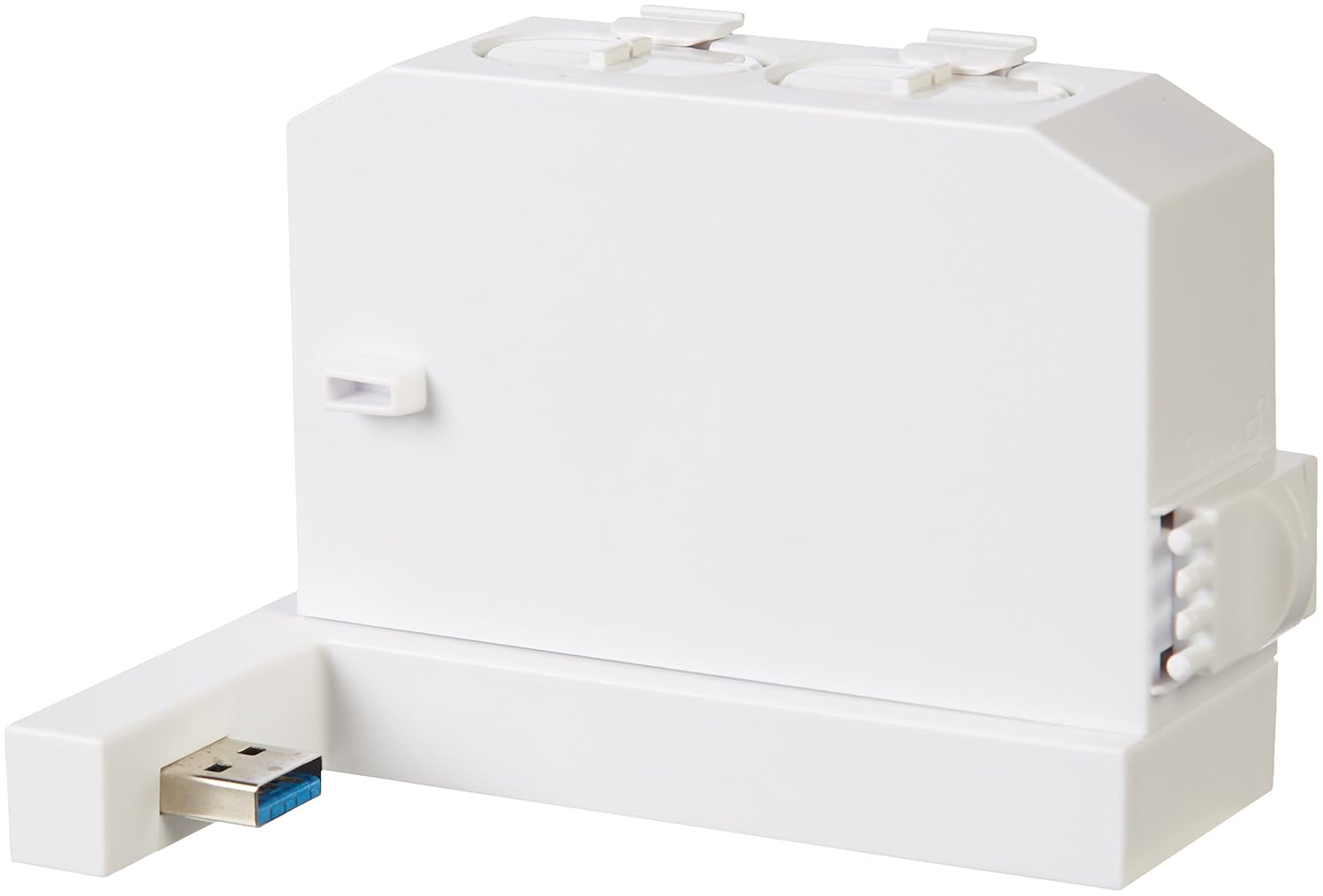
Image: The charging dock highlighting its integrated pass-through USB port for additional connectivity.
5. Pangropéa
- beberesih: Disconnect the charger from the console before cleaning. Use a soft, dry cloth to wipe the surface of the charger and battery packs. Do not use liquid cleaners or abrasive materials.
- Panyimpenan: When not in use for extended periods, store the charger and battery packs in a cool, dry place away from direct sunlight and extreme temperatures.
6. Cara ngungkulan
| Masalah | Mungkin Cukang lantaranana | Solusi |
|---|---|---|
| Batteries not charging (Red LED not on) |
|
|
| Battery pack does not fit controller |
|
|
| Pass-through USB port not working |
|
|
7. Spésifikasi
- Jumlah modél: 88b1050f-1d0d-44fb-81a3-52970ae4488e
- Kasaluyuan: Xbox One S Wireless Controllers
- Input: USB (from Xbox One S console)
- Kaluaran: Dual charging slots, 1x USB 3.0 pass-through port
- Jenis Batré: Rechargeable NiMH (specific capacity not provided in source, general type)
- Titimangsa munggaran sadia: 19 Juni 2017
- Pabrikan: Dasar Amazon
8. Émbaran Kasalametan
- Entong ngabongkar, ngarobih, atanapi nyobian ngalereskeun alat.
- Keep the charger and battery packs away from water, moisture, and extreme temperatures.
- Hindarkeun ragrag atanapi ngagentoskeun alat kana tabrakan anu kuat.
- Ulah pondok-circuit terminal batré.
- Buang batré anu dipaké nurutkeun peraturan lokal.
- produk ieu dimaksudkeun pikeun pamakéan indoor wungkul.
9. Garansi jeung Rojongan
Kanggo inpormasi garansi sareng dukungan palanggan, mangga tingal ka kantor resmi Amazon Basics. websitus atanapi hubungi layanan palanggan Amazon sacara langsung. Simpen resi pameseran anjeun kanggo klaim garansi.


