1. Bubuka
Thank you for choosing the Fosmon 6-Outlet Wall Plug Extender. This device is designed to expand your existing wall outlet capacity, providing six additional grounded outlets for your electronic devices. Its compact, three-sided design helps to organize cords and save space, making it suitable for various environments including homes, offices, dorms, and for travel.
Please read this manual thoroughly before use to ensure proper installation, operation, and maintenance of your wall plug extender.
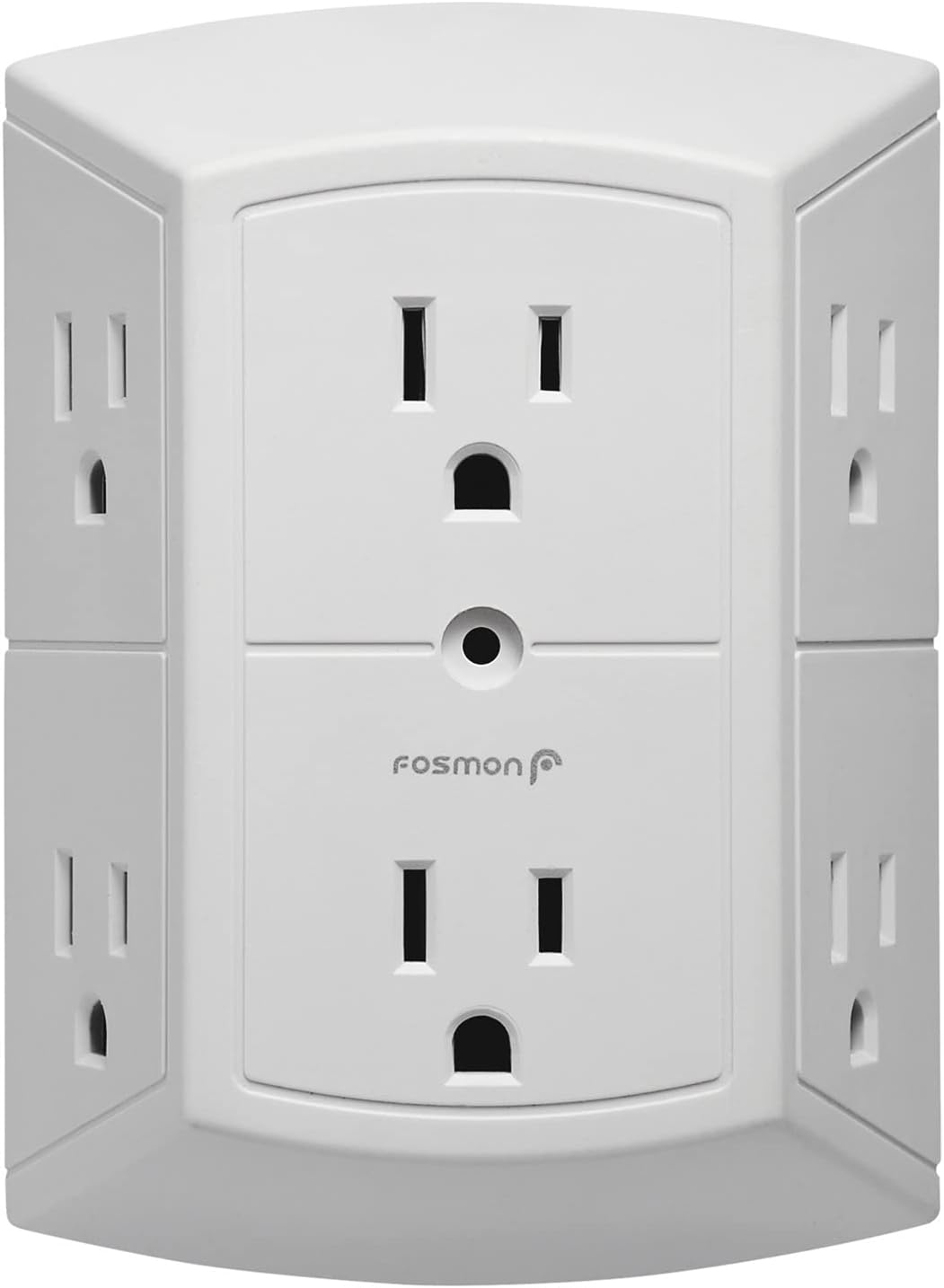
Gambar 1.1: Hareupeun view of the Fosmon 6-Outlet Wall Plug Extender, showing the two main outlets and the Fosmon logo.
2. Émbaran Kasalametan
To prevent fire, electric shock, or injury, always follow basic safety precautions when using this product.
- Pamakéan jero rohangan wungkul: This product is intended for indoor use in dry locations. Do not use in wet or damp kaayaan.
- Peunteun Listrik: Do not exceed the electrical rating of 15A, 125V, 1875W. Overloading the extender can cause overheating and potential fire hazards.
- Outlet grounded: All six outlets are grounded. Ensure that any devices plugged into the extender are also grounded if required.
- Didaptarkeun ETL: Produk ieu didaptarkeun dina ETL, nunjukkeun patuh kana standar kaamanan Amérika Kalér.
- Proposisi 65 Peringatan: Produk ieu tiasa ngandung bahan kimia anu dipikanyaho ku Nagara California pikeun nyababkeun kanker sareng cacad kalahiran atanapi cilaka réproduktif sanés. Ngumbah leungeun sanggeus nanganan.
- Hindarkeun Daisy-Chaining: Do not plug one power strip or extender into another.
- Barudak jeung Pets: Jauhkeun tina jangkauan barudak sareng piaraan.

Image 2.1: The ETL Listed mark on the product, confirming its safety certification.
3. Fitur Produk
The Fosmon 6-Outlet Wall Plug Extender offers several key features for convenient and safe power distribution:
- Triples Outlet Capacity: Converts a standard duplex wall outlet into six grounded outlets.
- Three-Sided Design: Two outlets on each of the three sides allow for better organization of cords and accommodate bulky power adapters without blocking adjacent outlets.
- Hemat Spasi: Eliminates the need for bulky extension cords or power strips, providing a neat and organized power solution.
- Didaptarkeun ETL: Ensures the product meets recognized safety standards for electrical products.
- Konstruksi awét: Made from plastic material for long-lasting use.
4. Parentah Setup
The Fosmon 6-Outlet Wall Plug Extender is designed for simple plug-and-play installation.
- Identify a Standard Duplex Outlet: Locate a standard 3-prong, 125V AC duplex wall outlet where you wish to expand power.
- Optional: Remove Wall Plate Screw: For a more secure installation, you may remove the center screw from your existing wall outlet plate. This extender includes a longer screw to secure it to the wall outlet.
- Colokkeun Extender: Align the prongs of the Fosmon 6-Outlet Wall Plug Extender with the receptacles of the wall outlet and push firmly until it is flush with the wall.
- Secure with Screw (Optional): If you removed the wall plate screw, use the provided longer screw to secure the extender to the wall outlet for added stability.
- Outlet GFCI: This extender is compatible with GFCI (Ground Fault Circuit Interrupter) outlets. When plugging into a GFCI outlet, do not use the mounting screw as GFCI outlets typically have test/reset buttons in the center where the screw would go. The extender will function correctly without the screw in GFCI outlets.

Image 4.1: The extender being plugged into a standard duplex wall outlet, illustrating the 'Plug & Play' feature.

Image 4.2: Illustration of compatibility with GFCI outlets, demonstrating that the mounting screw is not used in this scenario.
5. Parentah Operasi
Once the Fosmon 6-Outlet Wall Plug Extender is securely installed, you can begin connecting your devices.
- Sambungkeun Alat: Plug your 125V AC devices into any of the six available grounded outlets on the extender.
- Utilize Three-Sided Design: The unique three-sided design allows for larger power adapters to be plugged in without obstructing adjacent outlets, maximizing the use of all six ports.
- Beban Monitor: Pastikeun total wattage of all connected devices does not exceed 1875W (15A at 125V).

Image 5.1: The extender in use, demonstrating how six devices can be plugged in simultaneously.

Image 5.2: A close-up showing the wide spacing of the outlets, allowing for larger power adapters to be used without interference.
6. Pangropéa
The Fosmon 6-Outlet Wall Plug Extender requires minimal maintenance.
- beberesih: Disconnect the extender from the wall outlet before cleaning. Use a dry, soft cloth to wipe the exterior. Do not use liquid cleaners or aerosols.
- Pamariksaan: Periodically inspect the extender for any signs of damage, such as cracks in the casing, loose prongs, or discoloration. If damage is observed, discontinue use immediately.
- Panyimpenan: When not in use, store the extender in a cool, dry place away from direct sunlight and moisture.
7. Cara ngungkulan
If you encounter issues with your Fosmon 6-Outlet Wall Plug Extender, refer to the following common problems and solutions:
| Masalah | Mungkin Cukang lantaranana | Solusi |
|---|---|---|
| No power from any outlets. | Wall outlet is not functioning; circuit breaker tripped; extender not fully inserted. | Test the wall outlet with another device. Check your home's circuit breaker. Ensure the extender is fully and securely plugged into the wall outlet. |
| Power flickering or intermittent. | Loose connection; extender not flush with wall; issue with GFCI outlet. | Ensure the extender is firmly seated in the wall outlet. If using the mounting screw, ensure it is tightened. If plugged into a GFCI outlet, ensure it is making good contact without the screw. Avoid overloading. |
| One or more devices not receiving power. | Device malfunction; extender overloaded. | Test the device in another outlet. Reduce the number of devices plugged into the extender to ensure total wattage di handap 1875W. |
| Extender feels warm. | Normal operation under load; potential overload. | A slight warmth is normal. If it feels excessively hot, immediately unplug all devices and the extender. Check total wattage tina alat disambungkeun. |
8. Spésifikasi
| Dimensi produk | 3.75 x 1.7 x 5.1 inci |
| Item Beurat | 7.5 ons |
| Nomer modél | C-10687 |
| merek | Fosmon |
| Warna | Bodas |
| Bahan | palastik |
| Voltage | 125 volt |
| Peunteun ayeuna | 15 Amps |
| Wattage Peunteun | 1875 Watt |
| Jumlah Outlet | 6 |
| Sertifikasi | ETL Didaptarkeun |
9. Garansi jeung Rojongan
Fosmon stands behind the quality of its products.
- Garansi Saumur Hirup Wates: This product is covered by a limited lifetime warranty. For details regarding warranty coverage and claims, please refer to the official Fosmon websitus atanapi ngahubungan rojongan customer.
- Rojongan Palanggan: For any questions, technical assistance, or warranty inquiries, please contact our dedicated USA-based customer service team.
- Sumberdaya Online: Visit the official Fosmon store for additional product information and support: Fosmon Store


