1. Bubuka
The Vgate VS890S is a versatile diagnostic scan tool designed to read and clear trouble codes from your vehicle's On-Board Diagnostics (OBD-II) system. It supports all OBD-II protocols, including CAN, J1850 PWM, J1850 VPW, ISO9141, and KWP2000. This manual provides detailed instructions for the proper use and maintenance of your VS890S scanner.
2. Émbaran Kasalametan
Always observe safety precautions when working on a vehicle. Improper use of diagnostic tools can lead to personal injury or damage to the vehicle. Ensure the vehicle is in a safe, well-ventilated area. Do not wear loose clothing or jewelry when working near moving engine parts. Keep the scanner away from water and extreme temperatures.
3. Produk Langkungview
The Vgate VS890S features a user-friendly interface with a clear LCD display and intuitive button layout. Familiarize yourself with the device's components before operation.
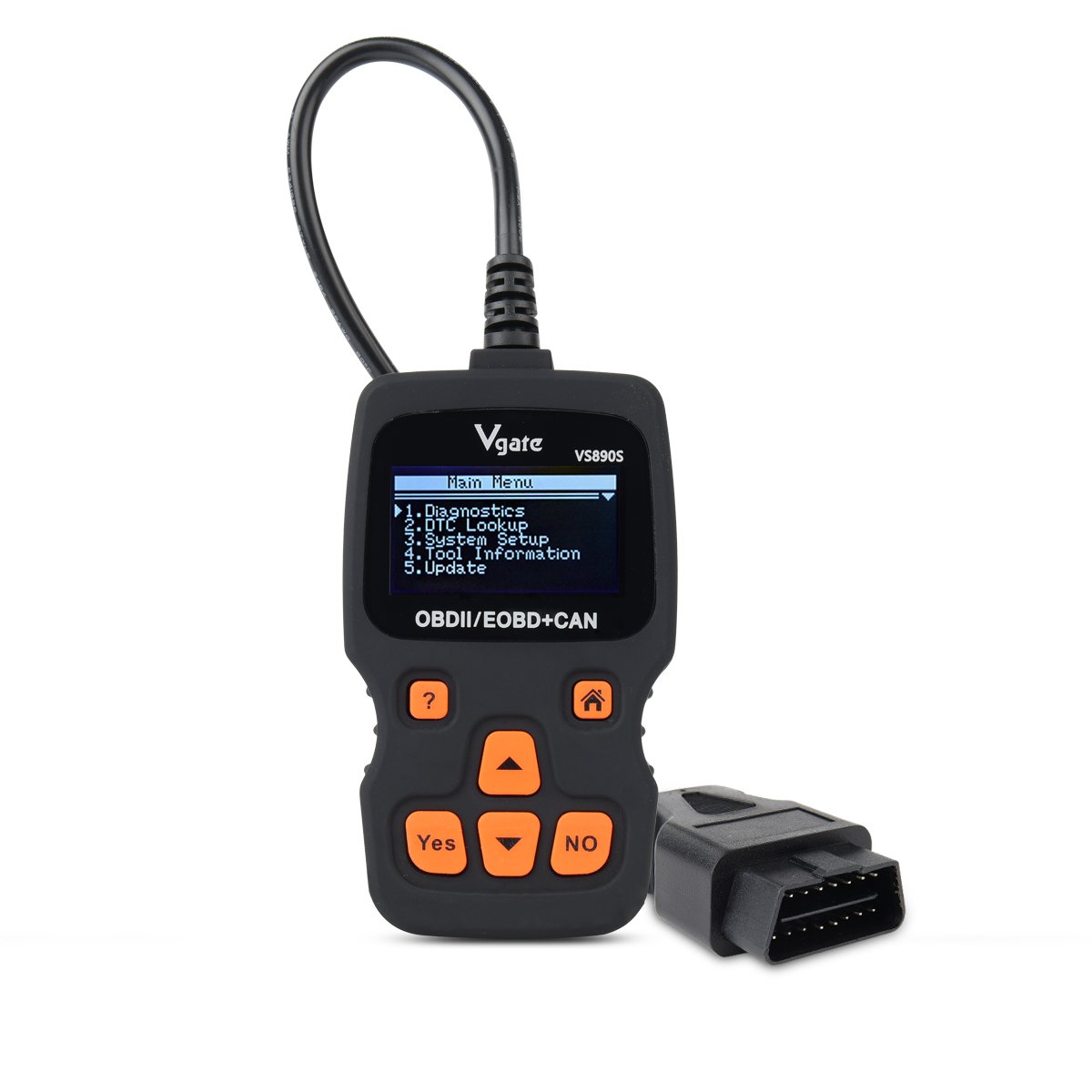
Figure 3.1: Vgate VS890S device with labeled buttons and dimensions. The image shows the front view of the scanner with its display and control buttons, along with a side profile indicating its thickness.
3.1. Kontrol jeung Indikator
- Tombol Pitulung (?): Provides on-screen assistance or information.
- Tombol Imah (Ikon Imah): Mulih kana ménu utami.
- Yes Button: Confirms selections atawa lampah.
- No Button: Cancels selections or actions.
- Roll Up (Up Arrow): Navigates upwards through menu options or increases values.
- Roll Down (Down Arrow): Navigates downwards through menu options or decreases values.
4. Setélan
Follow these steps to prepare your VS890S scanner for use.
4.1. Nyambungkeun Alat
- Panggihan 16-pin Data Link Panyambung (DLC) kendaraan. Ieu ilaharna kapanggih dina dasbor di sisi supir urang.
- Pastikeun ignition kendaraan aya dina posisi OFF.
- Firmly plug the VS890S connector into the vehicle's DLC.
- Turn the vehicle's ignition to the ON position (engine off). The scanner will power on automatically.
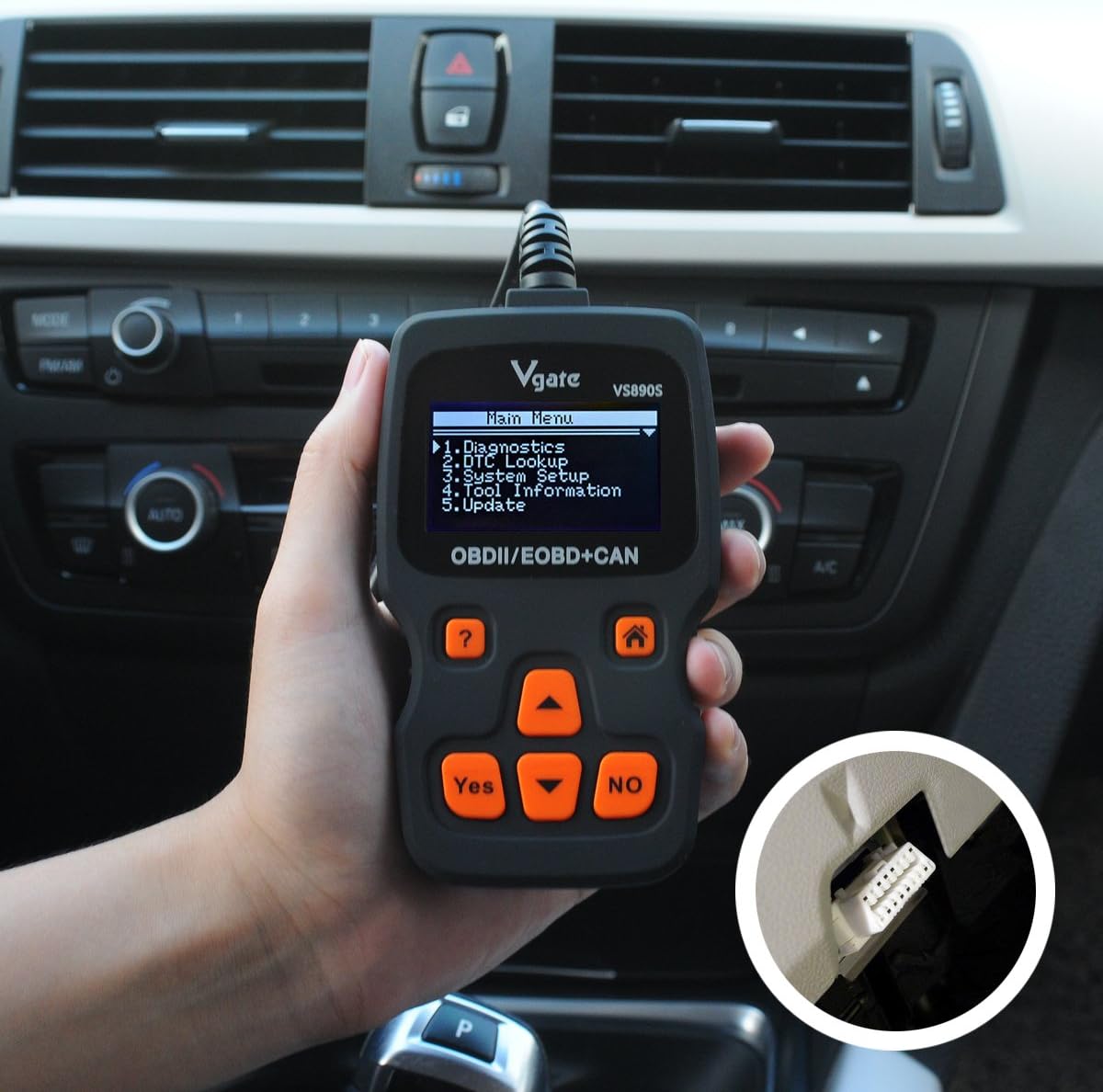
Figure 4.1: The Vgate VS890S scanner connected to a vehicle's OBD-II port, located under the dashboard. The image shows a hand holding the scanner with its cable plugged into the car's diagnostic port.
5. Parentah Operasi
This section details the various functions and how to navigate the Vgate VS890S.

Figure 5.1: Various screen displays of the Vgate VS890S, including the Main Menu, DTC Lookup, System Setup, and Language selection screens.
5.1. Napigasi Menu Utama
Upon powering on, the device will display the Main Menu. Use the Gulung ka luhur jeung Gulung Turun buttons to navigate through the options, and the Sumuhun tombol pikeun milih.
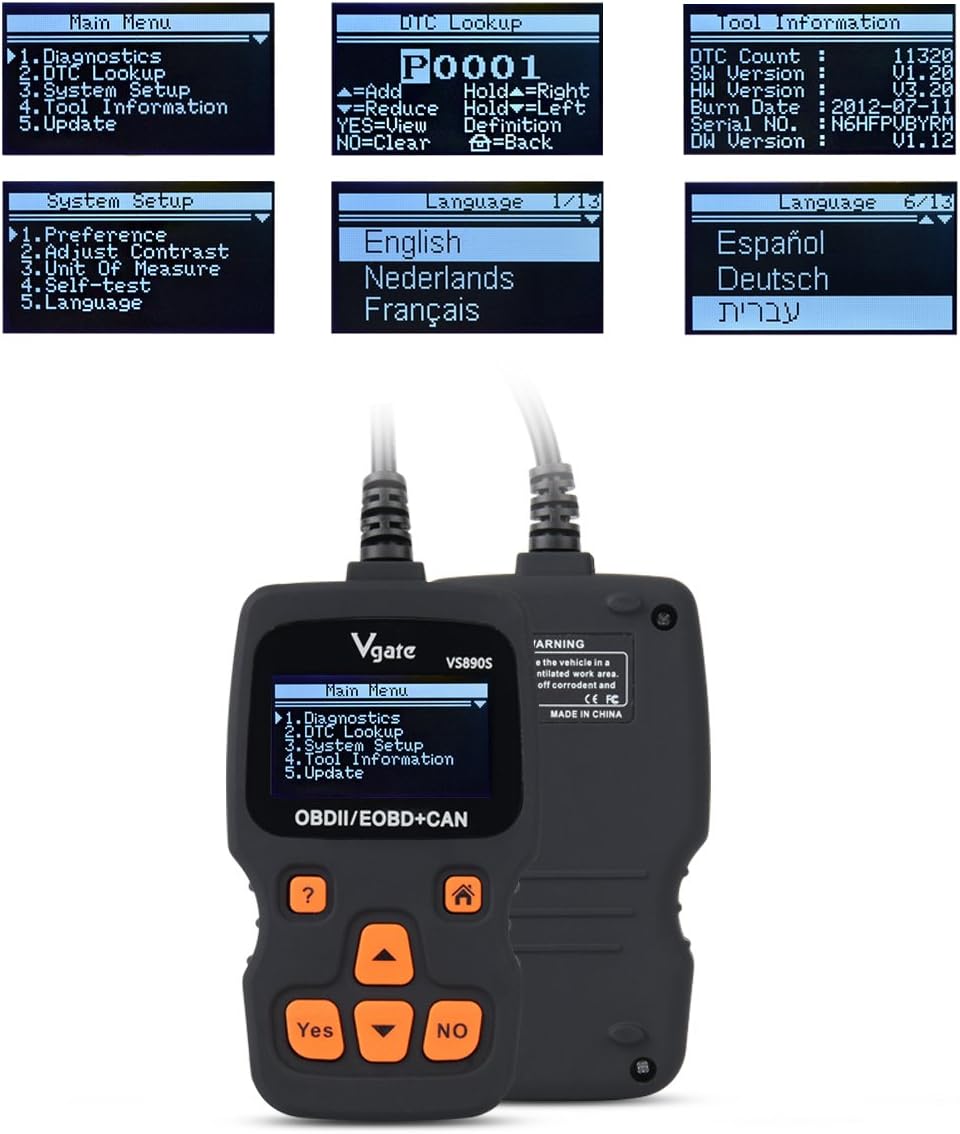
Figure 5.2: The Vgate VS890S displaying the Main Menu with options such as Diagnostics, DTC Lookup, System Setup, Tool Information, and Update.
- Diagnostik: Accesses vehicle diagnostic functions, including reading and clearing trouble codes, viewing live data, and more.
- Pilarian DTC: Allows you to manually enter a Diagnostic Trouble Code (DTC) to view harti na.
- Setup Sistim: Configures device settings such as language, display contrast, and units of measurement.
- Émbaran alat: Displays details about the scanner, including software version and serial number.
- Pembaruan: Used for updating the device's firmware (requires connection to a computer).
5.2. Maca sareng Ngabersihan Kode Masalah
- Tina Menu Utama, pilih Diagnostik jeung pencét Sumuhun.
- The scanner will establish communication with the vehicle. This may take a few moments.
- Sakali disambungkeun, pilih Baca Kodeu ka view any stored Diagnostic Trouble Codes (DTCs).
- Pikeun mupus kodeu, pilih Hapus Kodeu jeung pencét Sumuhun. Confirm the action when prompted. Note: Clearing codes will turn off the Check Engine Light (MIL) but will not fix the underlying problem. Address the issue before clearing codes.
5.3. Pilarian DTC
If you have a DTC from another source, you can use the DTC Lookup function to get its definition.
- Tina Menu Utama, pilih DTC Pilarian jeung pencét Sumuhun.
- Ngagunakeun éta Gulung ka luhur jeung Gulung Turun buttons to select characters and the Sumuhun button to confirm each character.
- Once the full DTC is entered, the definition will be displayed.
5.4. Setup Sistim
Customize your scanner's settings.
- Tina Menu Utama, pilih Setup Sistim jeung pencét Sumuhun.
- Pilihan kalebet:
- Preferensi: Adjust general settings.
- Adjust Contrast: Modify screen brightness for better visibility.
- Ukuran Ukuran: Switch between Metric and Imperial units.
- Uji diri: Perform a self-diagnostic check of the scanner.
- Basa: Select your preferred operating language. The device supports multiple languages including English, Spanish, German, and French.
- Ngagunakeun éta Gulung ka luhur jeung Gulung Turun buttons to select an option, then press Sumuhun to enter its sub-menu or confirm a change.
5.5. Émbaran alat
View details about your VS890S scanner.
- Tina Menu Utama, pilih Émbaran alat jeung pencét Sumuhun.
- The screen will display information such as DTC Count, Software Version (SW Version), Hardware Version (HW Version), Burn Date, Serial Number, and Diagnostic Software Version (DW Version).
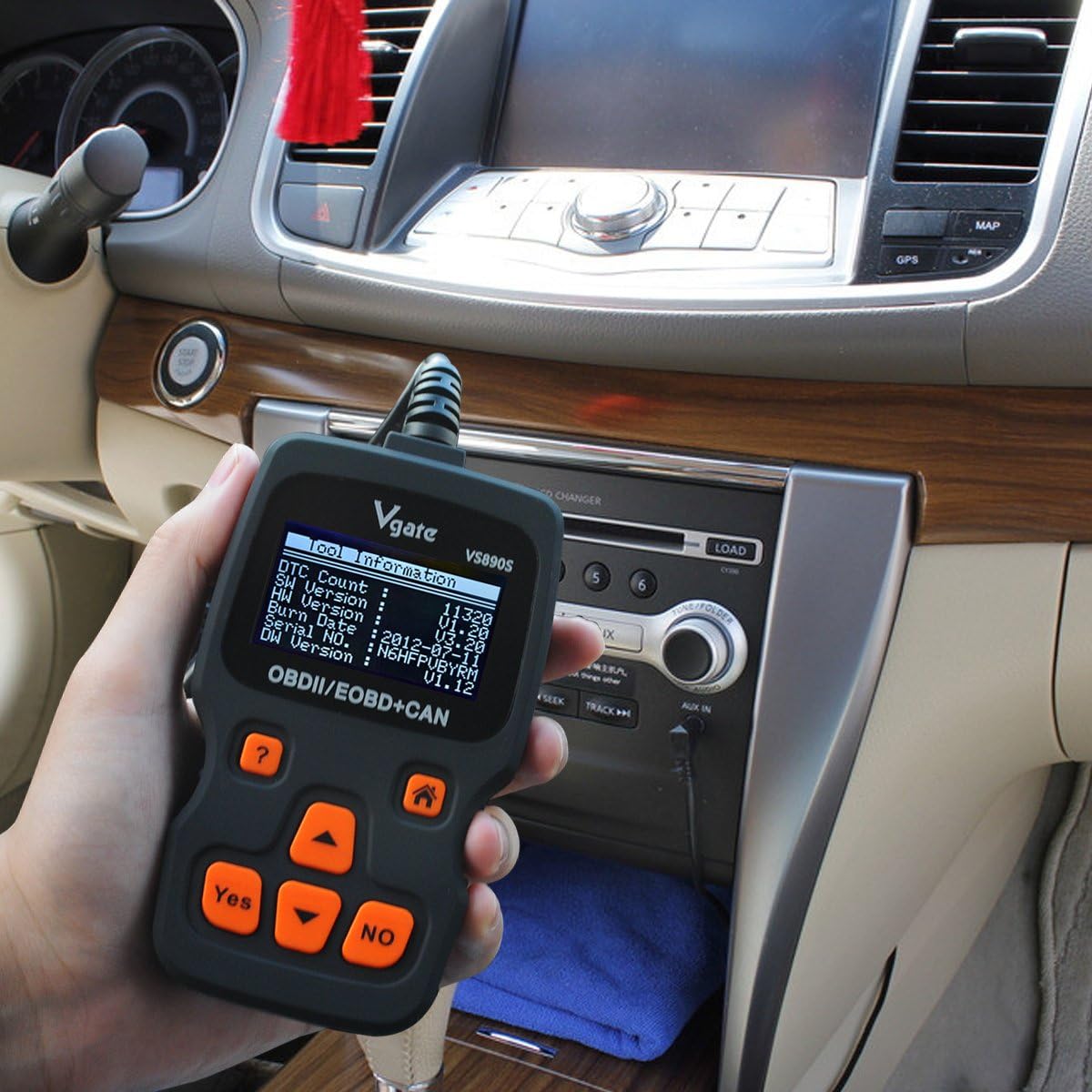
Figure 5.3: The Vgate VS890S displaying the 'Tool Information' screen, showing details like software and hardware versions, and serial number.
6. Pangropéa
Proper care ensures the longevity and reliability of your Vgate VS890S scanner.
- beberesih: Ngagunakeun lemes, damp lawon pikeun ngabersihkeun bagian luar scanner. Entong nganggo pembersih atanapi pangleyur anu abrasif.
- Panyimpenan: Simpen alat dina lingkungan anu garing, tiis, jauh tina sinar panonpoé langsung sareng suhu anu ekstrim.
- Perawatan kabel: Avoid bending or crimping the diagnostic cable excessively. Always grasp the connector when plugging or unplugging, not the cable itself.
7. Cara ngungkulan
If you encounter issues with your VS890S, refer to the following common problems and solutions.
| Masalah | Mungkin Cukang lantaranana | Solusi |
|---|---|---|
| Scanner teu hurung. | Sambungan ka DLC leupas; Kunci kontak kendaraan pareum; Kendaraan henteu sasuai sareng OBD-II. | Ensure cable is securely connected. Turn ignition to ON. Verify vehicle is OBD-II compliant (most vehicles 1996 and newer). |
| Kasalahan komunikasi sareng kendaraan. | Faulty connection; Vehicle's ECU is not responding; Incorrect protocol. | Check cable connection. Ensure ignition is ON. Try on another OBD-II compliant vehicle if possible. |
| Cannot clear trouble codes. | Ignition not ON; Underlying fault still present; Specific codes cannot be cleared by generic scanner. | Ensure ignition is ON. Repair the underlying issue first. Some manufacturer-specific codes may require a specialized tool. |
| Layar taram atawa teu bisa dibaca. | Contrast setting is too low. | Go to System Setup > Adjust Contrast to increase brightness. |
8. Spésifikasi
Technical specifications for the Vgate VS890S diagnostic scanner.
- merek: Vgate
- Jumlah modél: VS890s
- Beurat barang: 11.7 ons
- Ukuran Paket: 9.37 x 5.98 x 1.38 inci
- Sumber Daya: Didukung ku batré (ngalangkungan port OBD-II)
- Ukuran layar: 2.4 Inci (LCD)
- Protokol dirojong: BISA, J1850 PWM, J1850 VPW, ISO9141, KWP2000
- Panganteur pamaké: Multi-language (supports up to 13 languages)
9. Garansi jeung Rojongan
For warranty information or technical support, please refer to the documentation included with your purchase or contact Vgate customer service. Keep your purchase receipt as proof of purchase.


