Bubuka
This manual provides detailed instructions for the installation, setup, and operation of your LUX Kono KN-S-MG1 Smart Thermostat. Please read this manual thoroughly before beginning installation or operation to ensure proper functionality and safety.
The LUX Kono KN-S-MG1 is a programmable smart thermostat designed to personalize your home comfort and optimize energy savings through features like geofencing and remote control via the LUX app.
Émbaran Kasalametan
PERHATOSAN: Bahaya Setrum Listrik
- Pareuman heula listrik ka sistem pemanasan sareng pendingin dina pemutus sirkuit utama atanapi kotak sekering sateuacan masang atanapi ngalayanan termostat.
- Improper wiring can cause damage to the thermostat or the HVAC system.
- Pamasangan kedah dilakukeun ku teknisi anu mumpuni upami anjeun henteu yakin kana léngkah naon waé.
- Ensure all wiring connections are secure and insulated.
Eusi pakét
Pastikeun yén sadaya item aya dina pakét anjeun:
- LUX Kono KN-S-MG1 Smart Thermostat
- Pemasangan Hardware (sekrup, jangkar dinding)
- LUX Power Bridge (for systems without a C-wire)
- Pituduh Instalasi (dokumén ieu)
Pamasangan
Before installation, ensure the power to your HVAC system is turned off at the circuit breaker.
1. Leupaskeun Old Thermostat
- Pareuman kakuatan ka sistem HVAC anjeun dina pemutus sirkuit.
- Cabut panutup thermostat heubeul Anjeun.
- Candak gambar tina sambungan wiring pikeun rujukan.
- Disconnect the wires one by one, labeling each wire with the corresponding terminal letter (e.g., R, C, Y, G, W).
- Cabut pelat tukang termostat anu lami tina témbok.
2. Wiring the Kono KN-S-MG1
The Kono KN-S-MG1 requires a C-wire for continuous power. If your system does not have a C-wire, use the included LUX Power Bridge.
Kasaluyuan:
- Forced air, gas, oil & electric furnaces (up to 2 Heat/1 Cool stages)
- Heat pump systems (with or without auxiliary/emergency heat)
Refer to the wiring diagram specific to your HVAC system type. Connect the labeled wires to the corresponding terminals on the Kono backplate.
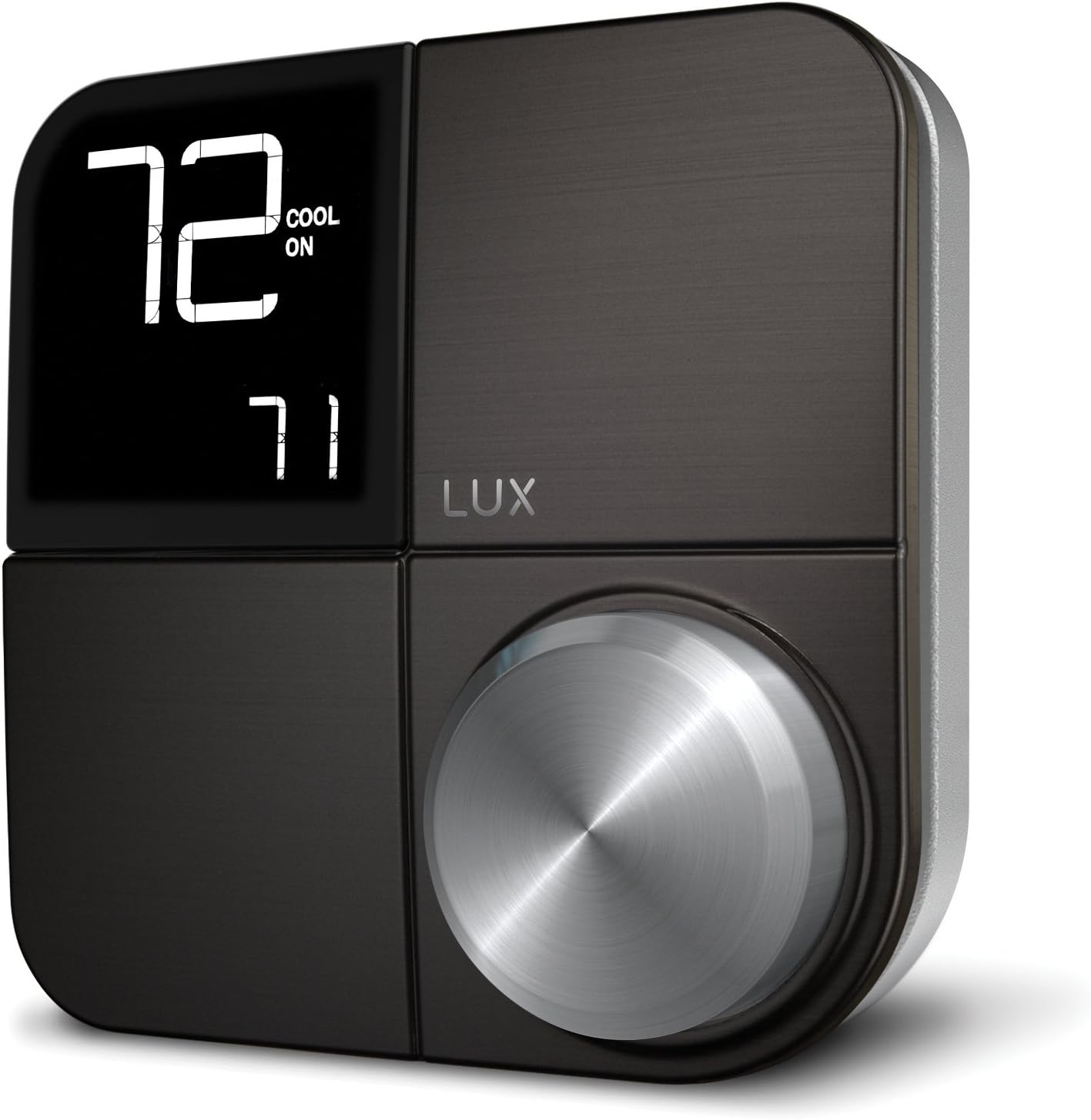 Gambar: Hareupeun view of the LUX Kono KN-S-MG1 Smart Thermostat, displaying its digital screen and control knob.
3. Masang Termostat
- Mount the Kono backplate to the wall using the provided screws and anchors. Ensure it is level.
- Carefully push any excess wire back into the wall opening.
- Align the Kono thermostat body with the backplate and gently push it into place until it clicks securely.
 Image: The LUX Kono KN-S-MG1 Smart Thermostat installed on a wall, blending into a modern dining room environment.
Setelan Awal sareng Sambungan Wi-Fi
- Daya Hurung: Restore power to your HVAC system at the circuit breaker. The thermostat display should illuminate.
- Download the LUX App: Download the official LUX app from your smartphone's app store.
- Ngadamel akun: Turutan parentah dina-aplikasi pikeun nyieun akun pamaké anyar atawa asup lamun anjeun geus boga.
- Nyambung ka Wi-Fi: The app will guide you through connecting your Kono thermostat to your home Wi-Fi network. Ensure your Wi-Fi network is 2.4GHz compatible.
- Konfigurasi Sistem: The app will prompt you to configure your HVAC system type (e.g., conventional, heat pump) and other settings.
Parentah Operasi
Operasi Dasar
- Nyaluyukeun Suhu: Use the control knob on the thermostat or the LUX app to set your desired temperature.
- Mode sistem: Switch between Heat, Cool, Auto, and Off modes using the thermostat interface or the app.
- Modeu kipas: Select Fan On (continuous operation) or Fan Auto (fan runs only when heating/cooling) via the thermostat or app.
Jadwal Programming
The Kono KN-S-MG1 allows you to create custom heating and cooling schedules to optimize comfort and energy usage. Schedules are typically managed through the LUX app for ease of use.
- Open the LUX app and navigate to the scheduling section.
- Create daily or weekly schedules with different temperature settings for various times of the day (e.g., Wake, Away, Home, Sleep).
- Save your schedules to activate them on the thermostat.
Fitur canggih
- Geofencing (Home & Away Aware): This feature uses your smartphone's location to automatically adjust the thermostat when you leave or approach your home, saving energy when away and ensuring comfort upon return. Enable and configure this feature within the LUX app.
- Kadali jauh: Control your thermostat from anywhere using the LUX app on your smartphone.
- Kontrol sora: The Kono KN-S-MG1 supports integration with certain smart home platforms like Android and Vera for voice control. Note: This product does NOT work with Amazon Alexa or Apple HomeKit.
Pangropéa
- beberesih: Ngusap bagian luar thermostat ku lembut, damp lawon. Ulah make cleaners abrasive atawa pangleyur.
- Apdet parangkat lunak: Ensure your LUX app and thermostat firmware are up to date for optimal performance and new features. Updates are typically managed through the LUX app.
- Henteu Diperyogikeun Batré: The Kono KN-S-MG1 is powered by your HVAC system (C-wire) or the LUX Power Bridge, so no battery replacement is necessary.
Pamérésan masalah
| Masalah | Mungkin Cukang lantaranana | Solusi |
|---|---|---|
| Pintonan termostat kosong. | Taya kakuatan ka thermostat. | Check the circuit breaker for your HVAC system. Ensure the C-wire or LUX Power Bridge is correctly installed and connected. |
| Sistem HVAC teu ngaréspon kana termostat. | Incorrect wiring; system mode incorrect; power issue. | Verify wiring connections. Ensure the system mode (Heat/Cool/Auto) is correctly selected. Check power to the HVAC unit. |
| Cannot connect to Wi-Fi or app shows "no internet". | Incorrect Wi-Fi password; router issues; 5GHz network. | Ensure correct Wi-Fi password. Restart your router. Confirm your Wi-Fi network is 2.4GHz. Re-attempt Wi-Fi setup through the LUX app. |
| Temperature not maintained as programmed. | Incorrect schedule settings; geofencing interference; system limitations. | Review your schedules in the LUX app. Check geofencing settings. Ensure your HVAC system is functioning correctly. |
For further assistance, please contact LUX customer support.
spésifikasi
| merek | LUX |
| Ngaran modél | KN-S-MG1 |
| Dimensi produk | 2.8 x 6.5 x 6 inci |
| Item Beurat | 9.6 ons |
| Warna | Hideung |
| Bahan | palastik |
| Sumber Daya | Electric (System C-wire or LUX Power Bridge) |
| Voltage | 230 Volt (AC) |
| Téhnologi konektipitas | Wi-Fi (2.4GHz) |
| Tipe Controller | Android, Vera (Note: Does NOT work with Amazon Alexa or Apple HomeKit) |
| Fitur husus | Geofencing: Home & Away Aware |
| Tipe tampilan | LCD sareng Lampu latar |
| Tipe Kontrol | Button Control, Voice |
| Tipe Pamasangan | Tembok Gunung |
| UPC | 021079170098 |
Garansi sareng Rojongan
For warranty information and technical support, please refer to the official LUX website or contact LUX customer service directly. Keep your purchase receipt as proof of purchase.
 Image: The retail packaging for the LUX Kono Smart Thermostat, showing the product image and key features.


