1. Bubuka
Thank you for choosing the Solight LED Desk Lamp WO46. This versatile lamp combines modern design with practical features, including a dimmable LED light, an integrated display showing time, date, alarm, and temperature. This manual provides essential information for the safe and efficient use of your new desk lamp.
2. Parentah Kasalametan
- Baca sagala parentah taliti saméméh pamakéan sarta tetep pikeun rujukan ka hareup.
- Pastikeun catu daya voltage matches the requirements specified on the product.
- Ulah ngalaan lamp ka cai atawa kaleuleuwihan Uap.
- Avoid disassembling or modifying the lamp. Rujukkeun sadaya layanan ka tanaga anu mumpuni.
- Tetep lamp jauh tina sumber panas sareng sinar panonpoé langsung.
- Ngabersihan lamp only with a soft, dry cloth. Do not use abrasive cleaners or solvents.
- Produk ieu dirancang pikeun pamakéan jero rohangan wungkul.
3. Eusi Paket
Mangga parios pakét kanggo barang-barang ieu:
- Méja LED Solight Lamp WO46
- Kabel Daya
- Manual pangguna (dokumén ieu)
4. Produk Langkungview
The Solight LED Desk Lamp WO46 features a flexible arm, an integrated LED light panel, and a multi-functional display on its base. The base also houses the touch-sensitive controls.

Figure 1: Solight LED Desk Lamp WO46 in folded position, displaying time, date, and temperature on its integrated screen.

Figure 2: Solight LED Desk Lamp WO46 with its arm extended, highlighting the LED light panel and the functional display.
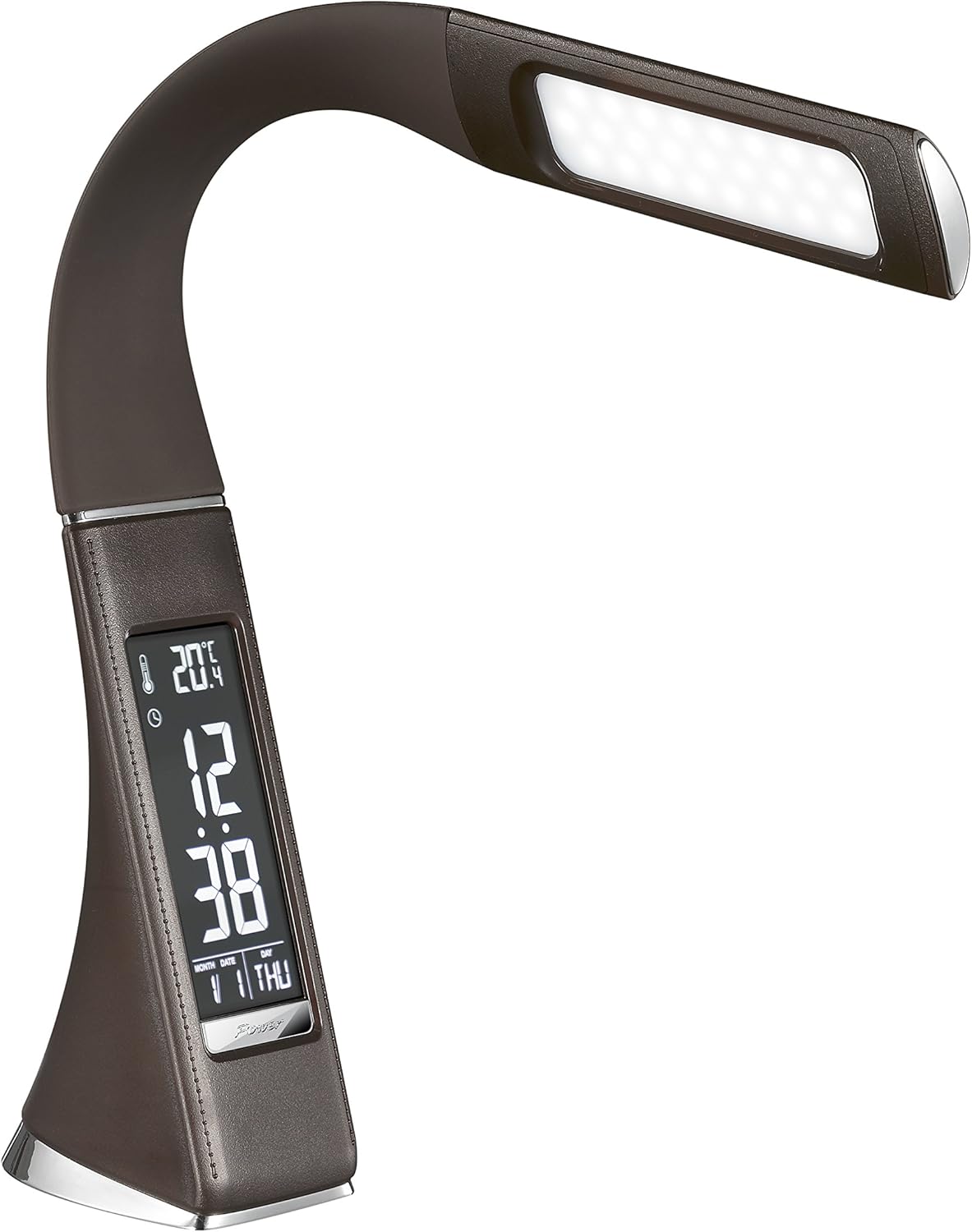
Gambar 3: Angled view of the Solight LED Desk Lamp WO46, extended, emphasizing its sleek design and the display panel.
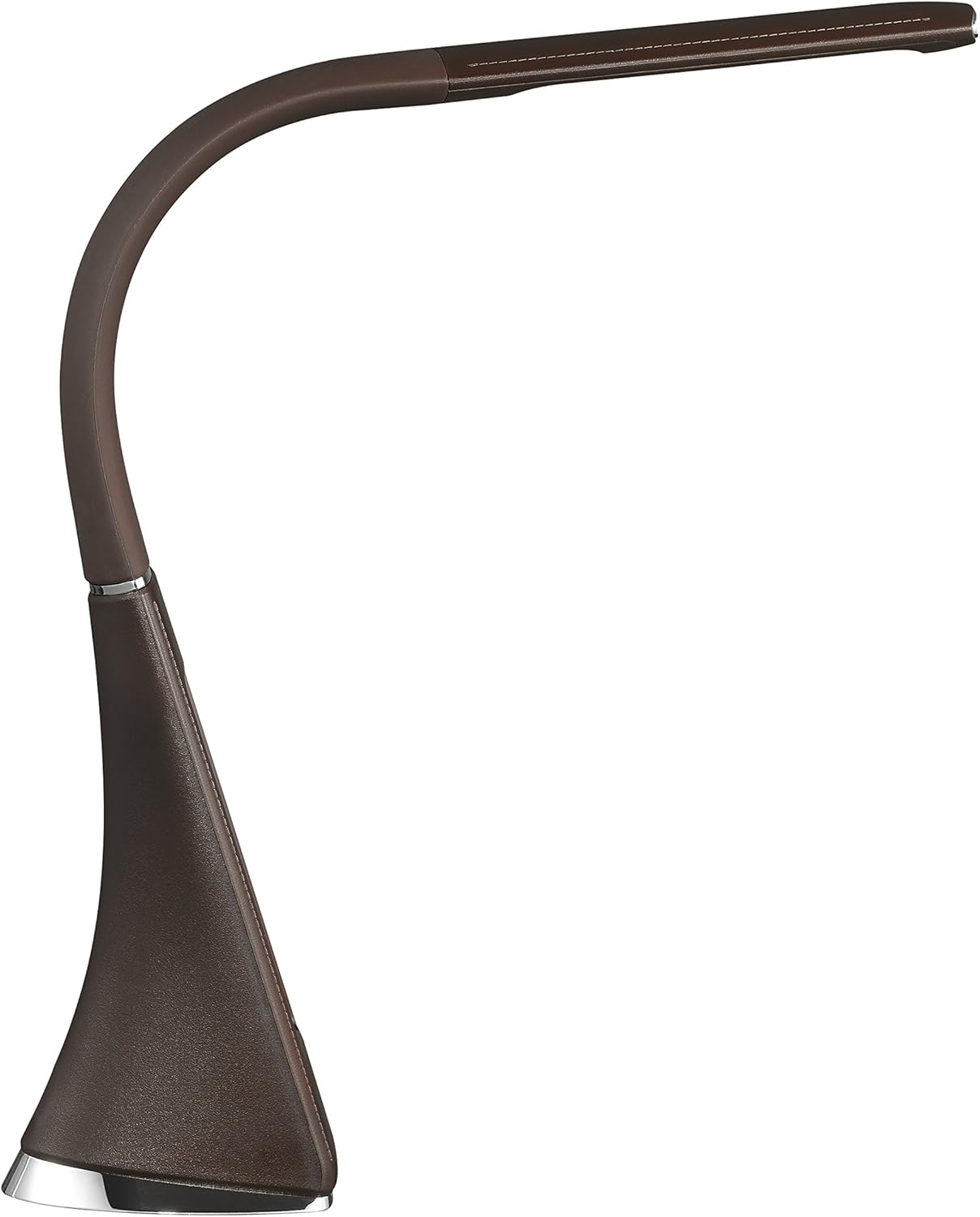
Gambar 4: Sisi profile of the Solight LED Desk Lamp WO46, extended, illustrating the flexibility of its arm and the slim design of the light panel.

Gambar 5: Tukangeun view of the Solight LED Desk Lamp WO46, extended, indicating the power input port located at the back of the lampdasarna.
5. Setélan
- Ngabongkar: Sacara saksama miceun sadaya komponén tina bungkusan.
- panempatan: Teundeun lamp on a stable, flat surface. The non-slip base ensures stability.
- Sambungkeun Kakuatan: Insert the power cable into the DC input port at the back of the lamp's base, then plug the adapter into a standard electrical outlet.
- Saluyukeun Posisi: Gently adjust the flexible arm to your desired lighting angle.
6. Parentah Operasi
6.1 Control Lampu
- Hurungkeun/Pareuman: Press the touch-sensitive power button on the base to turn the lamp hurung atawa pareum.
- Penyesuaian Caang: Kalayan lamp on, press and hold the power button to cycle through the three available brightness levels. Release the button at your desired brightness.
6.2 Fungsi tampilan
The integrated display shows time, date, day of the week, temperature, and alarm status. Specific buttons on the base (e.g., 'Mode', 'Set', 'Up', 'Down' - refer to physical markings on your lamp if available) are used to navigate and set these functions.
- Netepkeun Waktos sareng Tanggal:
- Press the 'Mode' button until the time display flashes.
- Use the 'Up' and 'Down' buttons to adjust the hour, then press 'Set' to confirm and move to minutes.
- Balikan deui salami sababaraha menit, taun, bulan, sareng dinten.
- Press 'Mode' to exit setting mode.
- Nyetél Alarm:
- Press the 'Mode' button repeatedly until the alarm icon appears and the alarm time flashes.
- Use 'Up' and 'Down' to set the alarm hour, then 'Set' to confirm and move to minutes.
- Press 'Mode' to activate/deactivate the alarm. An alarm icon will indicate if it's active.
- Suhu Témbong: Anu lamp automatically displays the ambient temperature. No user adjustment is typically required for this function.
7. Pangropéa
- beberesih: Pegatkeun sambungan lamp from the power supply before cleaning. Wipe the lamp's surface with a soft, dry, lint-free cloth. Do not use liquid cleaners or sprays.
- Panyimpenan: Lamun nyimpen lamp for an extended period, ensure it is clean and dry. Store it in a cool, dry place away from direct sunlight.
8. Cara ngungkulan
| Masalah | Mungkin Cukang lantaranana | Solusi |
|---|---|---|
| Lamp henteu hurung. | Taya catu daya. | Check if the power cable is securely connected to the lamp and the electrical outlet. Ensure the outlet is functional. |
| Display is blank or incorrect. | Power interruption or incorrect settings. | Ensure continuous power. Reset time and date settings as per Section 6.2. |
| Cahya ngageleber. | catu daya teu stabil. | Coba colokkeun lamp into a different electrical outlet. |
| Alarm teu disada. | Alarm teu diaktipkeun atanapi teu leres disetel. | Verify that the alarm is set and activated (alarm icon visible) as per Section 6.2. |
9. Spésifikasi
| Fitur | Rincian |
|---|---|
| Nomer modél | WO46-H |
| Ukuran (L x W x H) | 5.5 x 9 x 50 cm |
| Beurat | 599 g (1.32 lbs) |
| Bahan | PS (Polystyrene) |
| Tipe rengse | Leather look |
| Tipe Sumber Cahaya | LED |
| Jumlah Bulbs | 3 |
| Fluks Luminous | 300 lm |
| Kakuatan | 1.5 Watt |
| Voltage | 230 volt |
| Rata Kahirupan | 30,000 Jam |
| Peunteun IP | IP20 |
| Gaya Ngalih | Pencét Tombol |
| Label énergi | A+ |
10. Garansi jeung Rojongan
Solight products are designed and manufactured to the highest quality standards. For information regarding warranty coverage, technical support, or spare parts availability, please refer to the documentation provided with your purchase or visit the official Solight websitus. Punten tahan bukti pameseran anjeun pikeun klaim garansi.


