Bubuka
The Orbit B-hyve Smart Hose Watering Timer (Model 21005) provides an effortless solution for automatic watering of your lawn and plants. This device allows you to manage your watering schedule with precision, ensuring optimal hydration while conserving water. Control your watering system conveniently from your mobile device via Bluetooth connectivity.
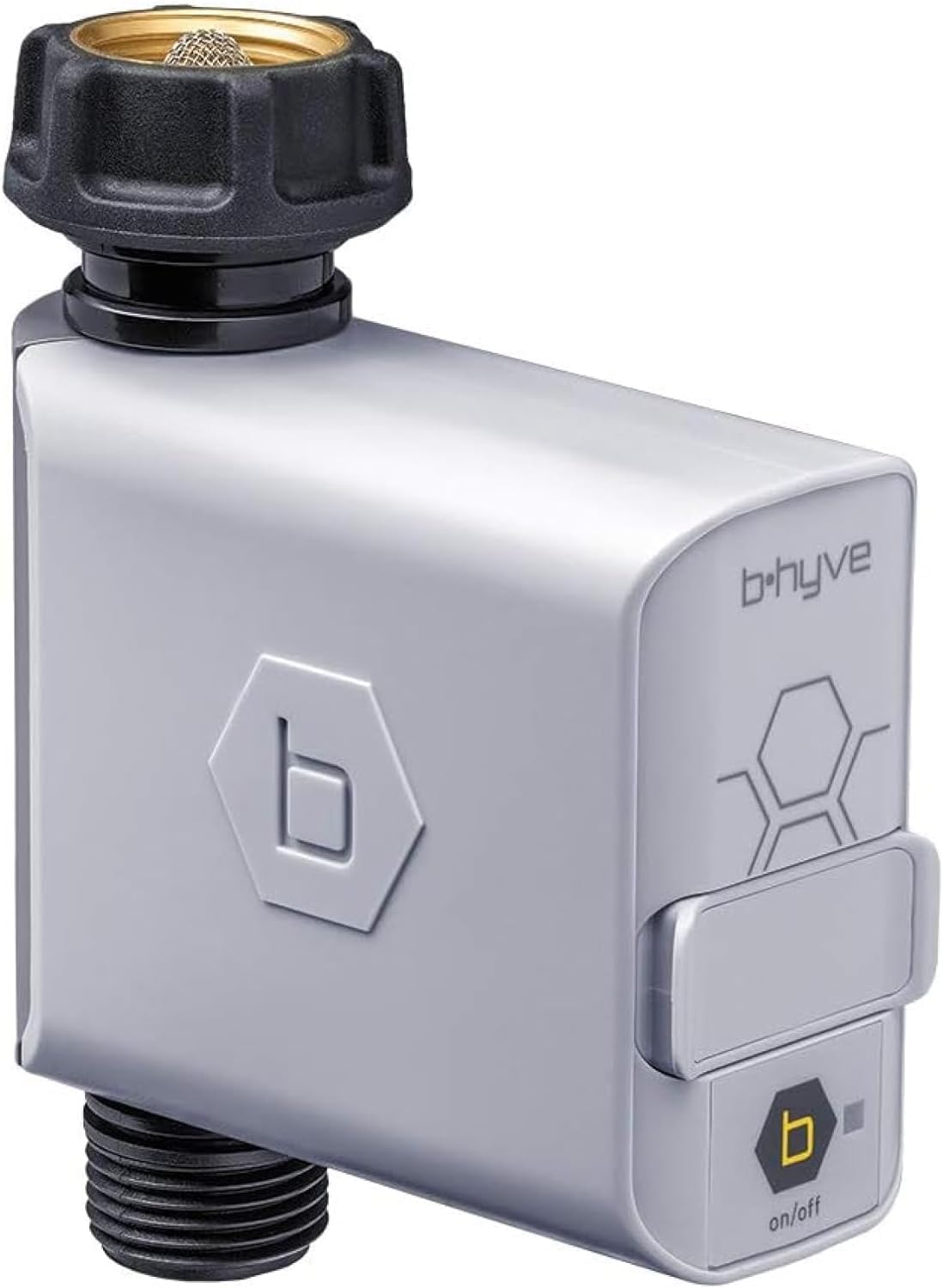
Image: Orbit B-hyve Smart Hose Watering Timer, front view.
This image displays the Orbit B-hyve Smart Hose Watering Timer, a compact, light gray device with a black hose connection at the top and bottom. The front features the 'b-hyve' logo and a small 'on/off' button with a yellow indicator.
Disetél
1. Pamasangan batré
The B-hyve Smart Hose Watering Timer requires two AA batteries for operation. Ensure batteries are inserted correctly according to polarity markings inside the compartment.

Image: Hands inserting two AA batteries into the Orbit B-hyve timer.
This image shows a person's hands holding the Orbit B-hyve timer, with the battery compartment open, revealing two AA batteries being inserted. The timer is light gray with a black top connection.
2. Instalasi fisik
- Connect the timer to your outdoor hose faucet. Ensure a tight, leak-free connection.
- Attach your garden hose or drip irrigation system to the bottom of the timer.

Image: Orbit B-hyve timer installed on an outdoor hose faucet with a green hose attached.
This image shows the light gray Orbit B-hyve timer connected to a brass outdoor hose faucet. A green garden hose is attached to the bottom of the timer, leading into a garden bed with green foliage and white flowers.
3. Ngundeur Aplikasi sareng Masangkeun
- Download the B-hyve app from your device's app store.
- Buka aplikasi sareng jieun akun atanapi log in.
- Follow the in-app instructions to add your new B-hyve Smart Hose Watering Timer. The app will guide you through the Bluetooth pairing process.

Image: A hand holding a smartphone displaying the Orbit B-hyve app interface.
This image features a hand holding a smartphone, showcasing the Orbit B-hyve app interface with various watering zones. In the background, the Orbit B-hyve timer is connected to an outdoor faucet, emphasizing smartphone control.
Parentah Operasi
Nyiram Manual
To initiate manual watering, open the B-hyve app and select the "Water Manually" option. You can specify the duration for watering directly from your smartphone. This is useful for immediate watering needs outside of your scheduled programs.
Program ngajadwalkeun
The B-hyve app allows for comprehensive scheduling of your watering cycles. You can set custom programs based on specific days, times, and durations. Once set, the timer will maintain the schedule even when not connected to your phone.

Image: Smartphone screen displaying the Orbit B-hyve app with manual watering options.
This image shows a smartphone screen with the Orbit B-hyve app open, displaying a circular interface for setting manual watering duration. Options for "Rain Delay," "Stop," and "Skip" are visible at the bottom.
Smart Watering (WeatherSense®)
Utilize the WeatherSense® feature for intelligent watering based on live weather feeds. This feature helps prevent overwatering and conserves water by adjusting schedules according to local weather conditions, soil type, and plant needs. This ensures your plants receive optimal hydration without waste.
Pangropéa
Ngagantian batré
The timer operates on two AA batteries, which typically last a full season. Replace batteries when the low battery indicator appears in the app or on the device. Always use fresh, high-quality alkaline batteries for optimal performance.
Perawatan Umum
- Keep the timer clean from dirt and debris.
- During freezing temperatures, disconnect the timer from the faucet and store it indoors to prevent damage.
- Regularly check hose connections for leaks and tighten if necessary.
Pamérésan masalah
| Masalah | Mungkin Cukang lantaranana | Solusi |
|---|---|---|
| Timer not watering | Low batteries, faucet off, incorrect schedule, or connectivity issue. | Check/replace batteries. Ensure faucet is fully open. Verify schedule in app. Re-pair device if necessary. |
| Masalah konektipitas aplikasi | Bluetooth range exceeded, app glitch, or device not paired. | Ensure you are within Bluetooth range. Restart the app or your phone. Attempt to re-pair the device. |
| Overwatering of plants | Incorrect schedule duration or WeatherSense® settings. | Adjust watering duration in the app. Review WeatherSense® settings and ensure they are appropriate for your climate and plant type. |
| Kagagalan update firmware | Interrupted connection during update. | Ensure stable Bluetooth connection during updates. Try restarting the device and app, then attempt the update again. |
spésifikasi
- merek: Orbit
- model: 21005
- warna: kulawu
- Bahan: palastik
- Ukuran produk: 2.34 "D x 6.58" W x 7.19" H
- Beurat barang: 13.7 ons
- Batré diperlukeun: Yes (2 AA)
- Konektipitas: Bluetooth
- UPC: 046878210059
- Negara asal: Cina
Garansi sareng Rojongan
This product comes with a manufacturer's warranty. For specific warranty details, please refer to the documentation included with your purchase or visit the official Orbit websitus. Rencana panyalindungan ogé sayogi pikeun cakupan anu diperpanjang.
For further assistance, troubleshooting, or to access the full user manual in PDF format, please visit the Toko Orbit di Amazon atawa ngarujuk kana Manual Pamaké (PDF).


