1. Bubuka
This manual provides detailed instructions for the proper setup, operation, and maintenance of your Taylor Digital Kitchen Scale, Model 3897. Designed for precision and ease of use, this scale is ideal for weighing a variety of food items and other household goods. Please read this manual thoroughly before using the scale to ensure accurate measurements and prolonged product life.

This image displays the Taylor Digital Kitchen Scale from a top-down perspective, highlighting the stainless steel weighing platform, the bright red LED display, and the 'UNIT' and 'TARE' buttons.
2. Fitur konci
- Precision luhur: Measures up to 11 lb (5000 g) with increments of 0.1 oz (1 g).
- Fungsi Tare Gampang: Allows for weighing multiple ingredients in the same container by zeroing out the container's weight.
- Témbongkeun LED caang: Features a 1-inch brilliant red LED screen for clear readability from various angles.
- Desain awét: Constructed with a brushed stainless steel weighing platform and top housing, resistant to odors and stains.
- Pareuman-Pareuman: Ngahémat umur batre ku cara otomatis mareuman saatos sababaraha waktos teu aktip.
- Konversi Unit: Easily switch between pounds/ounces, grams, ounces, and kilograms.
3. Eusi Paket
Saatos ngabongkar bungkusan, mangga pastikeun sadaya barang anu didaptarkeun di handap ieu aya:
- 1 x Taylor Digital Kitchen Scale (Model 3897)
- 3 x Batré AAA
4. Setélan
4.1. Pamasangan batré
- Tangtukeun lokasi kompartemen batré dina underside skala.
- Buka panutup kompartemen batré.
- Insert the three (3) AAA batteries, ensuring correct polarity (+/-) as indicated inside the compartment.
- Tutup panutup kompartemen batré aman.
4.2. Panempatan Awal
Place the scale on a hard, flat, and stable surface. Uneven surfaces can affect accuracy. Avoid placing the scale near strong electromagnetic fields or extreme temperature fluctuations.

Hiji angled view of the Taylor Digital Kitchen Scale, showcasing éta ramping, low-profile design and brushed stainless steel finish.
5. Parentah Operasi
5.1. Daya Hurung / Pareum
- Pikeun Ngahurungkeun: Pencét éta TARE/POWER button once. The display will show '0.0'.
- Pikeun mareuman: Pencét jeung tahan tombol TARE/POWER button for approximately 3 seconds. The scale will also automatically shut off after a period of inactivity to save battery life.
5.2. Konversi Unit
With the scale powered on, press the UNIT button to cycle through the available measurement units: pounds and ounces (lb oz), grams (g), ounces (oz), and kilograms (kg). The selected unit will be displayed on the screen.
5.3. Timbangan Barang
- Ensure the scale is on a flat, stable surface and powered on, displaying '0.0'.
- Place the item(s) to be weighed directly onto the center of the stainless steel platform.
- The weight will be displayed on the LED screen in the currently selected unit.
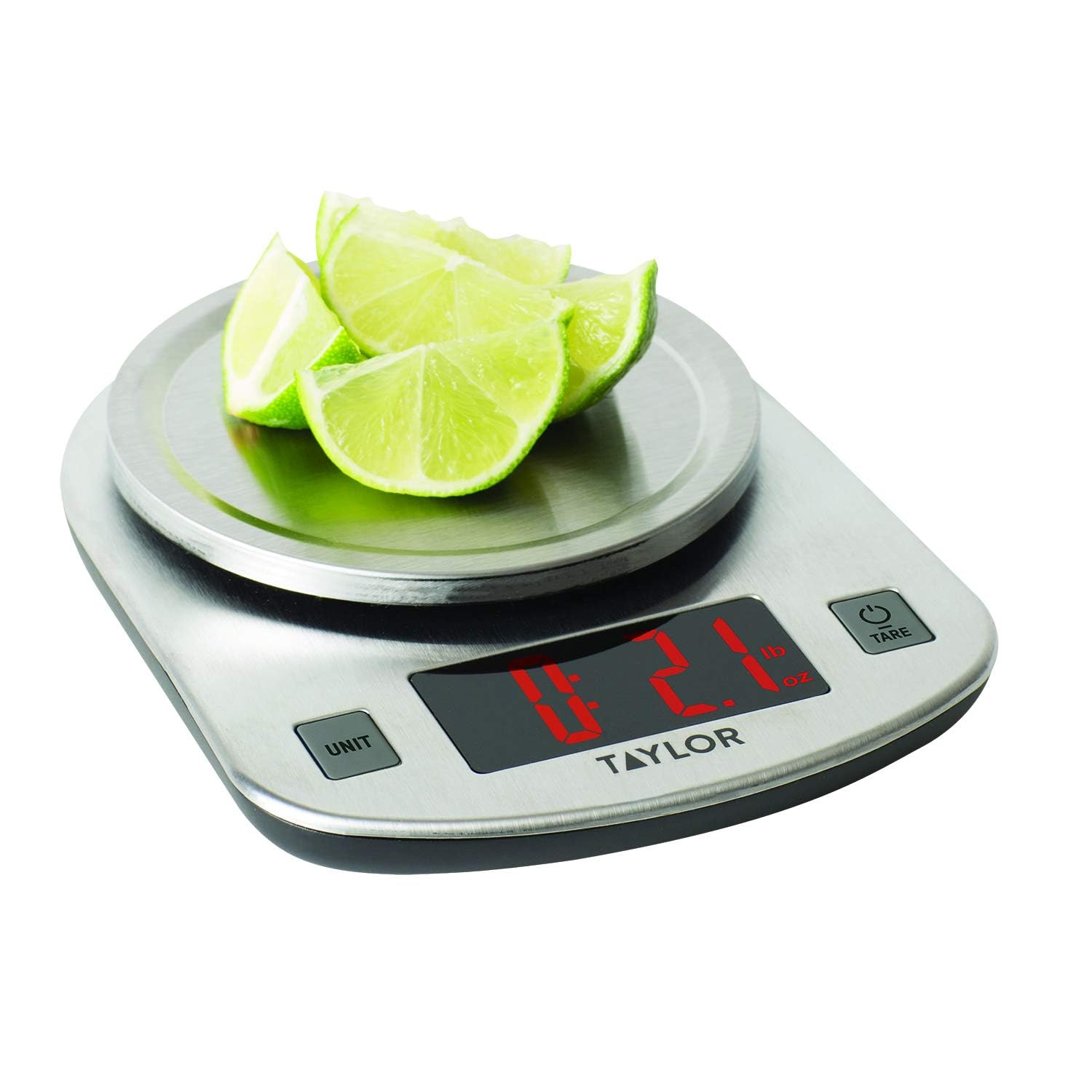
The scale in use, measuring sliced limes. The LED display clearly shows a weight of 2.1 ounces, demonstrating its functionality for weighing food items.
5.4. Tare Function (Add & Weigh)
The Tare function allows you to weigh multiple ingredients consecutively in the same container without emptying it. It effectively resets the scale to zero after each ingredient is added.
- Simpen wadah kosong dina platform timbangan. Layar bakal némbongkeun beuratna.
- Pencét éta TARE/POWER tombol. Tampilan bakal diset ulang ka '0.0'.
- Add the first ingredient to the container. The display will show the weight of only that ingredient.
- Pikeun nambahkeun bahan séjén, pencét TARE/POWER button again to reset the display to '0.0'.
- Add the next ingredient. Repeat this process for all subsequent ingredients.
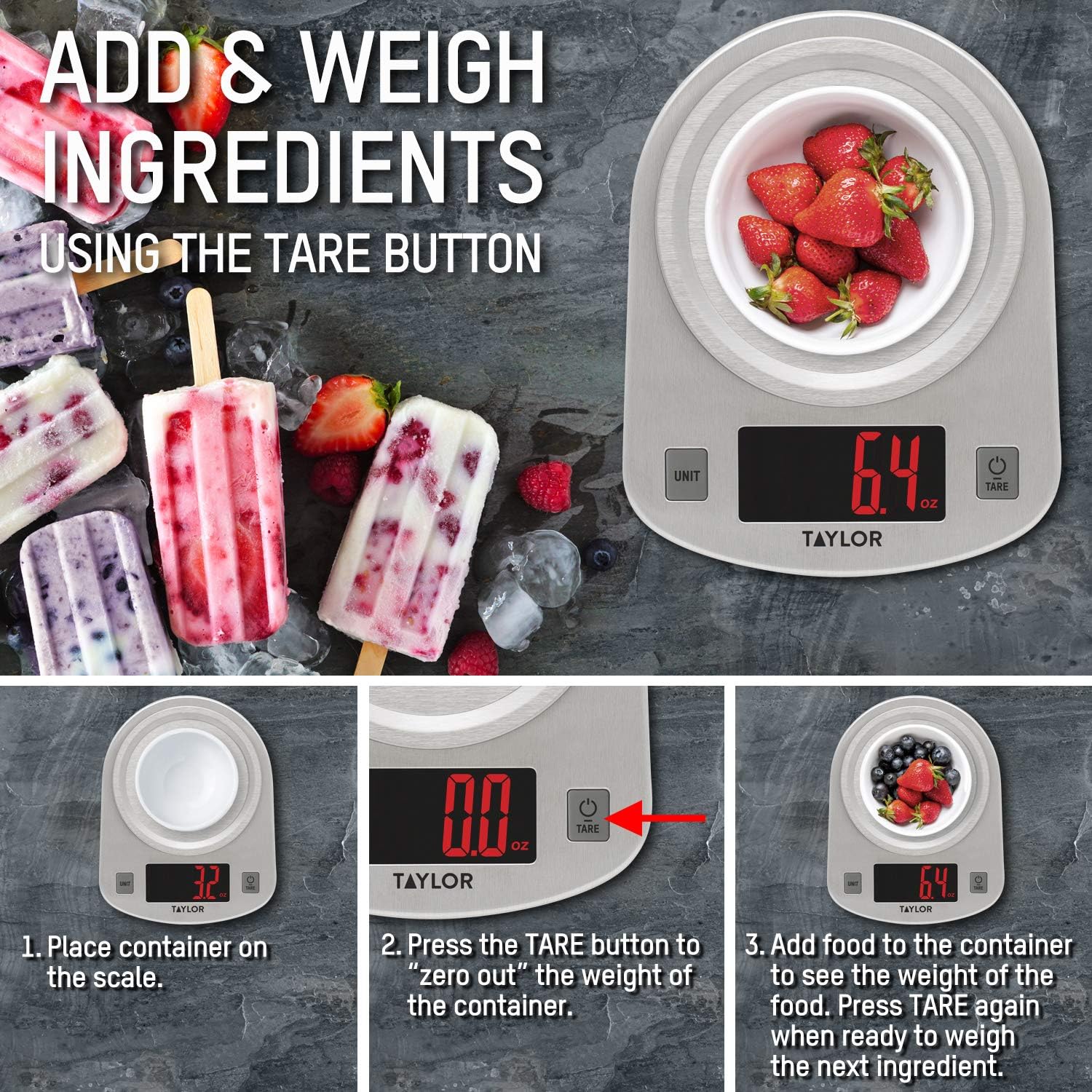
This instructional image illustrates the 'Add & Weigh' feature using the TARE button. It shows placing a container, taring its weight to zero, and then adding ingredients like strawberries to measure their net weight.
6. Pangropéa
6.1. beberesih
- Wipe the scale clean with a damp lawon jeung detergent hampang.
- Ulah ngalelepkeun timbangan kana cai atanapi nganggo bahan pembersih anu abrasif.
- The stainless steel platform is odor and stain-resistant, making it easy to clean.
6.2. Panyimpenan
Simpen timbangan di tempat anu tiis sareng garing. Ulah neundeun barang beurat dina timbangan nalika teu dianggo, sabab ieu tiasa mangaruhan akurasina kana waktosna.
7. Cara ngungkulan
| Masalah | Mungkin Cukang lantaranana | Solusi |
|---|---|---|
| Layar nunjukkeun 'Lo' | Daya batre lemah. | Replace the three (3) AAA batteries. |
| Layarna némbongkeun 'Err' | Timbangan kelebihan beban. | Remove items immediately. The maximum capacity is 11 lb (5000 g). |
| Bacaan teu akurat | Scale is on an uneven or unstable surface. | Tempatkeun timbangan dina permukaan anu teuas, datar, sareng stabil. |
| Skala teu hurung | Batréna teu dipasang kalawan bener atawa béak. | Pariksa polaritasna batré atawa ngaganti accu. |
8. Spésifikasi
- Jumlah modél: 3897
- Kamampuh Maksimum: 11 lb x 0.1 oz (5000 g x 1 g, 176 oz x 0.1 oz, 5 kg x 0.001 kg)
- Ukuran produk: 7 x 1.25 x 5.38 inci
- Beurat barang: 11.2 ons
- Jenis tampilan: LED
- Sumber Daya: 3 x batré AAA (kaasup)
- Fitur husus: Otomatis Pareuman
- Bahan: Brushed Stainless Steel
9. Garansi jeung Rojongan
This Taylor Digital Kitchen Scale is backed by the manufacturer's warranty. For specific warranty details, product support, or service inquiries, please refer to the warranty information provided with your purchase or contact Taylor customer service directly. Keep your purchase receipt as proof of purchase.


