Bubuka
The Avery 11197 Ready Index Dividers are designed to help organize documents efficiently within a binder. This product features preprinted multicolor tabs and a reinforced Table of Contents page, allowing for quick referencing and a professional appearance. The dividers are constructed with heavier weight paper, extended tab reinforcement, and double-sided hole reinforcement to ensure durability and prevent tearing, even with frequent use. The Table of Contents page can be customized and printed in either portrait or landscape format.
This package includes 6 sets of 15 tabs, totaling 90 tabs and 6 Table of Contents pages.
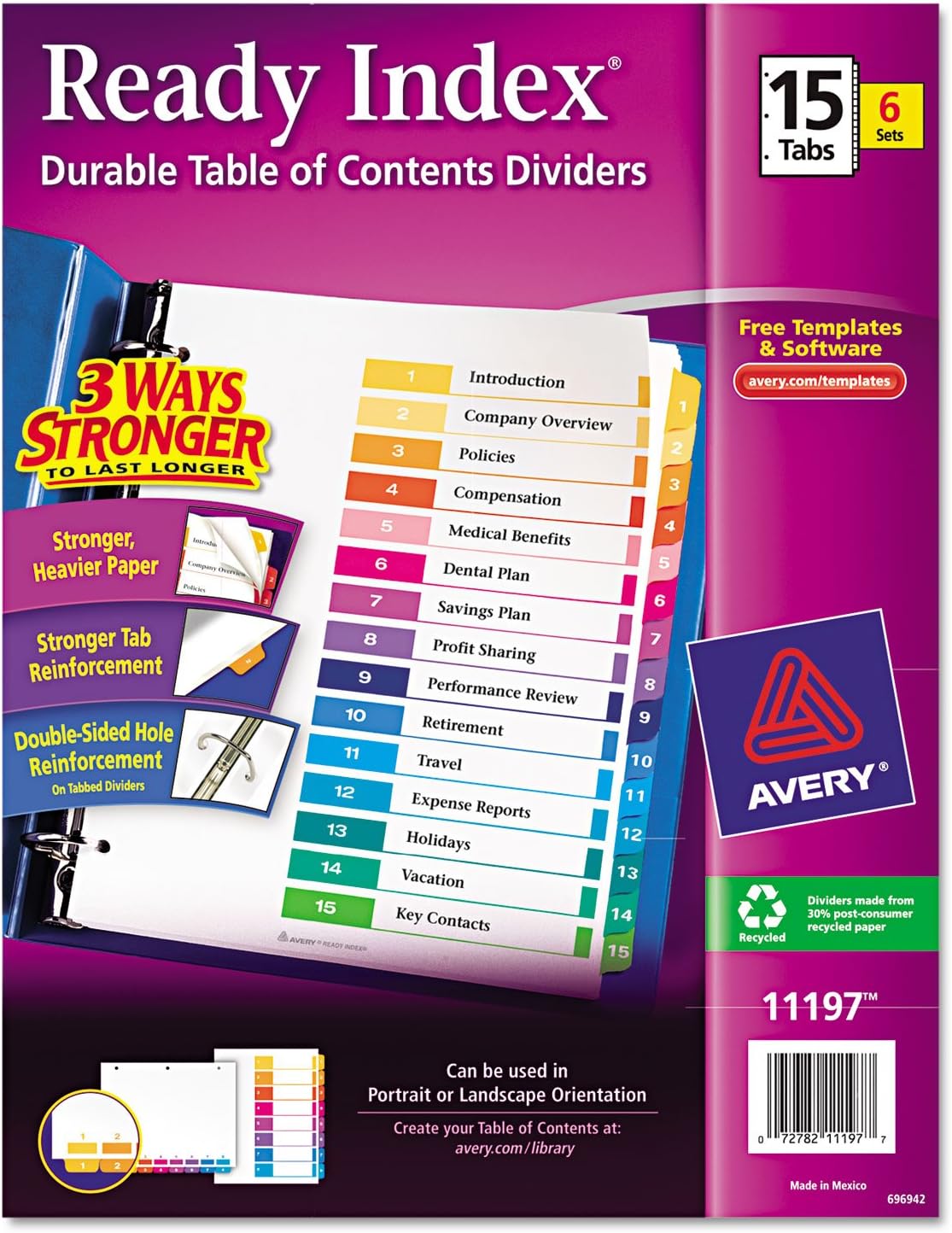
Image: The complete retail package of Avery 11197 Ready Index Dividers, showing the 15-tab design and key features like "3 Ways Stronger" and "Free Templates & Software."
Setelan sareng Kustomisasi
The Ready Index Dividers are designed for easy customization of the Table of Contents (TOC) page. Follow these steps to prepare your dividers for use:
- Access Templates: Nganjang avery.com/templates or avery.com/library to download free templates for your Table of Contents page.
- Customize Your TOC: Use the downloaded template to add section titles, graphics, or a company logo to your Table of Contents page.
- Print the TOC Page:
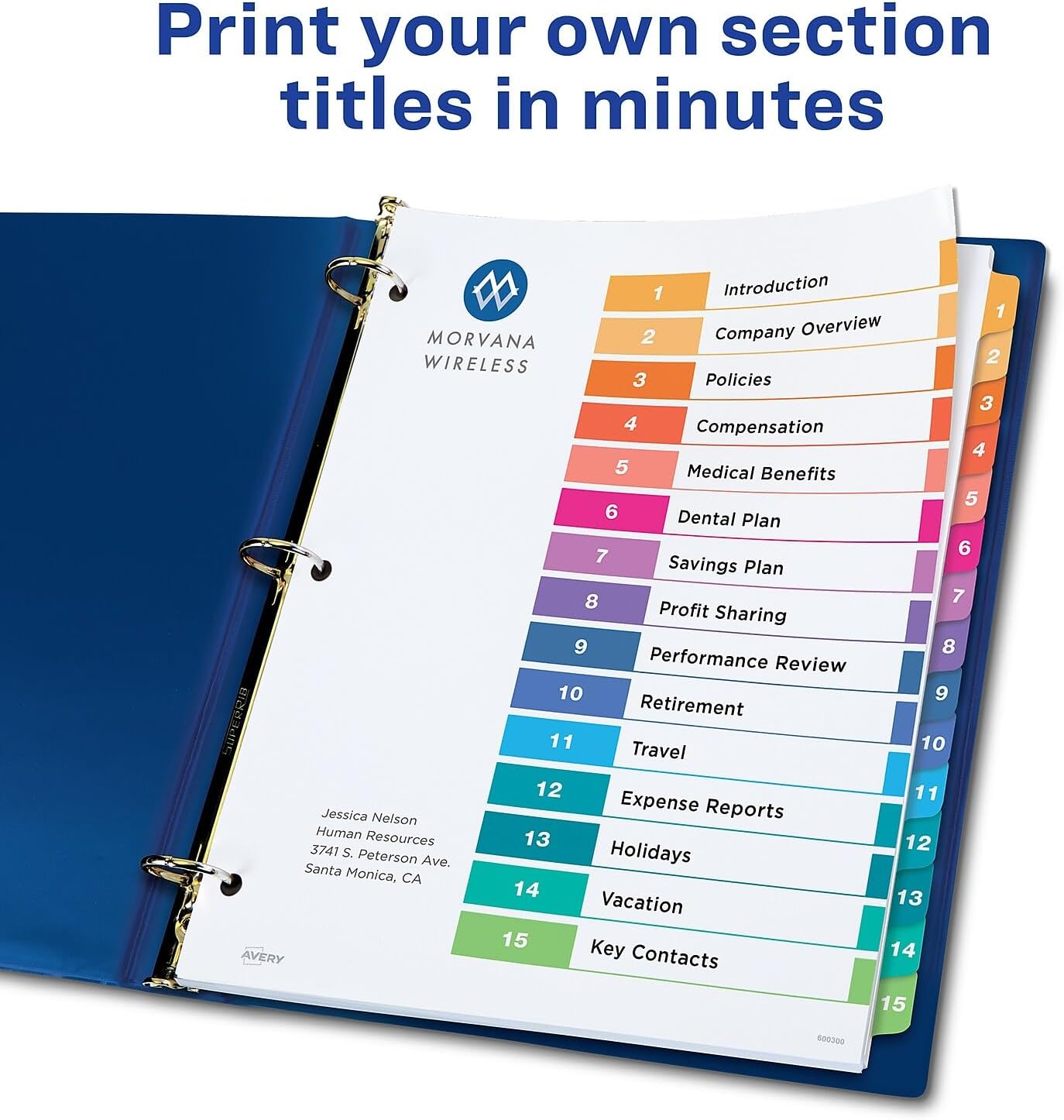
Image: A person using a laptop and printer to print custom section titles onto the Table of Contents page.
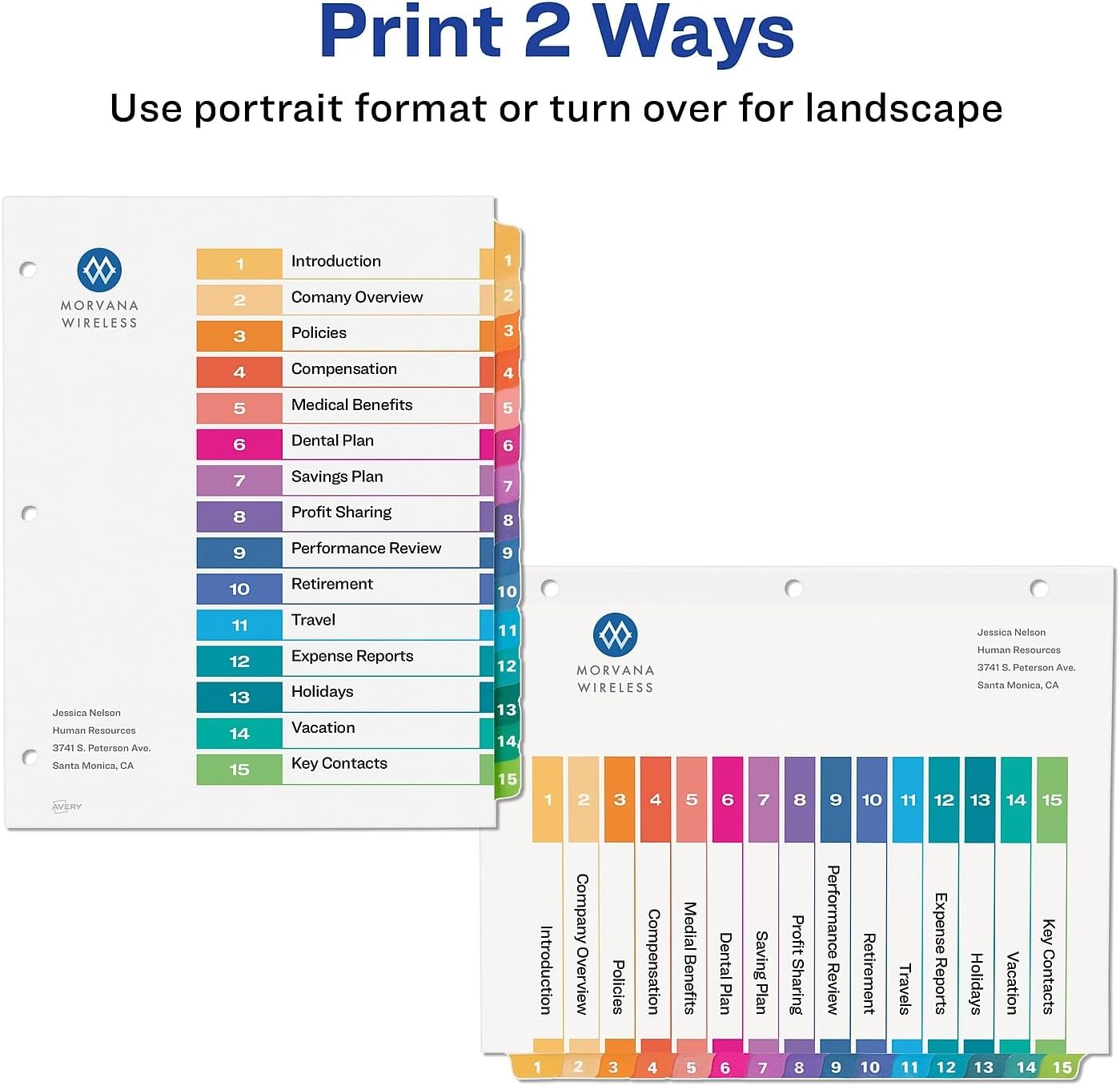
Image: Illustration demonstrating how the Table of Contents page can be printed in either portrait or landscape orientation.
The TOC page can be printed in either portrait or landscape orientation. Ensure your printer settings match your desired layout. For landscape printing, follow these steps:
- Select landscape option in your printing software. Customize your TOC with text and/or graphics.
- Print on a blank test page first, then print onto the actual TOC sheet.
- Flip the dividers over and reverse the order so tab 1 is on top, tab 2 is second, etc.
- Place the dividers in the binder in landscape orientation with the TOC sheet on top.

Image: A visual guide detailing four steps to print the Table of Contents page in landscape orientation, including customizing, printing, flipping dividers, and placing in binder.
Parentah Operasi
Once your Table of Contents page is printed and customized, the dividers are ready for use in any standard 3-ring binder.
- Insert into Binder: Align the three punched holes of the dividers with the rings of your binder and secure them.
- Organize Documents: Place your documents behind the corresponding numbered tabs. The preprinted tabs (1-15) correspond directly to the entries on your Table of Contents page.
- Referencing: Use the Table of Contents page as a quick reference guide to locate specific sections within your binder.

Image: The Avery Ready Index Dividers with a blank Table of Contents page, inserted into a blue 3-ring binder, showing the numbered tabs.
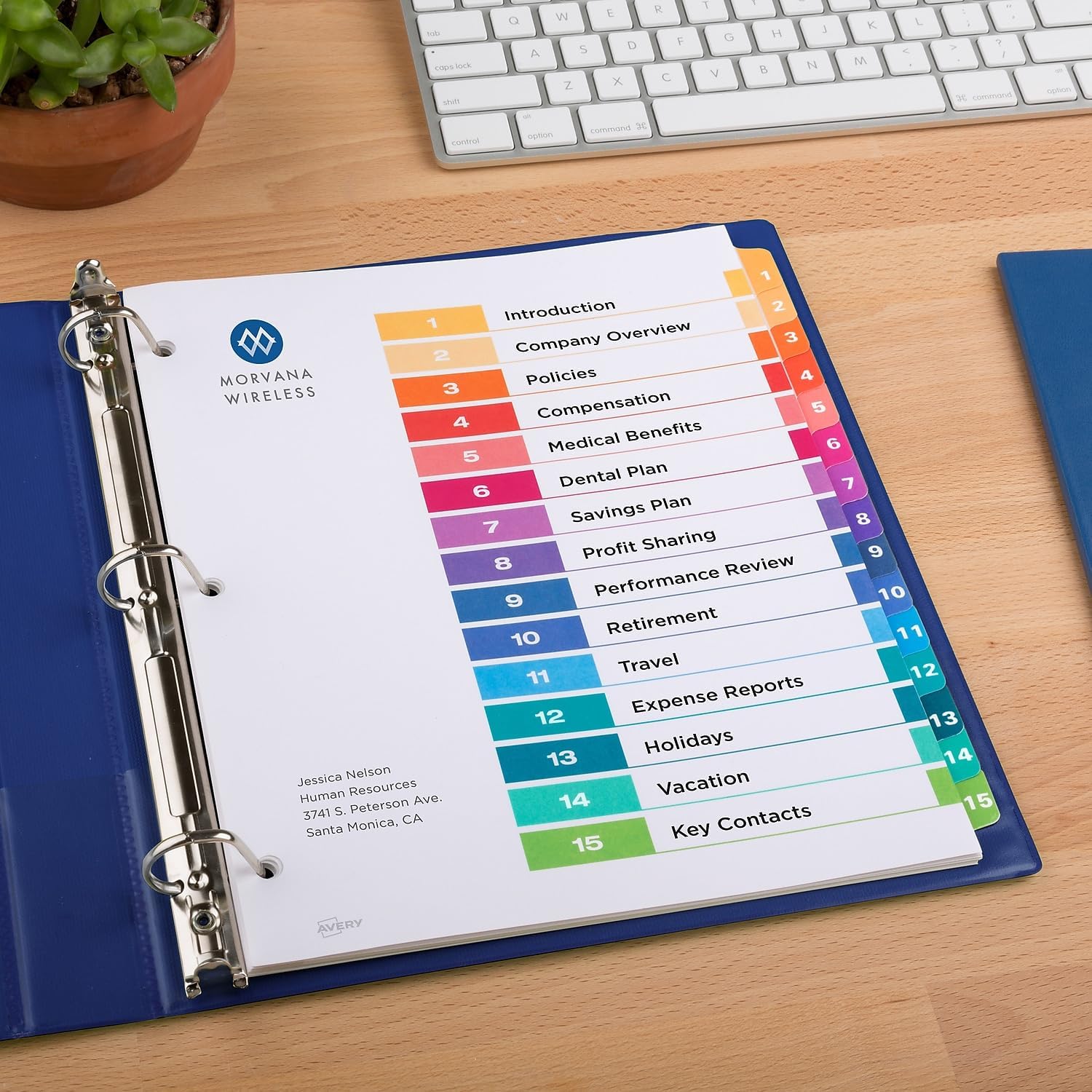
Image: The Avery Ready Index Dividers in a binder, featuring a customized Table of Contents page with section titles like "Introduction," "Company Overview," and "Policies."
Pangropéa
Avery Ready Index Dividers are designed for durability. To ensure their longevity:
- Store dividers in a dry environment to prevent moisture damage to the paper.
- Hindari melengkung atau melengkungasing the tabs and pages unnecessarily.
- Keep away from direct sunlight or extreme temperatures to prevent fading or warping.

Image: A close-up of the Avery Ready Index Dividers, emphasizing their tear-resistant features, including heavyweight paper and double-sided reinforced holes and tabs.
Pamérésan masalah
While these dividers are designed for ease of use, here are some common issues and solutions:
- Printing Misalignment: If your printed Table of Contents page does not align correctly with the template, ensure you are using the correct Avery template for model 11197. Always perform a test print on a plain sheet of paper before printing on the actual divider sheet. Check your printer's settings for scaling or margin adjustments.
- Tabs or Holes Tearing: Although designed with reinforcement, excessive force or improper handling can cause damage. Ensure documents are not overfilling the binder, putting undue stress on the divider holes. Handle tabs gently when flipping through sections.
- Difficulty Inserting into Binder: Ensure the binder rings are fully open and aligned. If the holes on the dividers seem too tight, gently widen them slightly with a pen or pencil before inserting.
spésifikasi
| Fitur | Rincian |
|---|---|
| merek | Avery |
| Nomer modél | MYO3001204 |
| Item Beurat | 1.57 pon |
| Dimensi produk | 11.12 x 9.12 x 1 inci |
| Warna | Multiwarna |
| Jenis Bahan | Kertas |
| Number of Dividers per Set | 15 |
| Jumlah Susunan | 6 |
| Total Tabs Included | 90 |
| Ukuran Lembar | Surat |
| UPC | 0072782111977 |

Image: A diagram illustrating that the product includes 90 tabs and 6 Table of Contents pages, with dimensions of 8.5" x 11" for the sheets.
Garansi sareng Rojongan
Specific warranty information for the Avery 11197 Ready Index Dividers is not provided in the product details. For any product-related inquiries, technical support, or to view the latest warranty information, please visit the official Avery websitus atanapi ngahubungan layanan palanggan maranéhanana langsung.
Anjeun tiasa mendakan langkung seueur inpormasi sareng sumber dukungan dina Avery Store on Amazon or the main Avery websitus.


