1. Produk Langkungview
The FEELWORLD FW703 is a compact and functional 7-inch on-camera field monitor designed for professional and consumer cameras. It features a Full HD 1920x1200 IPS display with 4K UHD 3840x2160P support, offering high resolution and a wide viewing angle for accurate and consistent picture monitoring. Its robust design includes 3G-SDI and 4K HDMI input/output, making it suitable for various video production environments.
2. Eusi Paket
Upon unboxing your FEELWORLD FW703 monitor, please verify that all the following items are included:
- 1x FW703 Monitor
- 1x Mini HDMI Cable
- 1x Sunshade
- 1x Hot Shoe Mount
- 1x F970 Battery Plate
- 1x Mini USB to USB Cable
- 1 x Manual Operasi

Image: Contents of the FEELWORLD FW703 package, including the monitor, cables, sunshade, hot shoe mount, battery plate, and manual.
3. Monitor Features
3.1 Display Quality
The FW703 features a Full HD 1920x1200 IPS display with an impressive 323 PPI, ensuring sharp and clear images. It supports 4K UHD 3840x2160P input, providing high-resolution monitoring capabilities for detailed video analysis.

Gambar: Hareupeun view of the FEELWORLD FW703 monitor showcasing its vibrant Full HD display and key specifications like 1920x1200 resolution, 215 PPI, 800:1 contrast ratio, 17mm ultra-thin design, and 400nit brightness.
3.2 lebar Viewdina Angle
Equipped with an IPS 160° wide viewing angle, the FW703 ensures that the operator has a clear, easy-to-see image regardless of their position relative to the monitor during a shot. This is crucial for collaborative work and dynamic shooting scenarios.
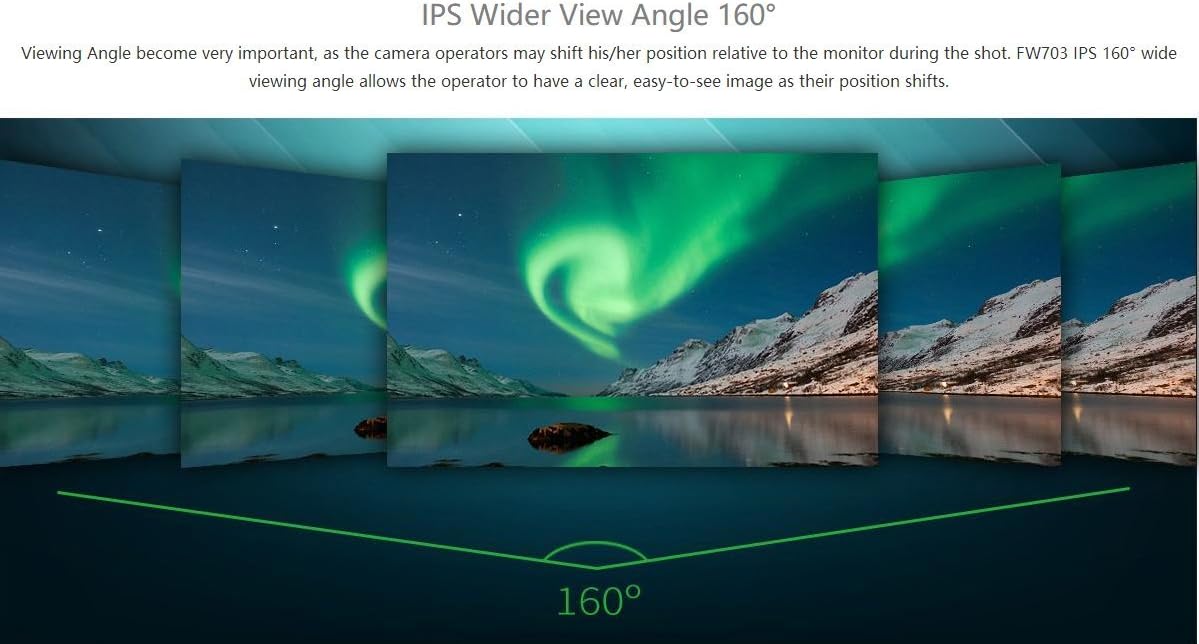
Image: Illustration demonstrating the 160° wide viewing angle of the IPS screen on the FEELWORLD FW703, showing consistent image quality from various perspectives.
3.3 Fungsi Bantu
The FW703 integrates a variety of professional auxiliary functions to assist users in achieving accurate exposure and focus. These include:
- Histogram
- study audio
- Warna Palsu
- Exposure (Zebras)
- Pariksa Widang
- Salapan Grid
- Ngazum Asup
- Pitulung Fokus Puncak
- Piksel-piksel
- Flip Gambar
- Modeu Anamorf
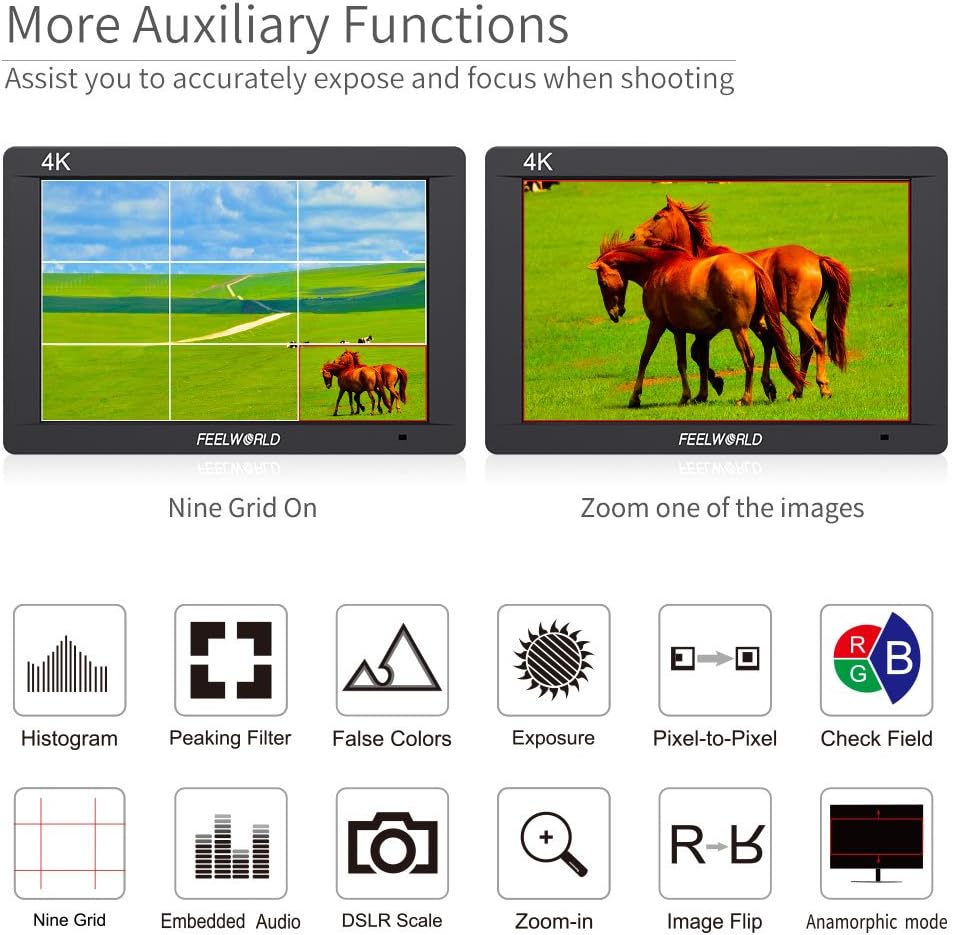
Gambar: Dua views of the FEELWORLD FW703 display demonstrating the 'Nine Grid' and 'Zoom one of the images' auxiliary functions, surrounded by icons representing other features like Histogram, Peaking Filter, False Colors, Exposure, Pixel-to-Pixel, Check Field, Embedded Audio, DSLR Scale, Zoom-in, Image Flip, and Anamorphic mode.
3.4 Konéktipitas
The monitor offers versatile connectivity options, including 3G-SDI and 4K HDMI input/output, a USB port for firmware upgrades, and a 3.5mm earphone slot for audio monitoring. It also features a built-in speaker.

Image: Diagram illustrating the dimensions and port layout of the FEELWORLD FW703 monitor, highlighting 4K HDMI, 3G-SDI, and Stereo Headphone connections.
3.5 Portability
With a slim 22mm thickness and a weight of 320g, the FW703 is designed for portability, offering freedom to shoot in various locations without adding significant bulk to your camera rig.
4. Setélan
4.1 Masang Monitor
The FW703 can be easily mounted to your camera rig using the included hot shoe mount. It features standard mounting threads for compatibility with various camera accessories.

Image: The FEELWORLD FW703 monitor mounted on various camera setups, including a DSLR rig, camcorder kit, handheld stabilizer, and video crane, demonstrating its versatility with different connectors.
4.2 Powering Monitor
The monitor is powered via an F970 battery plate (included). Optional battery plates for Panasonic D28S/D54, Canon LP-E6, and Sony U60 are available separately. A DC 12V input is also provided for external power sources. Please note that batteries are not included in the package.

Image: Diagram showing the flexible battery system of the FEELWORLD FW703, highlighting the standard F970 battery plate and optional plates for D28S/D54, LP-E6, and U60 batteries, along with the DC-12V power input. A note indicates that the battery is not included.
5. Ngoperasikeun Monitor
5.1 Navigasi Menu
The FW703 features a new UI menu designed for easier and quicker operation. Use the physical buttons on the top of the monitor to navigate through settings and activate functions. The monitor also supports touch screen interaction for intuitive control.

Image: The FEELWORLD FW703 monitor displaying its new UI menu, showing various settings and functions accessible via touch or physical buttons, designed for easier setup and operation.
5.2 Custom 3D LUTs
Load custom 3D LUTs to preview your filming look directly in the field. This feature allows for accurate color representation and creative control during production.

Image: The FEELWORLD FW703 monitor demonstrating the 'Load Custom 3D LUTs' feature, showing a split screen with 'Before' and 'After' color grading, along with icons for various auxiliary functions.
5.3 Pangimeutan Video
The monitor provides real-time video monitoring through its 3G-SDI and 4K HDMI inputs. This allows for precise framing, focus, and exposure adjustments during live shooting.
Pidéo: Pidéo resmi anu dipidangkeun ku nu ngajualasing the FEELWORLD FW703 monitor in use with a camera, demonstrating its video monitoring capabilities and various features in a practical setting.
6. Pangropéa
To ensure the longevity and optimal performance of your FEELWORLD FW703 monitor, follow these maintenance guidelines:
- beberesih: Use a soft, dry cloth to clean the screen and body. For stubborn smudges, lightly dampen the cloth with a screen-safe cleaning solution. Avoid harsh chemicals.
- Panyimpenan: Store the monitor in a cool, dry place away from direct sunlight and extreme temperatures. Use the provided sunshade or a protective case to prevent scratches.
- Penanganan: Avoid dropping the monitor or subjecting it to strong impacts. Always handle cables carefully to prevent damage to ports.
7. Cara ngungkulan
If you encounter issues with your FEELWORLD FW703 monitor, consider the following common troubleshooting steps:
- Henteu aya sinyal: Ensure all HDMI/SDI cables are securely connected to both the camera and the monitor. Verify that the camera's output settings match the monitor's input capabilities.
- Masalah kakuatan: Check battery levels or ensure the DC 12V power adapter is correctly connected and supplying power.
- Masalah tampilan: If the screen appears distorted or has lines, try restarting the monitor and checking cable connections. If issues persist, consult the full operation manual or contact customer support.
8. Spésifikasi
| Fitur | Spésifikasi |
|---|---|
| Dimensi produk | 0.87 x 7.09 x 4.72 inci |
| Item Beurat | 1.76 pon |
| Nomer Modél Item | FW703 |
| Ukuran Layar Ngadeg | 7 inci |
| Rasio Aspék | 16:10 |
| Voltage | 24 Volt (DC) |
| Resolusi | 1920 x 1200 |
| Caang Gambar | 450cd/m2 |
| Total palabuhan USB | 1 |
| Pedaran Permukaan layar | Herang |
9. Garansi jeung Rojongan
For warranty information, technical support, or any questions regarding your FEELWORLD FW703 monitor, please refer to the official FEELWORLD websitus atanapi ngahubungan layanan palanggan maranéhanana langsung. Simpen resi pameseran anjeun pikeun klaim jaminan.


