Bubuka
The XPOWER FC-300 is a professional-grade air circulator utility fan designed for heavy-duty applications requiring significant air movement for drying, cooling, or ventilation. This manual provides essential information for the safe and effective operation, maintenance, and troubleshooting of your FC-300 unit.
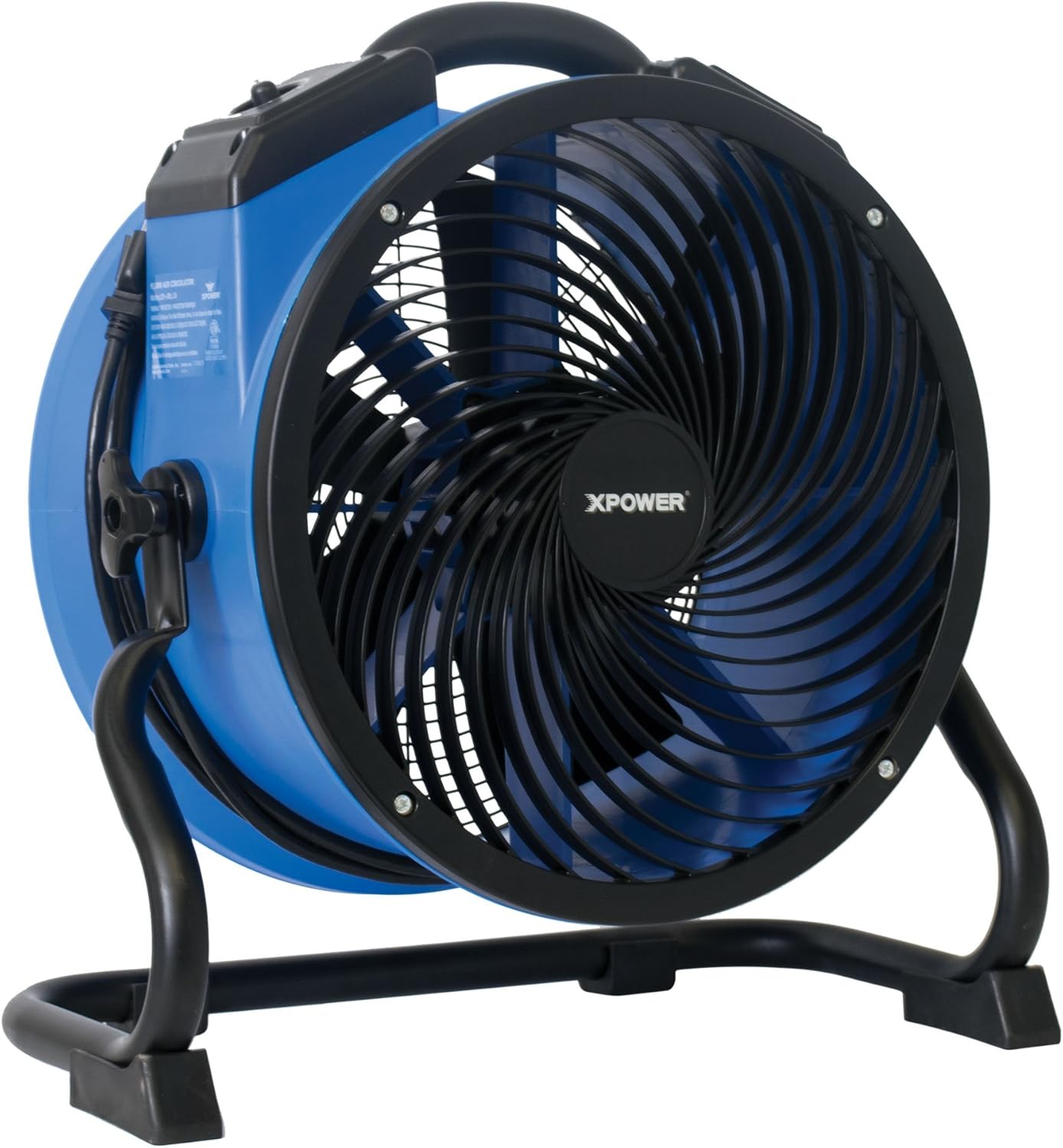
Image: The XPOWER FC-300 Air Circulator Utility Fan, showcasing its blue and black housing with a sturdy stand.
Émbaran Kasalametan
Please read and understand all safety instructions before operating the XPOWER FC-300. Failure to follow these instructions may result in electric shock, fire, or serious injury.
- Sambungkeun unit ka stop kontak listrik anu di-ground kalayan leres.
- Entong nganggo kipas nganggo kabel atanapi colokan anu rusak. Piceun kipas atawa balik deui ka fasilitas layanan otorisasi pikeun ujian jeung / atawa perbaikan.
- Ulah ngajalankeun ari handapeun karpét. Ulah nutupan ari ku karpet lémparan, runners, atawa panutup sarupa. Atur tali jauh ti wewengkon lalulintas sarta dimana eta moal tripped leuwih.
- Jauhkeun barudak sareng piaraan tina unit salami operasi.
- Do not insert fingers or foreign objects into the grille or any openings.
- Pegatkeun sambungan listrik sateuacan ngalayanan atanapi ngabersihkeun unit.
- This unit is ETL / CETL safety certified, indicating compliance with recognized safety standards.
Produk Leuwihview
The XPOWER FC-300 is designed for optimal air circulation and durability. Key components include:
- Perumahan awét: Injection-molded for resilience.
- Panél kontrol: Features a 4-speed operating switch and a 3-hour timer.
- Rugged Rack/Stand: Allows for 360-degree rotational angle adjustment.
- Grab-N-Go Handle: Pikeun portability gampang.
- Heavy-Duty Wrap-Around Cord Design: Pikeun panyimpenan sareng transportasi anu merenah.

Gambar: Hareupeun view of the XPOWER FC-300, highlighting the fan blades and protective grille.
Disetél
- Ngabongkar bungkusan: Carefully remove the FC-300 from its packaging. Inspect the unit for any signs of damage.
- panempatan: Place the unit on a stable, level surface. Ensure there are no obstructions to the airflow intake or exhaust.
- Sambungan Daya: Plug the 10-foot heavy-duty power cord into a standard, grounded electrical outlet.
- Nyaluyukeun Angle: The FC-300 features a rugged rack/stand that allows for a 360-degree rotational angle. Loosen the knobs on the side of the stand, adjust the fan to the desired angle, and then tighten the knobs securely.

Gambar: Sisi view of the FC-300 demonstrating its ability to rotate 360 degrees on its stand, indicated by arrows.
Parentah Operasi
Panél kontrol
The control panel is located on the top of the unit and includes a speed selector and a timer knob.

Image: Close-up of the FC-300's control panel, showing the rotary switch for OFF and speeds 1-4, and the timer knob.
Kakuatan jeung Speed Control
- To turn the unit ON, rotate the speed selector knob from 'OFF' to your desired speed setting (1-4).
- Speed 1 provides the lowest airflow, while Speed 4 provides the maximum 2100 CFM airflow.
- To turn the unit OFF, rotate the speed selector knob back to 'OFF'.
Fungsi Timer
The FC-300 is equipped with a 3-hour 'Set-N-Forget' timer. Rotate the timer knob to set the desired operating duration up to 3 hours. The unit will automatically shut off once the set time has elapsed.
Airflow Applications
The FC-300's advanced air fin guide technology and 360-degree directional airflow make it versatile for various applications:
- Focused Airflow: The unique grille design creates a focused airflow that can travel up to 170 feet, ideal for directing air to specific areas.

Image: Diagram showing the FC-300 generating a focused air stream that extends up to 170 feet.
- Whole Room Circulation: Position the fan to bounce air off walls to ensure air reaches every corner of a room, preventing stale or staghawa na.

Image: Diagram depicting how the FC-300 can be used to circulate air throughout a room by directing airflow to rebound off walls.
- Drying and Ventilation: For faster drying, position the fan to constantly recirculate air, creating a consistent stream of airflow. For ventilation, direct the airflow towards an open window or door.

Image: Diagram showing the FC-300 recirculating air to create a gentle and consistent airflow, which helps shorten drying times.
- Floor Drying: Point the fan downward to dry areas around the fan up to 85 feet in diameter.

Image: Diagram showing the FC-300 directed downwards to dry a circular area on the floor up to 85 feet in diameter.

Image: The FC-300 positioned on a tiled floor, demonstrating its compact size and utility in a typical setting.
Pangropéa
Regular maintenance ensures optimal performance and longevity of your FC-300.
- beberesih: Disconnect the unit from power before cleaning. Use a soft, damp cloth to wipe down the exterior housing. For the fan blades and grille, use a brush or vacuum cleaner to remove dust and debris. Do not use harsh chemicals or abrasive cleaners.
- Panyimpenan: The FC-300 features a lightweight and compact injection molded housing that allows units to be stacked up to 5 high for easy storage. Utilize the wrap-around cord design to secure the power cord neatly before storing.
- Pamariksaan: Pariksa kabel listrik sareng colokan sacara berkala pikeun ningali karusakan naon waé. Upami kapendak karusakan, eureunkeun panggunaan sareng hubungi dukungan palanggan.
Pamérésan masalah
If you encounter issues with your FC-300, refer to the following common troubleshooting steps:
| Masalah | Mungkin Cukang lantaranana | Solusi |
|---|---|---|
| Unit teu hurung | No power supply; Power cord not fully plugged in; Circuit breaker tripped | Check power outlet; Ensure cord is securely plugged in; Reset circuit breaker |
| Ngurangan aliran hawa | Intake or exhaust blocked; Fan blades dirty | Clear obstructions; Clean fan blades and grille |
| Noise mahiwal salila operasi | Loose components; Debris inside unit | Turn off and unplug the unit. Carefully inspect for loose parts or debris and remove if safe to do so. If noise persists, contact customer support. |
If these steps do not resolve the issue, please contact XPOWER customer service for further assistance.
spésifikasi
| Fitur | Rincian |
|---|---|
| Ngaran modél | FC-300 |
| Kapasitas Aliran Udara | 2100 Kaki Kubik Per Menit (CFM) |
| Sumber Daya | Kabel Listrik |
| Wattage | 100W (1.5 Amps) |
| Voltage | 220 volt |
| Jumlah Tingkat Daya | 4 |
| Timer | 3-hour Set-N-Forget |
| Ukuran produk (D x W x H) | 18.6" x 19.2" x 9.4" |
| Item Beurat | 13 pon |
| Panjang kabel | 10 suku |
| Warna | Hideung, Biru |
| Sertifikasi | ETL / CETL Safety Certified |
Garansi sareng Rojongan
Garansi
The XPOWER FC-300 comes with a 1-taun jaminan kawates ti tanggal beuli. Garansi ieu nyertakeun cacad dina bahan sareng pagawean dina panggunaan normal. Punten tahan bukti pameseran anjeun pikeun klaim garansi.
Rojongan Palanggan
For any questions, technical assistance, or warranty inquiries, please contact XPOWER's California-based customer service team. They are available to provide comprehensive support and ensure a satisfactory customer experience.
Contact information can typically be found on the official XPOWER websitus atanapi dina bungkusan produk.


