1. Bubuka
This manual provides instructions for the Master Lock 1500ID Speed Dial Resettable Combination Lock. This lock features a unique directional movement combination for quick, one-handed, and no-look operation. It is designed for security and ease of use, allowing you to set your own personalized combination.
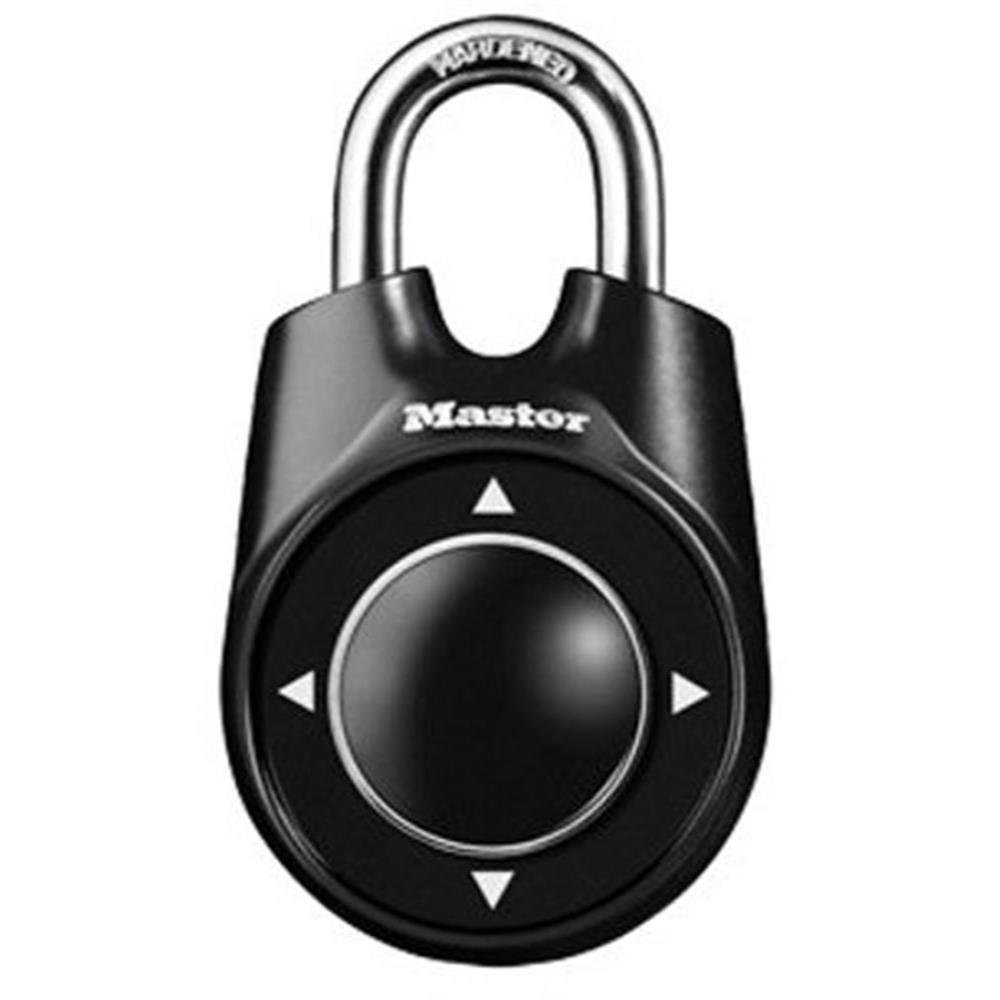
Image 1.1: Master Lock 1500ID Speed Dial Resettable Combination Lock. This image shows the front view of the padlock, highlighting the speed dial mechanism and the shackle.
2. Nyetél Kombinasi Anjeun
The Master Lock 1500ID allows you to set a custom directional combination. Follow these steps carefully to set your personal code:
- Buka konci na: Ensure the lock is in the open position. If it's new, it will be open. If it's currently locked, enter the existing combination to open it.
- Locate the Reset Lever: On the back of the lock, find the reset lever. It is typically a small metal or plastic lever.
- Move the Reset Lever: Using a pen or a small pointed object, move the reset lever to the "SET" position (usually towards the shackle). You may hear a click.
- Enter Your New Combination: With the reset lever in the "SET" position, enter your desired new combination using the directional speed dial. Your combination can be any sequence of up, down, left, or right movements. A combination of 4 to 12 movements is recommended for security. For example: UP-UP-DOWN-LEFT-RIGHT.
- Return the Reset Lever: Once your new combination is entered, move the reset lever back to the "NORMAL" or "LOCK" position (away from the shackle).
- Test Your Combination: Close the shackle and scramble the dial. Then, enter your new combination to ensure it opens correctly. If it does not open, repeat the steps.
Important: Remember your combination. Master Lock does not record user-set combinations.
3. Ngoperasikeun Konci
To operate your Master Lock 1500ID Speed Dial lock:
3.1. Ngonci Padlock
- Ensure the shackle is fully inserted into the lock body.
- Scramble the directional dial by moving it in various directions. This secures the lock.
3.2. Muka konci Padlock
- Hold the lock firmly.
- Enter your personalized directional combination precisely. Each movement must be distinct.
- Once the correct combination is entered, the shackle will release, allowing you to open the lock.
4. Pangropéa
Proper maintenance ensures the longevity and smooth operation of your Master Lock 1500ID:
- beberesih: Keep the lock body and speed dial free from dirt, dust, and debris. Use a soft, dry cloth for cleaning.
- Lubrication: If the shackle or dial mechanism becomes stiff or difficult to operate, apply a small amount of graphite lubricant or a silicone-based spray (e.g., WD-40) to the shackle openings and the dial mechanism. Avoid oil-based lubricants as they can attract dirt.
- Paparan Lingkungan: While designed for durability, prolonged exposure to harsh weather conditions (extreme cold, heavy rain, saltwater) can affect performance. If used outdoors, more frequent lubrication may be required.
5. Cara ngungkulan
If you encounter issues with your Master Lock 1500ID, consider the following:
- Lock Will Not Open:
- Kombinasi anu salah: Double-check that you are entering the correct directional sequence. Ensure each movement is distinct and complete.
- Stuck Mechanism: The internal mechanism might be stiff. Try applying a lubricant as described in the Maintenance section.
- Reset Lever Position: Ensure the reset lever on the back is fully in the "NORMAL" or "LOCK" position. If it's partially in "SET," the lock may not open.
- Difficulty Setting Combination:
- Ensure the lock is open before attempting to move the reset lever.
- Confirm the reset lever is fully in the "SET" position before entering the new combination.
- Make sure your new combination movements are clear and deliberate.
If problems persist, contact Master Lock customer support for further assistance.
6. Spésifikasi
| Fitur | Rincian |
|---|---|
| merek | Konci Master |
| Ngaran modél | 1500ID |
| Tipe Konci | Konci Kombinasi |
| Fitur husus | Keyless, Speed Dial |
| Bahan | Alloy Steel |
| Ukuran barang (L x W x H) | 1.9 x 3.3 x 6.3 inci |
| Item Beurat | 5.3 ons |
| UPC | 071649114694 |
7. Garansi jeung Rojongan
Master Lock products are manufactured to high-quality standards. For specific warranty information, please refer to the packaging or the official Master Lock website. If you require technical assistance, have questions about your lock, or need to report a defect, please contact Master Lock customer support directly.
You can typically find contact information on the Master Lock official websitus: www.masterlock.com


