Bubuka
This manual provides instructions for the proper use and maintenance of your AW B990BL Neckband Wireless Bluetooth Earphones. Please read this manual thoroughly before using the product to ensure optimal performance and longevity.
The AW B990BL Neckband Wireless Bluetooth Earphones offer a convenient audio solution with a neckband design. Featuring Bluetooth V4.2 connectivity, these earphones provide up to 6 hours of talk or music time on a 1-hour charge. They are designed for wide compatibility with various devices, offering a reliable wireless experience.
Eusi pakét
- AW B990BL Neckband Wireless Bluetooth Earphones
- Kabel Ngecas USB
- Tips Ceuli (rupa-rupa ukuran)
- Manual pamaké

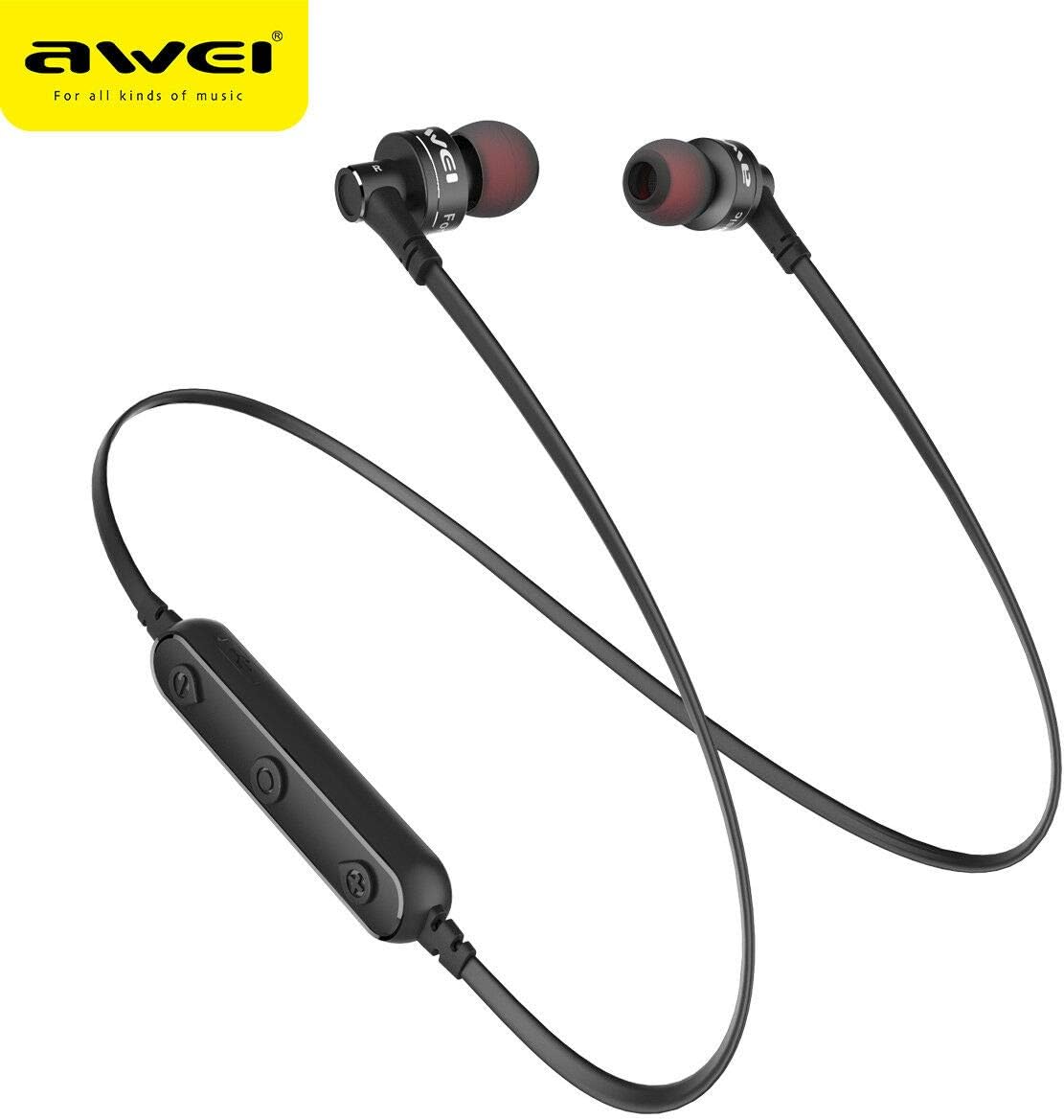
Image: The AW B990BL Neckband Wireless Bluetooth Earphones, showcasing the neckband design, earbuds, and inline control panel.
Disetél
1. Ngecas Earphone
- Connect the micro-USB end of the charging cable to the charging port on the earphone's control unit.
- Sambungkeun tungtung kabel ngecas USB-A kana sumber daya USB (contona, port USB komputer, adaptor témbok).
- The indicator light will illuminate during charging. Once fully charged (approximately 1 hour), the indicator light will change or turn off.
- Cabut kabel ngecas saatos ngecas réngsé.
Catetan: Pastikeun earphone parantos dicas pinuh sateuacan dianggo anu munggaran pikeun kinerja batré anu optimal.
2. Papasangan Bluetooth
- Pastikeun yén earphone dipareuman.
- Press and hold the Multi-function button (usually the center button on the control unit) for approximately 5-7 seconds until the indicator light flashes red and blue alternately. This indicates pairing mode.
- Dina alat anjeun (smartphone, tablet, jsb.), aktipkeun Bluetooth sareng milarian alat anu sayogi.
- Select "B990BL" from the list of found devices.
- Sakali dipasangkeun kalayan suksés, lampu indikator bakal kedip-kedip biru lalaunan, sareng anjeun tiasa ngadangu nada konfirmasi.
- Upami dipenta pikeun kecap akses, lebetkeun "0000".
Catetan: Earphone sacara otomatis bakal nyobian nyambung deui ka alat anu dipasangkeun terakhir nalika dihurungkeun.
Gambar: A close-up view of the AW B990BL earphones, highlighting the inline control panel with its buttons and charging port.
Parentah Operasi
Fungsi Dasar
- Daya Hurung: Pencét jeung tahan tombol Multi-fungsi salila 3 detik.
- Pareum listrik: Pencét jeung tahan tombol Multi-fungsi salila 3 detik.
- Puter / Reureuh: Pencét tombol Multi-fungsi sakali.
- Volume Up: Pencét tombol "+".
- Volume Turun: Pencét tombol "-".
- Lagu salajengna: Pencét jeung tahan tombol "+".
- Lagu Sateuacanna: Pencét jeung tahan tombol "-".
Manajemén Telepon
- Ngajawab Telepon: Pencét tombol Multi-fungsi sakali.
- Tungtung Telepon: Pencét tombol Multi-fungsi sakali nalika nelepon.
- Nolak Telepon: Pencét jeung tahan tombol Multi-fungsi salila 2 detik.
- Telepon deui Nomer Panungtungan: Pencét dua kali tombol Multi-fungsi.
Pangropéa
- Jaga earphone tetep garing. Hindarkeun paparan kana suhu anu ekstrim, kalembaban, atanapi bahan korosif.
- Clean the earphones regularly with a soft, dry cloth. Do not use harsh chemicals or abrasive cleaners.
- Simpen earphone di tempat anu bersih sareng garing upami henteu dianggo.
- Ulah nepi ka muragkeun atawa ngabanting earphone ka arah nu kuat.
- Do not attempt to disassemble or modify the earphones, as this will void the warranty and may cause damage.
Pamérésan masalah
- Teu tiasa dipasangkeun sareng alat:
- Ensure the earphones are in pairing mode (red and blue indicator light flashing alternately).
- Ensure Bluetooth is enabled on your device and it is within 10 meters of the earphones.
- Turn off and restart both the earphones and your device, then attempt pairing again.
- Hapus sambungan Bluetooth sateuacanna dina alat anjeun upami diperyogikeun.
- Henteu aya sora atanapi volume rendah:
- Pariksa tingkat polumeu boh dina earphone sareng alat Anjeun nu disambungkeun.
- Pastikeun yén earphone disambungkeun leres ka alat Anjeun.
- Try playing different audio sources to rule out an issue with the media file.
- Earphone teu ngecas:
- Pastikeun kabel ngecas disambungkeun pageuh kana earphone sareng sumber daya.
- Coba kabel ngecas USB atawa sumber kakuatan béda.
- Pariksa port ngecas pikeun sagala lebu atawa karuksakan.
spésifikasi
| Fitur | Rincian |
|---|---|
| Ngaran modél | B990BL |
| Vérsi Bluetooth | V4.2 |
| Waktu Ngecas | 1 jam |
| Waktu Ngobrol | 6 jam |
| Waktu Musik | 6 jam |
| Téhnologi konektipitas | Nirkabel |
| Sensitipitas | 96 dB |
| Dimensi produk | 4 x 10 x 16.5 cm |
| Beurat | 4.54 g |
| Produsén | Awei |
Garansi sareng Rojongan
For warranty information or technical support, please refer to the documentation provided with your purchase or contact the retailer where the product was acquired. Keep your proof of purchase for warranty claims.